XStore-temat
Sale 44%
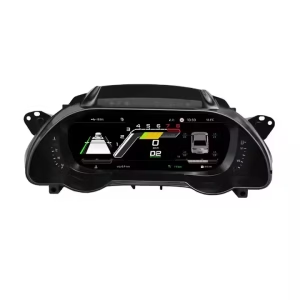
  • Audi A4 B8 digital instrumentpanel – 12,3-tums instrumentpanel i Virtual Cockpit-stil för modellår 2009–2016
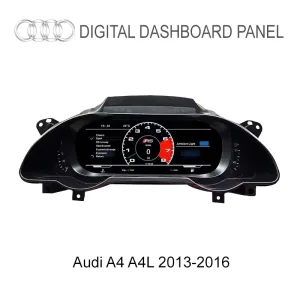
  • Audi A4 LCD-kluster 2013-2016
  • H5de77e4af39f4819a658e67bb2fca6e9h
  • H71cab059c4194b2c999335d5584a0f0cs 1
  • Hed81d91672984a238ca19d66777a5b6aP 1
  • S6cbc90ebb0684b45b3d834f533091510r
  • S2e1af3478ae24e65bd0b46c84d8a289ej

Audi A4 B8 digital instrumentpanel – 12,3-tums instrumentpanel i Virtual Cockpit-stil för modellår 2009–2016

(1 kundrecension)

Det ursprungliga priset var: $780.00.Det nuvarande priset är: $438.00.

Tullfri EU och USA · Fraktkostnad visas i varukorgen EU och USA · Fraktkostnad läggs till i varukorgen
Säkra genom PayPal
DDP Skattefördelad tjänst

Vi sköter tillämplig moms och importtull för berättigade beställningar från EU och USA. Beräknad besparing: $120-$280 .

Fraktkostnaden tillkommer. Den exakta fraktkostnaden beräknas utifrån leveransadressen och visas i din varukorg innan du går till kassan.

USA (48 stater) Österrike Belgien Bulgarien Kroatien Cypern Tjeckien Danmark Estland Finland Frankrike Tyskland Grekland Ungern Irland Italien Lettland Litauen Luxemburg Malta Nederländerna Polen Portugal Rumänien Slovakien Slovenien Spanien Sverige
Leverans till Kina
Kontrollerar tillgänglig frakt…
eller
Betala tryggt med Paypal Betala tryggt med Visa Betala tryggt med Master Card Betala säkert med JCB Betala tryggt med American Express Betala tryggt med Alipay Betala säkert med Google pay Betala tryggt med Klarna Betala tryggt med DISCOVER Betala säkert med Apple Pay
Garantera säker och trygg betalning i kassan
Mer än bara hårdvara

Skräddarsydd. Stöd långt efter leveransen.

Kompatibilitetsgranskning, fullständigt kompatibilitetsskydd, 12 månaders hårdvarugaranti och fortsatt support efter installationen.

Efter betalning Vi arbetar för att det ska bli rätt från första försöket
Visa hela beställningsprocessen Hela processen
01 Beställning mottagen Beställning
02 Slutlig kompatibilitetskontroll Kontrollera
03 Testa & förbered Test
04 Packa & skicka Frakt
05 Spårning & support Stöd

Vårt mål är att få din beställning rätt innan den lämnar oss. Vi verifierar kompatibilitet, förbereder rätt installation och kontaktar dig endast om något behöver bekräftas.

Audi A4 B8 / B8.5 · 2009–2016

Audi A4 B8 Digital Cluster — 12.3″ Virtual Cockpit-Style Upgrade

Turn the older analog-style instrument area into a sharper digital cockpit with clearer driving information, selectable display layouts and vehicle-specific integration prepared around your A4 configuration.

Modernize the driver’s viewA wider 12.3-inch LCD makes the cockpit feel newer every time you drive.
Keep key vehicle information visibleSupported speed, RPM, fuel, mileage, trip, temperature and warning data stay in front of the driver.
Retain familiar controlsSupported original steering-wheel controls continue to work after correct connection and setup.
Expand the display route when requiredCarPlay, Android Auto, navigation, DVR and camera display are available through the correct kit and connected system.
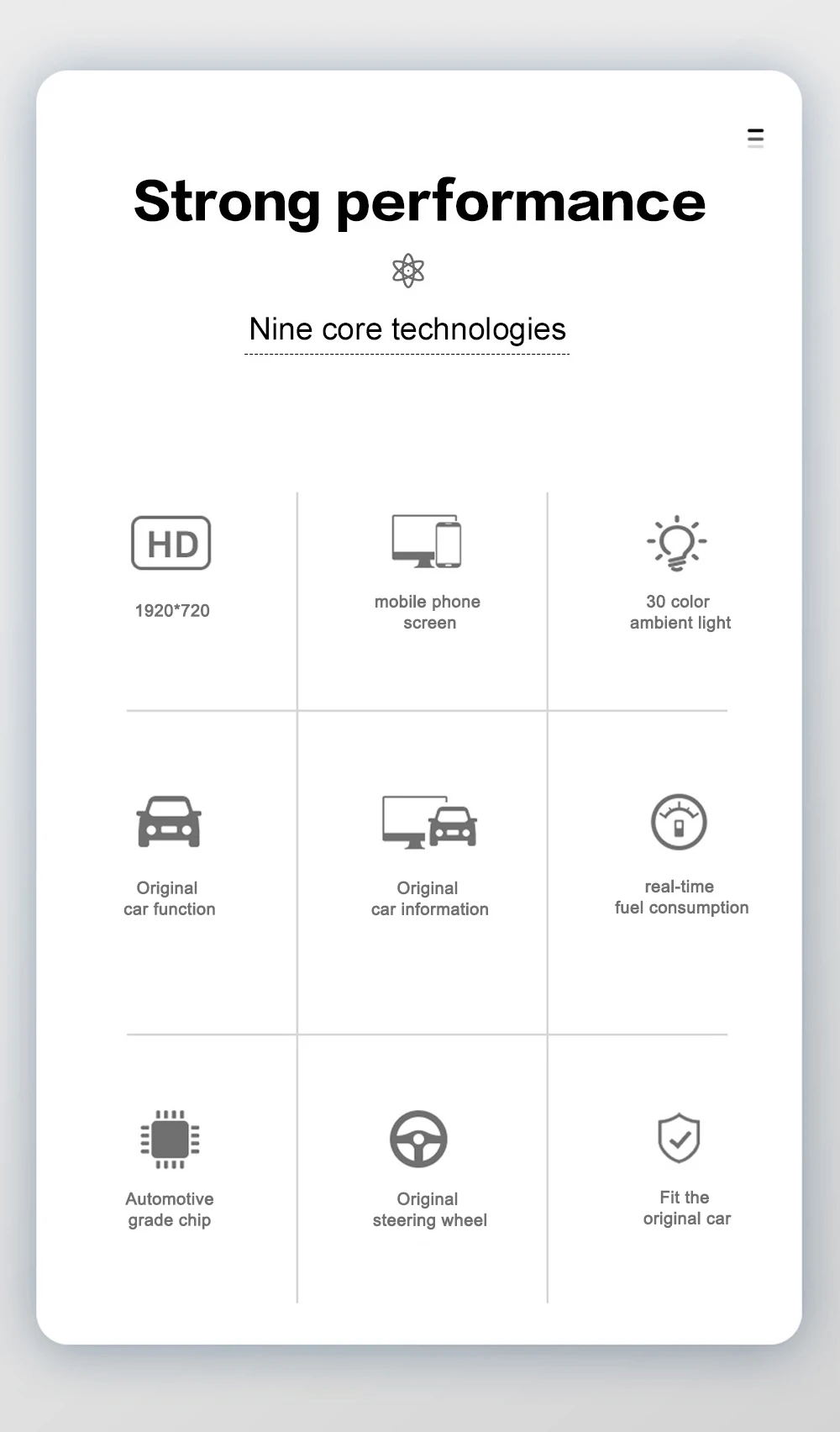
12,3″ LCDDriver-focused display
1920×720Sharp digital graphics
CAN DataSupported vehicle info
Multi-ViewSelectable layouts
Linux-systemInstrument-focused operation
YB-124Fordonsspecifik rutt
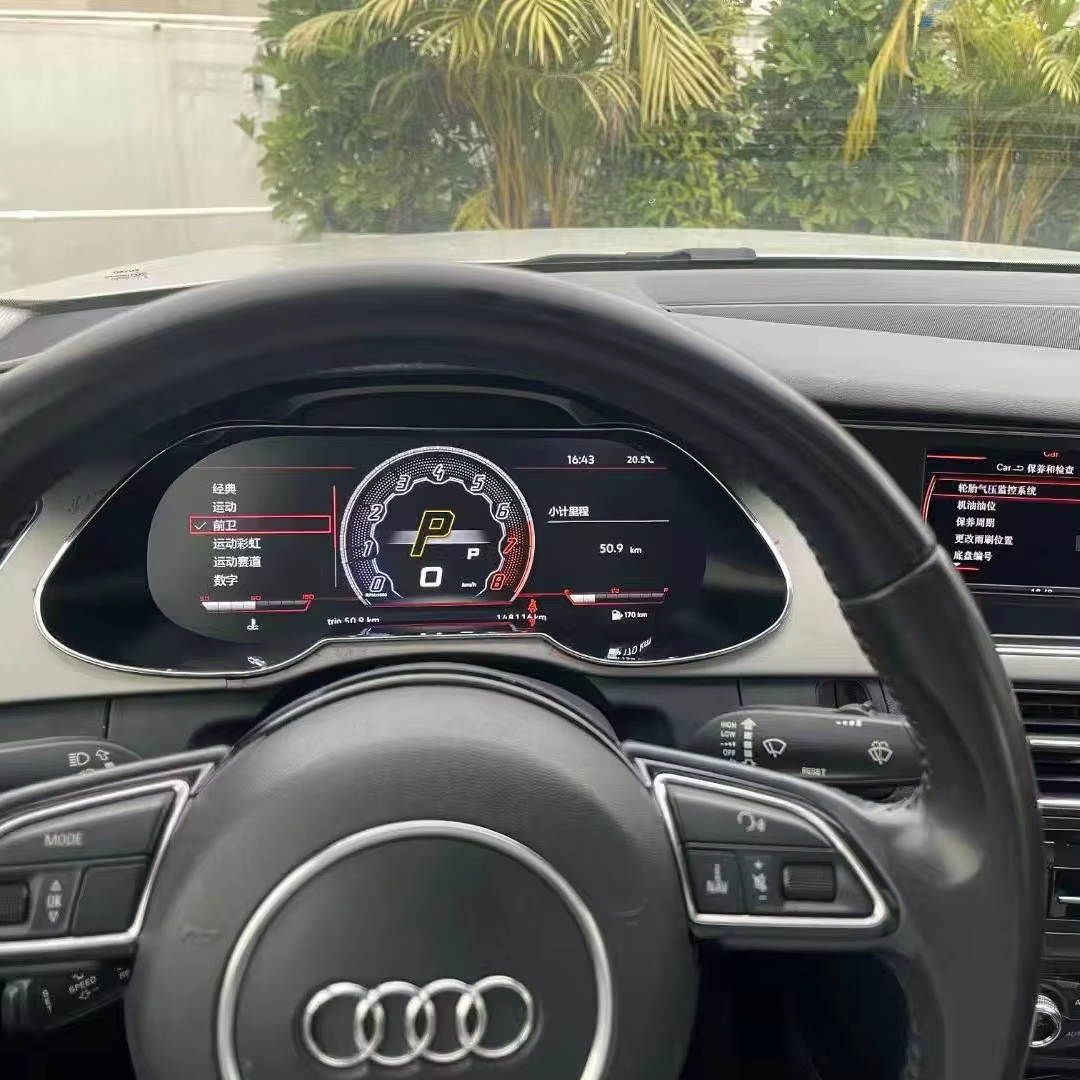
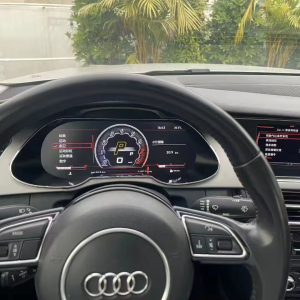
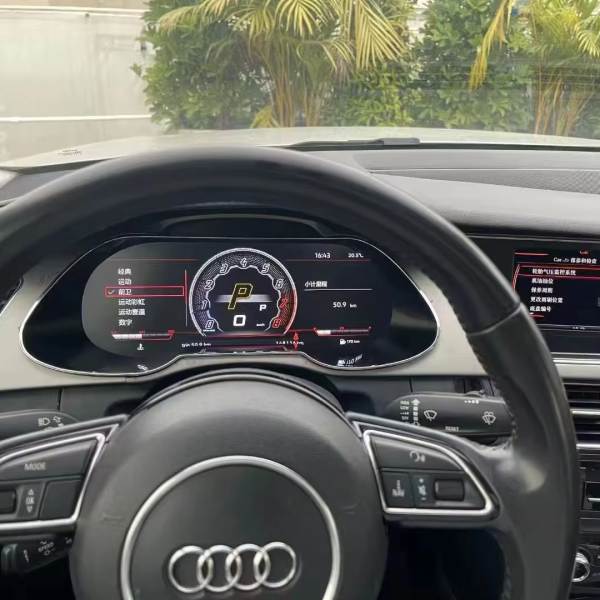
Audi A4 B8 Digital Cluster installed in dashboard driver view
Installed driver-seat view: the upgrade replaces the older gauge area with a cleaner digital cockpit while keeping the display in the driver’s natural line of sight.

Make the Audi A4 B8 Cockpit Feel Years Newer

The value is not simply replacing one instrument screen. It is changing the part of the cabin you look at on every drive while keeping the upgrade tied to real vehicle information and familiar Audi controls.

Audi A4 B8 Digital Cluster quick answer: this iKAGOO retrofit is designed for Audi A4 B8 and B8.5 vehicles from 2009–2016. It uses a 12.3-inch 1920×720 LCD digital dashboard and supports key vehicle data, warning information and steering-wheel controls where provided by the confirmed vehicle route. iKAGOO matches the version using your model year, dashboard, steering side, connector layout and previous modifications before shipment.
A4 B8 / B8.5
2009–2016
12,3″ LCD
1920×720
CAN-fordonsdata
SKU YB-124

Skärm i stil med en virtuell cockpit

Modern digital gauges and selectable layouts give the A4 driver area a much newer visual center without turning the dashboard into a generic tablet-style installation.

12,3 tum, 1920×720 LCD

The larger high-definition display makes speed, RPM, trip and other supported information easier to scan during daily driving.

CAN-fordonsinformation

Supported speed, fuel level, temperature, mileage, trip and warning information can remain part of the cluster experience instead of being separated from the upgrade.

Stöd för styrning av ratten

Supported original steering-wheel buttons continue to provide familiar interaction after the matched harness and configuration are completed.

Navigeringsklar visningsväg

With the correct connected kit, supported navigation and phone-projection information can move closer to the driver’s forward view.

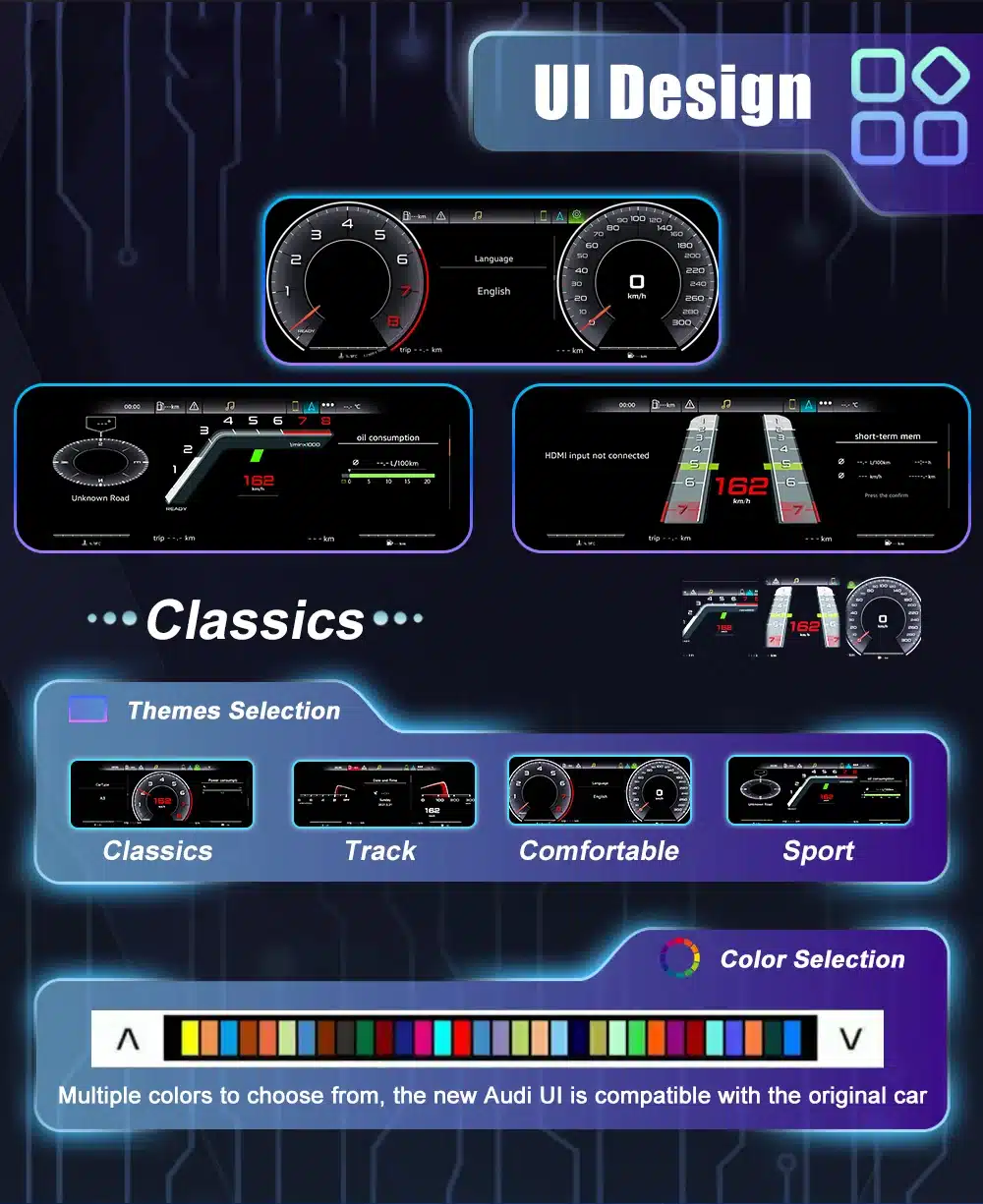
Flera gränssnittsteman

Classic, sport, track, comfort, navigation-style and other supported views let the cluster suit different driving preferences instead of locking the cabin into one layout.

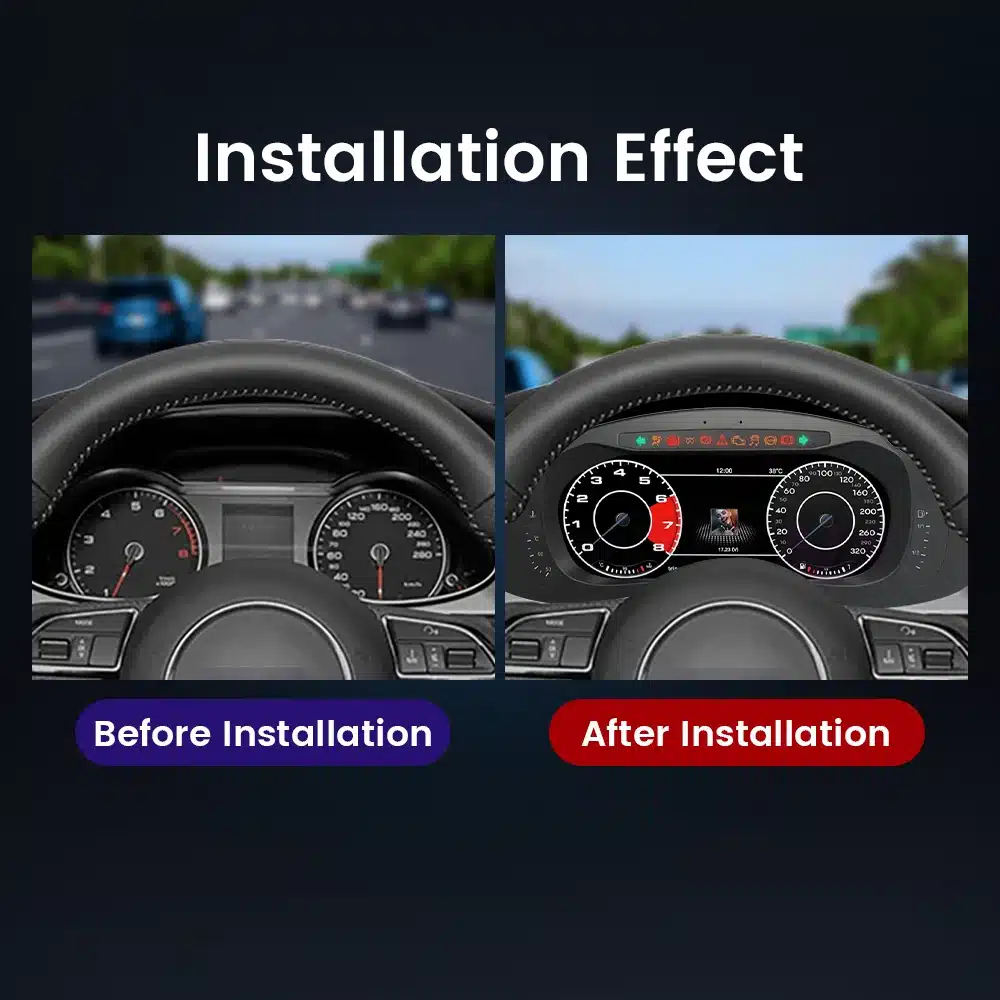
Audi A4 B8 digital cluster before and after dashboard upgrade effect

See the Dashboard Transformation Before You Buy

The before-and-after view shows the main reason many A4 owners choose this retrofit: the car can remain familiar while the instrument area no longer feels tied to the original analog-era cabin.

Behåll det gamla klustret

  • Lägsta omedelbara kostnad
  • Keeps the original dashboard appearance
  • Ingen digital cockpit-liknande layout

Reparera den gamla instrumentpanelen

  • Useful when the goal is fault restoration only
  • Retains the original display style
  • Does not create a 12.3-inch digital cockpit

Begagnat fabrikskluster

  • Keeps a factory hardware route
  • Matching or coding may depend on the donor unit
  • Does not necessarily modernize the cockpit

iKAGOO Digital Cluster

  • 12,3-tums digital skärm med upplösningen 1920×720
  • Prepared for confirmed A4 B8/B8.5 fitment
  • CAN data and steering-wheel support
  • Selectable virtual cockpit-style UI

Real Functions That Make the Audi A4 B8 Digital Cluster Worth Using Every Day

These original product visuals show the functions buyers actually use: navigation, phone projection, warning information, display modes and multi-language operation.

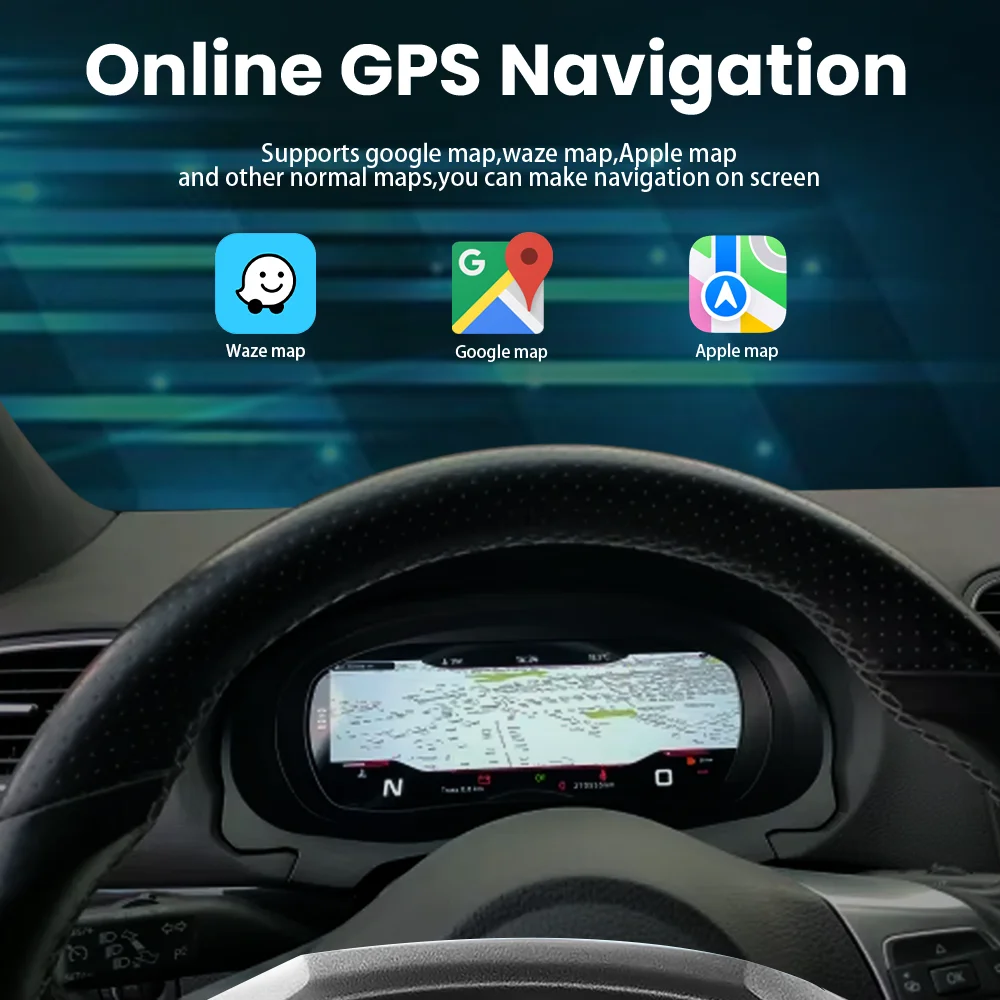
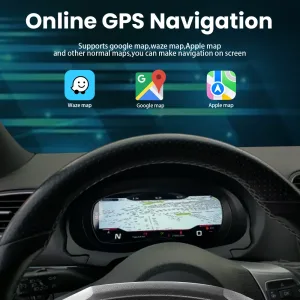
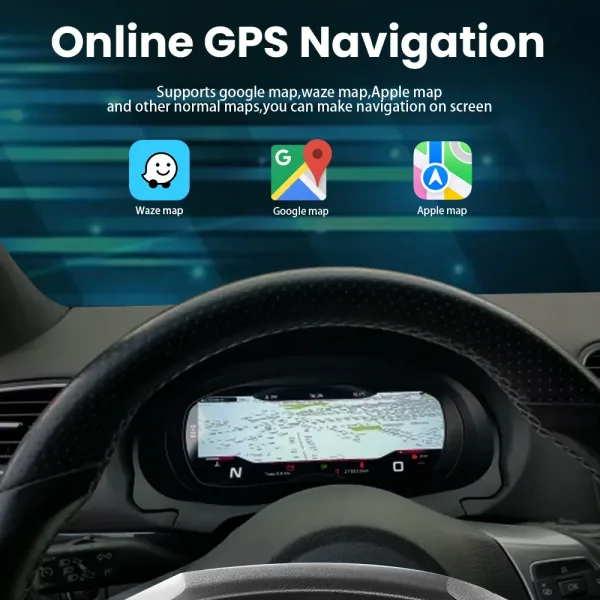
Audi A4 B8 digital cluster navigation display support for Google Maps Waze and Apple Maps

Can Navigation Information Display in the Audi A4 B8 Cluster?

Yes, with the correct compatible head unit, module or sync route. Bringing supported map guidance closer to the driver means less dependence on looking across to the center display during normal navigation.

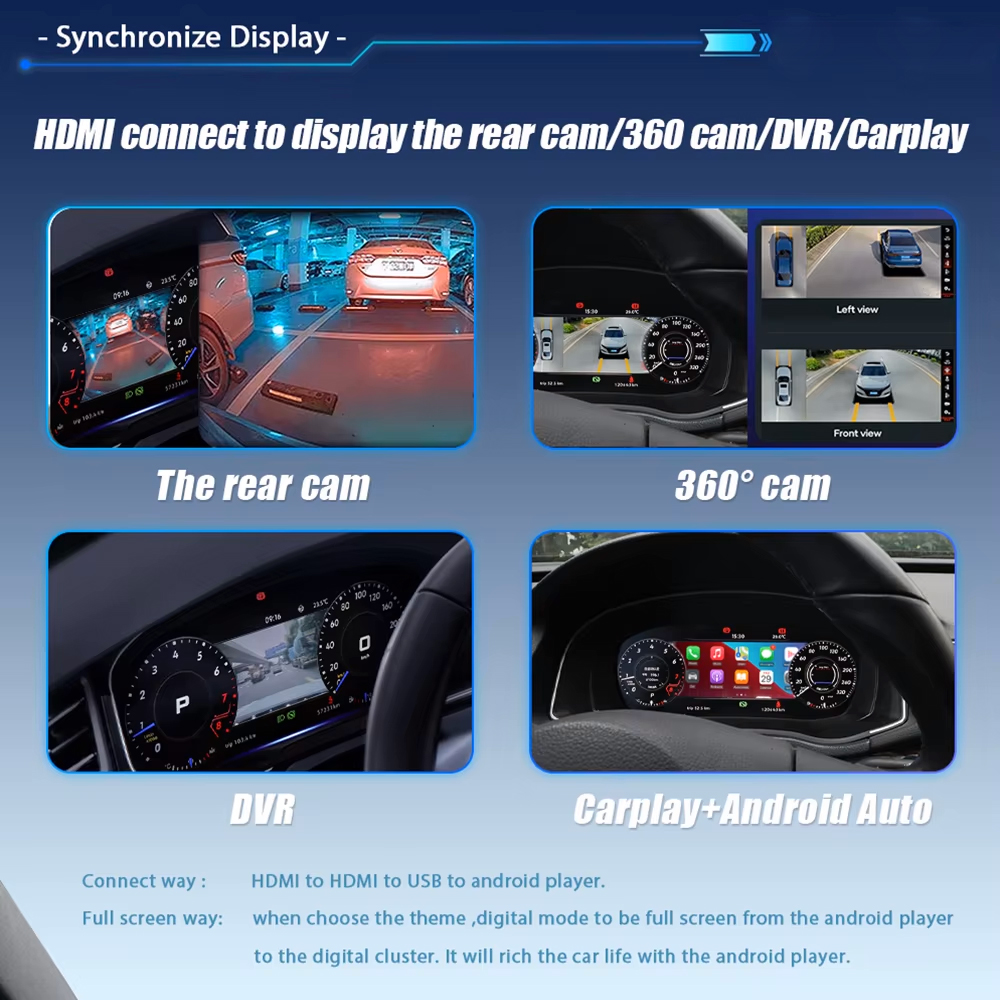
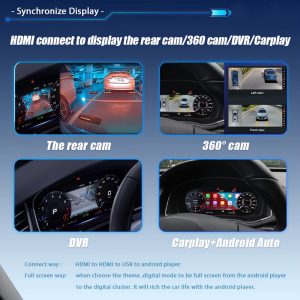
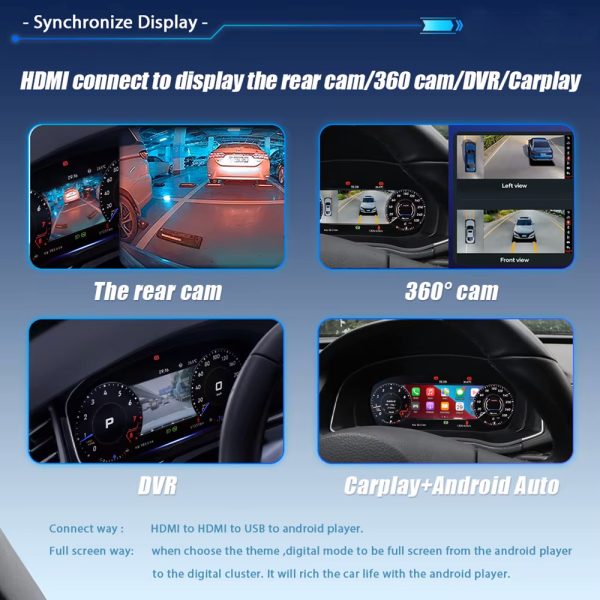
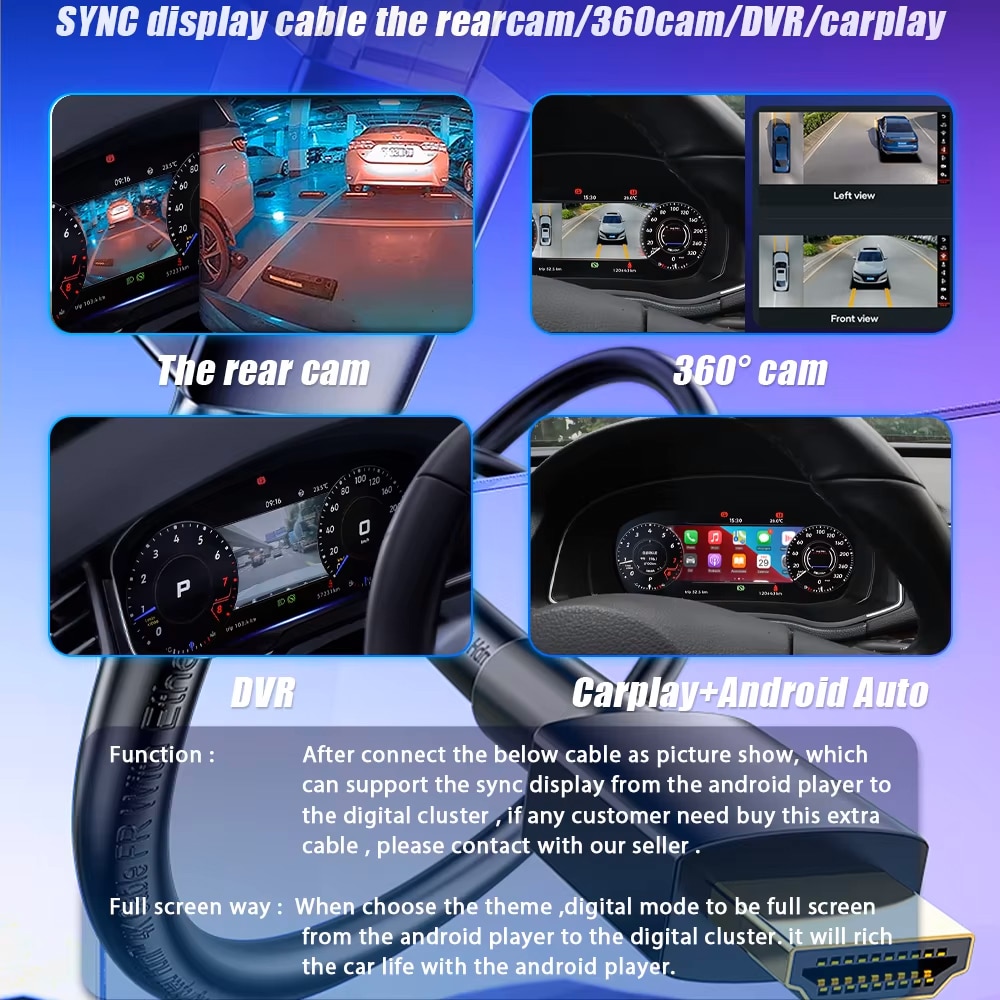
Audi A4 B8 digital cluster synchronized display for rear camera DVR CarPlay and Android Auto kit dependent

Does Apple CarPlay or Android Auto Work with This Audi A4 B8 Upgrade?

Yes, when the selected kit and connected system support the required sync route. CarPlay, Android Auto, DVR, rear-camera and 360-camera display can be routed to the cluster through the correct compatible connection.

See the Audi/VW CarPlay display route →
Audi A4 B8 LCD instrument cluster vehicle condition and maintenance warning display

Will Vehicle Condition and Warning Information Still Be Visible?

Yes, supported warning and maintenance information remains part of the instrument display route. That matters because a useful digital cluster should modernize the view without hiding the information an A4 owner expects to see.

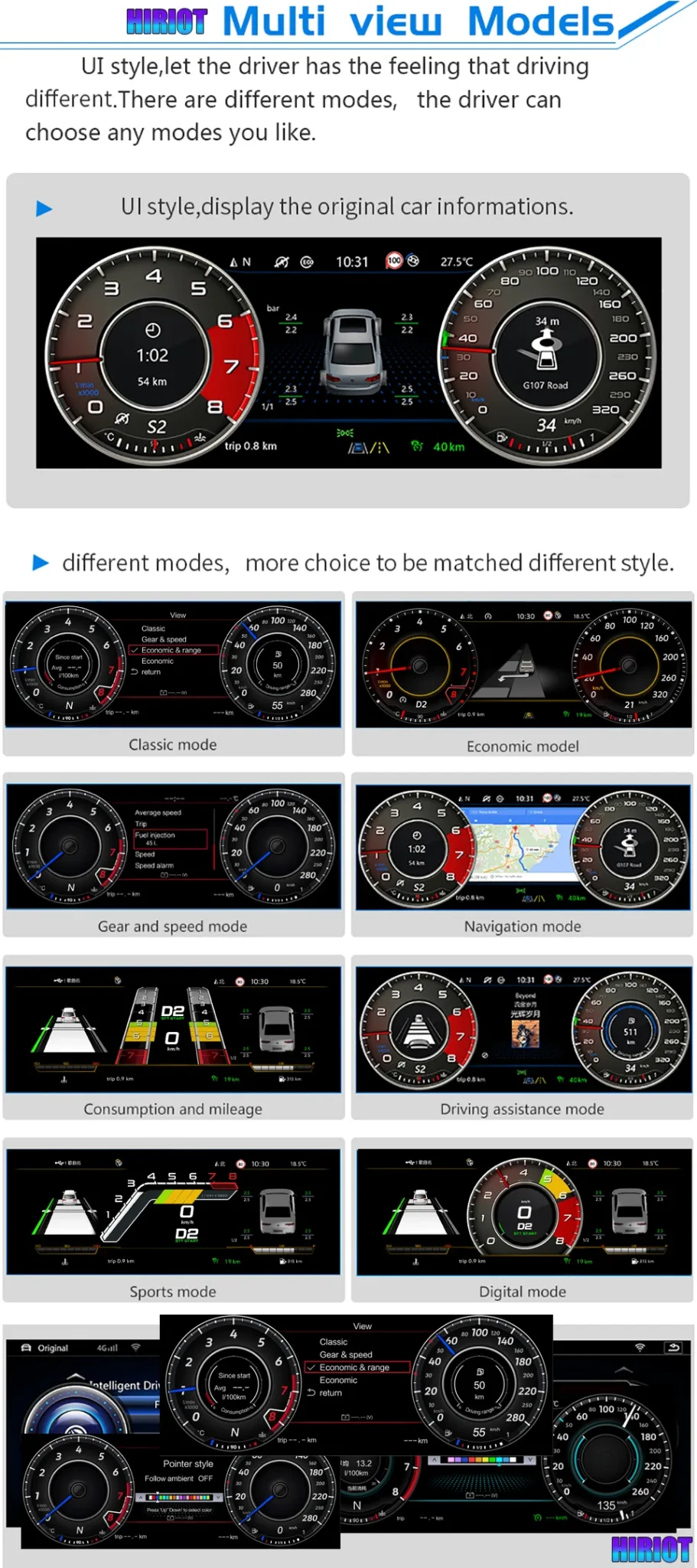
Audi A4 B8 digital cluster multi view modes including classic navigation sport and digital mode

Choose the Display Style That Fits the Drive

Classic, navigation, consumption, driving-assistance, sport and digital-style views give the cluster more than one personality, so the upgrade remains useful beyond the first visual impression.

Audi A4 B8 digital cluster feature summary with 1920x720 display vehicle information and steering wheel support

One Upgrade Brings the Core Driver Information Together

The product feature summary combines the 1920×720 display, supported vehicle information, steering-wheel control support and fitment-focused integration in one cluster upgrade rather than adding separate driver displays.

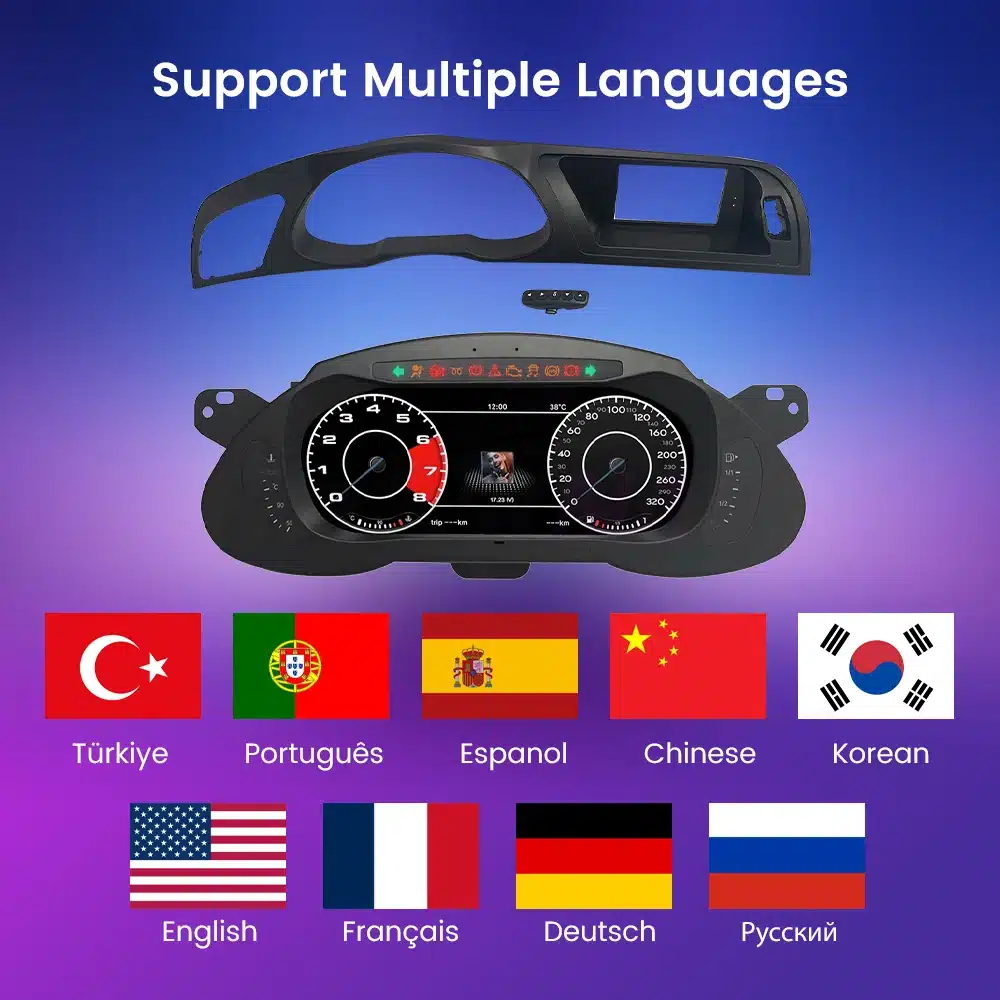
Audi A4 B8 digital cluster multi language interface support

Multi-Language Interface for A4 Owners in Different Markets

The cluster includes multiple interface languages, making the system easier to understand and use for owners across different regions without changing the core driving information layout.

Will This Audi A4 B8 Digital Cluster Fit 2009–2016 B8 and B8.5 Models?

Ja. This product is designed for Audi A4 B8 and B8.5 vehicles from 2009–2016, with iKAGOO confirming the correct version from the dashboard layout, steering side, connector route and vehicle configuration before shipment.

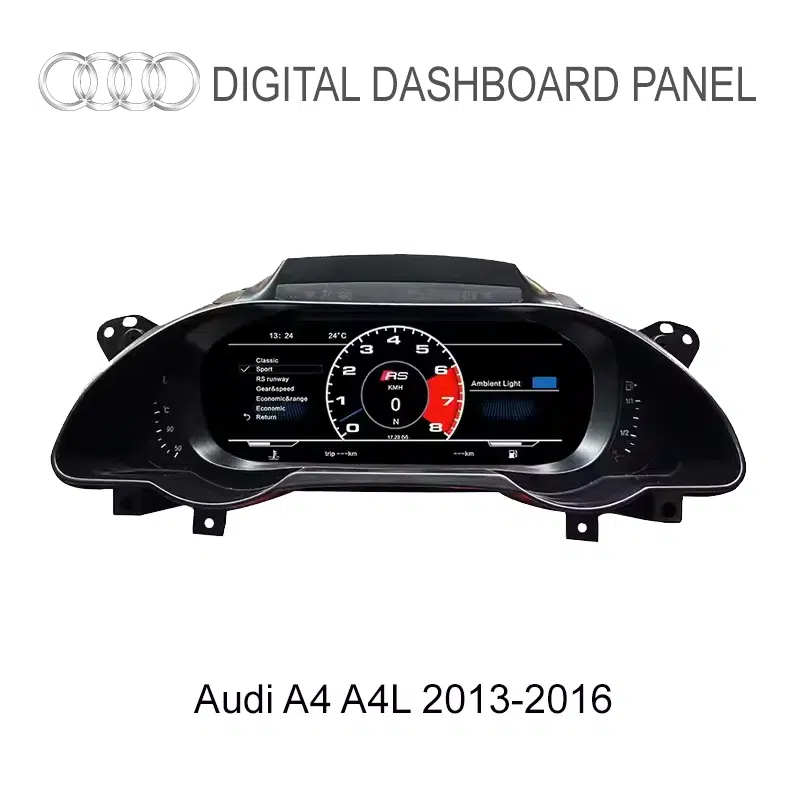
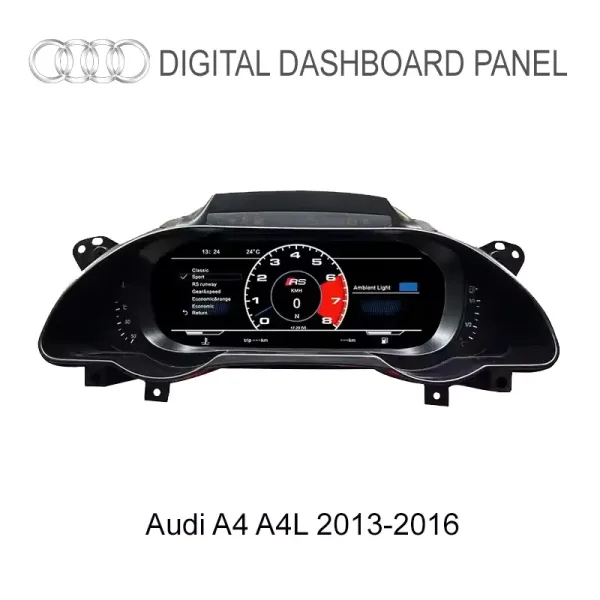
Audi A4 A4L B8.5 2013 to 2016 digital dashboard cluster fitment reference
B8.5 / A4L visual reference from the original product material. iKAGOO uses the actual dashboard and cluster photos to match the supplied version.
FordonssortimentAudi A4 B8 / B8.5, 2009–2016.
GenerationB8 pre-facelift and B8.5 facelift routes are matched by year and dashboard details.
Vänsterstyrd / HögerstyrdLeft-hand-drive and right-hand-drive preparation is confirmed from your vehicle details.
Dashboard / cluster photoA clear driver-seat photo helps match the frame and cluster shape.
Connector / harness photoConnector photos help match the correct wiring harness and vehicle interface.
Existing modificationsTell iKAGOO about an aftermarket head unit, camera, audio or previous wiring changes.

Special factory audio systems, previous aftermarket modifications, uncommon regional configurations or non-standard camera systems can require a different connection path. iKAGOO uses the submitted vehicle information to prepare the correct version rather than treating every B8/B8.5 as identical.

Will Original Audi A4 B8 Vehicle Data and Steering-Wheel Controls Be Retained?

Yes, where supported by the confirmed vehicle route. The upgrade is prepared around the original A4 data path so the cockpit becomes more modern while the driving information and controls you use remain familiar.

Rattkontroller

Supported multifunction steering-wheel controls continue to work after the correct harness connection and setup.

Fordonsdata och varningar

Supported speed, RPM, fuel, mileage, trip, temperature and warning information remains available through the vehicle data route.

Fabriks-CAN-kommunikation

The matched vehicle interface is used to communicate with the supported Audi A4 B8/B8.5 systems instead of treating the display as a standalone generic screen.

Skydd av fabrikens ledningsdragning

The supported installation direction uses matched connectors and avoids intentionally cutting the main factory wiring.

Original information route

Some supported versions retain original vehicle information through the confirmed original-board/interface route; the exact preparation depends on the vehicle version.

Expanded sync functions

CarPlay, Android Auto, DVR, rear-camera and 360-camera display remain kit-dependent and are matched to the connected system you select.

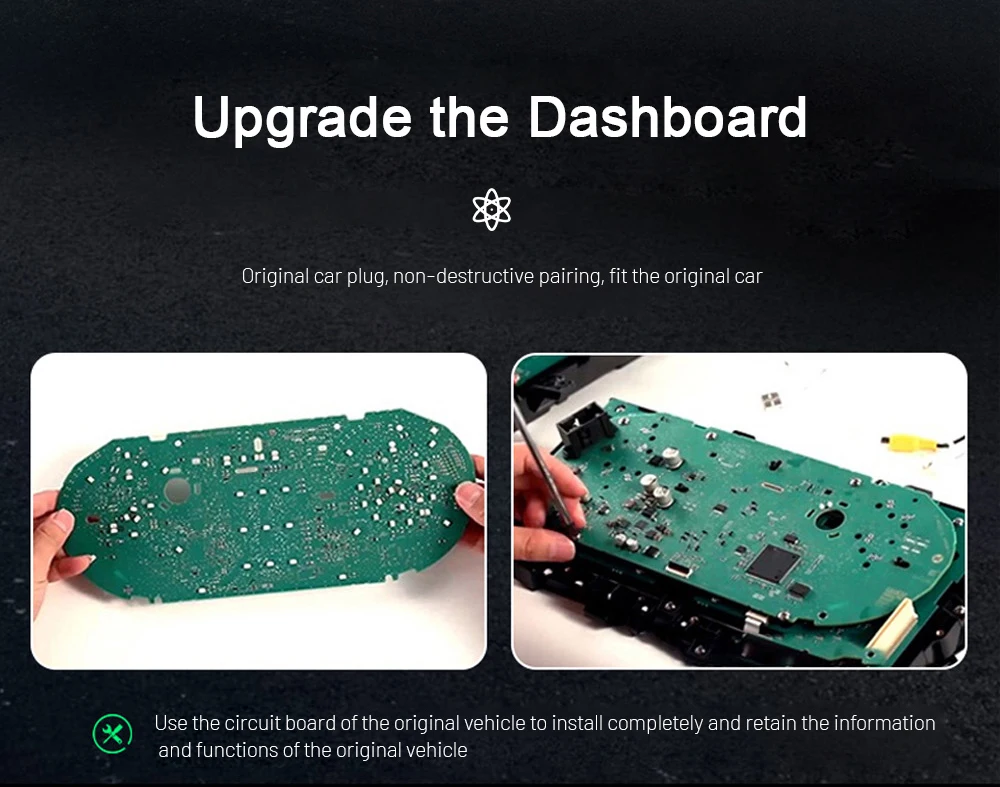
Audi A4 B8 digital dashboard upgrade original vehicle information retention board preparation

Keep the Vehicle Information Logic Connected to the Car

The original product material shows the board/interface retention direction used on supported routes. The practical benefit is simple: the new LCD is prepared to display supported original vehicle information instead of acting like an unrelated accessory screen.

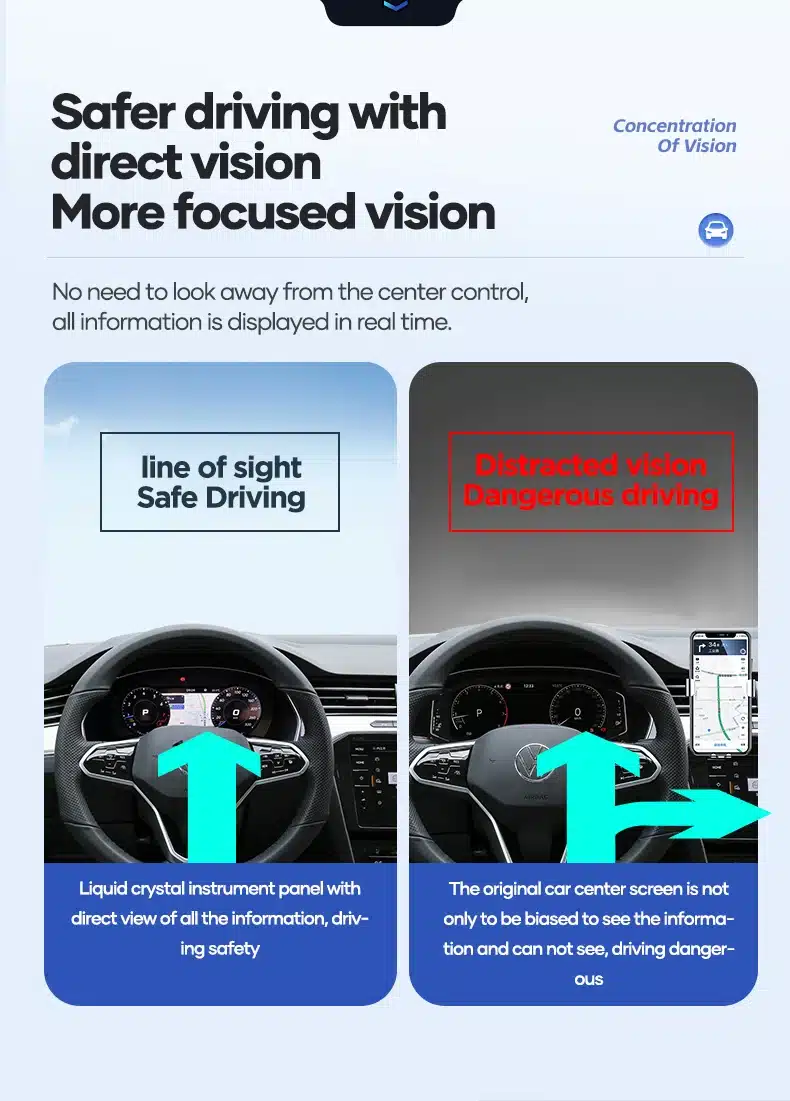
Audi A4 B8 digital cluster direct vision driver information display

Keep Important Driving Information in the Driver’s Natural View

Moving supported vehicle information into a larger digital instrument area makes everyday scanning easier and gives the A4 a stronger modern-cockpit feel without changing where the driver expects to find core data.

Does the Audi A4 B8 Digital Cluster Require Coding or Programming?

Additional vehicle coding is normally not required for the supplied screen route, while setup and configuration remain part of the retrofit. The installation follows a vehicle-specific path using the matched harness, correct protocol/settings and a full function check before final assembly.

Guided Retrofit · L3 — best handled by an experienced DIY installer or automotive electronics installer using the confirmed vehicle route.

01
Ta bort det ursprungliga instrumentklustret

Access the factory cluster and surrounding trim so the new display can use the correct A4 dashboard position.

02
Connect the matched harness and interface

Use the version prepared for the confirmed B8/B8.5 connector route and vehicle configuration.

03
Complete the display and vehicle setup

Apply the correct vehicle protocol, display settings and supported data configuration for the supplied unit.

04
Verify the functions before final assembly

Confirm ignition, sleep mode, speed, RPM, fuel, warnings, steering-wheel buttons, brightness and any selected sync functions.

05
Use iKAGOO support when configuration guidance is needed

Photos and a short video let support confirm the displayed behavior and the next setup step more efficiently.

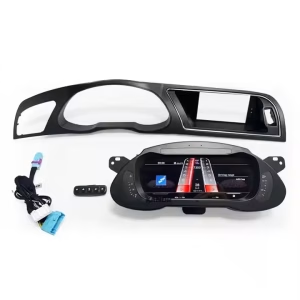
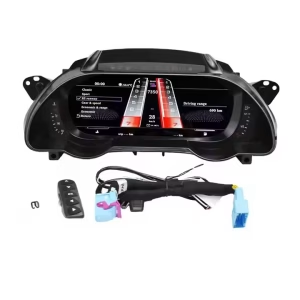
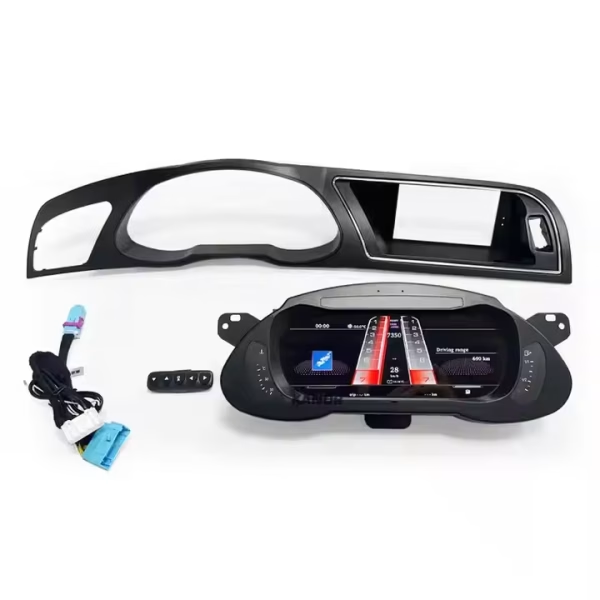
Audi A4 B8 digital cluster kit with frame control button and wiring harness
Complete kit reference: frame, control button and wiring are prepared as part of the matched retrofit route.
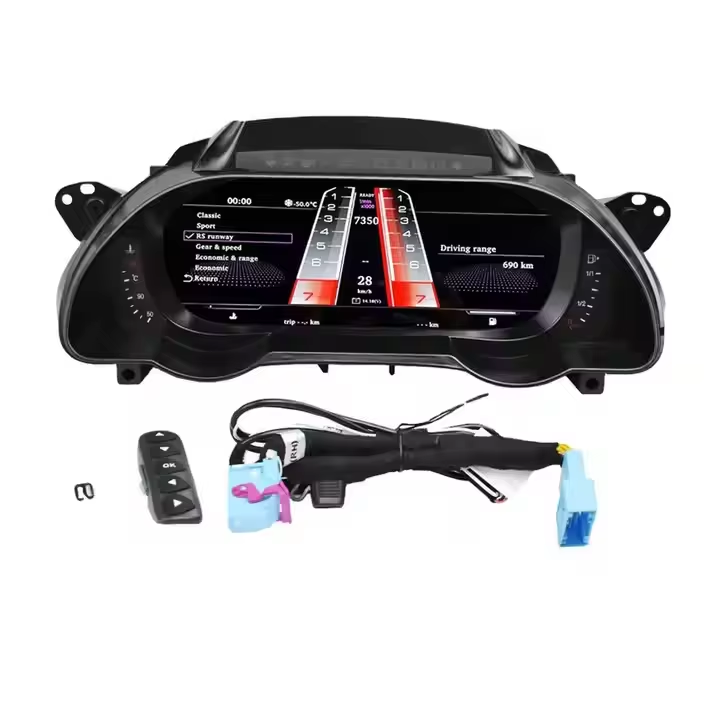
Audi A4 B8 digital instrument cluster wiring harness and control interface
Matched connector and control interface help keep the installation clean and vehicle-specific.
Audi A4 B8 digital cluster sync display cable for rear camera 360 camera DVR CarPlay and Android Auto
Sync cable route for supported rear-camera, 360-camera, DVR, CarPlay and Android Auto display functions.
Audi A4 B8 digital cluster no wire cutting no soldering no drilling installation direction
The supported installation direction uses matched connections instead of intentional cutting, soldering or drilling of the main factory wiring.

More Real Audi A4 B8 Digital Cluster Value You Can See Before Ordering

The remaining original product visuals show the physical display, control method, UI personalization, comfort features, wireless phone projection route and Linux-based instrument system.

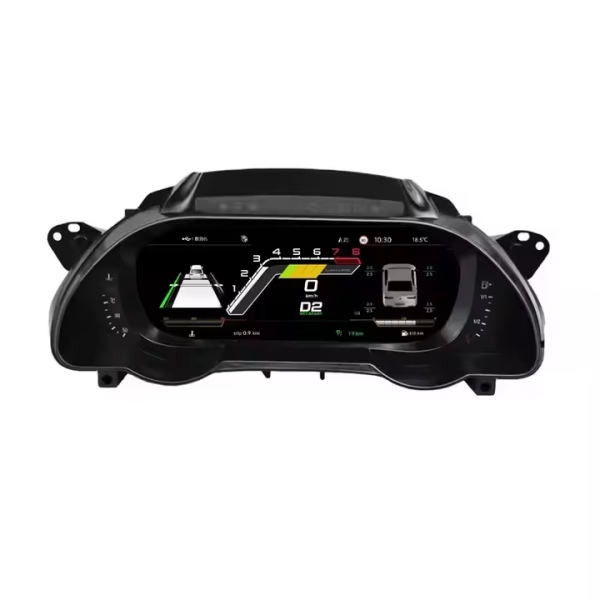
Audi A4 B8 Digital Cluster 12.3 inch virtual cockpit style dashboard upgrade for 2009 to 2016

12.3-inch display built for the A4 dashboard

The physical display shape is designed to replace the older instrument area with a wider, cleaner digital center for the driver.

Audi A4 B8 Digital Cluster 12.3 inch LCD dashboard panel

High-definition LCD instrument panel

The 1920×720 LCD gives the driving information a sharper presentation than the original analog-style cluster area.

Audi A4 B8 digital cluster single and double dial display switch

Visningsalternativ med en eller två mätare

Switch between focused and more traditional gauge layouts so the instrument view matches how you prefer to read driving data.

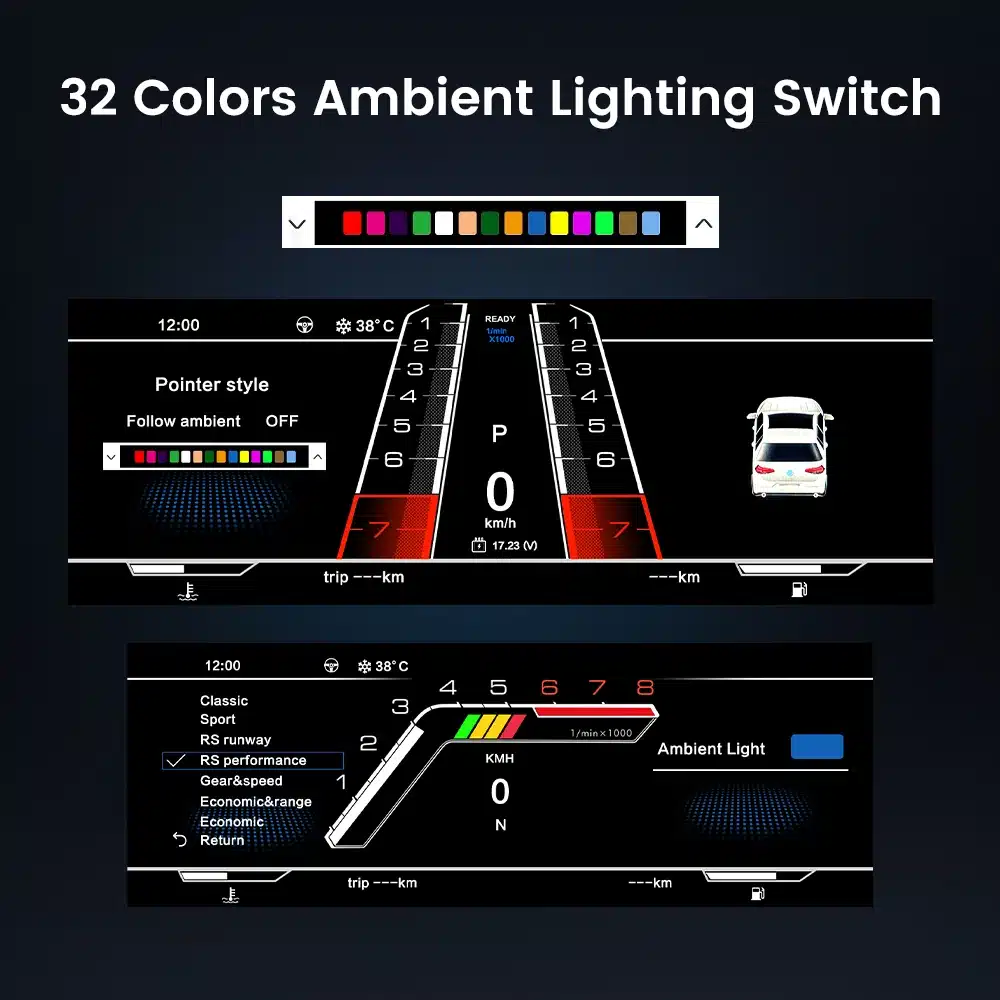
Audi A4 B8 virtual cockpit style cluster color and pointer selection

Theme color and pointer selection

Adjust the visual style so the digital cluster feels more connected to the cabin rather than looking like a one-style universal display.

Audi A4 B8 digital cluster UI theme selection and color selection

Ren UI-design och temaval

Different UI styles let the dashboard look more personal while keeping the main driving information structured and easy to scan.

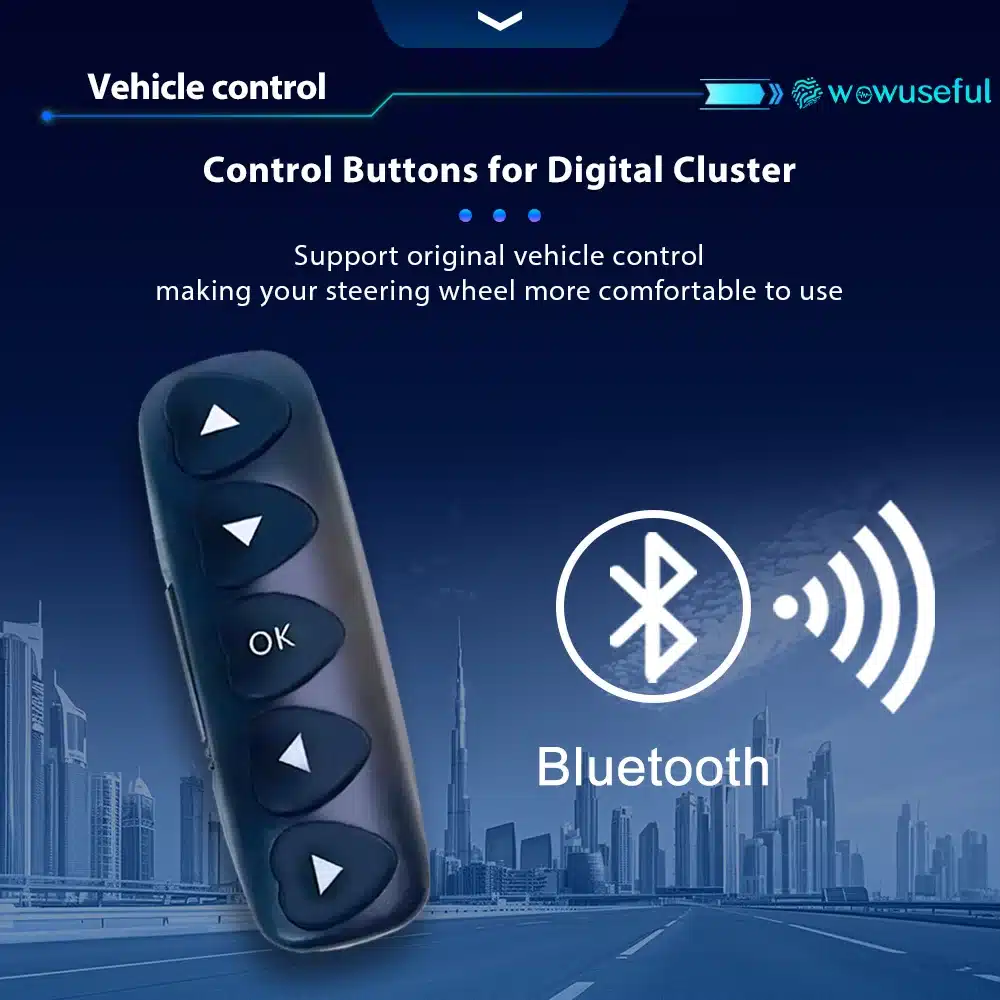
Audi A4 B8 digital cluster control button for vehicle interface operation

Dedicated digital-cluster control button

The physical control gives the driver a straightforward way to switch supported cluster functions without turning normal use into a complicated routine.

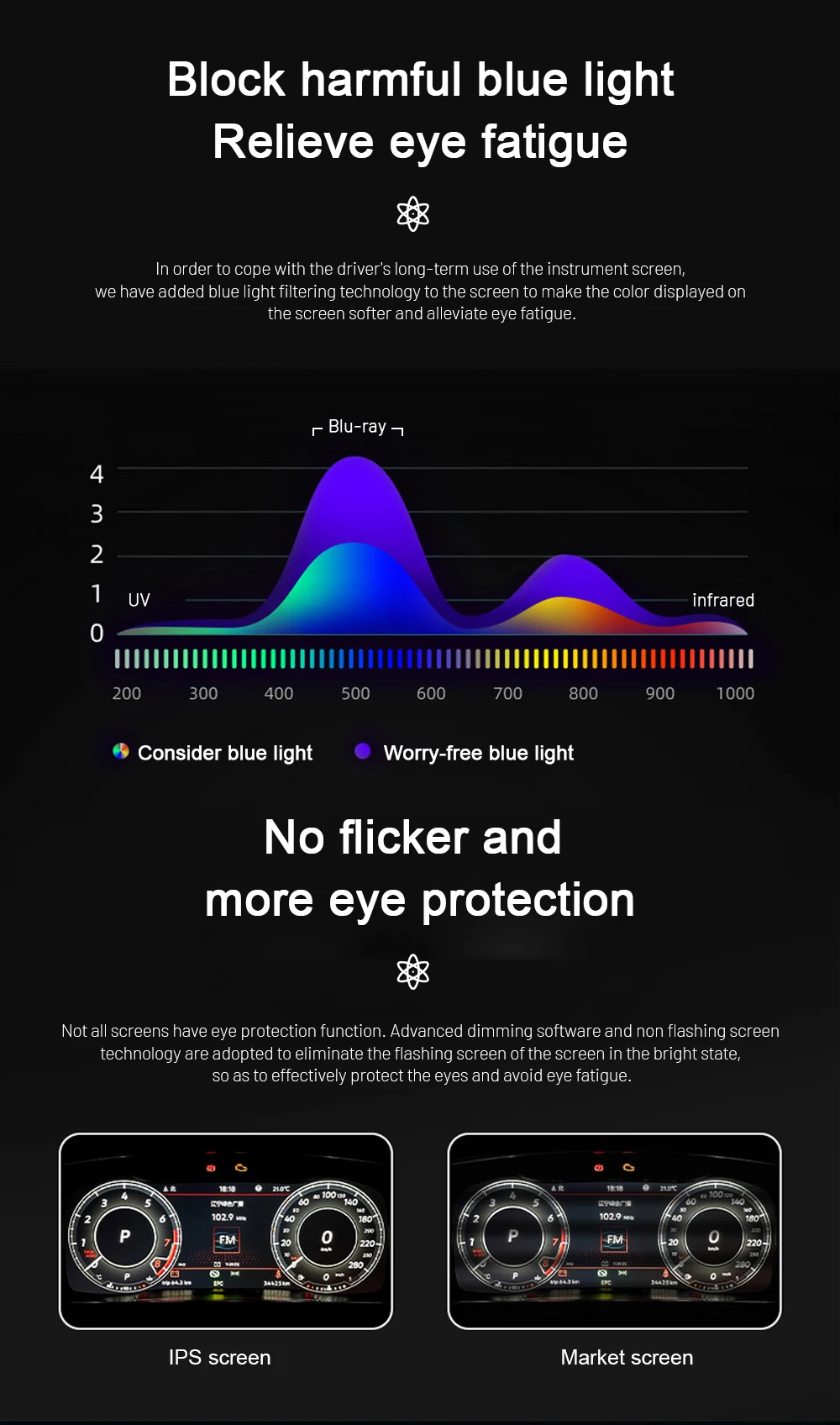
Audi A4 B8 digital cluster blue light filtering and flicker reduction display comfort

Display comfort for daily use

Blue-light and flicker-reduction direction matters on an instrument screen you see on every trip, especially during longer night driving.

Audi A4 B8 virtual cockpit style cluster 30 color display setting

30-color personalization

Color customization lets the display better match the cabin mood while keeping the core driving information readable.

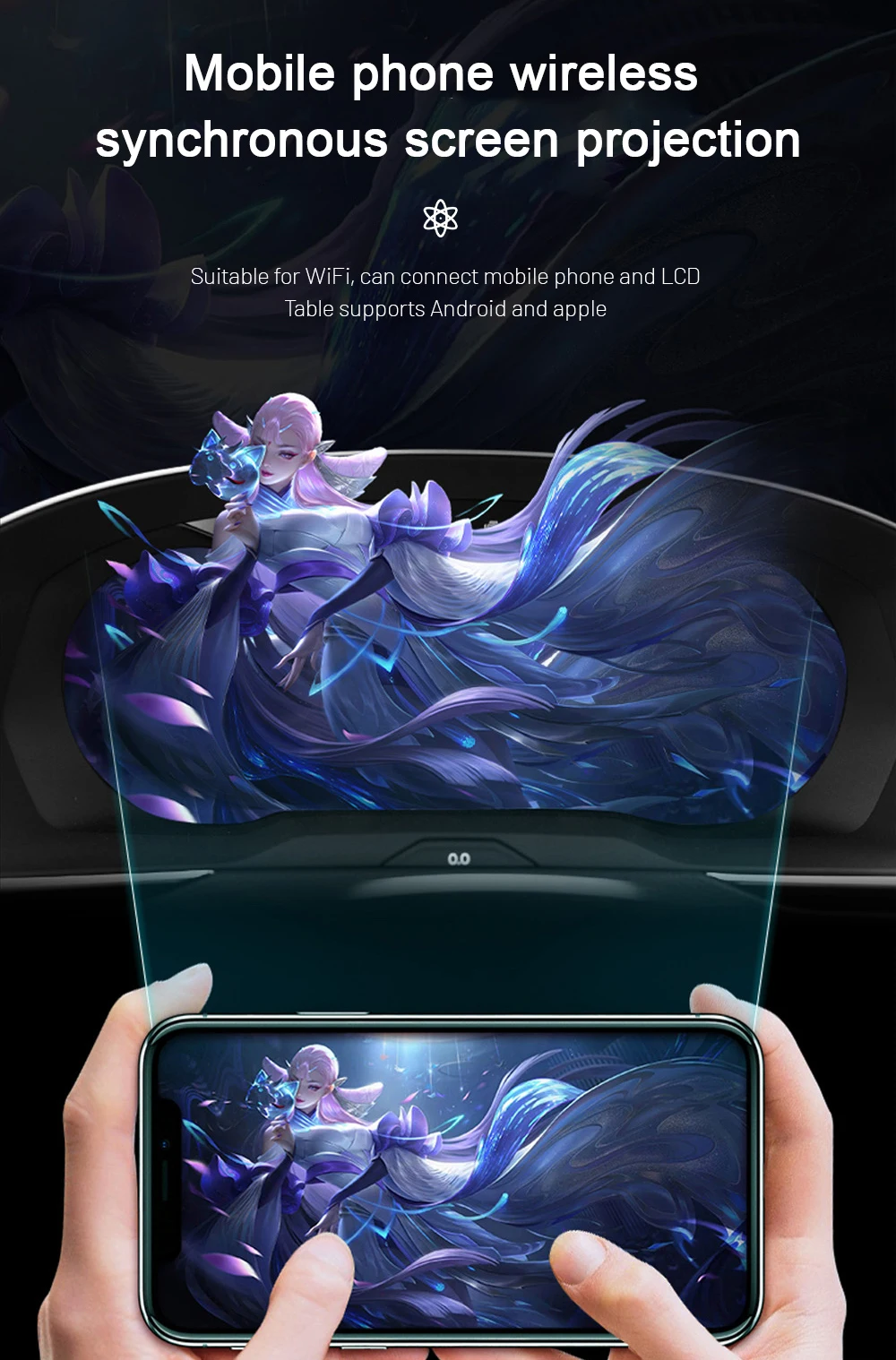
Audi A4 B8 digital cluster mobile phone wireless screen projection kit dependent

Wireless phone projection route

Wireless screen projection is available through the correct supported kit and connection method when phone integration is part of your chosen configuration.

Audi A4 B8 digital instrument cluster Linux system stability and fast startup

Linux-baserat instrumentsystem

The cluster uses a system built around instrument operation, supporting predictable startup and daily display behavior rather than generic tablet-style use.

Audi A4 B8 Digital Cluster Specifications / Product Parameters

Use the specifications below to confirm the hardware and display details of the YB-124 Audi A4 B8 / B8.5 digital cluster route.

12,3″ LCDDigital dashboard
1920×720Upplösning
60 HzUppdateringsfrekvens
CAN DataFordonsinformation
LinuxInstrument system
YB-124Artikelnummer
Produkttyp
Audi A4 B8 Digitalt Kluster / LCD-instrumentkluster / Virtuell Cockpit-Stil Ombyggnad
Kompatibelt fordon
Audi A4 B8 / B8.5 2009–2016, beroende på instrumentpanels- och kontaktbekräftelse
Skärmstorlek
12.3-inch LCD digital dashboard display
Upplösning
1920×720
Betraktningsvinkel
178° betraktningsvinkel
Uppdateringsfrekvens
60 Hz
Svarstid
5 ms
Effektförbrukning
12 V likström, max 3 A, max 36 W
Driftstemperatur
-30 °C till +85 °C
Förvaringstemperatur
-40 °C till +90 °C
Visningslägen
Classic, Sport, Full-screen navigation style, digital and multi-view modes where supported
Fordonsfunktioner
Steering-wheel controls, CAN vehicle data, warning information, mileage, trip, speed, RPM, fuel level and temperature where supported
CarPlay / Android Auto
Kit-dependent display support when paired with a compatible head unit, module or sync cable
System
Linux-baserat instrumentsystem
Artikelnummer
YB-124
Angiven vikt
2,5 kg
Angivna mått
42 × 28 × 42 cm

Actual displayed functions depend on vehicle configuration, connector type, CAN data availability and selected kit. iKAGOO confirms the required vehicle details before preparing the order.

Why Buy This Audi A4 B8 Digital Cluster from iKAGOO

The product is only part of the result. The correct screen, frame, harness and vehicle configuration need to arrive matched to the actual A4, with support still available after installation begins.

Fordonsspecifik förberedelse

Model year, dashboard photo, steering side, connector photos and existing modifications are reviewed before shipment.

Korrekt skärm- och kabelstamsmatchning

The supplied cluster, frame, wiring harness and vehicle interface are prepared around the confirmed A4 B8/B8.5 route.

Integrering av originalfunktioner

Supported steering-wheel controls, CAN vehicle data and warning information are prepared to remain part of the upgraded cluster experience.

Skydd av fabrikens ledningsdragning

The supported route uses matched connectors instead of intentionally cutting the main factory harness.

Support för installation och konfiguration

iKAGOO can provide practical guidance for supported display settings, vehicle data and connected functions when needed.

12-month hårdvarugaranti

The order includes hardware warranty coverage and after-sales support according to the active iKAGOO policy.

Why iKAGOO Recommends This Audi A4 B8 Digital Cluster Upgrade

These three purchase indicators focus on what matters after the novelty wears off: how much the cockpit changes, how familiar the car remains and how clearly the retrofit can be completed.

Upgrade Value · Excellent

9.1 /10

For an A4 B8/B8.5 owner keeping the car, the cluster changes the driver-facing part of the cabin on every trip and gives the interior a much newer visual identity without requiring a full vehicle change.

Read the Audi A4 B8 Buying Guide →

OEM Retention · Very Good

8.8 /10

The upgrade is most valuable when the A4 feels modern without losing the familiar steering-wheel interaction, driving data and warning-information flow owners expect from the original car.

Se standarden för bevarande av fabriksfunktioner →

Installation Friendliness · Good

7.6 /10

A vehicle-specific harness, defined setup sequence and iKAGOO support create a clear retrofit path from original-cluster removal through configuration and final function verification.

Open the Audi / VW Installation Guide Hub →

FAQ: Audi A4 B8 Digital Cluster Buying Questions

Direct answers to the product-specific questions buyers usually confirm before choosing a configuration.

Does this fit Audi A4 B8 and B8.5 2009–2016?

Yes. It is intended for Audi A4 B8/B8.5 2009–2016, with the final screen, frame and harness matched to your dashboard layout, steering side and connector route.

Är det här en äkta Audi OEM Virtual Cockpit?

No. This is an iKAGOO aftermarket Audi A4 B8 Digital Cluster with a virtual cockpit-style interface; it is not an Audi factory-authorized OEM part.

Behåller den rattreglagen?

Yes. Supported original steering-wheel controls continue to work after the correct harness connection and setup.

Visas CarPlay och Android Auto?

Yes, when the selected kit and compatible connected system support the required sync route. DVR, rear-camera and 360-camera display are also kit-dependent.

Can I use this instead of repairing my old A4 speedometer cluster?

Yes, when the goal is a modern cockpit upgrade rather than restoring the original display style. This retrofit adds a 12.3-inch digital dashboard and selectable digital layouts.

Kräver installationen programmering?

Additional vehicle coding is normally not required for the supplied screen route, but setup, configuration and CANBUS/display function checks are part of the installation process.

Varför måste jag skicka bilder på instrumentpanelen och anslutningarna?

Because B8 and B8.5 vehicles can differ by year, market, trim, steering side and previous modifications. The photos help iKAGOO match the screen, frame, wiring harness and interface.

Vad ska jag skicka innan jag beställer?

Send the vehicle year, B8/B8.5 version if known, LHD/RHD position, dashboard photo, original cluster photo, connector photo and details of any previous modifications.

Complete Your Audi A4 B8 Digital Cockpit Upgrade

If your A4 B8/B8.5 matches the supported 2009–2016 route and you want a more modern driver display while retaining supported original vehicle data and controls, this Audi A4 B8 Digital Cluster is built for that upgrade path. Choose the configuration that fits your car and let iKAGOO prepare the correct screen, frame, harness and interface for your order.

5.00

Baserat på 1 recensioner
1
0
0
0
0

1 recension för Audi A4 B8 Digital Cluster – 12.3″ Virtual Cockpit-Style Dash for 2009–2016

  1. Sophia Hill -

    Totalt betyg
    Valuta för pengarna

    12.3″ LCD-skärmen är skarp och ljus utan fördröjning mellan skärmarna. Jag uppskattar verkligen realtidsdatauppdateringarna och det eleganta nya gränssnittet – det känns som en modern Audi-cockpit. Utmärkt kommunikation från ikagoo.

    Är det till någon hjälp?
Lägg till en recension
iKAGOO fordonskompatibilitet, internationell frakt, garanti och kundsupport
iKAGOO:s kundtjänst

Kompatibilitet, frakt och support

Tydlig information om fordonskompatibilitet, orderberedning, internationell leverans, garanti, returer och support efter försäljning.

Kompatibilitetsgranskning Fordonsinformation kontrolleras före avsändning.
Orderhantering Normalt 1–3 arbetsdagar före leverans.
12-Month Garanti Begränsad hårdvarugaranti för berättigade fel.
Spårbar leverans Spårningsinformation tillhandahålls efter att försändelsen har skickats.
Fordonsspecifik orderprocess

Vi kontrollerar detaljerna innan din order lämnar oss.

Fordonsspecifik elektronik kräver rätt version, kablage och konfiguration. Vår process är utformad för att minska undvikbara kompatibilitets- och installationsproblem.

Före betalning

Inledande kompatibilitetsgranskning

Fordonsmodell, årsmodell, originalsystem och relevant konfigurationsinformation kan granskas före köp för att minska risken för att välja fel version.

Efter betalning

Slutlig kompatibilitets- och konfigurationskontroll

Före leverans kontrolleras beställningen mot den bekräftade fordonsinformationen så att rätt version, konfiguration och nödvändiga fordonsspecifika komponenter kan förberedas.

Efter betalning Vi arbetar för att det ska bli rätt från första försöket
Visa hela beställningsprocessen Hela processen
01 Beställning mottagen Beställning
02 Slutlig kompatibilitetskontroll Kontrollera
03 Testa & förbered Test
04 Packa & skicka Frakt
05 Spårning & support Stöd

Vårt mål är att få din beställning rätt innan den lämnar oss. Vi verifierar kompatibilitet, förbereder rätt installation och kontaktar dig endast om något fortfarande behöver bekräftas.

Frakt, returer, garanti och orderfrågor

En praktisk sammanfattning av de viktigaste villkoren som gäller för fordonsspecifika iKAGOO-beställningar.

01

Var skickas beställningar från och hur lång tid tar leveransen?

De flesta iKAGOO-beställningar skickas från vår lagerplats i Kina efter att produktkonfigurationen och fordonsinformationen har kontrollerats.

Normal orderhantering tar ungefär 1-3 arbetsdagar. Beräknad leverans efter avsändning är i allmänhet:

  • USA & Kanada: cirka 5–9 arbetsdagar
  • Europeiska unionen: cirka 7–15 arbetsdagar
  • Storbritannien & Australien: cirka 7–10 arbetsdagar
  • Andra regioner som stöds: cirka 7–20 arbetsdagar

Tullklarering, helgdagar, väder, transportförseningar och leverans till avlägsna områden kan påverka dessa uppskattningar.

02

Kommer jag att behöva betala moms, importtullar eller tullavgifter?

Standard internationell frakt inkluderar normalt inte destinationslandets moms, importtullar, mäklaravgifter eller tullklareringavgifter.

För berättigade destinationer inom Europeiska unionen, DDP-frakt kan vara tillgänglig. Importrelaterade avgifter ingår endast när DDP väljs i kassan eller bekräftas skriftligen av iKAGOO före leverans.

När DDP inte väljs är avgifter som tas ut av lokala tullmyndigheter eller transportföretaget normalt mottagarens ansvar.

03

Kan jag begära expressfrakt och hur spårar jag paketet?

Express- eller snabbare frakt kan vara tillgänglig för utvalda produkter och destinationer. Tillgänglighet, transportör och eventuella extrakostnader bekräftas före leverans.

Beroende på rutt och produkttyp kan iKAGOO använda DHL, FedEx, UPS, EMS, 4PX eller en annan spårbar logistikleverantör.

Efter sändning skickas spårningsnumret eller spårningslänken normalt till den e-postadress som användes för beställningen. Spårningsuppdateringar kan ta flera arbetsdagar innan de visas under internationella transportöverföringar.

04

Vad är retur- och återbetalningspolicyn?

Returberättigande beror på orsaken till returen, produktens skick, installationsstatus, stödjande bevis och om returen har godkänts av iKAGOO.

För en godkänd retur utan defekt måste produkten normalt förbli oanvänd, inte installerad, komplett och lämplig för återförsäljning. Kunden är i allmänhet ansvarig för godkända returfraktkostnader.

Originalfrakt, DDP, moms, tullar och andra logistikkostnader är i allmänhet inte återbetalningsbara om inte lagen kräver det eller annat bekräftats av iKAGOO.

Skicka inte tillbaka en produkt innan du har fått en godkänd returadress och returinstruktioner från iKAGOO.

05

Vad händer om produkten fortfarande inte kan installeras efter kompatibilitetsgranskningen?

Ytterligare skydd kan tillämpas när iKAGOO har granskat fordonskompatibiliteten, kunden har lämnat korrekt fordonsinformation och rimliga installations- och diagnostiska åtgärder har slutförts.

Om iKAGOO bekräftar att ingen rimlig teknisk lösning är tillgänglig och problemet rapporteras inom 7 kalenderdagar efter leveransen, kan kunden vara berättigad till återbetalning av produktpriset utan att behöva returnera produkten.

Originalfrakt, DDP, moms, tullavgifter och andra tredjepartsavgifter ingår inte i denna återbetalning av produktpriset.

06

Vilken garanti tillhandahålls, och upphör den om produkten öppnas?

Berättigade produkter inkluderar en 12 månaders begränsad hårdvarugaranti som täcker verifierade tillverkningsfel och berättigade maskinvarufel vid normal användning.

Beroende på det verifierade problemet kan supporten omfatta fjärrdiagnos, konfigurationshjälp, reservdelar, reparation, utbyte, delvis återbetalning eller full återbetalning.

Inspektion eller undersökning av tredje part upphäver inte automatiskt hela garantin. Skador som orsakats av obehörig reparation, felaktig modifiering, brutna kretsar, felaktig återmontering, felaktig kabeldragning, stötar, vatteninträngning eller felaktig användning täcks dock normalt inte.

Kontakta iKAGOO innan du demonterar, modifierar eller reparerar produkten så att rätt diagnostisk procedur kan tillhandahållas.

07

Vad händer om min beställning anländer skadad eller om det saknas delar?

Kontakta iKAGOO inom 7 kalenderdagar efter leveransen och behåll den ursprungliga förpackningen, fraktiketten, tillbehören och produkten.

Vänligen skicka tydliga bilder eller videoklipp som visar:

  • Den yttre fraktkartongen och fraktetiketten
  • Synlig förpackningsskada
  • Produkten och det berörda området
  • Alla tillbehör och kablar mottagna

Efter verifiering kan iKAGOO ordna en leverans av saknade delar, ersättning, reparation, återbetalning eller en annan rimlig lösning.

08

Vad händer om jag beställde fel version eller behöver ändra min order?

Kontakta iKAGOO så snart som möjligt och före installation. Vid ändringar av adress, fordonskonfiguration eller produkt, kontakta oss företrädesvis inom 12 timmar efter att beställningen gjorts.

Ett byte eller en retur kan godkännas när en felaktigt vald produkt förblir oanvänd, inte monterad, komplett och lämplig för återförsäljning. Kunder ansvarar normalt för relevanta fraktkostnader och prisskillnader.

Fordonsspecifika produkter kan komma att gå igenom inköp, programmering, testning eller konfigurering kort efter betalning. När förberedelse eller frakt har påbörjats kan avbokning inte längre vara möjlig, eller skäliga kostnader som redan uppkommit kan dras av.

09

Vad ingår i paketet?

Paketets innehåll varierar beroende på produkt, fordonsmodell, fabrikssystem och vald konfiguration.

Beroende på produkt kan paketet innehålla huvudenheten, fordonsspecifika kabelstammar, CANBUS-gränssnitt, adaptrar, USB-kablar, antenner, mikrofoner, monteringsdetaljer eller andra nödvändiga installationstillbehör.

Hänvisa till relevanta produktbilder, specifikationer och orderbekräftelse för det exakta innehållet i din beställning.

10

Hur kontaktar jag iKAGOO för teknisk support eller support efter försäljning?

Du kan kontakta iKAGOO via webbplatsens kontaktformulär, WhatsApp eller andra tillgängliga supportkanaler. Typisk svarstid är inom 24 arbetstimmar.

För snabbare teknisk diagnos, inkludera ditt ordernummer, fordonsmodell och årsmodell, relevanta foton på fabrikssystemet, produktfoton och en tydlig video som visar problemet.

Kontakta iKAGOO Support →

11

Är betalningen säker och finns det delbetalningsalternativ?

Betalningar behandlas via de säkra betalningsmetoderna som visas i kassan.

Tillgängliga kort-, plånboks- och delbetalningsalternativ kan variera beroende på land, valuta, betalningsleverantör och kundens behörighet.

Delbetalningstjänster, inklusive alternativ som erbjuds av PayPal eller en annan betalningsleverantör, är fortfarande föremål för den leverantörens regionala tillgänglighet och godkännandekrav.

Fullständiga iKAGOO-policyer Granska de publicerade policysidorna för fullständiga villkor.

Detta avsnitt är en förenklad kundguide. De fullständiga publicerade policy-sidorna, orderbekräftelsen och tillämplig konsumentlagstiftning har företräde om någon formulering skiljer sig.

Audi A4 B8 digital instrumentpanel – 12,3-tums instrumentpanel i Virtual Cockpit-stil för modellår 2009–2016 Audi A4 B8 Digital Cluster – 1...
Det ursprungliga priset var: $780.00.Det nuvarande priset är: $438.00.

Leverans till Kina
Kontrollerar tillgänglig frakt…
Lägg till i varukorg