XStore-temat
Sale 44%
  • Audi A4 B8 Virtual Cockpit
  • Audi A4L 12,3-tums digital instrumentpanel med CarPlay-uppgradering
  • 奥迪A4
  • Installation av Audi A4L 12,3-tums digital instrumentpanel
  • S2e1af3478ae24e65bd0b46c84d8a289ej
  • 0X2
  • 0x4
  • 0x3
  • Audi A6 A7 C7 LCD-klusterkort detaljvy
  • Audi Instrumentkluster

Audi A4 B8 Virtual Cockpit – digital instrumentpanel 2013–2016 med CarPlay Map Sync

Varumärke:
(3 kundrecensioner)

Det ursprungliga priset var: $780.00.Det nuvarande priset är: $438.00.

Tullfri Endast EU & USA
Detaljer
Säkra genom PayPal
DDP Skattefördelad tjänst

Vi hanterar alla moms- och tullavgifter. Beräknad besparing: $120-$280.

USA (48 stater)ÖsterrikeBelgienBulgarienKroatienCypernTjeckienDanmarkEstlandFinlandFrankrikeTysklandGreklandUngernIrlandItalienLettlandLitauenLuxemburgMaltaNederländernaPolenPortugalRumänienSlovakienSlovenienSpanienSverige
eller

Har du några frågor?

Känn dig fri att Ta kontakt med oss

🔥 New customers get $10 off their first order.

Buy 1 items get $10.00 OFF
on each product
Buy 2 items get $80.00 OFF
on each product
Betala tryggt med Paypal Betala tryggt med Visa Betala tryggt med Master Card Betala säkert med JCB Betala tryggt med American Express Betala tryggt med Alipay Betala säkert med Google pay Betala tryggt med Klarna Betala tryggt med DISCOVER Betala säkert med Apple Pay
Garantera säker och trygg betalning i kassan
iKAGOO:s köparskydd

Köpskydd för denna produkt

Kompatibilitetsgranskning, säker betalning, spårbar leverans och praktisk kundservice.

Rätt till ersättning, rapporteringsperioder och åtgärder beror på gällande iKAGOO-policy och en bedömning av det enskilda fallet.

Visa skyddsriktlinjer
Audi A4 B8 / A4L / B8.5 2013–2016 Digital Instrument Cluster

Audi A4 B8 Virtual Cockpit with CarPlay / Android Auto Map Sync

Upgrade your Audi A4 B8, A4L or B8.5 driver display into a 12.3-inch virtual cockpit. The key value is not only a larger screen: it is CarPlay / Android Auto map information closer to the driver, online navigation in the instrument display route, Android player or controller linkage, factory speed / RPM / fuel / warning information, steering-wheel control support and iKAGOO fitment review before shipment.

CarPlay / Android Auto Display Route Phone projection, music, map and route information can be shown through the matched controller, Android player or compatible sync route.
Online Map Closer to the Driver Navigation guidance sits nearer to the driver’s sightline instead of staying only on the center screen.
Factory Driving Data Speed, RPM, fuel, trip data, warning information and vehicle status remain clear where the Audi data route supports it.
iKAGOO Checks Before Shipment Dashboard photo, original cluster photo, steering side, model year and sync requirement are reviewed before dispatch.
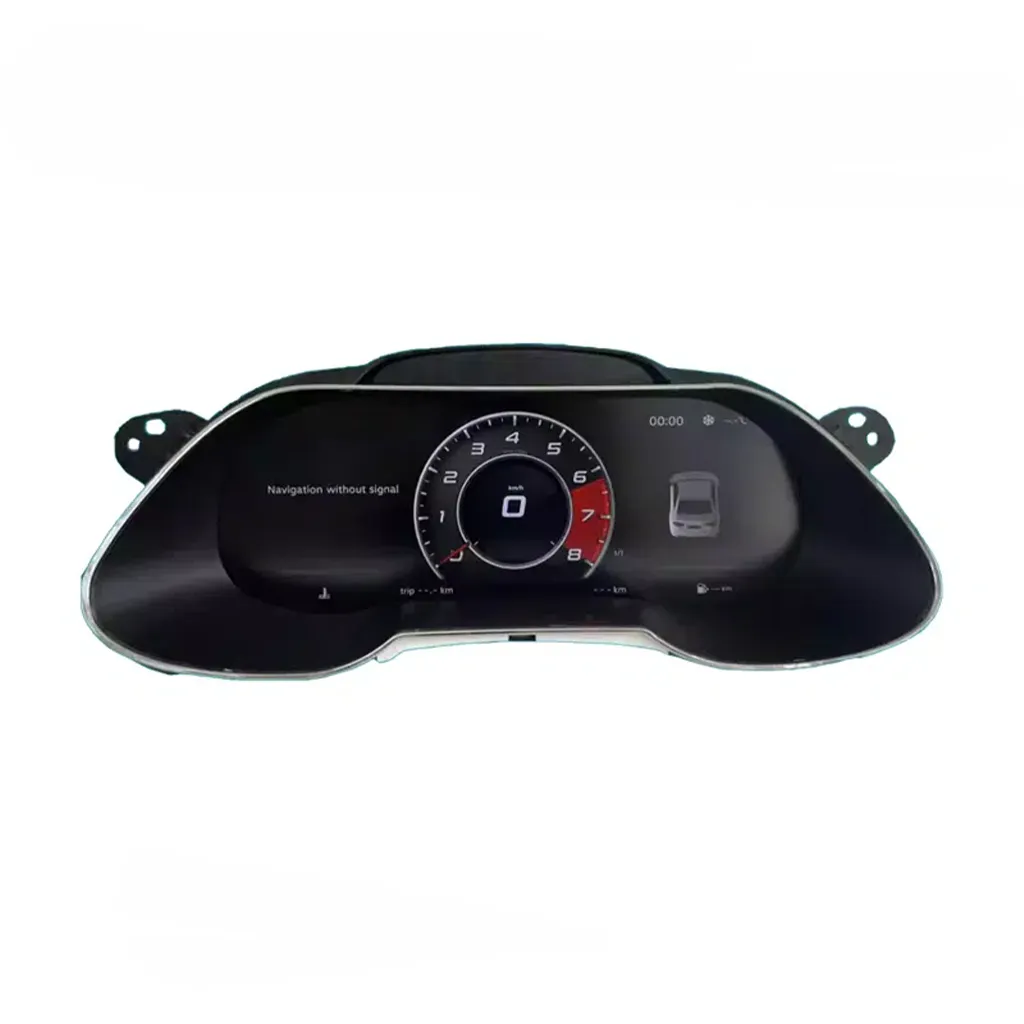
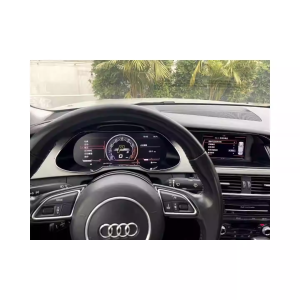
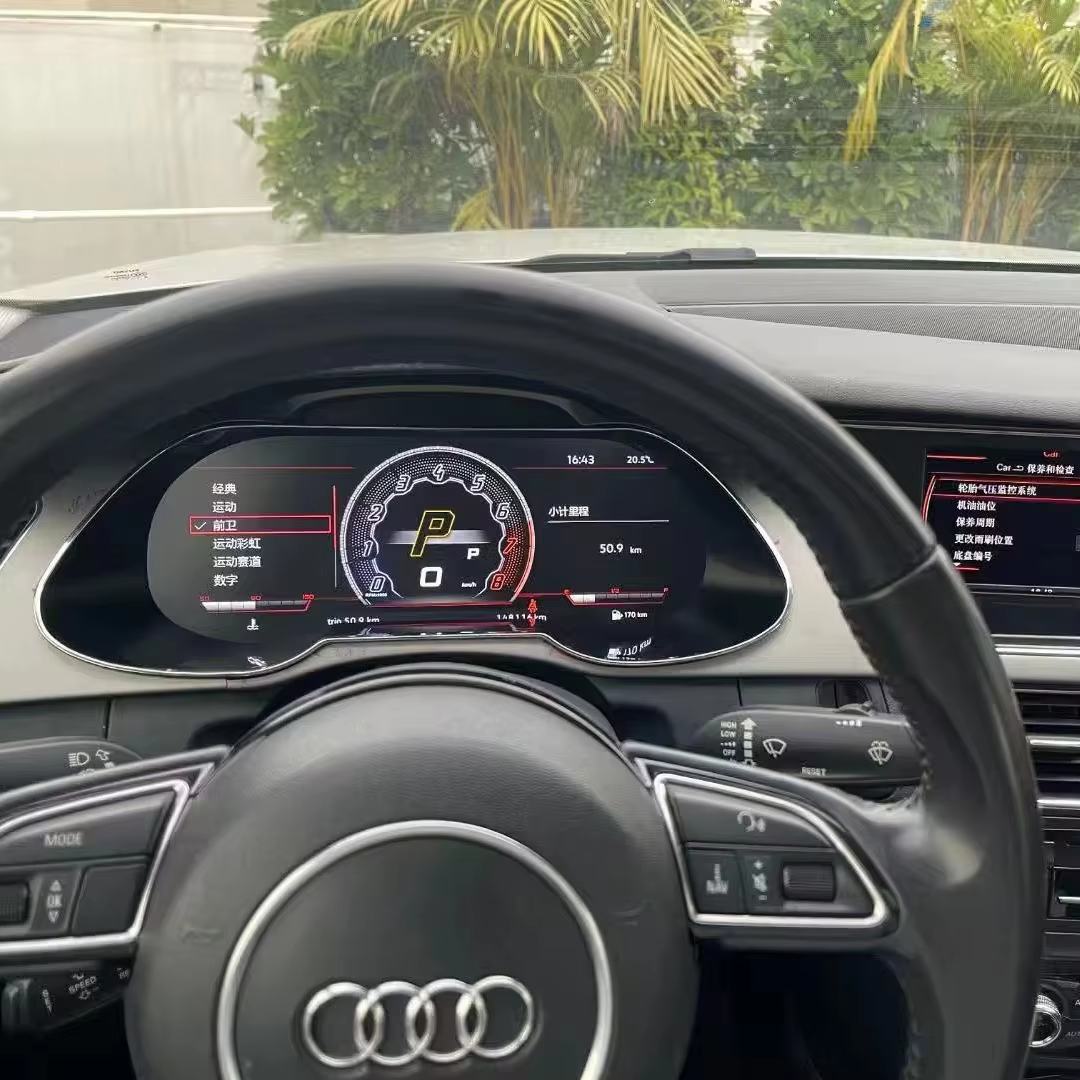
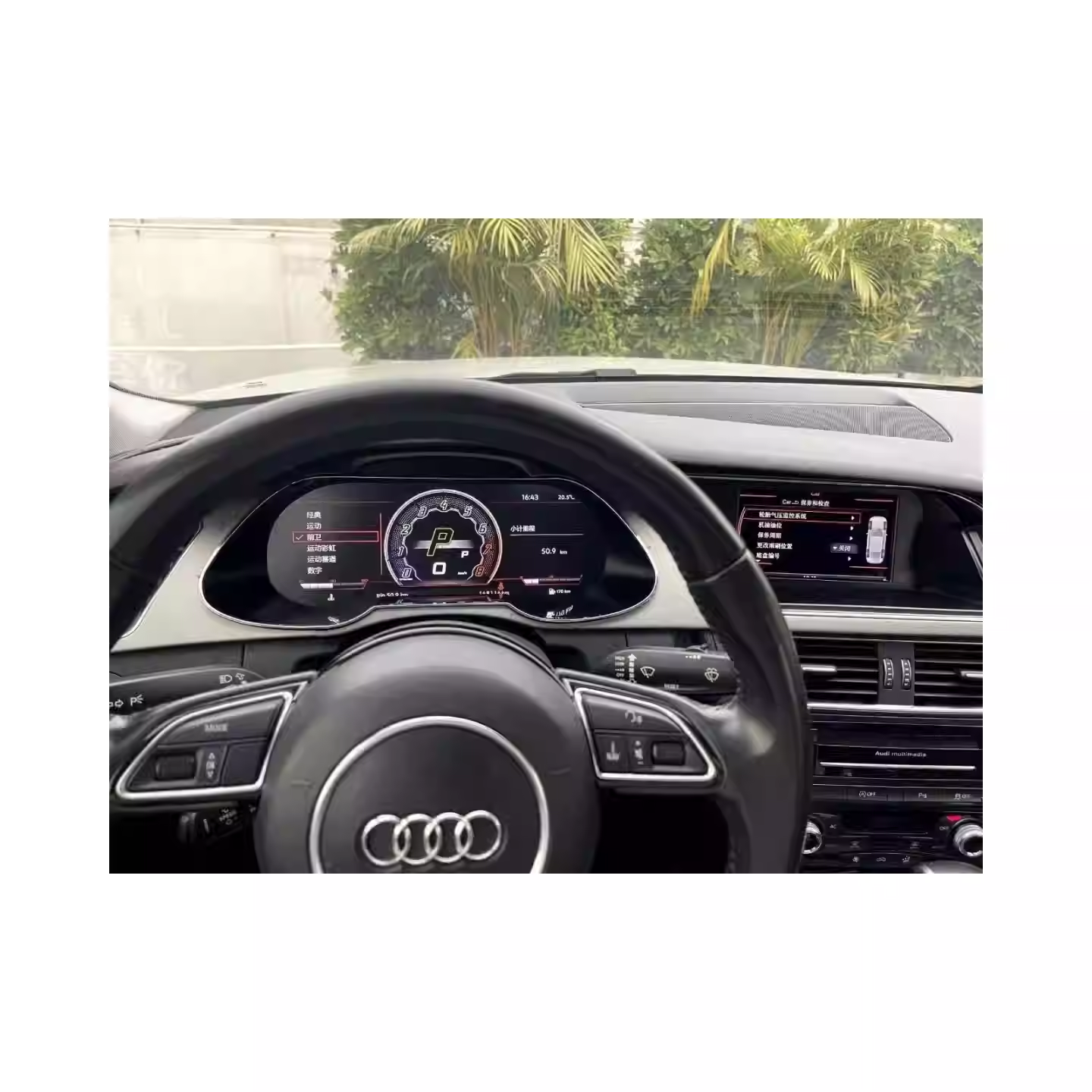
Audi A4 B8 Virtual Cockpit digital cluster installed driver display
Turn the older A4 B8 driver area into a cleaner digital cockpit, with map, phone projection and Audi driving data closer to where you already look.

Why This Upgrade Makes Sense for Audi A4 B8 Owners

Modern Driver Display, Not Just a Bigger Screen

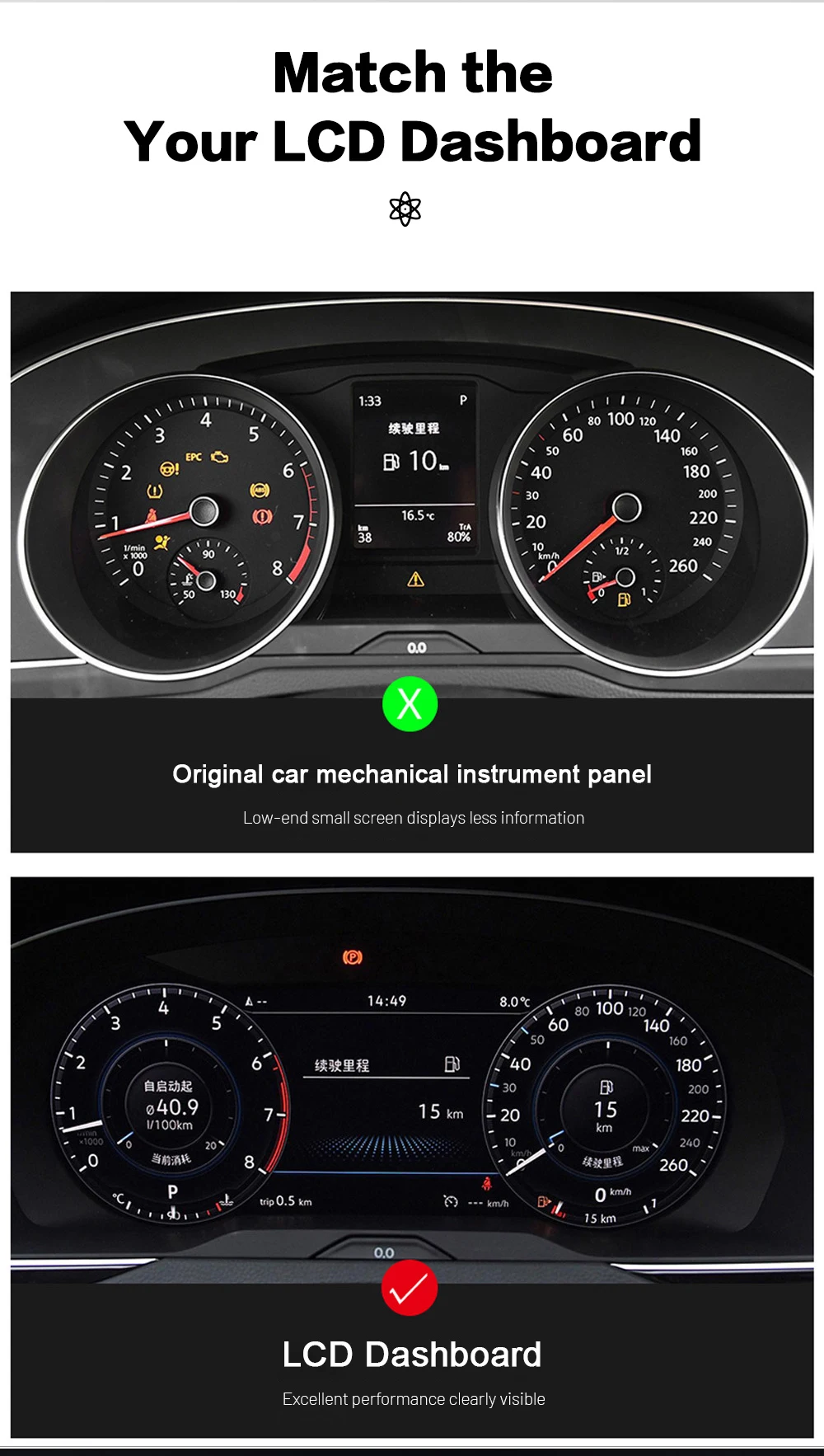
The Audi A4 B8 interior still has a strong factory layout, but the original instrument display feels older when you rely on phone navigation, CarPlay, Android Auto and digital driving information every day. This cluster gives the car a more current virtual cockpit direction without turning the dashboard into a universal tablet project.

Map Guidance in the Driver Display Route

When the matched controller or Android player route supports it, map and phone-projection information can sit closer to your normal driving sightline. This is the daily-use value: less jumping between the road, the center screen and the old instrument panel.

Factory Data Still Comes First

A digital cluster must still behave like an instrument cluster. Speed, RPM, fuel, gear, trip data, warning messages, maintenance reminders and steering-wheel control interaction are the core items iKAGOO wants confirmed before shipment.

CarPlay, Map and Factory Data in Real Use

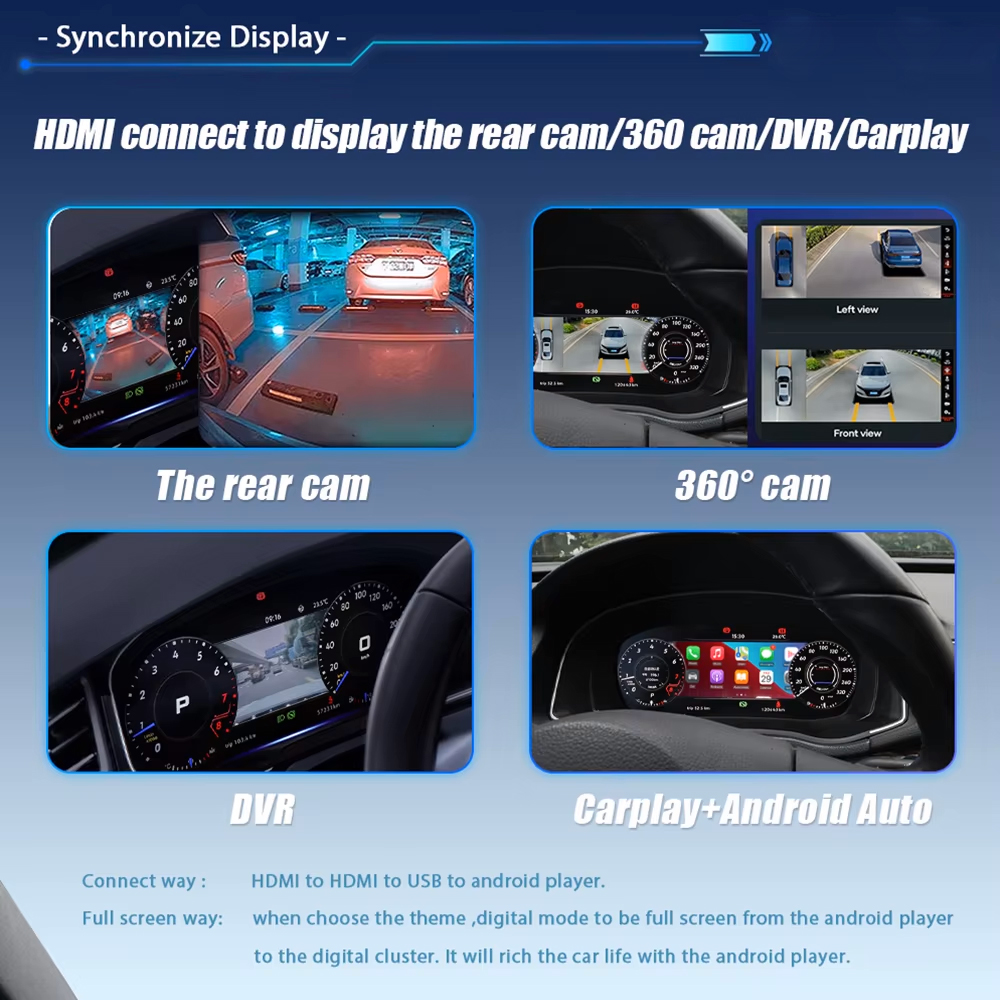
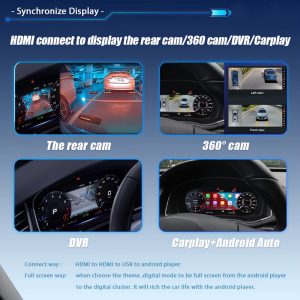
Audi A4 B8 Virtual Cockpit CarPlay Android Auto camera DVR display sync route

See Navigation Where Your Eyes Already Look

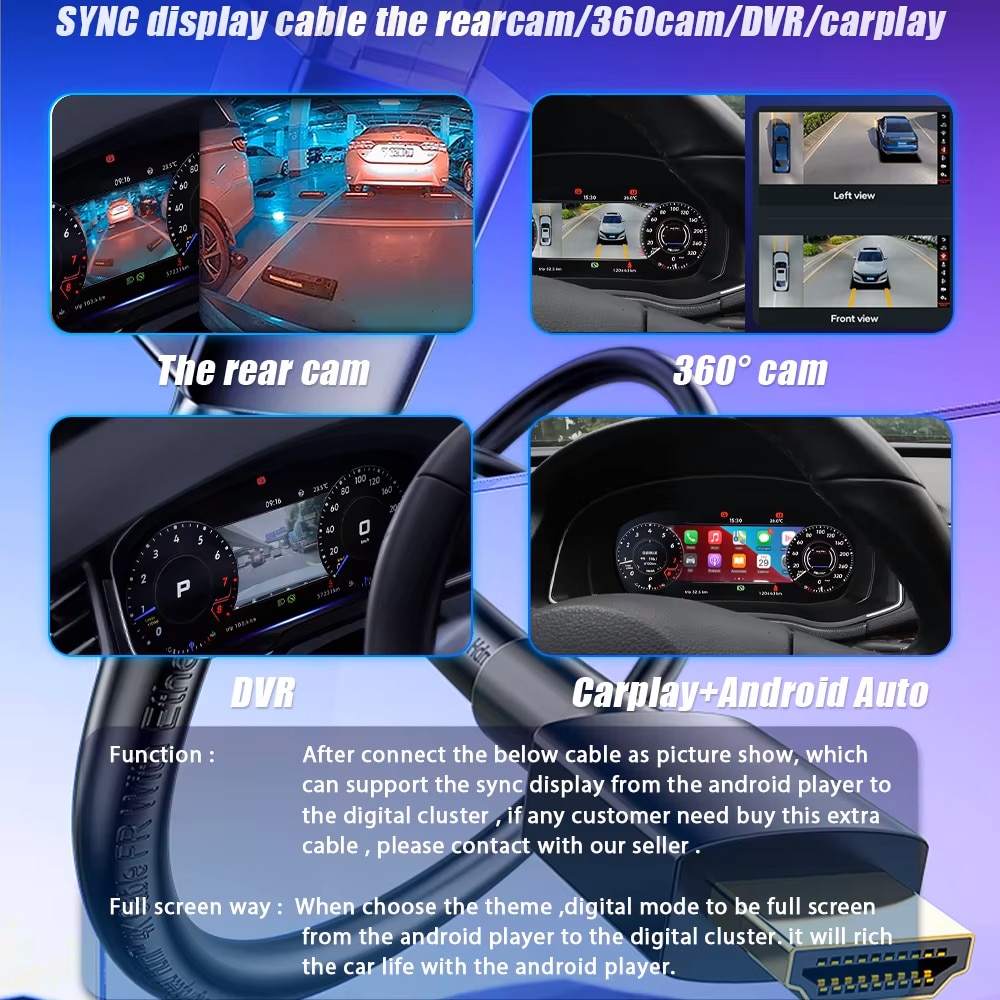
CarPlay, Android Auto, camera, DVR or navigation information can be routed into the digital cluster path through the supported phone, controller, Android player or compatible sync route. This is the strongest buying reason for many A4 B8 owners who already use phone maps every day.

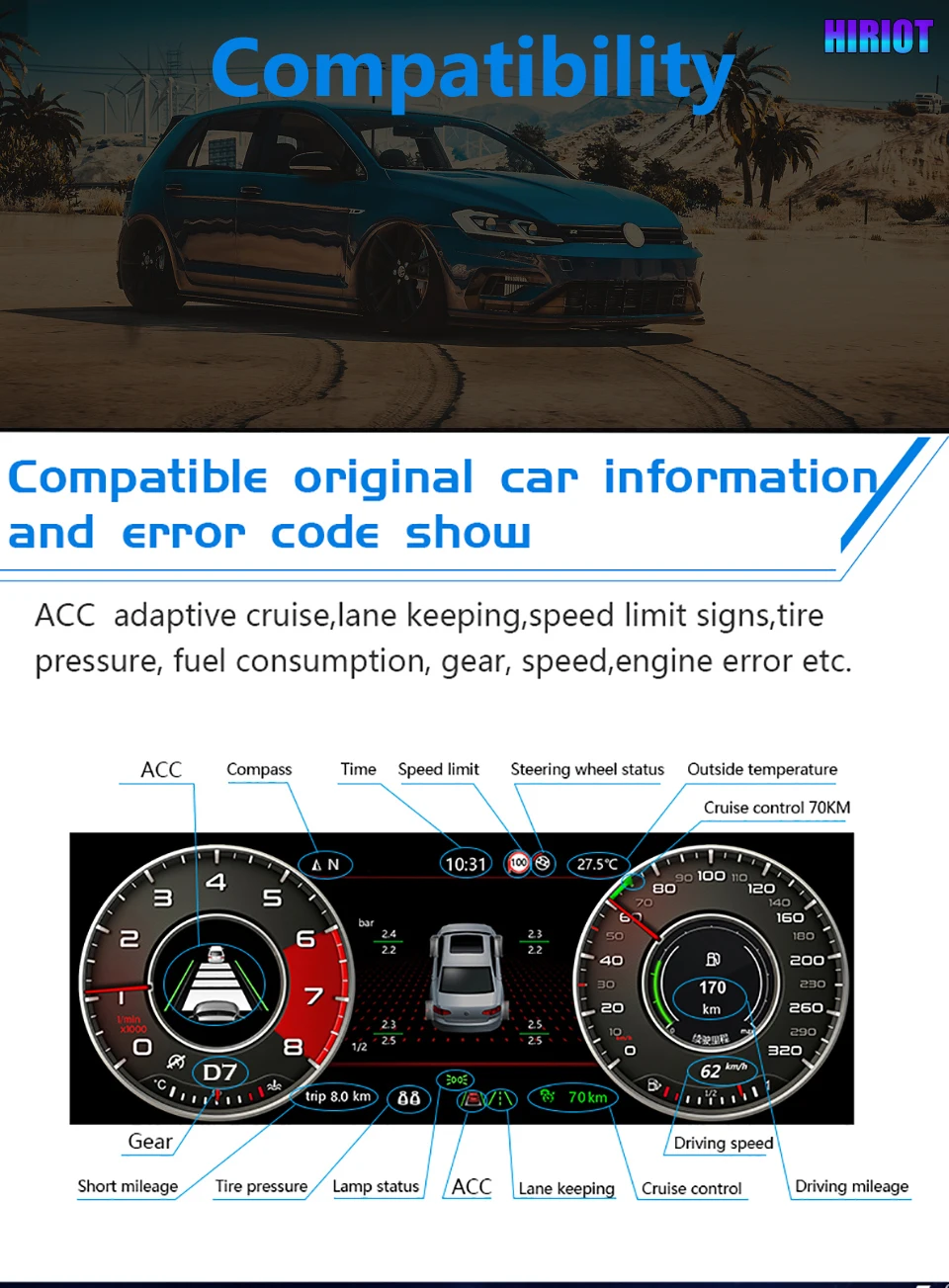
Audi A4 B8 Virtual Cockpit factory driving data and warning information display

Keep Audi Driving Data Clear

Speed, RPM, fuel, gear, trip data, warning messages and vehicle status remain readable in the driver display area when the original vehicle data route is correctly matched. This protects the instrument cluster’s real job: showing the information you need while driving.

Audi A4 B8 Virtual Cockpit vehicle status and maintenance information icons

Vehicle Status Where It Belongs

Maintenance, warning and vehicle condition information should remain part of the driving screen, not become an afterthought after the cluster upgrade. iKAGOO checks the route so the useful factory information is not sacrificed for appearance alone.
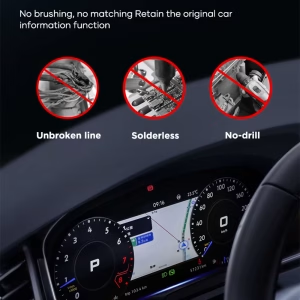
Audi A4 B8 Virtual Cockpit no cutting no drilling no soldering installation direction

Protect the Original Dashboard Route

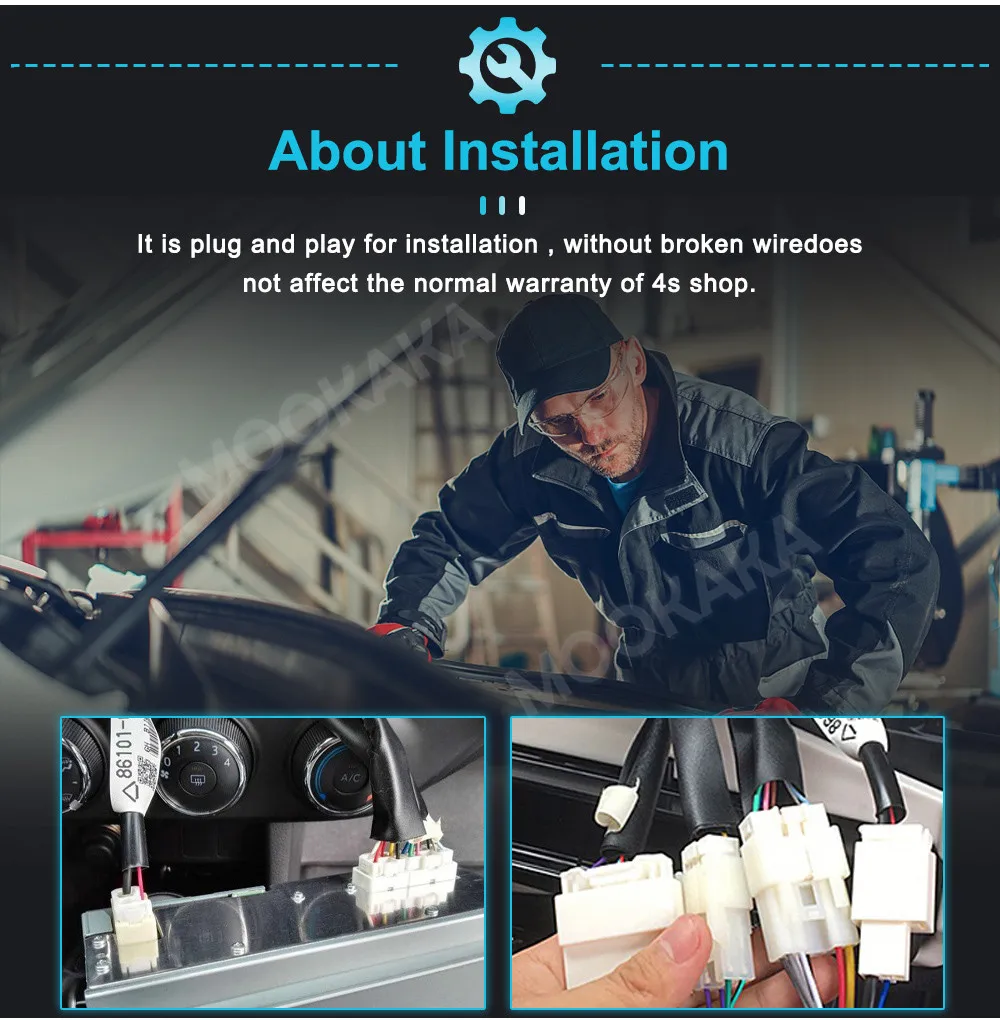
The preferred installation direction avoids cutting, drilling and soldering. If the connector route, original data route or steering-wheel control behavior does not match during testing, stop and confirm with iKAGOO before continuing.

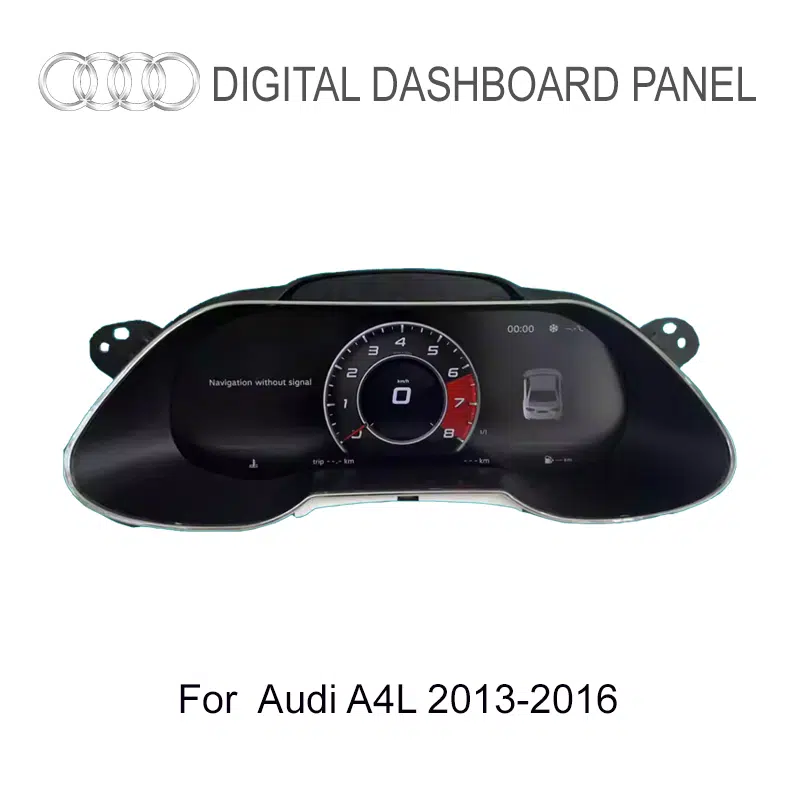
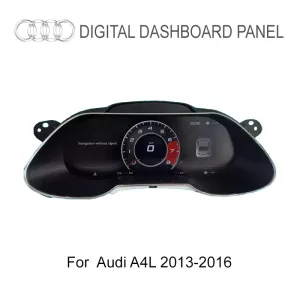
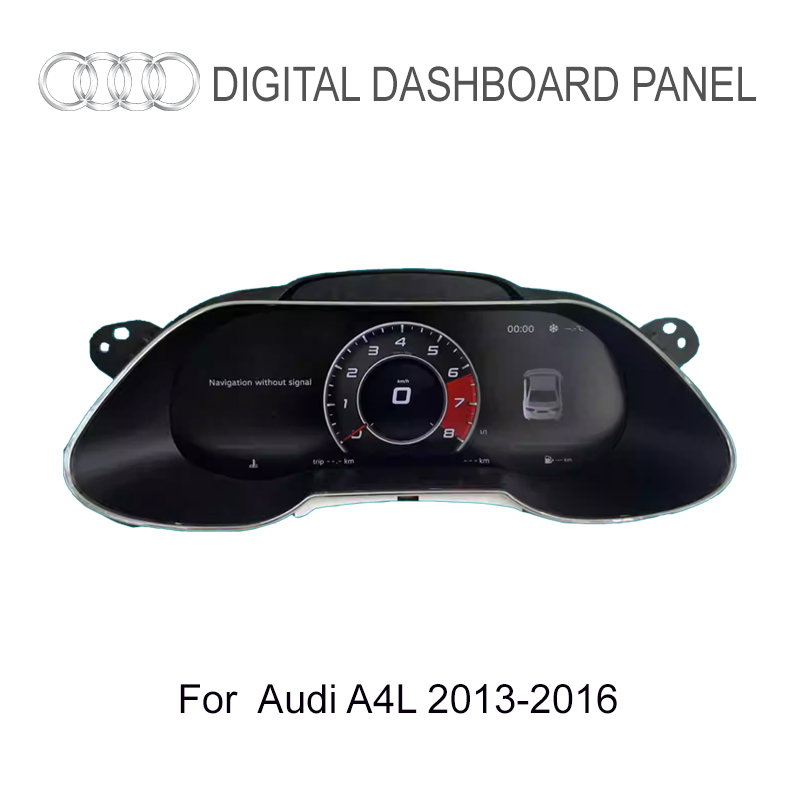
Audi A4 A4L 2013 2016 digital cluster product fitment photo

Built for the Audi A4 B8 / B8.5 Cluster Route

This Audi A4 B8 Virtual Cockpit is for the 2013–2016 A4 platform route, including Audi A4 B8, Audi A4 B8.5, Audi A4L, Audi A4 Avant B8, Audi S4 B8 and Audi A4 Allroad B8 when the dashboard, original cluster shape, steering position and connector path match.

Do not judge compatibility only from the model name. Audi A4, A4L, Avant, S4 and Allroad can use different dashboard details, cluster trims, market configurations and original equipment routes. That is why iKAGOO checks photos before shipment.

Audi A4 B8 Audi A4 B8.5 Audi A4L A4 Avant B8 Audi S4 B8 A4 Allroad B8 2013–2016

Before shipment, send model year, market, LHD/RHD, dashboard photo, original cluster photo and any existing Android head unit / controller information. iKAGOO checks the route to reduce the risk of sending the wrong version.

What You See After the Upgrade

Audi A4 B8 Virtual Cockpit digital instrument cluster display

Vehicle-Specific Shape, Not a Universal Tablet

The housing and screen direction are made for the Audi A4 B8 cluster position, so the upgrade can look like it belongs in the dashboard. This matters because a cluster upgrade should follow the original driver display area, not look like a separate screen forced into the cabin.

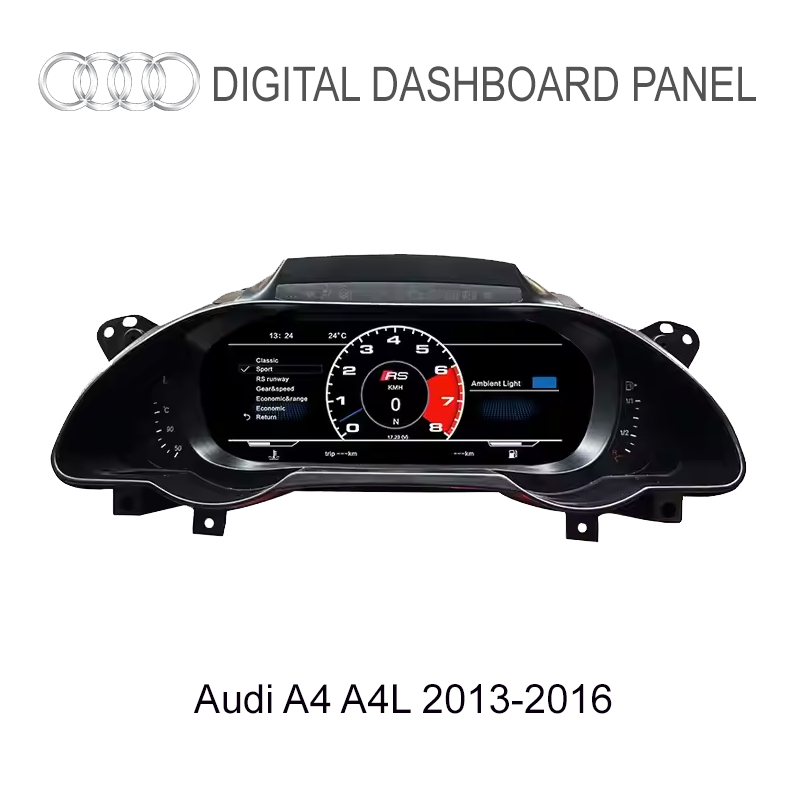
Audi A4 B8 Virtual Cockpit driver display product screen

See the Virtual Cockpit Look Before You Order

The cleaner driver display helps the older A4 B8 cabin feel more modern while keeping the product focused on the instrument cluster area. The purpose is to upgrade the driver experience, not just add a decorative screen.

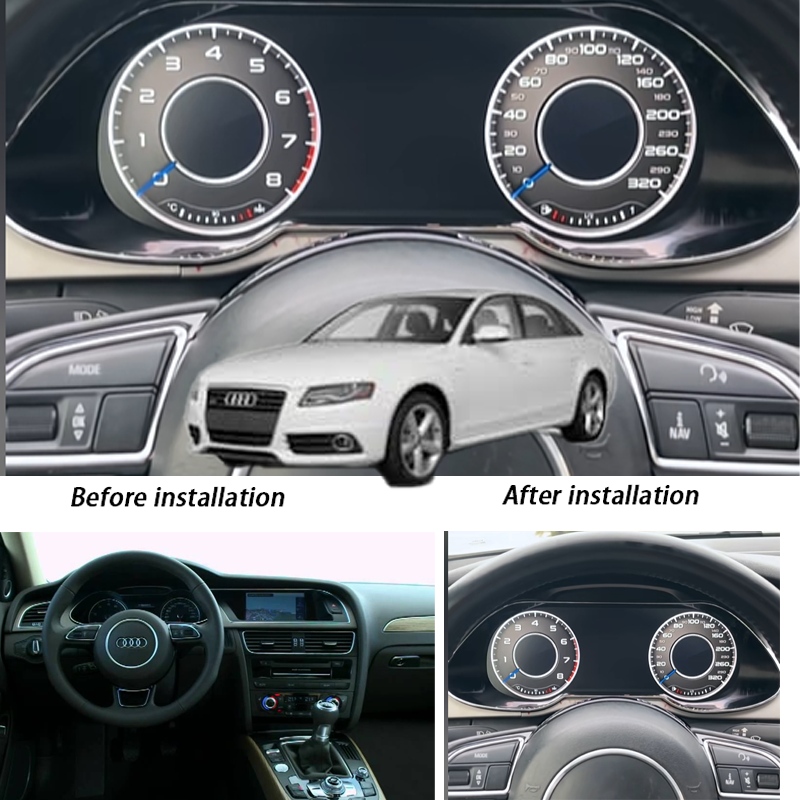
Audi A4 B8 Virtual Cockpit single and double dial display modes

Choose the Cluster Look You Prefer

Switch between single and double dial styles so the digital cockpit feels modern without losing a familiar Audi driving layout. Buyers who want a cleaner daily display can choose a calmer look; buyers who prefer a more traditional style can keep a dial-based screen.

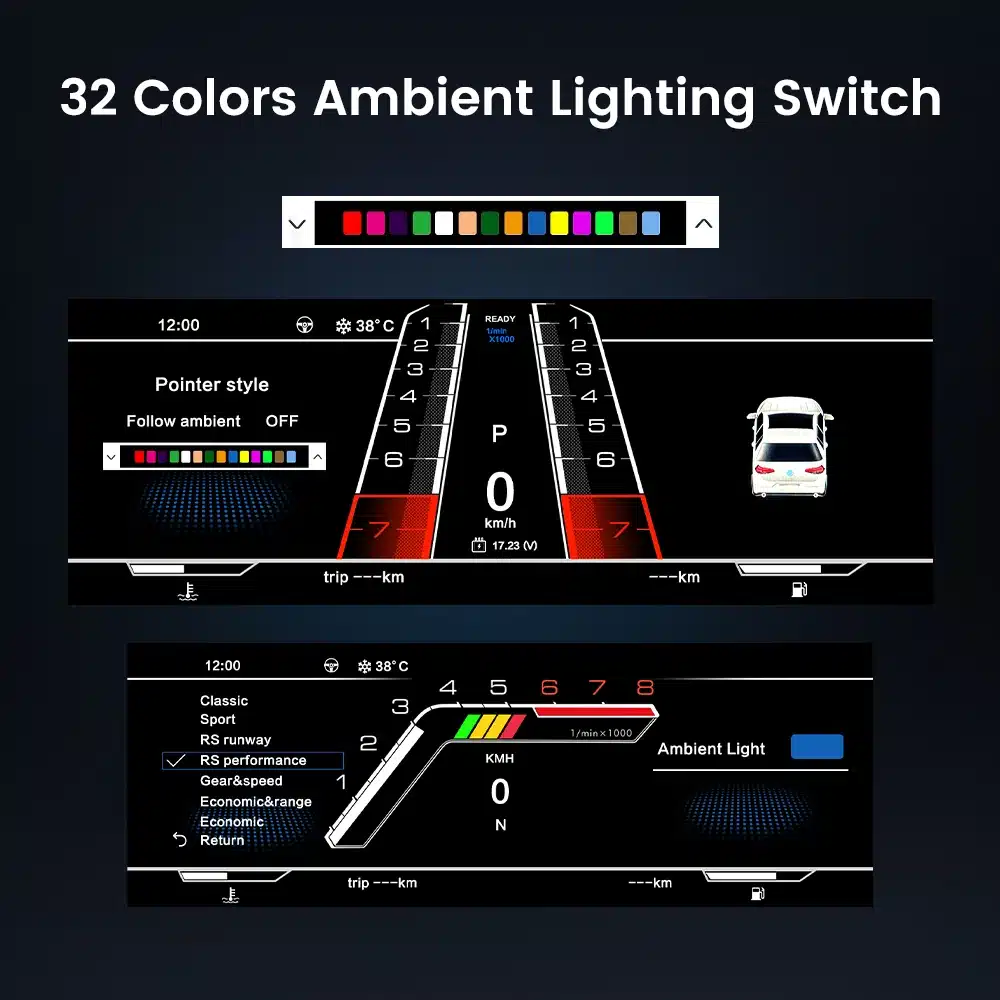
Audi A4 B8 Virtual Cockpit 32 color ambient lighting and interface style

Match the Display Style with Your Audi Cabin

The 32-color interface setting helps the digital cluster feel closer to your interior style instead of looking like a generic aftermarket screen. A good digital cluster should fit the cabin visually as well as functionally.

Kontroll av passform före leverans

Vehicle Details iKAGOO Checks

  • Audi model name and model year.
  • A4 B8 / B8.5 / A4L / Avant / S4 / Allroad route.
  • Vänster- eller högerstyrning.
  • Original cluster shape and dashboard opening.
  • Original vehicle functions that must be retained.

Display and Sync Route Review

  • CarPlay / Android Auto display expectation.
  • Online map / navigation sync requirement.
  • Android player or controller linkage.
  • Camera, DVR or phone projection display route.
  • Steering-wheel control behavior where supported.

Why This Review Protects You

A digital instrument cluster is not a universal screen. The right version depends on the Audi platform route, original cluster, dashboard shape, connector path and the display-sync path you want. The review lowers the chance of discovering a mismatch only during installation.

Tekniska specifikationer

Produkttyp12.3-inch Audi digital instrument cluster
Upplösning1920 × 720 HD LCD
Betraktningsvinkel178° wide viewing
Refresh / Response60Hz / 5ms typical
Rated Voltage12V DC
Nuvarande3A max
Kraft36W max
Arbetstemperatur-30 °C till +85 °C
Förvaringstemperatur-40°C to +90°C
Display DirectionAudi-style digital cockpit interface
Supported RouteCarPlay / Android Auto / Android player sync where configured
Fitment ReviewPhotos checked before shipment
Audi A4 B8 Virtual Cockpit 12.3 inch IPS LCD 1920x720 specification

Sharper 12.3-inch Driver Display

The 1920×720 LCD gives the Audi A4 B8 cockpit a clearer digital driving screen without moving the main focus away from the instrument position. The screen specification supports map, data, UI and driving information readability.

Audi A4 B8 Virtual Cockpit system performance display technology

Smoother Everyday Instrument Display

The display performance supports daily driving use: clear data, smooth interface response and a more current cockpit feeling. These technical details matter because the driver display is used every time the car is driven.

Varför handla hos iKAGOO?

Vehicle-Specific Audi Cluster Review

iKAGOO focuses on car electronics upgrades, digital instrument clusters, OEM-style Android displays and vehicle-specific fitment review. For this Audi A4 B8 Virtual Cockpit, the job is not only selling a screen; it is matching the cluster route to your dashboard, original instrument panel, steering side and display-sync requirement.

Correct Route Before Dispatch

After ordering, send photos of your dashboard and original cluster. iKAGOO reviews the cluster shape, steering position, connector path, Android player or controller requirement and CarPlay / Android Auto map display expectation before shipment. This is how the order moves from “model name” to a real vehicle route.

Less Risk Than Blind Buying

Buying only by product title is risky for Audi vehicles because platform, market, trim and original equipment may differ. iKAGOO’s review reduces the chance of receiving a version that looks similar online but does not match your dashboard, harness route or function expectation.

Support Based on Real Evidence

If support is needed, iKAGOO asks for order number, model year, dashboard photo, original cluster photo, connector photo and a short issue video. This evidence-based support is faster and more reliable than guessing from a written symptom alone.

Installation Boundary Is Clear

iKAGOO does not encourage cutting, drilling, soldering or forcing unmatched connectors. The recommended direction is matched harness, clean connection, careful testing and stop-installation behavior if factory data, warnings or steering-wheel controls do not behave correctly.

Retail Buyer Path

This page is for individual buyers who want a better Audi A4 B8 driver display and a safer fitment process. The correct path is: order the product, send your required photos, let iKAGOO check the route, then install and test before final trim reassembly.

Support, Shipping and Warranty

Processing time is usually 1–3 business days. International shipping is usually 7–15 business days depending on region and carrier. Hardware warranty support is 12 months under iKAGOO policy. For any issue, keep photos and a short video so the support team can check the exact symptom and route.

iKAGOO:s tre standarder

Behov av uppgradering

Resultat: Starka argument för en uppgradering

88/100
Low Practical Rekommenderas Strong Upgrade High Daily Use

Score basis: 88/100 comes from old cockpit refresh value, CarPlay / Android Auto map route, online navigation closer to the driver, clearer daily driving information and long-term ownership value.

Raises the score: strong visual upgrade, useful map display direction, better driver-screen experience, factory data readability and a more current Audi cabin feeling.

Why not 95+: this is an upgrade choice, not a mandatory repair for every owner; CarPlay and map display still depend on the matched controller or Android player route.

CarPlay map route Daily display Cockpit refresh Long ownership

Read Upgrade Necessity standard

Kompatibilitet med originalfordon

Resultat: Configuration-Dependent Near-OEM Route

87/100
Requires Review Functional Match Nära OEM-metoden OEM-motsvarande

Score basis: 87/100 comes from factory speed, RPM, fuel, warning data, steering-wheel control support, dashboard fit, connector route, controller route and iKAGOO photo review before shipment.

Raises the score: supported Audi driving data, original-style cluster position, steering-wheel interaction, clear pre-shipment review path and matched display-sync expectation.

Why not 95+: A4 B8 / B8.5 routes vary by market, LHD/RHD, original cluster shape, connector path and sync requirement. This is not 13% function loss; it means fitment confidence is configuration-dependent.

Factory data Warnings Steering controls Photo review

Read Original Vehicle Compatibility standard

Svårighetsgrad vid installation

Resultat: L3 Advanced DIY

L3Avancerat gör-det-själv
L1 Easy L2 Basic L3 Advanced L4 Installer L5 Specialist

Complexity: L3 equals about 60% installation complexity. It is not a product quality score; it is an installation skill and testing requirement level.

Level basis: L3 comes from cluster removal, matched harness/controller route, original data testing, trim refit and final checks for speed, RPM, fuel, warning information and steering-wheel controls.

Åtgärd från köparen: experienced DIY users may handle it, but a professional car electronics installer is recommended if you are not familiar with cluster removal, connector testing and vehicle-data verification.

Borttagning av kluster Klättringsled Data test No cutting

Read Installation Ease Level standard

How to read these three results: 88/100 means this upgrade has strong daily-use and cockpit-refresh value. 87/100 means the original vehicle compatibility route is strong but still depends on photos, connectors, LHD/RHD and controller/sync configuration. L3 Advanced DIY means the installation is manageable for experienced installers but still requires careful cluster removal, harness matching and function testing before final reassembly.

Installation Boundary and Stop Conditions

Audi A4 B8 Virtual Cockpit plug and play harness installation route

Use the Matched Harness Route

The upgrade direction is built around matched wiring and vehicle-specific review. Do not force a connector, cut wires or continue if the factory data route is unclear. Correct installation is not only about powering on the screen; it is about confirming speed, RPM, fuel, warning information and steering-wheel interaction.

Stop Installation If You See These

  • Connector does not match or pins are loose, bent or damaged.
  • Power, ground or CANBUS route cannot be confirmed.
  • Factory speed, RPM, fuel or warning information disappears during testing.
  • Steering-wheel controls do not respond after connection.
  • CarPlay / Android Auto / map display route does not behave as expected.
  • Abnormal heat, smell, smoke, fuse issue or previous wiring modification appears.

Pause and contact iKAGOO with order number, vehicle photos, connector photos and a short issue video. Do not continue by cutting, soldering or forcing the connector route.

Vanliga frågor

Vad är Audi A4 B8 Virtual Cockpit 2013-2016?
Yes — it is a 12.3-inch digital instrument cluster upgrade for the Audi A4 B8 / B8.5 route. It replaces the older driver display with a modern virtual cockpit style while keeping supported Audi driving data visible.
Vilka årsmodeller stöds för Audi A4 B8 Virtual Cockpit?
Yes — this page is for 2013–2016 Audi A4 B8 / B8.5 route vehicles. A4L, Avant, S4 and Allroad versions need photo review because dashboard and cluster routes can vary by market.
Hur förbättrar Audi A4 B8 Virtual Cockpit körupplevelsen?
Yes — it gives the older A4 cockpit a cleaner digital display, places map or phone-projection information closer to the driver route where supported, and keeps key speed, RPM, fuel and warning information easier to read.
Är Audi A4 B8 Virtual Cockpit verkligen plug-and-play?
It depends. The product follows a matched harness direction, but digital cluster installation is still L3 Advanced DIY. iKAGOO must review photos before shipment, and every function should be tested before final reassembly.
Har Audi A4 B8 Virtual Cockpit stöd för trådlös CarPlay?
Yes, where the supported controller, phone route, Android player or compatible sync route is configured. It should be described as a digital cluster display-sync route, not as a full standalone Android head unit.
Kan jag använda Audi A4 B8 Virtual Cockpit med Android-huvudenheter från eftermarknaden?
Yes, where the Android head unit and connection route are compatible. The important point is matching the Android player, controller or sync cable path before shipment.
Hur står sig Audi A4 B8 Virtual Cockpit jämfört med OEM-instrumentpanelen?
Yes — it gives a more modern virtual cockpit look while still focusing on original driving data visibility. It is not an official Audi factory retrofit, so iKAGOO checks the practical route and supported functions before shipment.
Kan jag eftermontera Audi A4 B8 Virtual Cockpit i äldre Audi A4-modeller?
It depends. This listing is built around the 2013–2016 A4 B8 / B8.5 route. Older vehicles need separate confirmation and should not be assumed compatible only because the model name is Audi A4.
Innehåller Audi A4 B8 Virtual Cockpit en digital vägmätare och underhållsinformation?
Yes, supported vehicle information can be shown where the original data route is retained. Odometer, warning, maintenance and vehicle status display depend on the confirmed vehicle configuration.
Is the Audi A4 B8 Virtual Cockpit the same as a Virtual Cockpit Retrofit?
Yes, buyers often call this type of upgrade a virtual cockpit retrofit. For accuracy, this product is an aftermarket Audi A4 B8 digital instrument cluster route with iKAGOO fitment review.
Vilken elektronik används i Audi A4 B8 Virtual Cockpit?
Yes — the product uses a 12.3-inch LCD digital cluster system with 1920×720 resolution, 12V DC input, 3A max current and 36W max power. Final function behavior depends on the matched vehicle and connection route.
Finns det någon garanti eller eftermarknadssupport för Audi A4 B8 Virtual Cockpit?
Yes. iKAGOO provides 12-month hardware warranty support under store policy. For after-sales help, prepare your order number, model year, dashboard photo, original cluster photo, connector photo if requested and a short issue video.

Order the Audi A4 B8 Virtual Cockpit, Then Let iKAGOO Check the Route

This is the safer buying path for a high-value digital cluster upgrade: order first, send your photos, and let iKAGOO confirm the Audi A4 B8 / B8.5 fitment route before shipment. The goal is simple: a more modern driver display, useful CarPlay / Android Auto map route, retained factory driving information and fewer surprises during installation.

3.67

Baserat på 3 recensioner
2
0
0
0
1

3 recensioner för Audi A4 B8 Virtual Cockpit Digital Cluster 2013–2016 with CarPlay Map Sync

  1. Lorenzo Ferrari -

    Totalt betyg
    Valuta för pengarna

    Questo cruscotto digital si è adattato perfettamente alla mia Audi A4L, e il display da 12,3 pollici è decisamente migliore rispetto al cruscotto originale. Färgerna är levande och gränssnittet är modernt och intuitivt. Du kan också enkelt övervaka hastighet, förbrukning av bränsle och annan information i realtid. Dessutom är den kostnadsfria leveransen i Italien en stor fördel!

    Är det till någon hjälp?
  2. 412xm0 -

    Totalt betyg
    Valuta för pengarna

    pwxgaw

    Fördelar:

    💱 BTC Återbetalning av krypto Redo att ta ut ➜ telegra.ph/Compensations-03-29-2?hs=1413d712683a70dabc622cddccb0e729& 💱

    Nackdelar:

    c743o6

    Är det till någon hjälp?
  3. Austin Sterling -

    Totalt betyg
    Valuta för pengarna

    Bought this for my US-spec A4 B9 after confirming with the seller about the A4L/A4 compatibility. The cluster hardware is identical! The digital gauges look incredibly crisp, matching the OEM Virtual Cockpit 100%. The seller predefined my mileage before shipping. Best budget friendly way to delete the ugly analog needles.

    Är det till någon hjälp?
Lägg till en recension

Your email address will not be published. Required fields are marked

Du måste vara inloggad för att kunna lägga till foton i din recension.

iKAGOO – frakt, garanti, returer och kundtjänst
iKAGOO:s kundtjänst

Frakt, garanti och returer

Tydlig information om orderhantering, internationella leveranser, fordonsspecifika produkter, garantiservice, returer och skadade försändelser.

Orderhantering Normalt 1–3 arbetsdagar före leverans.
Internationell leverans Normalt 5–20 arbetsdagar efter avsändning, beroende på destination.
Hårdvarugaranti 12 månaders begränsad garanti för berättigade tillverkningsfel.
Fordonsspecifik support Vi erbjuder hjälp med kompatibilitet, kabeldragning och konfiguration.

Vanliga frågor och svar

Dessa svar ger en praktisk sammanfattning. De fullständiga villkoren, som du hittar via länkarna nedan, gäller för alla beställningar.

01

Varifrån skickas beställningarna, och hur lång tid tar leveransen?

De flesta beställningar från iKAGOO skickas från vårt distributionscenter i Kina efter att produktkonfigurationen och fordonsuppgifterna har kontrollerats. En normal orderhantering tar ungefär 1-3 arbetsdagar.

Beräknade leveranstider efter avsändning är:

  • USA och Kanada: cirka 5–9 arbetsdagar
  • Europeiska unionen: cirka 7–15 arbetsdagar
  • Storbritannien och Australien: cirka 7–10 arbetsdagar
  • Andra regioner som stöds: cirka 7–20 arbetsdagar

Leveranstiderna kan påverkas av tullklarering, lokala helgdagar, leveranser till avlägsna områden, väderförhållanden eller förseningar hos transportören.

02

Måste jag betala importskatt, moms eller tullavgifter?

I den vanliga internationella frakten ingår normalt inte moms i destinationslandet, importtullar, mäklaravgifter eller tullklareringsavgifter.

För berättigade resmål inom Europeiska unionen finns ett valfritt DDP-frakttjänst kan förekomma. Importavgifter ingår endast om DDP väljs vid utcheckningen eller bekräftas av iKAGOO skriftligen före leveransen.

Om DDP inte har valts är mottagaren ansvarig för eventuella avgifter som tas ut av den lokala tullmyndigheten eller transportören.

03

Kan jag begära expressleverans?

Expressleverans eller snabbleverans kan erbjudas för vissa produkter och destinationer. Tillgänglighet, transportör och eventuella extra kostnader bekräftas innan leveransen.

Beroende på destination och produkttyp kan iKAGOO använda transportörer som DHL, FedEx, UPS, EMS, 4PX eller någon annan logistikleverantör som erbjuder spårning.

04

Hur kan jag spåra min försändelse?

När beställningen har skickats skickas spårningsnumret eller spårningslänken normalt till den e-postadress som angavs vid beställningen.

Det kan ta flera arbetsdagar innan uppdateringar i spårningen visas medan ett paket överförs mellan internationella och lokala transportörer.

05

Vilka är iKAGOO:s regler för returer och återbetalningar?

Rätten till retur beror på orsaken till returen, produktens skick, installationsstatus, den dokumentation som lämnats in samt om returen har godkänts av iKAGOO.

Vid en retur av en felfri vara måste produkten normalt sett vara oanvänd, oavinstallerad, komplett och lämplig för återförsäljning. Kunden ansvarar i regel för godkända returfraktkostnader.

Ursprungliga fraktkostnader, DDP-avgifter, moms, tullavgifter och övriga logistikkostnader återbetalas i regel inte, såvida inte detta krävs enligt gällande lagstiftning eller bekräftas på annat sätt av iKAGOO.

Skicka inte tillbaka en produkt utan att först ha fått en godkänd returadress och returinstruktioner från iKAGOO.

06

Vad händer om iKAGOO har bekräftat att produkten är kompatibel men den inte går att installera?

Ytterligare skydd kan gälla om iKAGOO har bekräftat kompatibiliteten före köpet, kunden har lämnat korrekta uppgifter om fordonet och kunden har samarbetat vid rimliga installations- och felsökningsåtgärder.

Om iKAGOO bekräftar att det inte finns någon rimlig teknisk lösning och problemet anmäls inom 7 kalenderdagar efter leveransen, kan kunden ha rätt till återbetalning av produktpriset utan att behöva lämna tillbaka produkten.

Ursprungliga fraktkostnader, DDP, moms, tullavgifter och övriga avgifter från tredje part ingår inte i denna återbetalning av produktpriset.

07

Vilken garanti erbjuder iKAGOO?

Bland de iKAGOO-produkter som omfattas av erbjudandet ingår en 12 månaders begränsad hårdvarugaranti som täcker konstaterade tillverkningsfel och berättigade hårdvarufel vid normal användning.

Beroende på vilket problem det gäller kan lösningen omfatta färndiagnos, hjälp med konfiguration, reservdelar, reparation, produktbyte, delvis återbetalning eller full återbetalning.

Garantin täcker normalt inte skador som orsakats av felaktig kabeldragning, otillåten modifiering, oavsiktlig skada, vatteninträngning, stötar, felaktig användning, felaktig spänning, installationsfel eller inkompatibel utrustning från tredje part.

08

Upphör garantin automatiskt att gälla när man öppnar förpackningen?

En inspektion eller granskning av tredje part innebär inte automatiskt att hela garantin upphör att gälla. Skador som orsakats av obehörig reparation, byte av komponenter, felaktiga modifieringar, trasiga kretsar eller felaktig återmontering omfattas dock inte av garantin.

Kontakta iKAGOO innan du demonterar eller reparerar produkten, så att rätt diagnostikförfarande kan tillhandahållas.

09

Vad händer om min beställning anländer skadad eller om det saknas delar?

Kontakta iKAGOO inom 7 kalenderdagar efter leveransen och behåll originalförpackningen, fraktetiketten, tillbehören och produkten.

Vänligen skicka tydliga bilder eller videoklipp som visar:

  • Den yttre fraktkartongen och fraktetiketten
  • Eventuella synliga skador på förpackningen
  • Produkten och det berörda området
  • Alla mottagna tillbehör och kablar

Efter kontroll kan iKAGOO ordna med leverans av saknade delar, utbyte, reparation, återbetalning eller någon annan rimlig lösning beroende på det enskilda fallet.

10

Vad ska jag göra om jag har beställt fel produkt?

Kontakta iKAGOO innan du installerar eller använder produkten. Ett byte eller en retur kan godkännas förutsatt att produkten är oanvänd, oinstallerad, komplett och i ett skick som gör den lämplig för återförsäljning.

Kunderna står normalt sett för fraktkostnaderna och eventuella prisskillnader om fel produkt, fordonsmodell, årsmodell eller fabriksspecifikation har valts.

En kostnadsfri förbetald returetikett tillhandahålls inte automatiskt.

11

Kan jag ändra eller avboka min beställning efter att jag har betalat?

Kontakta iKAGOO så snart som möjligt, helst inom 12 timmar efter att beställningen gjorts, när du begär en adress, en fordonskonfiguration eller en produktändring.

En ändring eller avbokning träder i kraft först efter bekräftelse från iKAGOO. Fordonsspecifika produkter kan komma att gå vidare till inköp, programmering, testning, konfigurering eller anpassning kort efter betalningen.

När förberedelserna eller leveransen har påbörjats kan det hända att avbokning inte är möjlig, eller att redan uppkomna rimliga kostnader dras av.

12

Vad ingår i paketet?

Paketets innehåll varierar beroende på produkt, fordonsmodell, fabriksmonterat system och vald konfiguration.

Beroende på produkt kan förpackningen innehålla själva enheten, fordonsspecifika kabelhärvor, CANBUS-gränssnitt, adaptrar, USB-kablar, antenner, mikrofoner, monteringsdelar och övriga installationstillbehör.

Se den aktuella produktsidan, bilderna på förpackningen och orderbekräftelsen för en exakt förteckning över de medföljande komponenterna.

13

Hur kontaktar jag iKAGOO:s support?

Du kan kontakta iKAGOO via kontaktformuläret, e-post, WhatsApp eller de tillgängliga supportkanalerna på webbplatsen. Den normala svarstiden är inom 24 arbetstimmar.

För att få snabbare teknisk support, ange ditt ordernummer, fordonets modell och årsmodell, bilder på fabriksinstallationen, produktbilder samt en tydlig video som visar problemet.

Besök: iKAGOO – Kontakt och support

14

Är betalningen säker, och finns det möjlighet att betala i delbetalningar?

Betalningarna hanteras via de säkra betalningsmetoder som visas vid kassan. Vilka kort, e-plånböcker och avbetalningsalternativ som är tillgängliga kan variera beroende på land, valuta, betalningsleverantör och kundens behörighet.

Alla avbetalningstjänster, inklusive de alternativ som erbjuds av PayPal eller någon annan leverantör, omfattas av den aktuella leverantörens regionala tillgänglighet och godkännanderegler.

Läs iKAGOO:s fullständiga riktlinjer

Läs igenom hela villkoren innan du beställer, särskilt vad gäller fordonsspecifika produkter, internationella skatteregler och returer i samband med installation.

Denna FAQ är en förenklad kundguide. De fullständiga, publicerade villkoren, orderbekräftelsen och gällande konsumentlagstiftning har företräde om formuleringarna skiljer sig åt.

Audi A4 B8 Virtual Cockpit Audi A4 B8 Virtual Cockpit Dig...

Det ursprungliga priset var: $780.00.Det nuvarande priset är: $438.00.

Lägg till i varukorg