XStore-temat

No products in the cart.

Sale 34%
  • Audi A4 B8 digital instrumentpanel – 12,3-tums instrumentpanel i Virtual Cockpit-stil för modellår 2009–2016
  • Audi A4 LCD-kluster 2013-2016
  • H5de77e4af39f4819a658e67bb2fca6e9h
  • H71cab059c4194b2c999335d5584a0f0cs 1
  • Hed81d91672984a238ca19d66777a5b6aP 1
  • S6cbc90ebb0684b45b3d834f533091510r
  • S2e1af3478ae24e65bd0b46c84d8a289ej

Audi A4 B8 digital instrumentpanel – 12,3-tums instrumentpanel i Virtual Cockpit-stil för modellår 2009–2016

Varumärke:
(1 kundrecension)

Det ursprungliga priset var: $780.00.Det nuvarande priset är: $518.00.

Tullfri Endast EU & USA
Detaljer
Säkra genom PayPal
DDP Skattefördelad tjänst

Vi hanterar alla moms- och tullavgifter. Beräknad besparing: $120-$280.

USA (48 stater)ÖsterrikeBelgienBulgarienKroatienCypernTjeckienDanmarkEstlandFinlandFrankrikeTysklandGreklandUngernIrlandItalienLettlandLitauenLuxemburgMaltaNederländernaPolenPortugalRumänienSlovakienSlovenienSpanienSverige
eller

Har du några frågor?

Känn dig fri att Ta kontakt med oss

Betala tryggt med Paypal Betala tryggt med Visa Betala tryggt med Master Card Betala säkert med JCB Betala tryggt med American Express Betala tryggt med Alipay Betala säkert med Google pay Betala tryggt med Klarna Betala tryggt med DISCOVER Betala säkert med Apple Pay
Garantera säker och trygg betalning i kassan
iKAGOO:s köparskydd

Köpskydd för denna produkt

Kompatibilitetsgranskning, säker betalning, spårbar leverans och praktisk kundservice.

Rätt till ersättning, rapporteringsperioder och åtgärder beror på gällande iKAGOO-policy och en bedömning av det enskilda fallet.

Visa skyddsriktlinjer
Audi A4 B8 / B8.5 2009–2016

Audi A4 B8 Digital Cluster for a cleaner 12.3-inch virtual cockpit-style dashboard.

Upgrade your 2009–2016 Audi A4 B8 or B8.5 with a vehicle-specific 12.3-inch digital instrument cluster. This retrofit gives your dashboard a sharper digital dash layout while retaining supported CAN vehicle data, steering-wheel controls, warning information and factory-style integration after correct setup.

12.3″ LCD display1920×720 digital dashboard upgrade for clearer speed, RPM and vehicle data.
For A4 B8 / B8.5Built around Audi A4 2009–2016 fitment, with dashboard and connector confirmation before shipment.
CAN vehicle dataSpeed, RPM, fuel, mileage, trip, temperature and warning information are supported where available.
Kit-dependent syncCarPlay, Android Auto, DVR and camera display depend on the selected kit and connected system.
Audi A4 B8 Digital Cluster 12.3 inch virtual cockpit style dashboard upgrade for 2009 to 2016
A vehicle-specific Audi A4 B8 Digital Cluster built for owners who want the cockpit to feel newer without turning the dashboard into a generic aftermarket screen.

Snabbt svar

This iKAGOO upgrade is an Audi A4 B8 Digital Cluster for 2009–2016 Audi A4 B8 and B8.5 vehicles. It replaces the factory analog-style instrument area with a 12.3-inch 1920×720 LCD digital dashboard and a virtual cockpit-style interface. Supported original functions such as steering-wheel controls, CAN vehicle data, warning indicators, mileage, trip information and fuel display continue to work after correct installation and configuration. Before shipment, iKAGOO checks your vehicle year, B8/B8.5 dashboard layout, LHD/RHD position, original connector type and previous modifications to prepare the correct version. It is suitable for A4 owners who want a modern Audi A4 B8 digital dash retrofit instead of only repairing or replacing the old speedometer cluster.

Audi A4 B8 / B8.5 2009–2016 12,3″ LCD 1920×720 CAN Vehicle Data SKU YB-124

Audi A4 B8 Digital Dash Upgrade: what you actually gain

This retrofit is built for buyers who want the A4 cockpit to feel modern again, not just functional. It improves visibility, information layout, interface style and the driver’s daily interaction with the vehicle.

Virtual cockpit-style display

Give your Audi A4 B8 a cleaner digital dashboard layout with modern gauges and selectable display styles.

12.3″ 1920×720 LCD

The high-definition screen keeps speed, RPM, trip and vehicle information easier to read during daily driving.
CAN vehicle information

Supported CAN data can continue to display, including speed, fuel level, temperature, mileage, trip and warning information.
Stöd för styrning av ratten

Supported original steering-wheel buttons continue to work after correct wiring and configuration.

Navigation-ready display path

With the correct kit, supported CarPlay, Android Auto or Android head unit navigation information can display on the cluster.

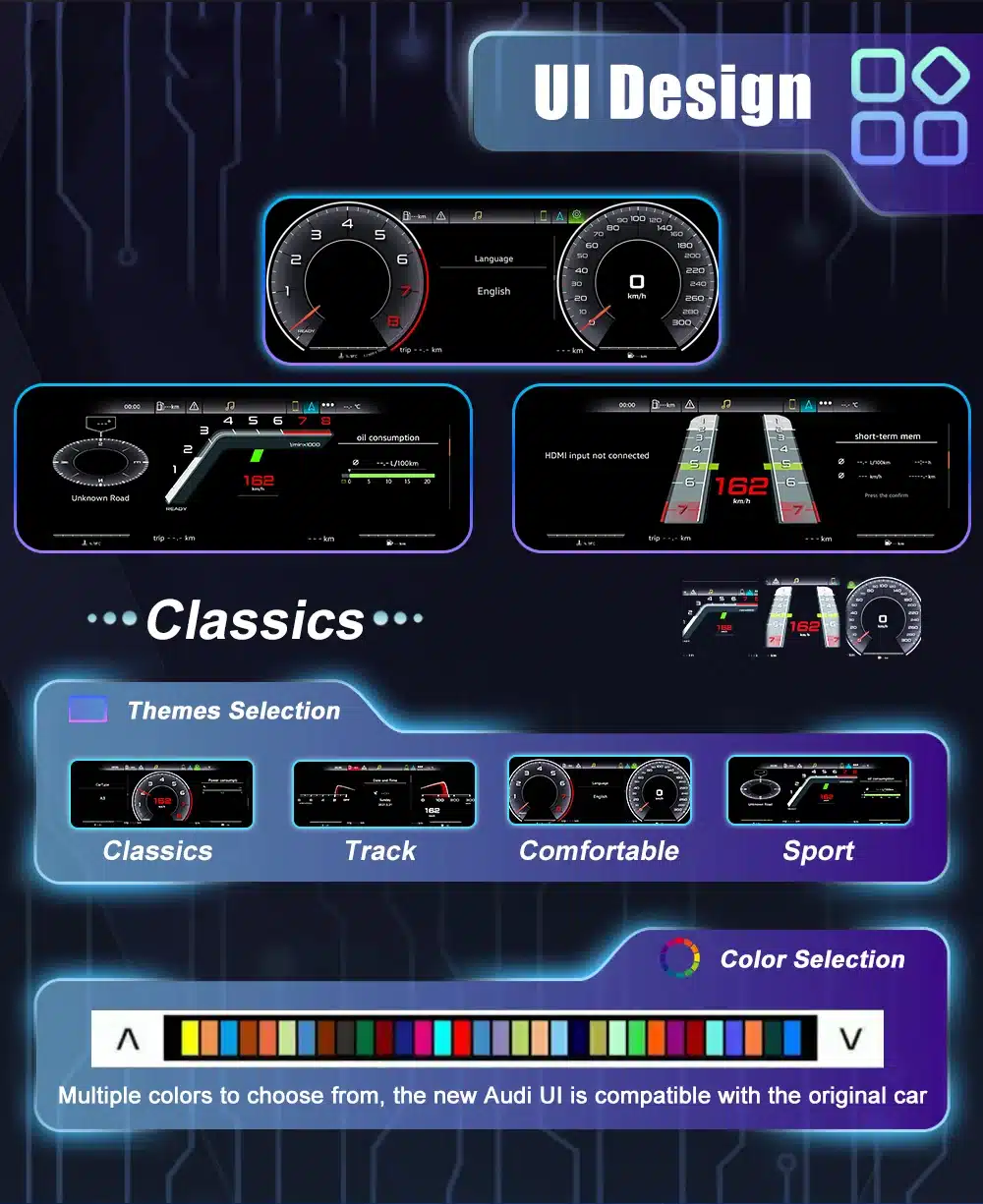
Multiple UI themes

Classic, sport, track, comfort and navigation-style layouts let the dashboard match different driving situations.

Stöd för fordonets originalfunktioner

The correct version is prepared around your Audi A4 B8/B8.5 dashboard, connector type and vehicle configuration. This helps retain the functions buyers actually care about after installation.

Stödd

Original steering-wheel controls

Multi-function steering-wheel controls continue to work after correct connection and setup.

Stödd

Vehicle data and warning display

Speed, RPM, fuel level, mileage, trip data, temperature and warning information are supported where provided by the vehicle system.

Stödd

Factory CAN communication

The cluster uses a matched vehicle interface to communicate with supported Audi A4 B8/B8.5 systems.

Kvarhållen

Skydd av fabrikens ledningsdragning

The supported installation direction uses matched connectors and does not require intentionally cutting the main factory wiring.

Kit-dependent

CarPlay / Android Auto / DVR / camera sync

These display functions depend on the selected kit, sync cable and connected head unit or module.

Prepared before shipment

B8 and B8.5 connector matching

Model year, trim, dashboard shape, LHD/RHD position and connector photos help iKAGOO prepare the correct version.

Special factory audio systems, previous aftermarket modifications, uncommon regional configurations or non-standard camera systems may require additional connection instructions. Send the requested vehicle information before shipment.

Product visuals and real buying value

Each image is placed with a clear buying reason first. The goal is not to show random pictures, but to help the buyer understand fitment, function, installation and daily-use value.

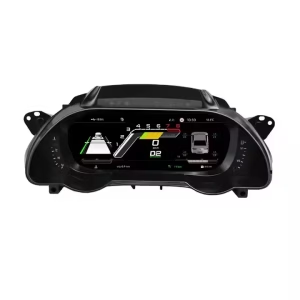
12.3-inch digital cluster built for the A4 dashboard

This Audi A4 B8 Digital Cluster gives the driver a wider, cleaner and more modern instrument view than the original analog-style cluster.

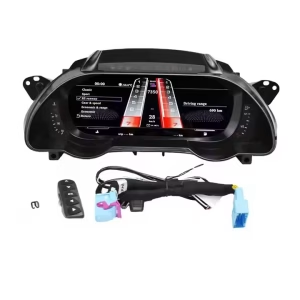
Audi A4 B8 Digital Cluster 12.3 inch LCD dashboard panel

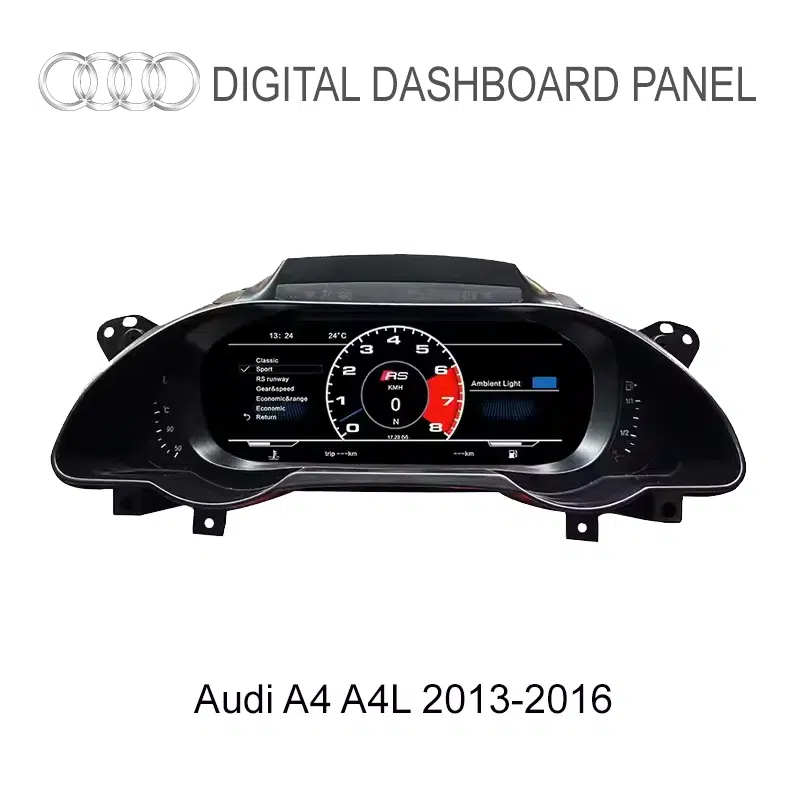
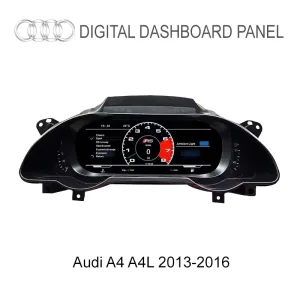
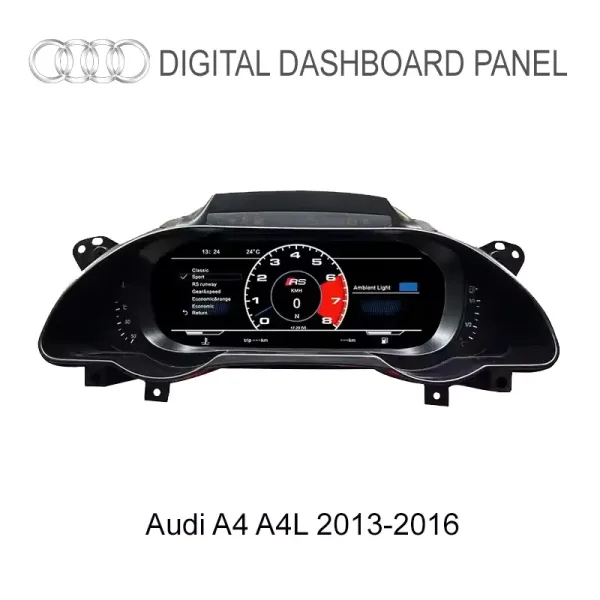
Audi A4 / A4L B8.5 fitment reference

This visual helps buyers compare the later B8.5 dashboard style. Send your dashboard photo before ordering so iKAGOO can prepare the correct frame and harness.

Audi A4 A4L B8.5 2013 to 2016 digital dashboard cluster fitment reference

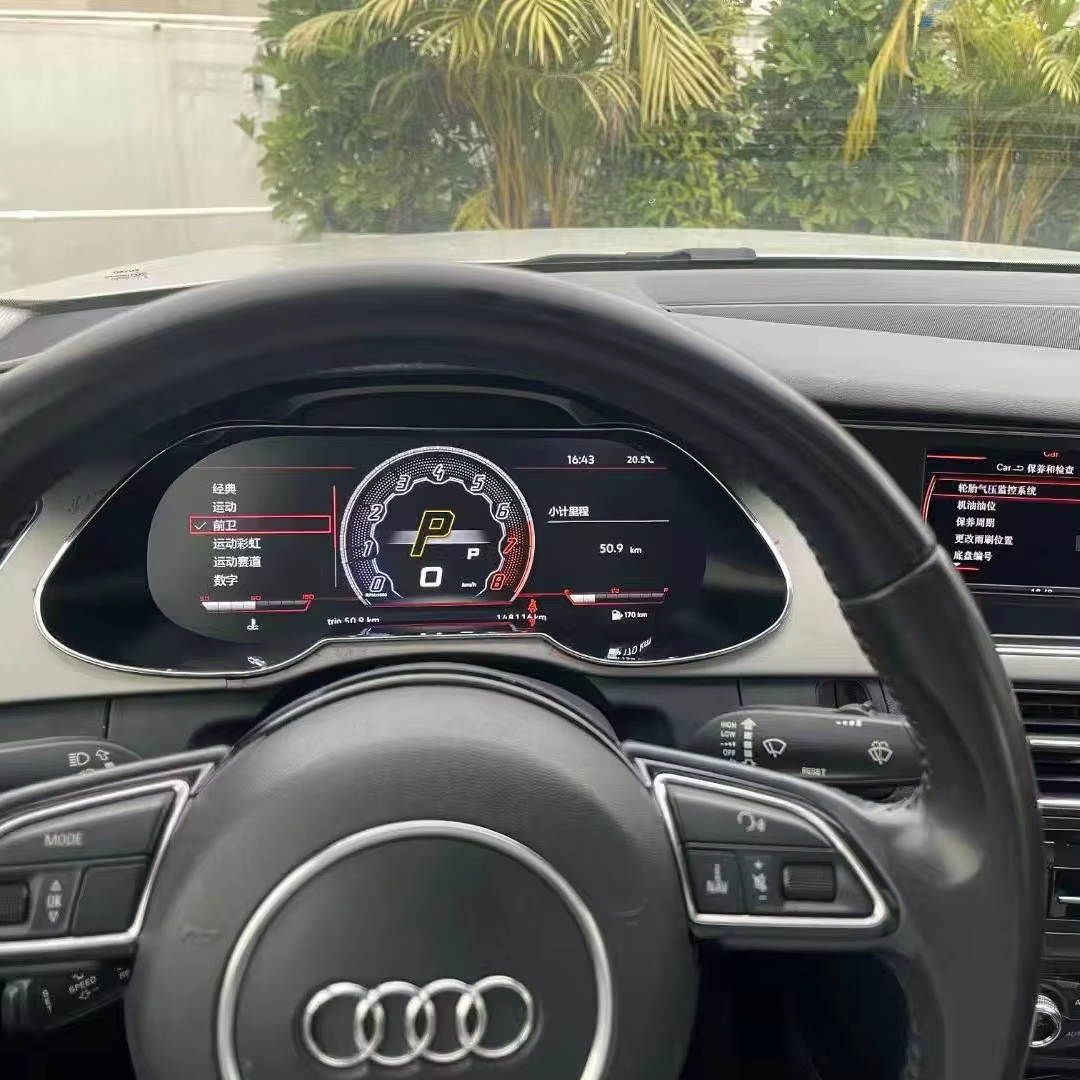
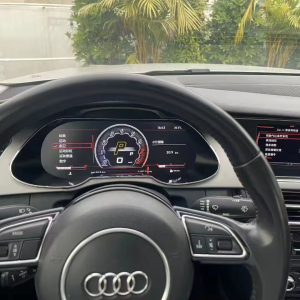
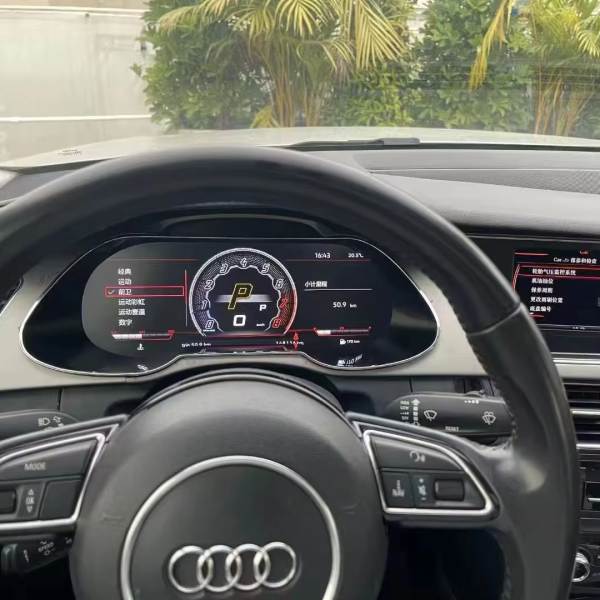
Installed cockpit effect from the driver’s seat

The value of this Audi A4 B8 digital dash retrofit is visible from the driver’s position: a cleaner screen, sharper vehicle data and a cockpit that feels newer.

Audi A4 B8 Digital Cluster installed in dashboard driver view

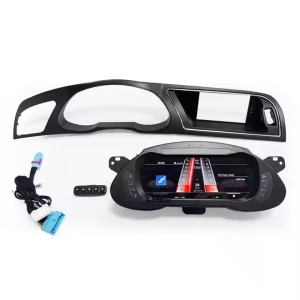
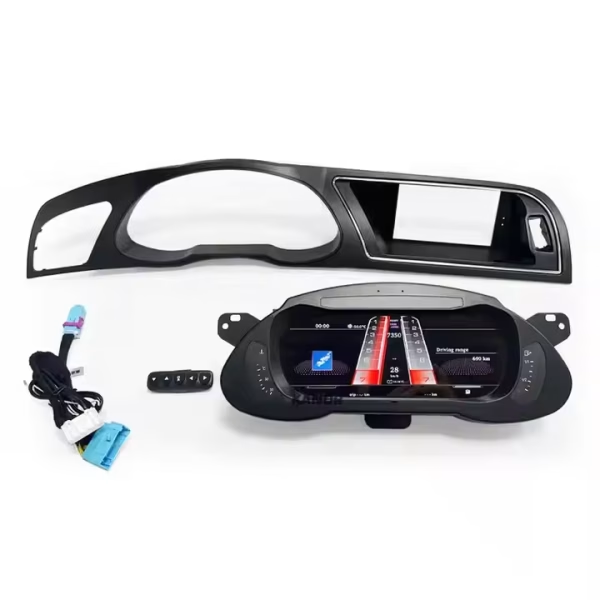
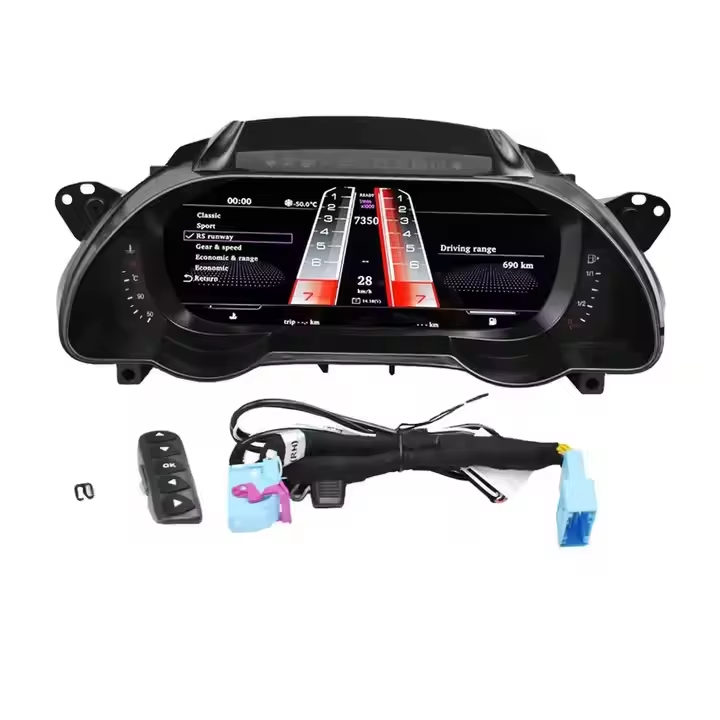
Complete kit with frame, control button and wiring

The correct frame and harness are essential. iKAGOO checks your vehicle details before shipment to reduce wrong-fit risk.

Audi A4 B8 digital cluster kit with frame control button and wiring harness

Matched connector and control interface

The harness and control interface help integrate the display with supported vehicle functions while keeping the installation cleaner.

Audi A4 B8 digital instrument cluster wiring harness and control interface

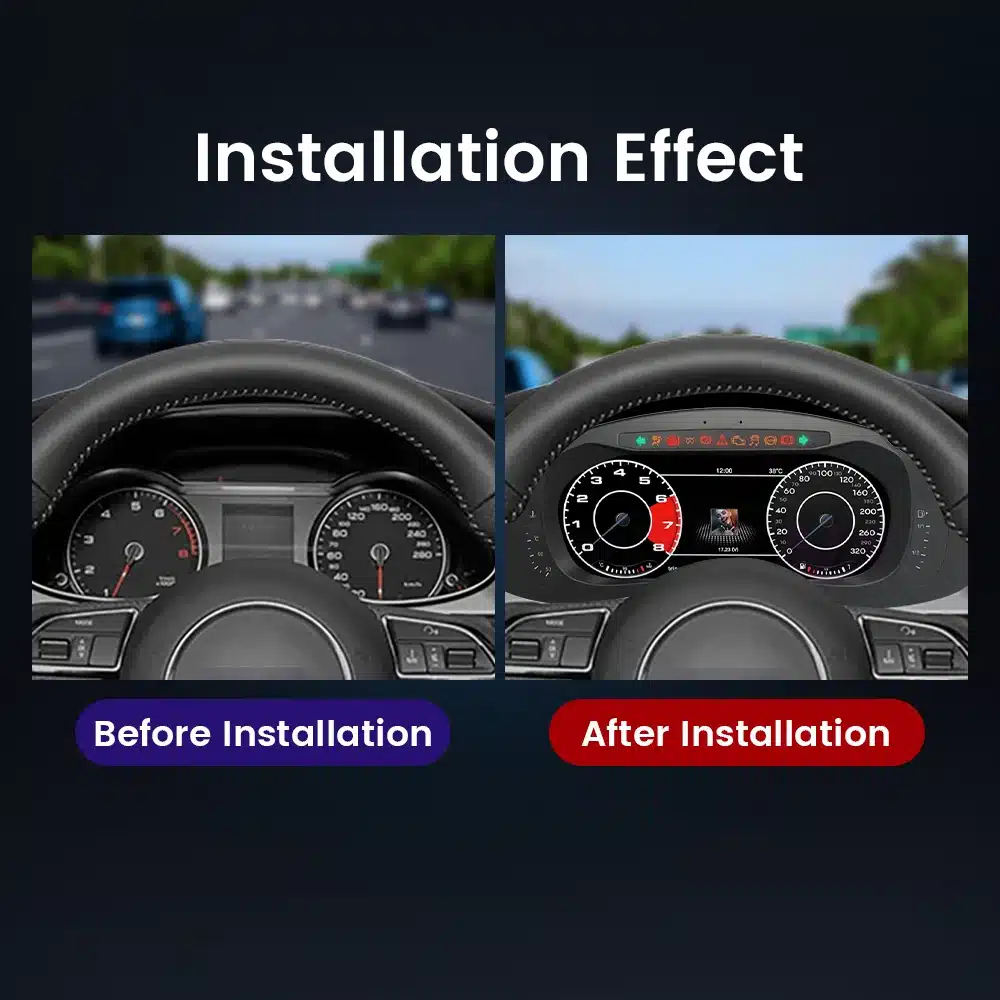
Before and after dashboard transformation

For A4 owners who like the car but dislike the older instrument area, this upgrade provides a stronger visual improvement than simple cluster repair.

Audi A4 B8 digital cluster before and after dashboard upgrade effect

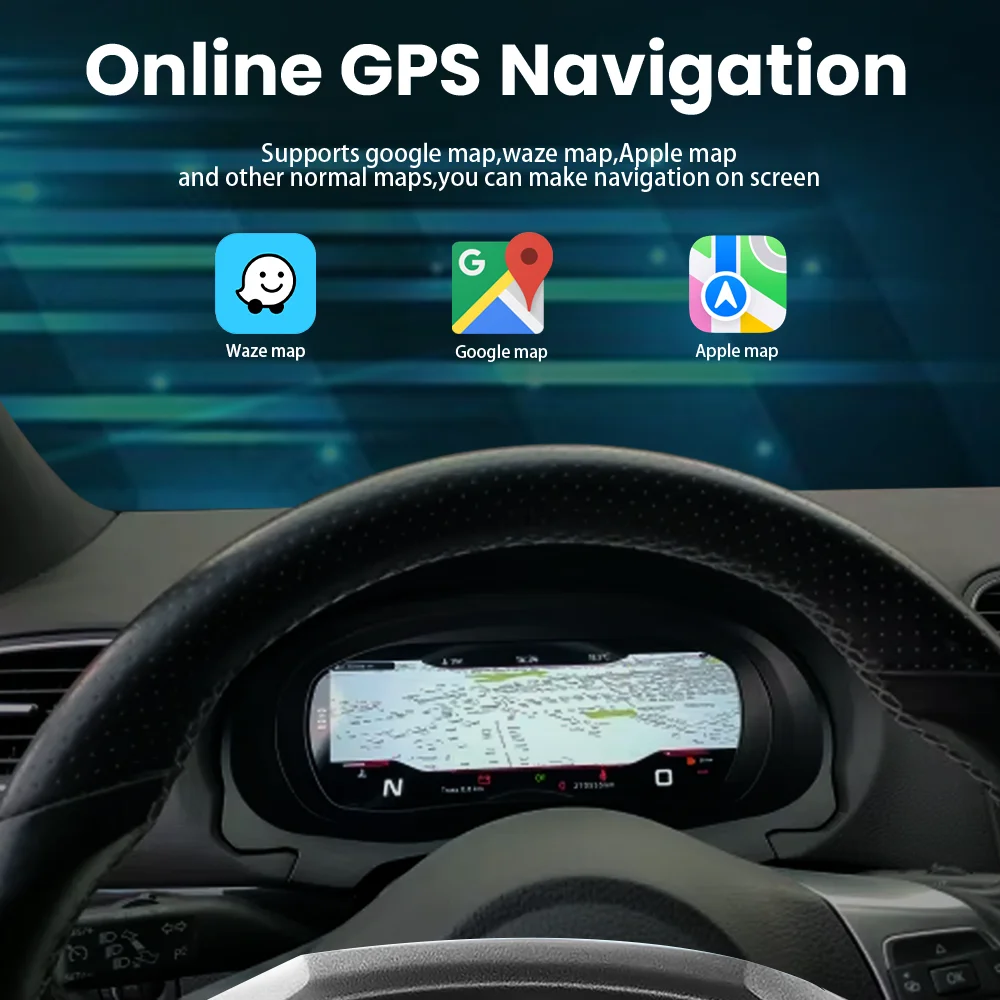
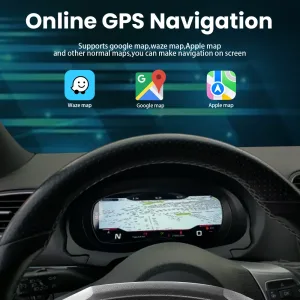
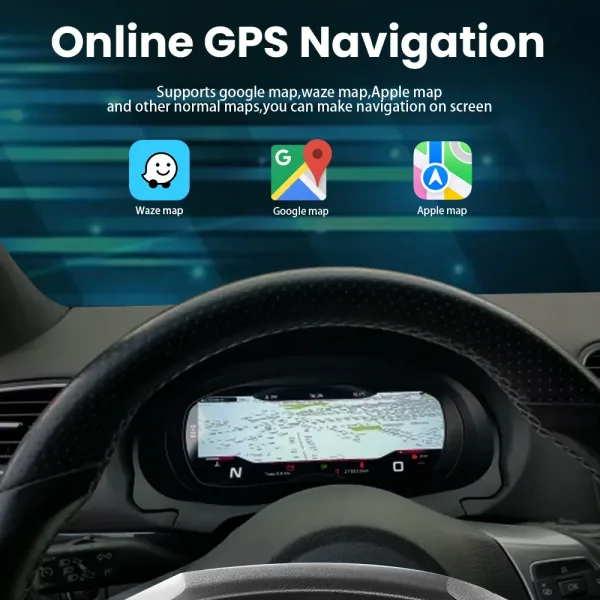
Navigation information in the driver’s line of sight

With the correct kit and connected system, supported navigation information can appear on the digital cluster so the driver can keep more attention ahead.

Audi A4 B8 digital cluster navigation display support for Google Maps Waze and Apple Maps

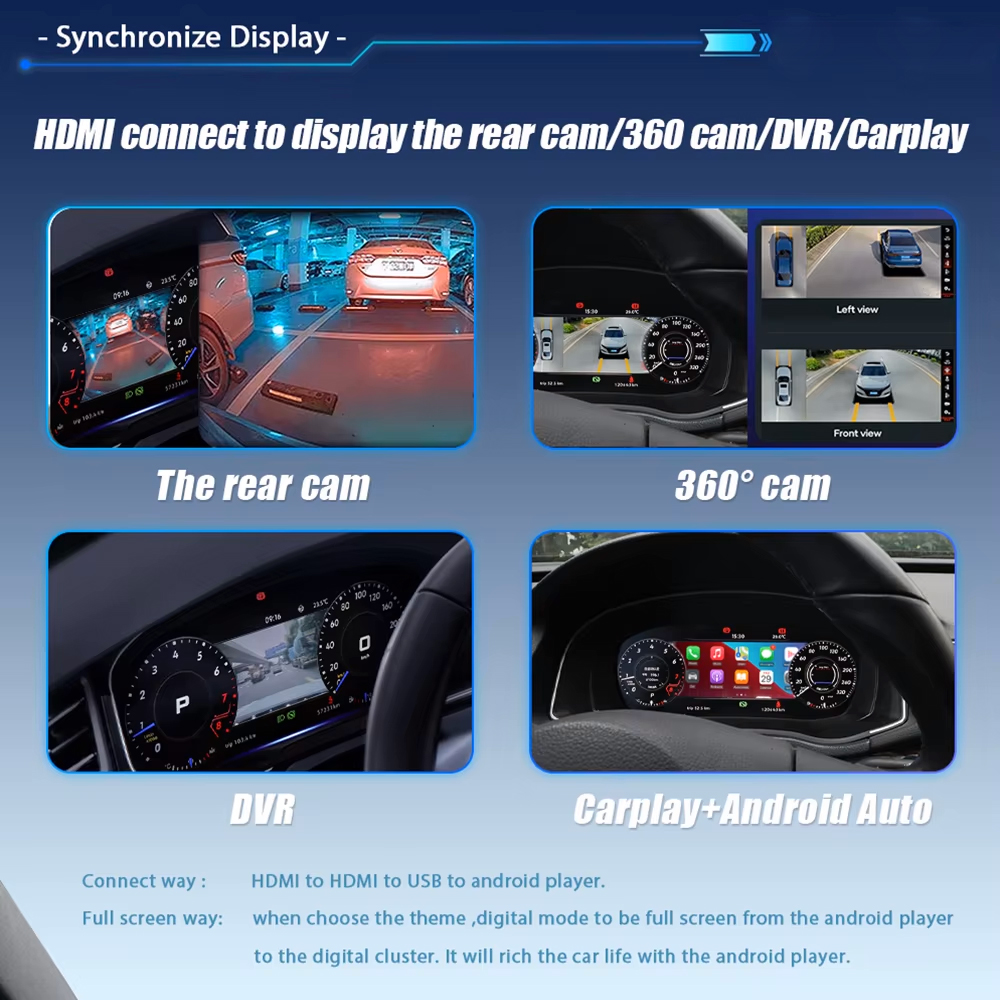
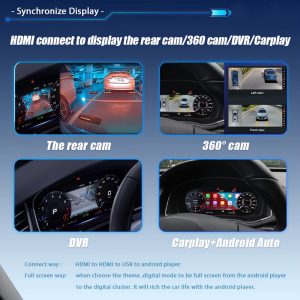
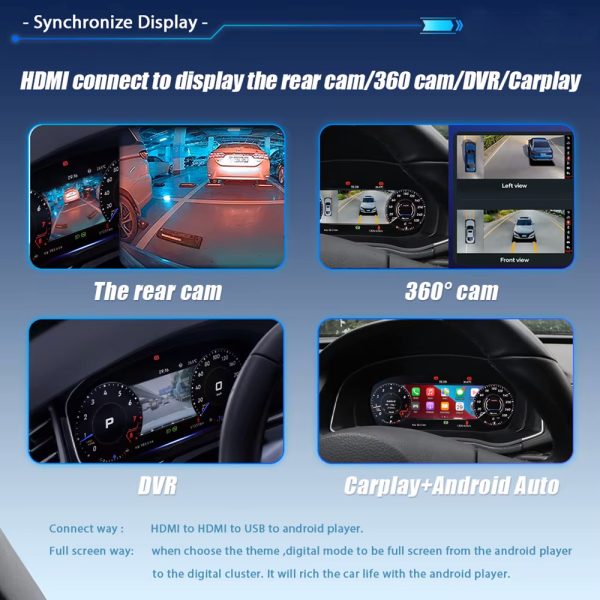
Camera, DVR, CarPlay and Android Auto display path

When paired with the correct cable and compatible system, the cluster can show supported camera, DVR, CarPlay and Android Auto display signals.

Audi A4 B8 digital cluster synchronized display for rear camera DVR CarPlay and Android Auto kit dependent

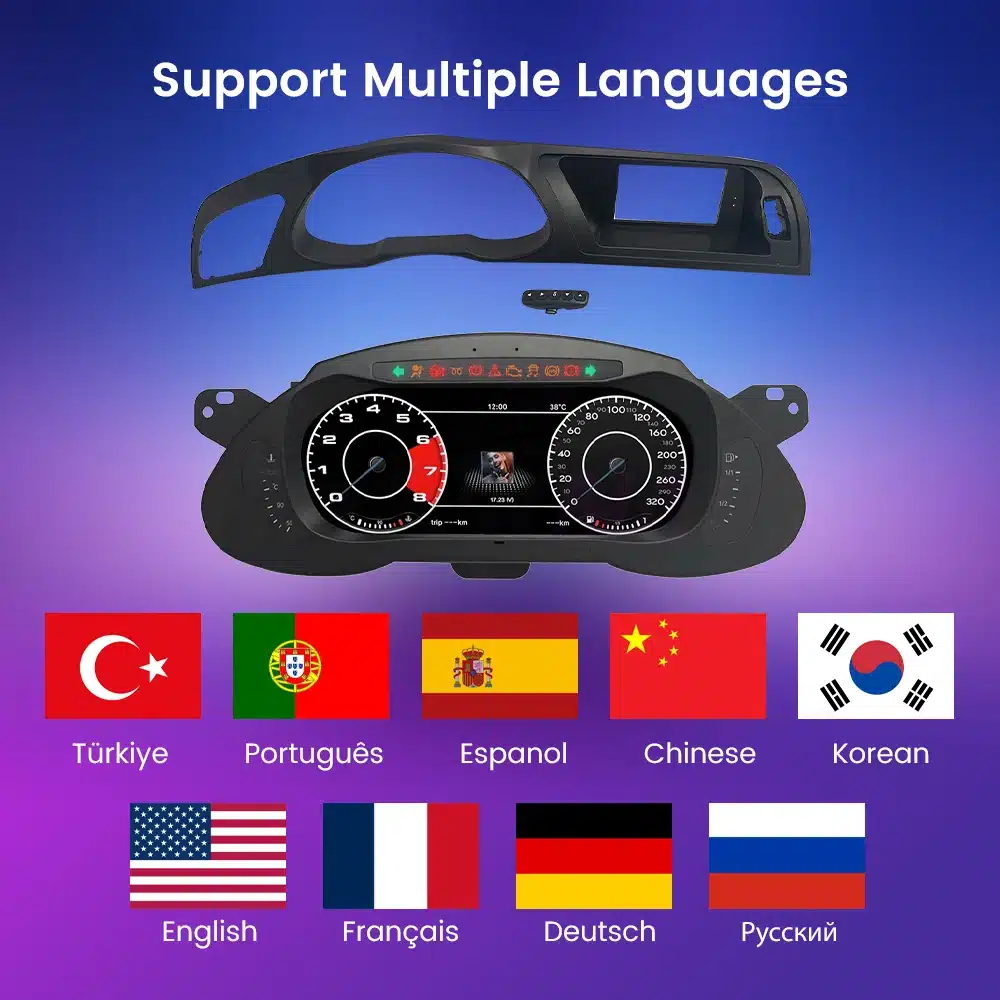
Multi-language interface for global A4 owners

The display supports multiple interface languages, making it easier for owners in different markets to use the cluster confidently.

Audi A4 B8 digital cluster multi language interface support

Vehicle condition and maintenance warning display

A useful Audi A4 B8 LCD instrument cluster must keep important warnings visible. Supported vehicle condition and maintenance information can continue to appear after correct setup.

Audi A4 B8 LCD instrument cluster vehicle condition and maintenance warning display

Single and double dial display options

Choose a display style that matches your driving preference, from focused sport-style layouts to classic dual-dial information.

Audi A4 B8 digital cluster single and double dial display switch

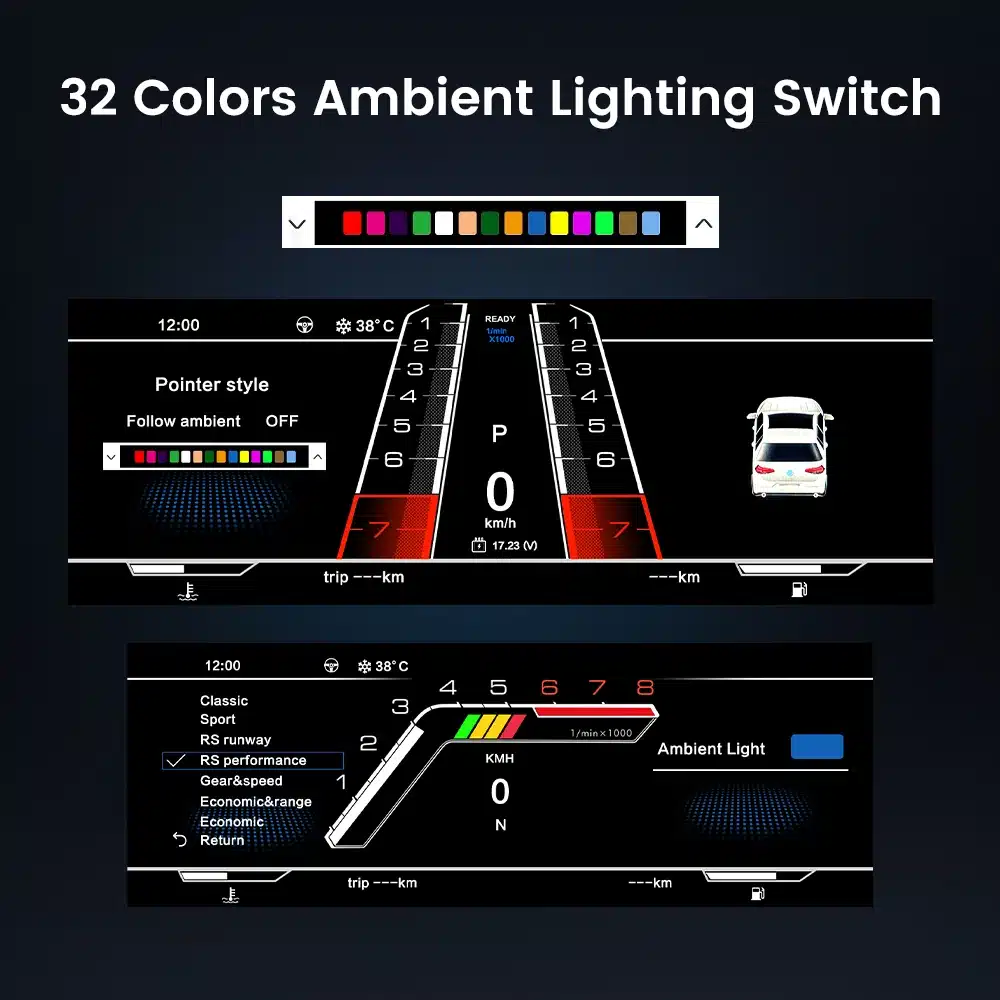
Theme color adjustment for a cleaner interior match

Selectable colors and pointer styles help the cluster feel less generic and more connected to the Audi cabin mood.

Audi A4 B8 virtual cockpit style cluster color and pointer selection

Clean UI design and theme selection

Different UI styles help the A4 dashboard feel more personal while keeping key driving data clear and structured.

Audi A4 B8 digital cluster UI theme selection and color selection

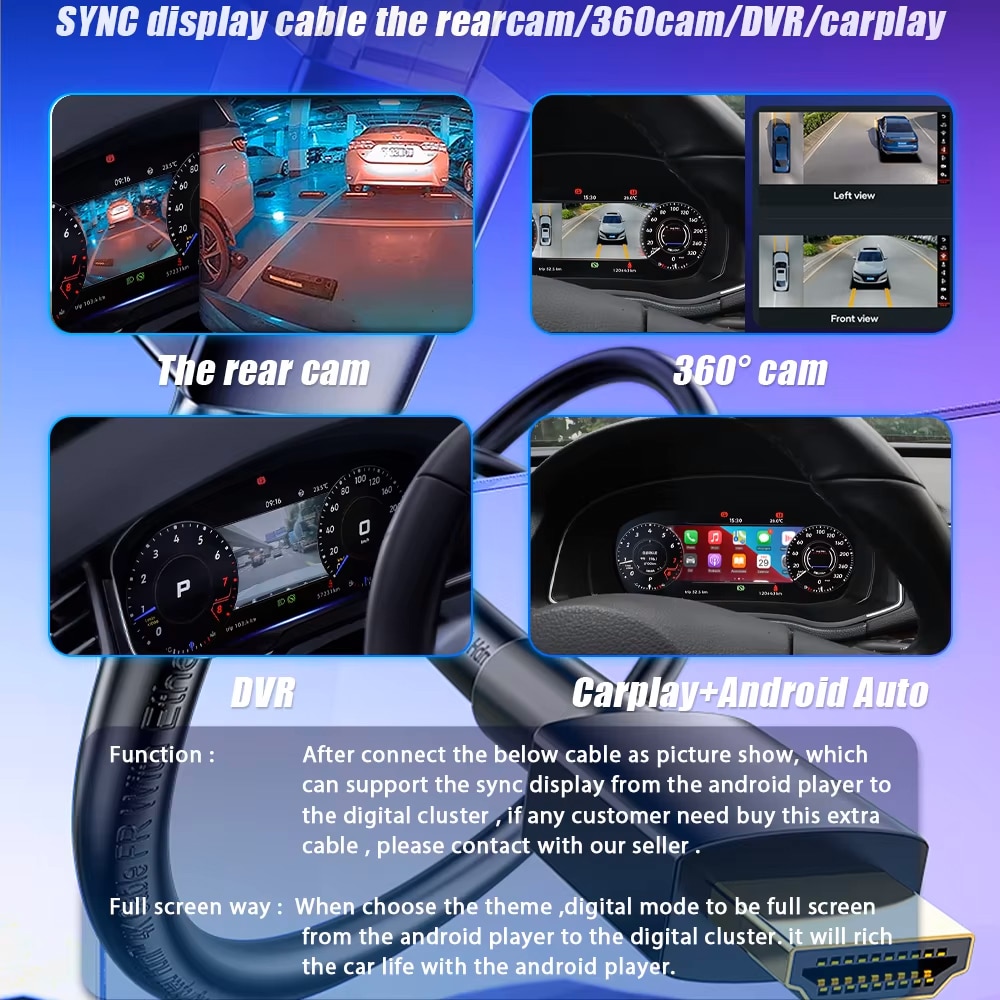
Synchronized display cable for expanded functions

Buyers who need rear camera, 360 camera, DVR, CarPlay or Android Auto display should confirm the required cable and connected system before ordering.

Audi A4 B8 digital cluster sync display cable for rear camera 360 camera DVR CarPlay and Android Auto

No intentional cutting, soldering or drilling direction

The supported installation path is built around matched connectors and factory wiring protection, not destructive wiring work.

Audi A4 B8 digital cluster no wire cutting no soldering no drilling installation direction

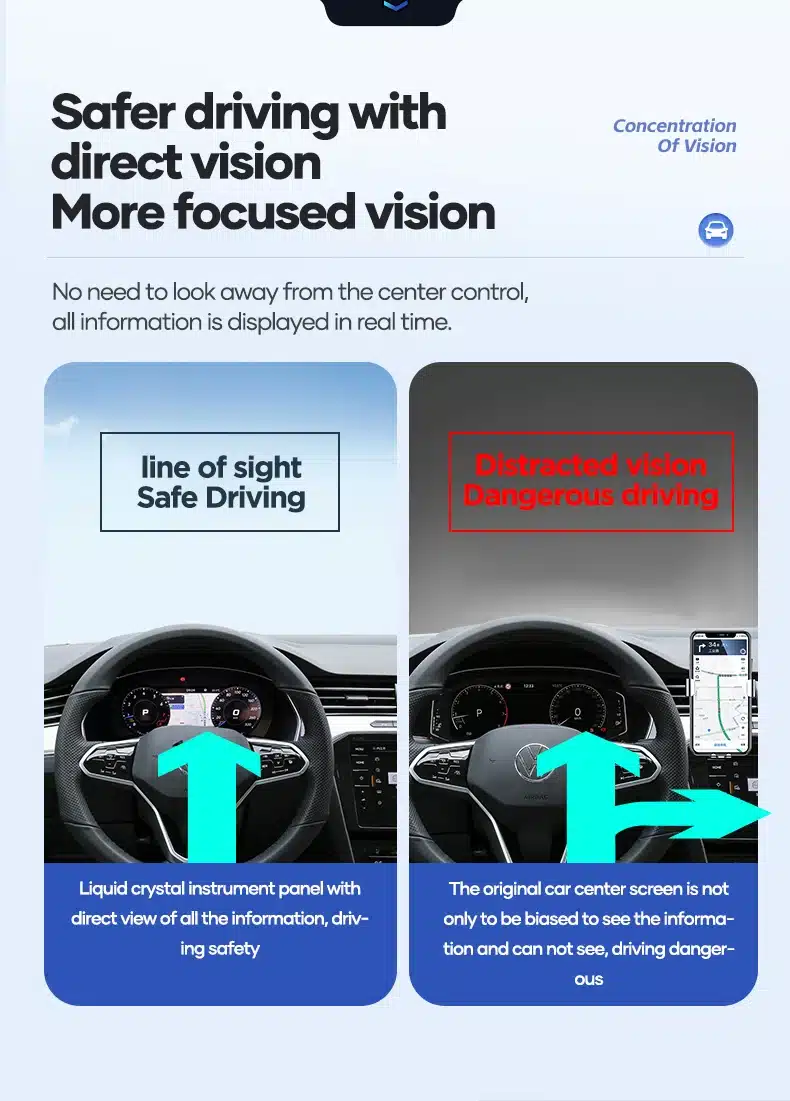
Driver-focused information placement

Keeping driving data in the instrument cluster can reduce unnecessary attention shifts to the center screen during normal driving.

Audi A4 B8 digital cluster direct vision driver information display

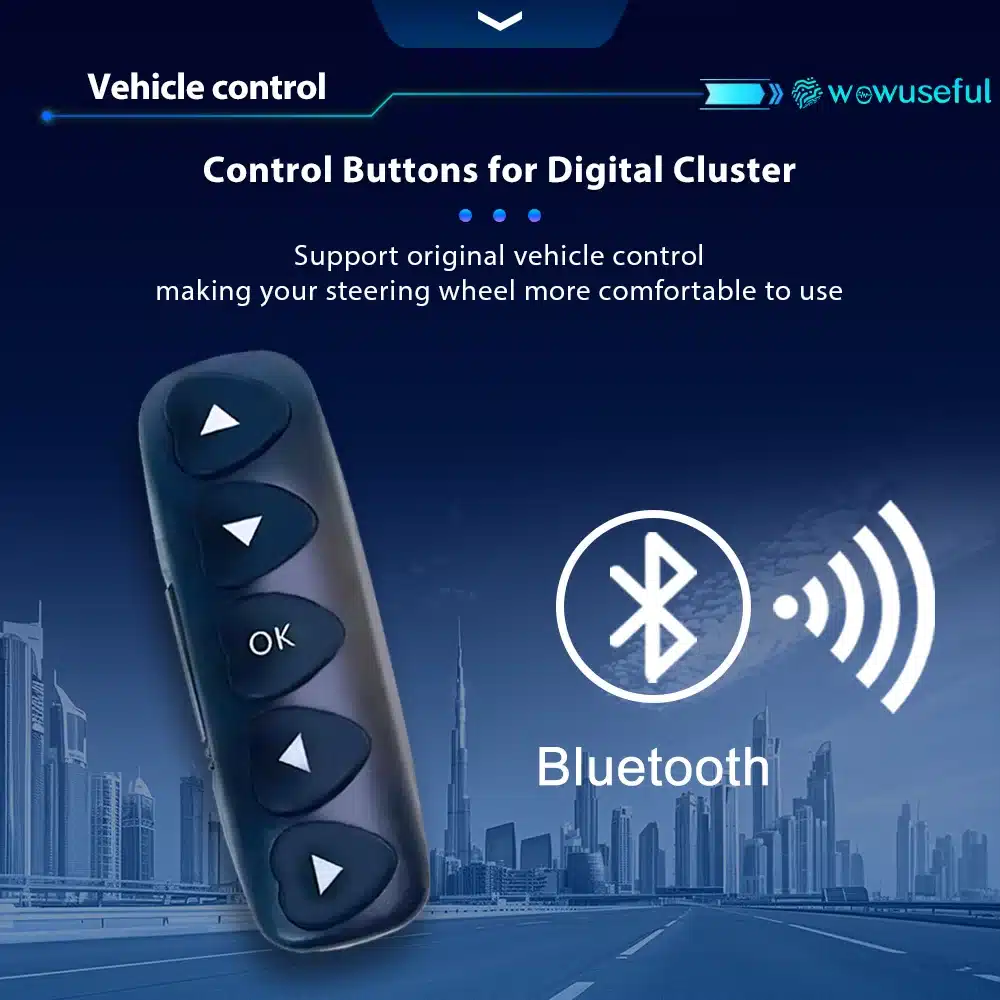
Dedicated control button for the digital cluster

The control button gives the driver a practical way to switch cluster functions without making the upgrade feel difficult to use.

Audi A4 B8 digital cluster control button for vehicle interface operation

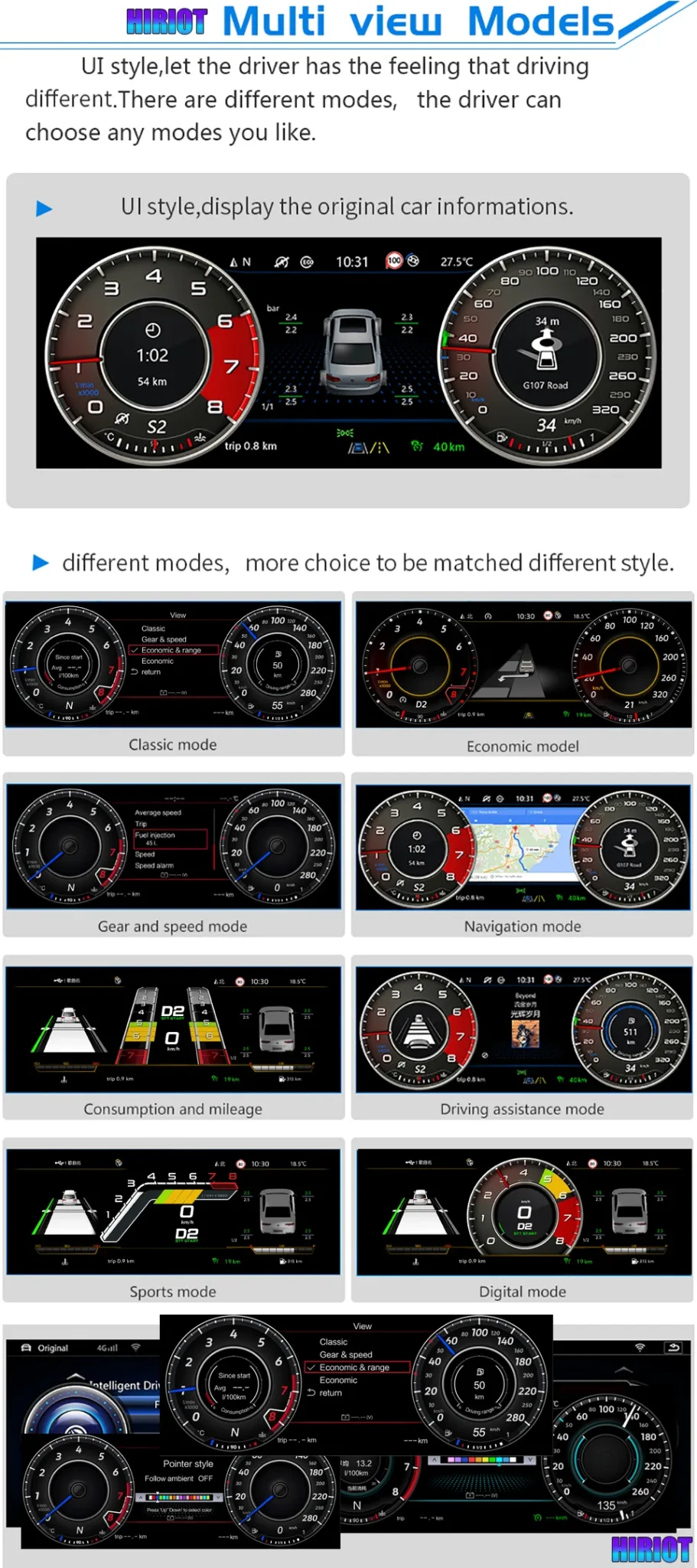
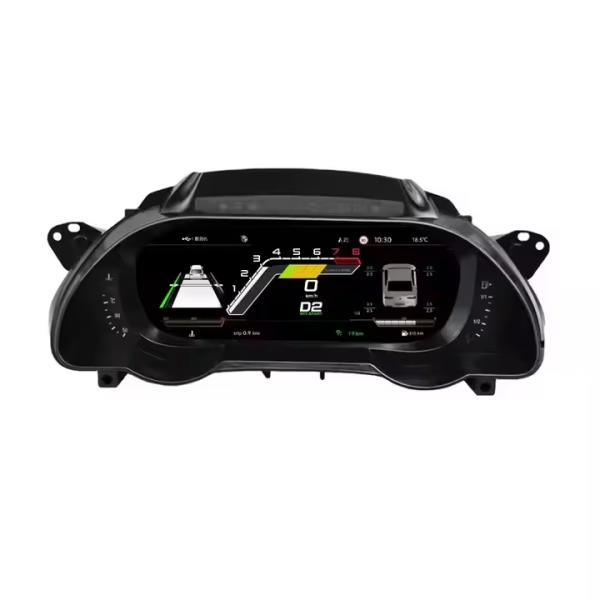
Multi-view display modes for different driving preferences

Classic, navigation, consumption, driving assistance, sport and digital-style modes let the cluster serve both daily driving and a more performance-oriented cockpit feel.

Audi A4 B8 digital cluster multi view modes including classic navigation sport and digital mode

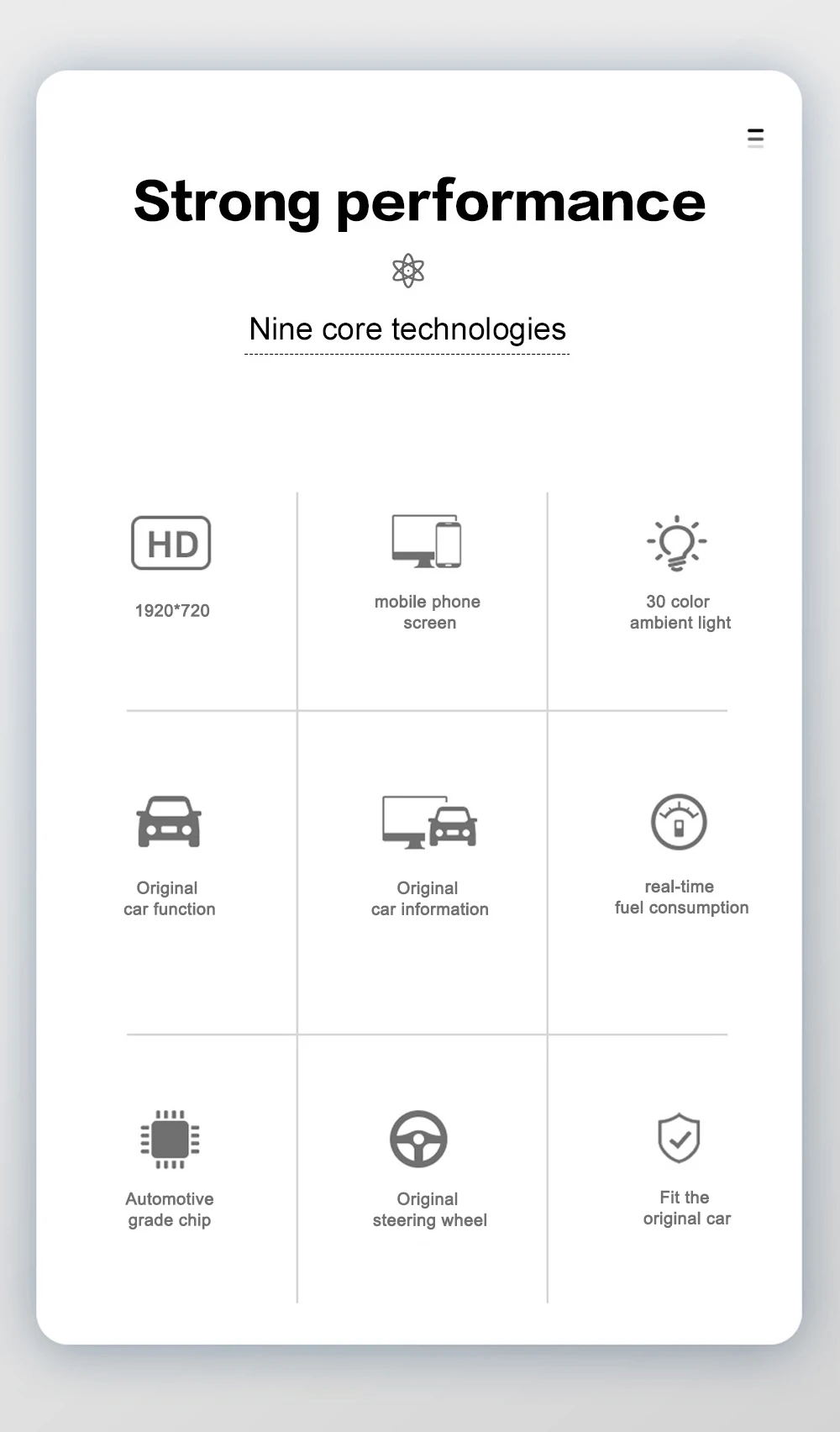
Core features in one upgrade

The cluster combines HD display, original car information, steering-wheel control support, fuel data and vehicle-fit integration in one upgrade.

Audi A4 B8 digital cluster feature summary with 1920x720 display vehicle information and steering wheel support

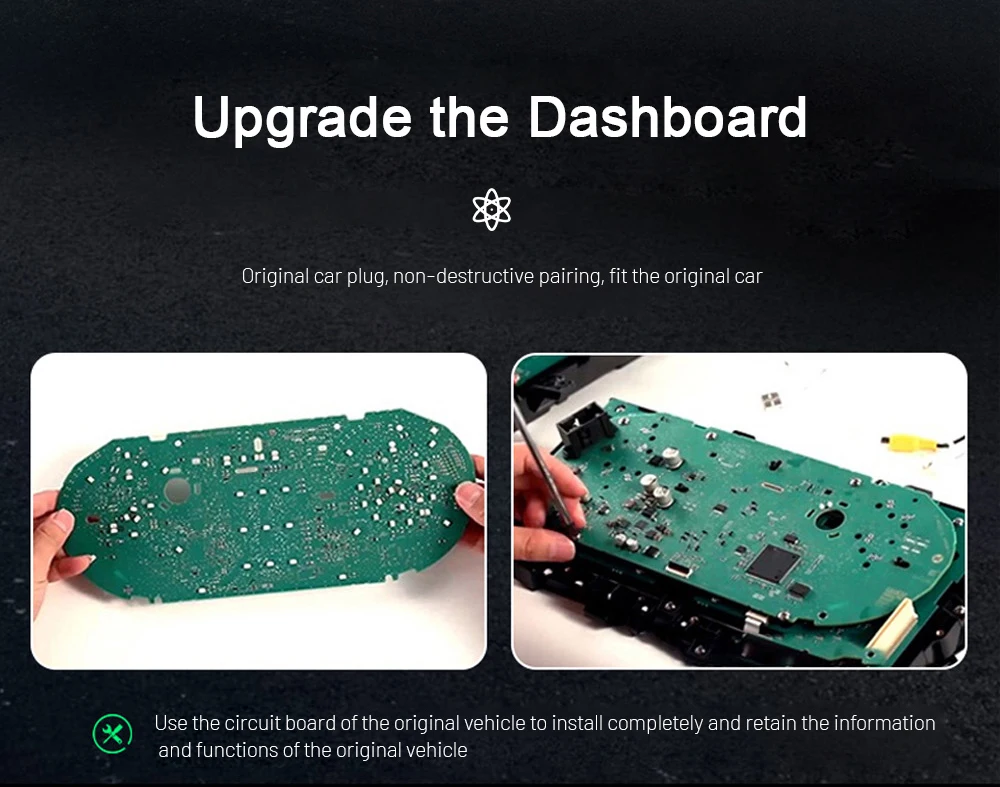
Original vehicle board and function retention direction

Some supported installations may involve original vehicle information retention through the correct board and interface preparation. Confirm your vehicle photos before shipment.

Audi A4 B8 digital dashboard upgrade original vehicle information retention board preparation

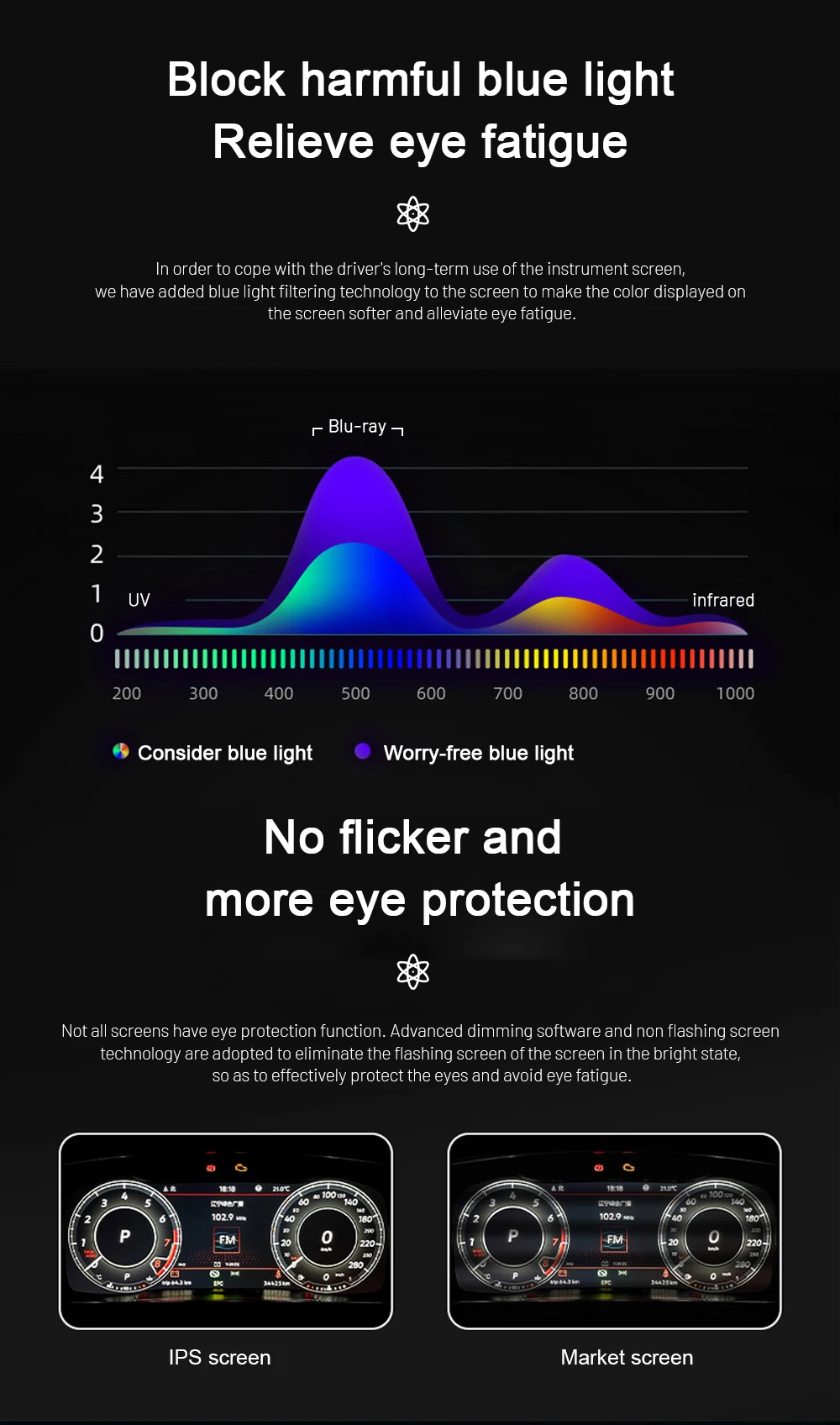
Blue-light and flicker reduction for daily use

Drivers look at the cluster every trip. Display comfort matters for long-term daily use, especially at night.

Audi A4 B8 digital cluster blue light filtering and flicker reduction display comfort

30-color display personalization

Color customization helps the Audi A4 B8 digital dash feel more personal while keeping the main driving data readable.

Audi A4 B8 virtual cockpit style cluster 30 color display setting

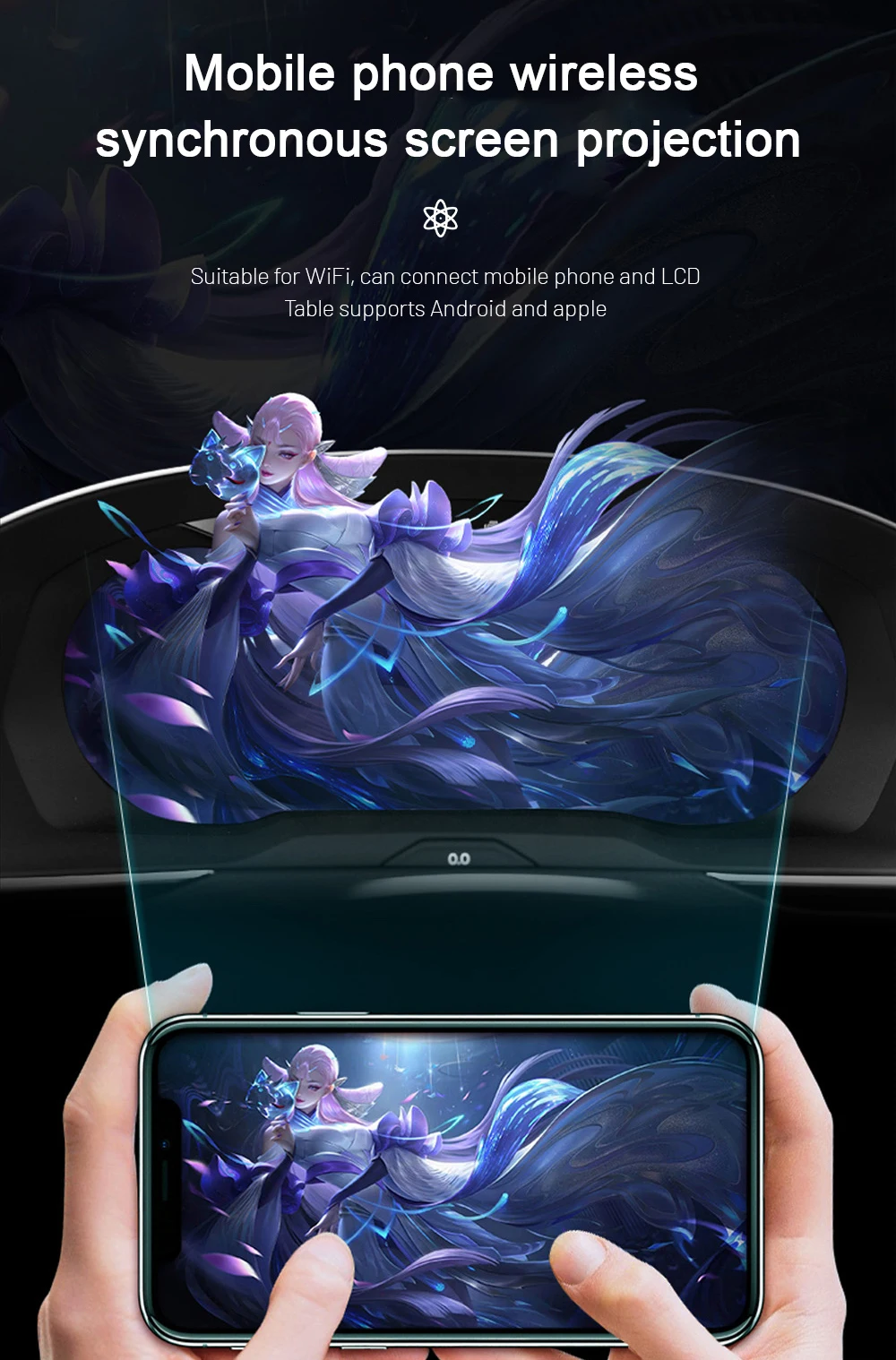
Wireless phone projection support depends on the kit

Phone projection and screen sync functions require the correct kit and connection method. Confirm this before ordering if it is a key requirement.

Audi A4 B8 digital cluster mobile phone wireless screen projection kit dependent

Stable Linux-based instrument system

A digital instrument cluster should start quickly and behave predictably. The system is built for vehicle instrument use rather than generic tablet-style operation.

Audi A4 B8 digital instrument cluster Linux system stability and fast startup

Varför ägarna väljer iKAGOO

A lower price is not useful if the screen, frame or harness does not match your A4. iKAGOO’s value is in preparing the correct version before shipment and supporting the installation after delivery.

Fordonsspecifik förberedelse

iKAGOO checks your model year, dashboard photo, LHD/RHD position, connector photos and previous modifications before shipment.

Correct screen and harness matching

The goal is to prepare the correct cluster, frame, wiring harness and vehicle interface for your Audi A4 B8/B8.5.

Original vehicle function integration

Supported steering-wheel controls, CAN vehicle data and warning information are preserved after correct installation.

Skydd av fabrikens ledningsdragning

The supported installation direction uses matched connectors instead of intentionally cutting the factory main harness.

Setup and configuration support

If your installer needs help with display setup or supported vehicle functions, iKAGOO can provide practical configuration guidance.

12-month hårdvarugaranti

Your order includes hardware warranty coverage and after-sales support according to the active iKAGOO policy.

Information som iKAGOO kontrollerar innan beställningen behandlas

For an Audi A4 B8/B8.5 digital cluster retrofit, do not rely only on the model name. The correct version depends on model year, dashboard shape, connector type and vehicle configuration.

Model year and generation

Confirm whether your vehicle is A4 B8 or B8.5, and provide the exact model year.

Dashboard and original cluster photo

Send a clear driver-seat photo showing the instrument cluster and surrounding dashboard.

Connector and harness photo

Connector photos help iKAGOO match the correct wiring harness and vehicle interface.

Vänsterstyrd eller högerstyrd

Left-hand drive and right-hand drive layouts may require different preparation details.

Factory system and camera functions

Tell us if your vehicle has original camera, parking sensors, special audio, MMI changes or an aftermarket head unit.

Previous modifications

Previous wiring changes can affect installation. Send photos before ordering if the car has been modified.

iKAGOO Buying Evaluation

These results help buyers understand whether this Audi A4 B8 digital dash retrofit is a practical upgrade rather than only a cosmetic screen.

Behovet av en uppgradering av iKAGOO
Starka argument för en uppgradering

Best for A4 B8/B8.5 owners keeping the car long-term and wanting a more modern cockpit instead of only repairing the old cluster.

View upgrade necessity standard
iKAGOO Original – Kompatibilitet med fordon
88/100

A score of 88/100 does not mean that 12% of factory functions are lost. It means this product has strong integration potential when the correct version is prepared and installed.

View compatibility standard
Svårighetsgrad vid installation av iKAGOO
Nivå 3 – Avancerat gör-det-själv-arbete

Suitable for experienced DIY installers or automotive electronics installers. Requires cluster removal, matched wiring, configuration and full function testing.

View installation difficulty standard

Why this Audi A4 B8 Digital Cluster is the better upgrade path

Most buyers compare four choices: keep the old cluster, repair it, buy a used original speedometer cluster, or install a modern digital cluster. The right choice depends on whether you only need a repair or want the dashboard to feel newer.

Keep old cluster

  • Lowest immediate cost
  • Dashboard still feels dated
  • No digital cockpit-style layout
  • No modern interface upgrade

Repair old cluster

  • Good for fault-only restoration
  • Still keeps the old display style
  • No 12.3-inch digital dashboard
  • Limited visual improvement

Used factory cluster

  • May require coding or matching
  • Unknown wear history
  • Compatibility depends on donor unit
  • May not create a modern cockpit look

iKAGOO Digital Cluster

  • 12.3-inch 1920×720 digital display
  • Prepared for Audi A4 B8/B8.5
  • CAN vehicle data and warning support
  • Stöd för styrning av ratten
  • Virtual cockpit-style UI themes
  • Vehicle details checked before shipment

Produktspecifikationer

This Audi A4 B8 LCD instrument cluster description uses the 12.3-inch 1920×720 LCD specification shown in the core product feature direction. Confirm your dashboard and connector photos before shipment.

Produkttyp
Audi A4 B8 Digital Cluster / LCD Instrument Cluster / Virtual Cockpit-Style Retrofit
Compatible vehicle
Audi A4 B8 / B8.5 2009–2016, subject to dashboard and connector confirmation
Skärmstorlek
12.3-inch LCD digital dashboard display
Upplösning
1920×720
Betraktningsvinkel
178° betraktningsvinkel
Refresh rate
60 Hz
Response time
5 ms
Effektförbrukning
12V DC, 3A max, 36W max
Driftstemperatur
-30°C to +85°C
Förvaringstemperatur
-40°C to +90°C
Visningslägen
Classic, Sport, Full-screen navigation style, digital and multi-view modes where supported
Vehicle functions
Steering-wheel controls, CAN vehicle data, warning information, mileage, trip, speed, RPM, fuel level and temperature where supported
CarPlay / Android Auto
Kit-dependent display support when paired with a compatible head unit, module or sync cable
Artikelnummer
YB-124
Listed weight
2,5 kg
Listed dimensions
42 × 28 × 42 cm

Actual displayed functions depend on vehicle configuration, connector type, CAN data availability and selected kit. Send vehicle photos before shipment for the safest matching process.

Installation Direction

This Audi A4 B8 digital cluster retrofit is Level 3 — Advanced DIY. It is suitable for experienced DIY installers or automotive electronics installers, not for blind plug-in guessing.

1. Remove the original instrument cluster

Remove surrounding trim and the original cluster carefully without damaging dashboard clips, connectors or the frame.

2. Connect the matched harness

Use the prepared harness and interface for your A4 B8/B8.5 version. Do not force connectors.

3. Configure display and vehicle data

Set the correct vehicle protocol, display mode and supported data functions according to your order configuration.

4. Test before final assembly

Check ignition, sleep mode, speed, RPM, fuel, warnings, steering-wheel buttons, brightness and any connected sync functions.

5. Stop if anything is abnormal

Pause installation if plugs do not match, pins are damaged, the harness differs from instructions, a fuse blows repeatedly, or there is heat, odor or smoke.

6. Contact iKAGOO with photos

If CANBUS, display, camera, audio or vehicle data behavior is unclear, do not force wiring. Send photos and a short video for support.

Frakt, garanti och kundservice

iKAGOO prepares your Audi A4 B8 digital instrument cluster order with vehicle information review, tracked global shipping and practical support after delivery.

Tracked global shipping

International delivery is provided with tracking. Available routes and delivery times depend on destination and checkout option.

12-month hårdvarugaranti

Hardware warranty and after-sales support are provided according to the active iKAGOO warranty policy.

Installationssupport

For supported hardware, iKAGOO can help with setup direction, troubleshooting information and configuration guidance.

FAQ: Audi A4 B8 Digital Cluster

These answers target common buying questions for Audi A4 B8 virtual cockpit-style retrofit, digital dash replacement and speedometer cluster upgrade searches.

Does this fit Audi A4 B8 and B8.5 2009–2016?

Yes. This product is intended for Audi A4 B8/B8.5 2009–2016, but the final version must match your dashboard layout, LHD/RHD position and connector type. Send photos before shipment.

Is this a real Audi OEM Virtual Cockpit?

No. This is an iKAGOO aftermarket Audi A4 B8 Digital Cluster with a virtual cockpit-style interface. It is not an Audi factory-authorized OEM part.

Does it keep steering-wheel controls?

Yes. Supported original steering-wheel controls continue to work after correct wiring and configuration.

Does it show CarPlay and Android Auto?

Yes, but this is kit-dependent. CarPlay, Android Auto, DVR, rear camera and 360 camera display functions require the correct cable, compatible system and selected kit.

Can I use this instead of repairing my old A4 speedometer cluster?

Yes, if your goal is a modern upgrade. Repair may restore an old fault, but this retrofit gives your A4 a 12.3-inch digital dashboard and newer cockpit experience.

Does the installation require coding?

Setup and configuration may be required. The installer should complete CANBUS, display, steering-wheel control and vehicle data testing before final assembly.

Why must I send dashboard and connector photos?

Because Audi A4 B8 and B8.5 vehicles can differ by model year, market, trim, LHD/RHD position and previous modifications. Photos help iKAGOO prepare the correct screen, frame, wiring harness and vehicle interface.

Vad ska jag skicka innan jag beställer?

Send your vehicle year, B8/B8.5 version if known, LHD/RHD position, original dashboard photo, cluster photo, connector photo and information about any previous modifications.

Ready to make your Audi A4 B8 dashboard feel modern again?

Choose your version in the product purchase area, then provide your vehicle details so iKAGOO can prepare the correct cluster, frame, harness and vehicle interface for your order.

5.00

Baserat på 1 recensioner
1
0
0
0
0

1 recension för Audi A4 B8 Digital Cluster – 12.3″ Virtual Cockpit-Style Dash for 2009–2016

  1. Sophia Hill -

    Totalt betyg
    Valuta för pengarna

    The 12.3″ LCD is sharp and bright with no lag between screens. I really appreciate the real-time data updates and the sleek new interface—it feels like a modern Audi cockpit. Excellent communication from ikagoo.

    Är det till någon hjälp?
Lägg till en recension

Your email address will not be published. Required fields are marked

Du måste vara inloggad för att kunna lägga till foton i din recension.

iKAGOO – frakt, garanti, returer och kundtjänst
iKAGOO:s kundtjänst

Frakt, garanti och returer

Tydlig information om orderhantering, internationella leveranser, fordonsspecifika produkter, garantiservice, returer och skadade försändelser.

Orderhantering Normalt 1–3 arbetsdagar före leverans.
Internationell leverans Normalt 5–20 arbetsdagar efter avsändning, beroende på destination.
Hårdvarugaranti 12 månaders begränsad garanti för berättigade tillverkningsfel.
Fordonsspecifik support Vi erbjuder hjälp med kompatibilitet, kabeldragning och konfiguration.

Vanliga frågor och svar

Dessa svar ger en praktisk sammanfattning. De fullständiga villkoren, som du hittar via länkarna nedan, gäller för alla beställningar.

01

Varifrån skickas beställningarna, och hur lång tid tar leveransen?

De flesta beställningar från iKAGOO skickas från vårt distributionscenter i Kina efter att produktkonfigurationen och fordonsuppgifterna har kontrollerats. En normal orderhantering tar ungefär 1-3 arbetsdagar.

Beräknade leveranstider efter avsändning är:

  • USA och Kanada: cirka 5–9 arbetsdagar
  • Europeiska unionen: cirka 7–15 arbetsdagar
  • Storbritannien och Australien: cirka 7–10 arbetsdagar
  • Andra regioner som stöds: cirka 7–20 arbetsdagar

Leveranstiderna kan påverkas av tullklarering, lokala helgdagar, leveranser till avlägsna områden, väderförhållanden eller förseningar hos transportören.

02

Måste jag betala importskatt, moms eller tullavgifter?

I den vanliga internationella frakten ingår normalt inte moms i destinationslandet, importtullar, mäklaravgifter eller tullklareringsavgifter.

För berättigade resmål inom Europeiska unionen finns ett valfritt DDP-frakttjänst kan förekomma. Importavgifter ingår endast om DDP väljs vid utcheckningen eller bekräftas av iKAGOO skriftligen före leveransen.

Om DDP inte har valts är mottagaren ansvarig för eventuella avgifter som tas ut av den lokala tullmyndigheten eller transportören.

03

Kan jag begära expressleverans?

Expressleverans eller snabbleverans kan erbjudas för vissa produkter och destinationer. Tillgänglighet, transportör och eventuella extra kostnader bekräftas innan leveransen.

Beroende på destination och produkttyp kan iKAGOO använda transportörer som DHL, FedEx, UPS, EMS, 4PX eller någon annan logistikleverantör som erbjuder spårning.

04

Hur kan jag spåra min försändelse?

När beställningen har skickats skickas spårningsnumret eller spårningslänken normalt till den e-postadress som angavs vid beställningen.

Det kan ta flera arbetsdagar innan uppdateringar i spårningen visas medan ett paket överförs mellan internationella och lokala transportörer.

05

Vilka är iKAGOO:s regler för returer och återbetalningar?

Rätten till retur beror på orsaken till returen, produktens skick, installationsstatus, den dokumentation som lämnats in samt om returen har godkänts av iKAGOO.

Vid en retur av en felfri vara måste produkten normalt sett vara oanvänd, oavinstallerad, komplett och lämplig för återförsäljning. Kunden ansvarar i regel för godkända returfraktkostnader.

Ursprungliga fraktkostnader, DDP-avgifter, moms, tullavgifter och övriga logistikkostnader återbetalas i regel inte, såvida inte detta krävs enligt gällande lagstiftning eller bekräftas på annat sätt av iKAGOO.

Skicka inte tillbaka en produkt utan att först ha fått en godkänd returadress och returinstruktioner från iKAGOO.

06

Vad händer om iKAGOO har bekräftat att produkten är kompatibel men den inte går att installera?

Ytterligare skydd kan gälla om iKAGOO har bekräftat kompatibiliteten före köpet, kunden har lämnat korrekta uppgifter om fordonet och kunden har samarbetat vid rimliga installations- och felsökningsåtgärder.

Om iKAGOO bekräftar att det inte finns någon rimlig teknisk lösning och problemet anmäls inom 7 kalenderdagar efter leveransen, kan kunden ha rätt till återbetalning av produktpriset utan att behöva lämna tillbaka produkten.

Ursprungliga fraktkostnader, DDP, moms, tullavgifter och övriga avgifter från tredje part ingår inte i denna återbetalning av produktpriset.

07

Vilken garanti erbjuder iKAGOO?

Bland de iKAGOO-produkter som omfattas av erbjudandet ingår en 12 månaders begränsad hårdvarugaranti som täcker konstaterade tillverkningsfel och berättigade hårdvarufel vid normal användning.

Beroende på vilket problem det gäller kan lösningen omfatta färndiagnos, hjälp med konfiguration, reservdelar, reparation, produktbyte, delvis återbetalning eller full återbetalning.

Garantin täcker normalt inte skador som orsakats av felaktig kabeldragning, otillåten modifiering, oavsiktlig skada, vatteninträngning, stötar, felaktig användning, felaktig spänning, installationsfel eller inkompatibel utrustning från tredje part.

08

Upphör garantin automatiskt att gälla när man öppnar förpackningen?

En inspektion eller granskning av tredje part innebär inte automatiskt att hela garantin upphör att gälla. Skador som orsakats av obehörig reparation, byte av komponenter, felaktiga modifieringar, trasiga kretsar eller felaktig återmontering omfattas dock inte av garantin.

Kontakta iKAGOO innan du demonterar eller reparerar produkten, så att rätt diagnostikförfarande kan tillhandahållas.

09

Vad händer om min beställning anländer skadad eller om det saknas delar?

Kontakta iKAGOO inom 7 kalenderdagar efter leveransen och behåll originalförpackningen, fraktetiketten, tillbehören och produkten.

Vänligen skicka tydliga bilder eller videoklipp som visar:

  • Den yttre fraktkartongen och fraktetiketten
  • Eventuella synliga skador på förpackningen
  • Produkten och det berörda området
  • Alla mottagna tillbehör och kablar

Efter kontroll kan iKAGOO ordna med leverans av saknade delar, utbyte, reparation, återbetalning eller någon annan rimlig lösning beroende på det enskilda fallet.

10

Vad ska jag göra om jag har beställt fel produkt?

Kontakta iKAGOO innan du installerar eller använder produkten. Ett byte eller en retur kan godkännas förutsatt att produkten är oanvänd, oinstallerad, komplett och i ett skick som gör den lämplig för återförsäljning.

Kunderna står normalt sett för fraktkostnaderna och eventuella prisskillnader om fel produkt, fordonsmodell, årsmodell eller fabriksspecifikation har valts.

En kostnadsfri förbetald returetikett tillhandahålls inte automatiskt.

11

Kan jag ändra eller avboka min beställning efter att jag har betalat?

Kontakta iKAGOO så snart som möjligt, helst inom 12 timmar efter att beställningen gjorts, när du begär en adress, en fordonskonfiguration eller en produktändring.

En ändring eller avbokning träder i kraft först efter bekräftelse från iKAGOO. Fordonsspecifika produkter kan komma att gå vidare till inköp, programmering, testning, konfigurering eller anpassning kort efter betalningen.

När förberedelserna eller leveransen har påbörjats kan det hända att avbokning inte är möjlig, eller att redan uppkomna rimliga kostnader dras av.

12

Vad ingår i paketet?

Paketets innehåll varierar beroende på produkt, fordonsmodell, fabriksmonterat system och vald konfiguration.

Beroende på produkt kan förpackningen innehålla själva enheten, fordonsspecifika kabelhärvor, CANBUS-gränssnitt, adaptrar, USB-kablar, antenner, mikrofoner, monteringsdelar och övriga installationstillbehör.

Se den aktuella produktsidan, bilderna på förpackningen och orderbekräftelsen för en exakt förteckning över de medföljande komponenterna.

13

Hur kontaktar jag iKAGOO:s support?

Du kan kontakta iKAGOO via kontaktformuläret, e-post, WhatsApp eller de tillgängliga supportkanalerna på webbplatsen. Den normala svarstiden är inom 24 arbetstimmar.

För att få snabbare teknisk support, ange ditt ordernummer, fordonets modell och årsmodell, bilder på fabriksinstallationen, produktbilder samt en tydlig video som visar problemet.

Besök: iKAGOO – Kontakt och support

14

Är betalningen säker, och finns det möjlighet att betala i delbetalningar?

Betalningarna hanteras via de säkra betalningsmetoder som visas vid kassan. Vilka kort, e-plånböcker och avbetalningsalternativ som är tillgängliga kan variera beroende på land, valuta, betalningsleverantör och kundens behörighet.

Alla avbetalningstjänster, inklusive de alternativ som erbjuds av PayPal eller någon annan leverantör, omfattas av den aktuella leverantörens regionala tillgänglighet och godkännanderegler.

Läs iKAGOO:s fullständiga riktlinjer

Läs igenom hela villkoren innan du beställer, särskilt vad gäller fordonsspecifika produkter, internationella skatteregler och returer i samband med installation.

Denna FAQ är en förenklad kundguide. De fullständiga, publicerade villkoren, orderbekräftelsen och gällande konsumentlagstiftning har företräde om formuleringarna skiljer sig åt.

Audi A4 B8 digital instrumentpanel – 12,3-tums instrumentpanel i Virtual Cockpit-stil för modellår 2009–2016 Audi A4 B8 Digital Cluster – 1...

Det ursprungliga priset var: $780.00.Det nuvarande priset är: $518.00.

Lägg till i varukorg

© 2026 Shenzhen Oak Bay Electronics Technology Co., Ltd. Alla rättigheter reserverade.

Vi använder säker betalning för

```html Kontakta iKAGOO via WhatsApp ```