XStore-temat

No products in the cart.

Sale 47%
  • VW Tiguan 2017–2022 Digital instrumentpanel | 12,3″ LCD
  • VW Tiguan 2017–2022 Digital Cluster
  • 7
  • S6cbc90ebb0684b45b3d834f533091510r
  • S2e1af3478ae24e65bd0b46c84d8a289ej
  • 5
  • 9

VW Tiguan 2017–2022 – Uppgradering till digital instrumentpanel med 12,3-tums LCD-skärm

Varumärke:
(1 kundrecension)

Det ursprungliga priset var: $880.00.Det nuvarande priset är: $468.00.

Tullfri Endast EU & USA
Detaljer
Säkra genom PayPal
DDP Skattefördelad tjänst

Vi hanterar alla moms- och tullavgifter. Beräknad besparing: $120-$280.

USA (48 stater)ÖsterrikeBelgienBulgarienKroatienCypernTjeckienDanmarkEstlandFinlandFrankrikeTysklandGreklandUngernIrlandItalienLettlandLitauenLuxemburgMaltaNederländernaPolenPortugalRumänienSlovakienSlovenienSpanienSverige
eller

Har du några frågor?

Känn dig fri att Ta kontakt med oss

Betala tryggt med Paypal Betala tryggt med Visa Betala tryggt med Master Card Betala säkert med JCB Betala tryggt med American Express Betala tryggt med Alipay Betala säkert med Google pay Betala tryggt med Klarna Betala tryggt med DISCOVER Betala säkert med Apple Pay
Garantera säker och trygg betalning i kassan
iKAGOO:s köparskydd

Köpskydd för denna produkt

Kompatibilitetsgranskning, säker betalning, spårbar leverans och praktisk kundservice.

Rätt till ersättning, rapporteringsperioder och åtgärder beror på gällande iKAGOO-policy och en bedömning av det enskilda fallet.

Visa skyddsriktlinjer
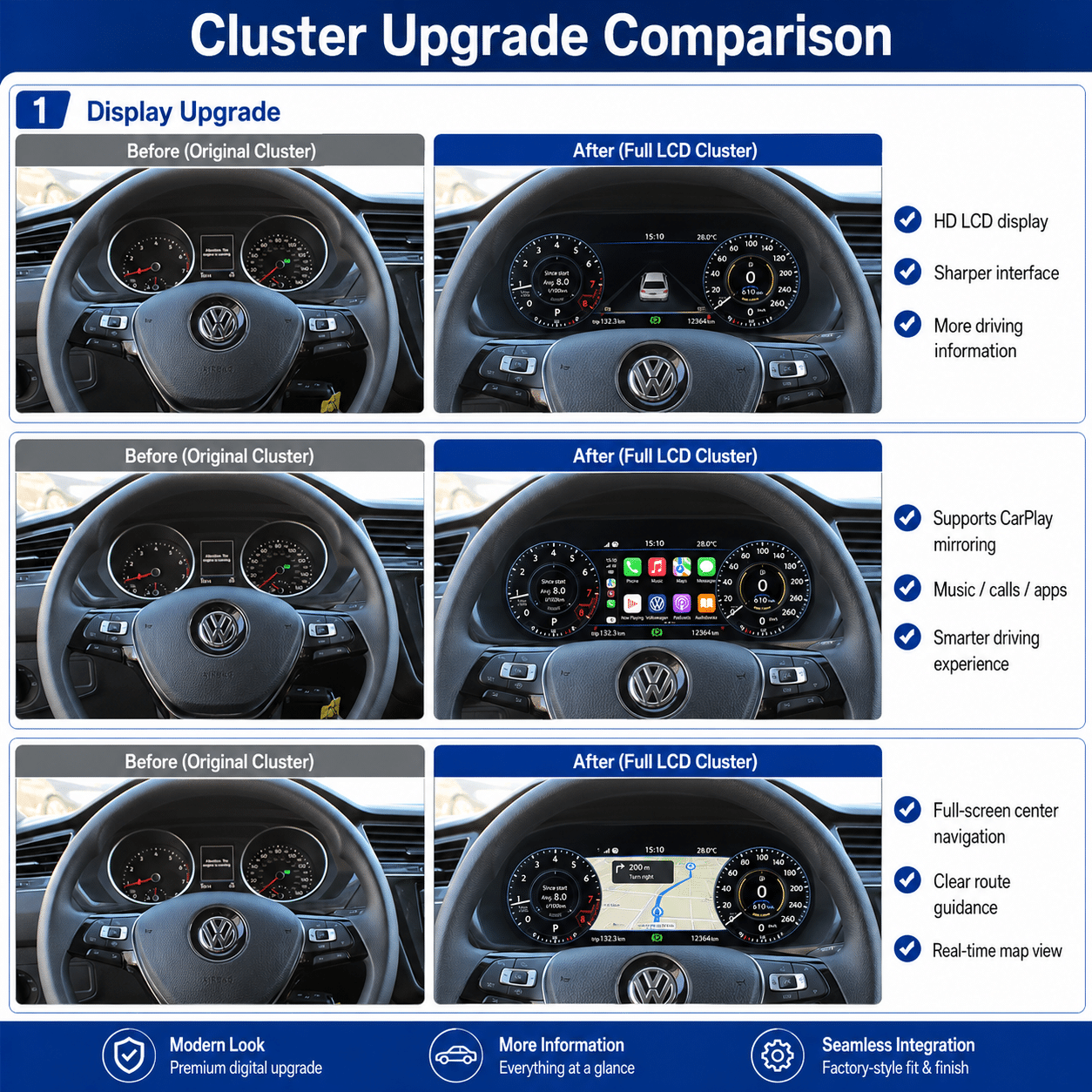
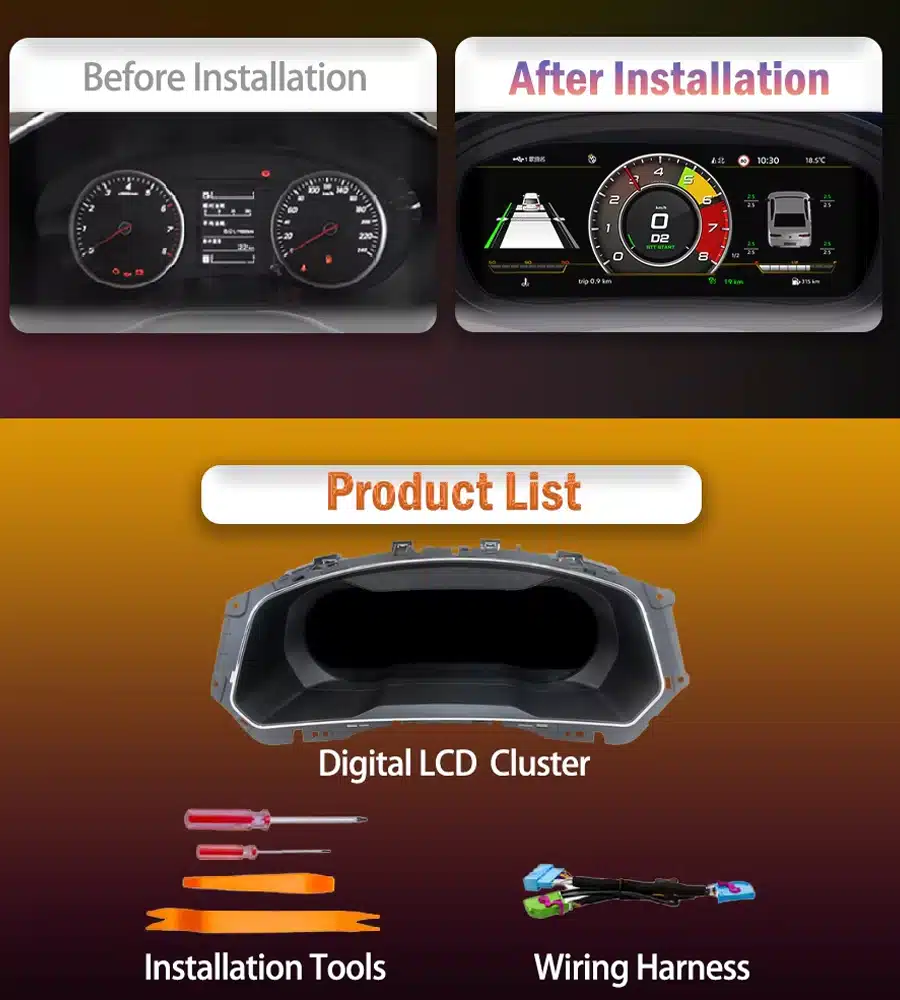
VW Tiguan 2017–2022 digital cluster before and after upgrade
Replace the original analogue instrument layout with a wider digital cockpit while keeping the display in the Tiguan’s original driver-facing position.

Volkswagen Tiguan Digital Cockpit Upgrade

Make Your 2017–2022 Tiguan Feel Modern Every Time You Drive

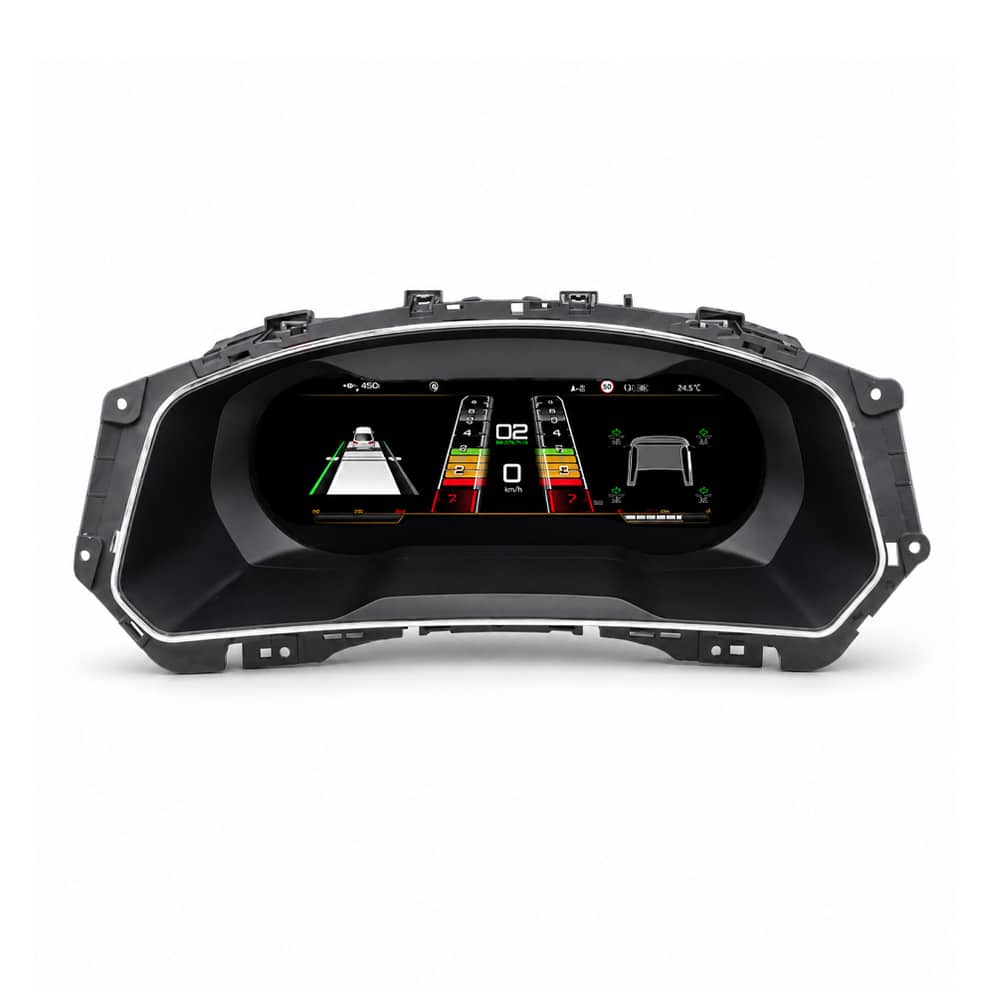
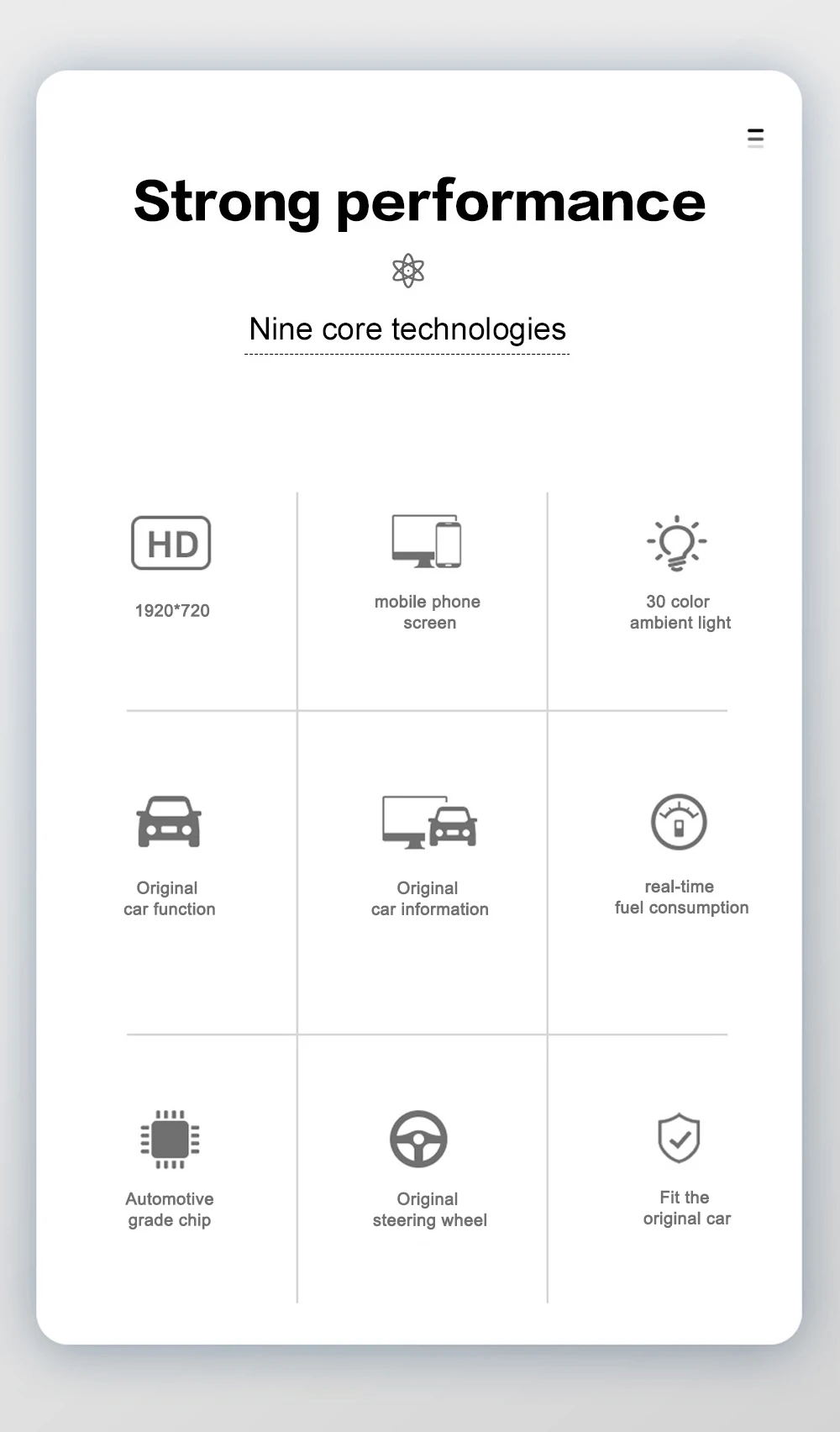
Den VW Tiguan 2017–2022 Digital Cluster upgrades the original instrument area with a 12.3-inch, 1920 × 720 LCD cockpit. It gives speed, RPM, fuel, temperature, gear, warning and supported driver-assistance information a clearer digital presentation while continuing to work with supported original Volkswagen controls.

12.3-Inch Digital Cockpit
A clearer and more modern view of essential driving information.
Vehicle Information Retained
Supported speed, RPM, fuel, temperature, gear and warning information remains available.
Original Steering-Wheel Support
Continue using compatible Volkswagen multifunction controls.
Prepared and Supported by iKAGOO
Vehicle matching before shipment and installation guidance after delivery.
Check My Tiguan Configuration
Vehicle-Specific Preparation Original Function Support Factory Wiring Protection Installationsvägledning 12-Month Hårdvarugaranti

Snabbt svar

What Is This VW Tiguan 2017–2022 Digital Cluster?

This is a dedicated Linux-based LCD instrument cluster for supported Volkswagen Tiguan 2017–2022 vehicles. It replaces the original driver display with a 12.3-inch digital cockpit while keeping the instrument in the original dashboard position.

It is not an Android head unit and it does not replace the centre infotainment system. iKAGOO prepares the correct version according to your vehicle year, original cluster appearance, dashboard structure and steering position.

Daily-Use Improvements

What You Gain from the Digital Cluster Upgrade

This upgrade changes the part of the vehicle you look at during every drive. The larger digital layout makes important information easier to read and gives the Tiguan interior a more complete digital-cockpit appearance.

Wider 12.3-Inch Display

The 1920 × 720 screen gives speed, RPM, warnings and driving information more space and a cleaner visual hierarchy.

Driving Information in Front of You

Essential vehicle information stays directly in the driver’s line of sight instead of being moved to a separate universal screen.

Original Controls Continue to Work

Supported Volkswagen steering-wheel buttons continue to operate compatible instrument menus and displays.

Built Around the Tiguan Dashboard

The display is installed in the original instrument position rather than sitting on top of the dashboard as a universal accessory.

Dedicated Linux Instrument System

The system focuses on instrument display, fast start-up and stable presentation of essential driving information.

Support Beyond Delivery

iKAGOO assists with vehicle matching, installation questions, display settings and post-install function checks.

Original Vehicle Functions Supported

Designed to Work with the Tiguan’s Original Driving Information

A digital instrument cluster must do more than look modern. With the correct version and installation, supported original vehicle information and controls continue to work through the upgraded display.

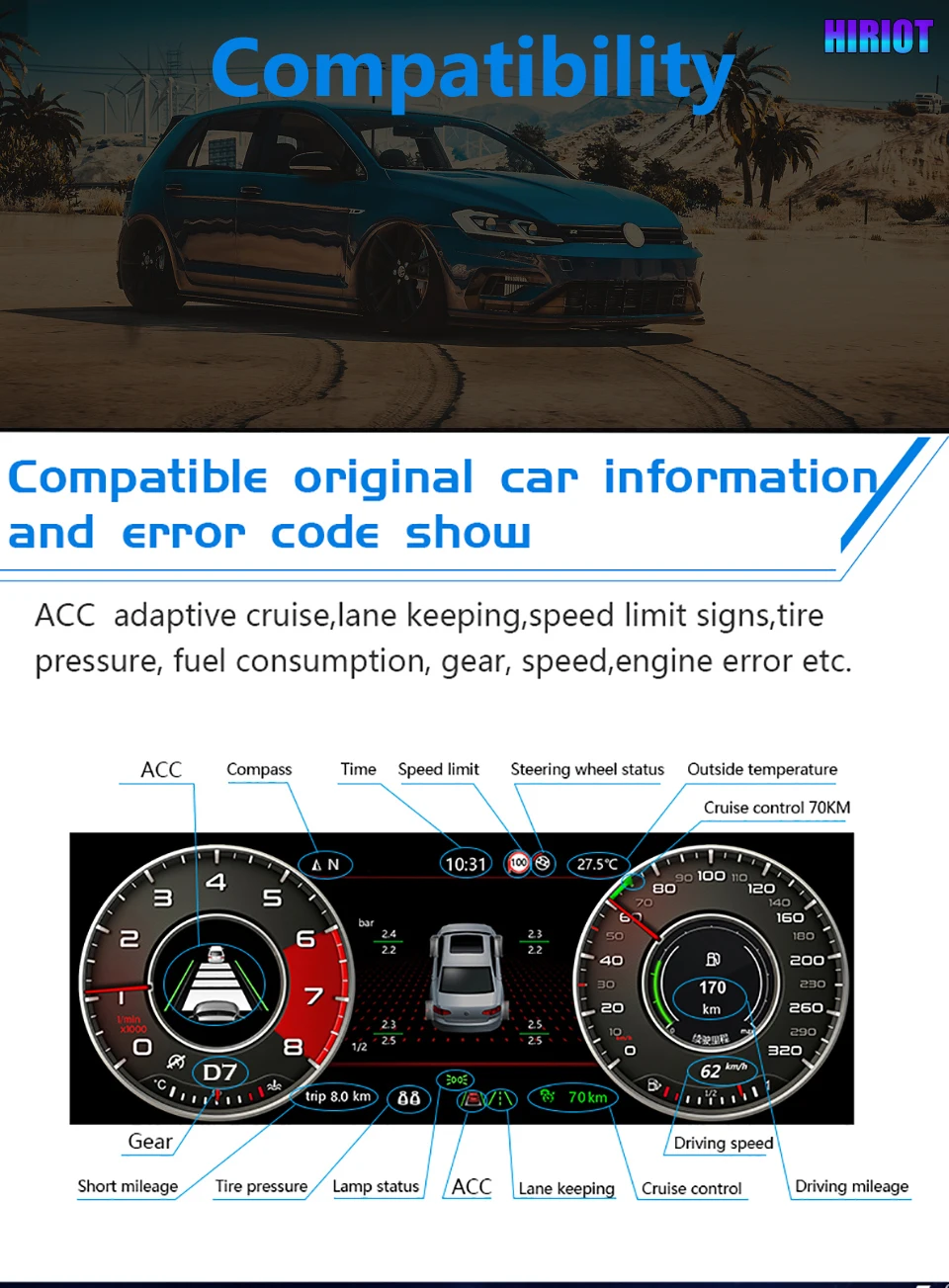
Vehicle Speed and Engine RPM Displayed through the selected digital gauge layout.
Fuel and Temperature Information Supported original fuel-level and temperature data remains visible.
Gear-Position Display Supported transmission and gear information continues to be shown.
Odometer and Trip Information The applicable original vehicle-data logic continues through the specified installation route.
Warning and Vehicle-Status Information Supported warning, door, lighting and status information remains available.
Multifunction Steering-Wheel Controls Supported original buttons continue to operate compatible instrument functions.
Driver-Assistance Information Compatible ACC, lane, speed-limit and related information is shown on equipped vehicles.
Original Infotainment Remains Independent The cluster does not replace the original head unit, amplifier, speakers or camera system.

Special regional configurations, previous instrument replacements or aftermarket wiring changes may need additional connection guidance. Send the requested vehicle photos when ordering so iKAGOO can prepare the appropriate version.

See the Upgrade

A Modern Digital Cockpit That Still Belongs in a Volkswagen

Volkswagen Tiguan 12.3-inch digital instrument cluster display modes
Choose from different digital layouts to make speed, RPM, vehicle information and compatible navigation views easier to read.
VW Tiguan digital cluster hardware assembly
The vehicle-specific cluster housing fits into the original instrument position for a cleaner and more integrated dashboard result.
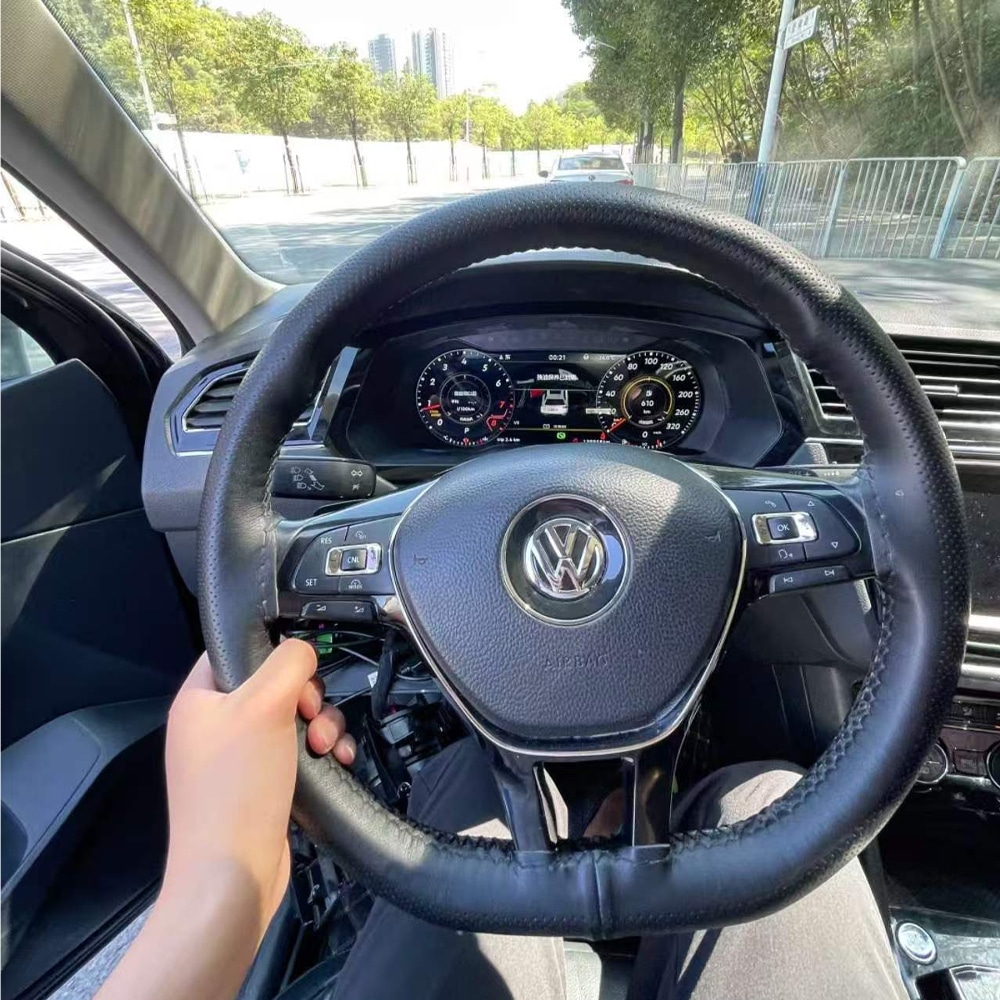
VW Tiguan digital cluster installed in the dashboard
Once installed, the digital cockpit sits behind the original Volkswagen steering wheel and follows the factory dashboard layout.

Why It Is Worth Upgrading

Upgrade the Part of Your Tiguan You Use During Every Drive

iKAGOO Digital Cluster

Modernises the instrument area itself and keeps supported driving information directly in front of the driver.

Repairing the Original Analogue Cluster

Suitable when the goal is only to repair a fault and keep the original analogue appearance.

Used Original Cluster

May preserve a factory appearance but can involve donor-cluster condition, coding and vehicle matching.
Original Digital Cockpit Retrofit

Offers an original-system route but can require additional parts, specialist coding and more complex vehicle adaptation.
CarPlay-Only Module

Adds phone functions to the centre display but does not replace the analogue instrument area.

Universal Dashboard Screen

Adds another display but does not provide the same instrument-position integration or original dashboard appearance.

Prepared for Your Vehicle

Why Buy This Digital Cluster from iKAGOO?

Buying from iKAGOO means receiving more than the display hardware. We help prepare the cluster version, connection route and installation information around the vehicle details you provide.

Vehicle-Specific Preparation

Your year, original instrument appearance, dashboard structure and steering position are used to prepare the order.

Correct Cluster and Connection Matching

We focus on the housing, original instrument structure, connectors and required retained components—not only the model name.

Original Vehicle Integration

The upgrade is prepared around speed, RPM, fuel, warnings, steering controls and supported driver-assistance information.

Product-Specific Installation Guidance

iKAGOO provides guidance for cluster removal, original-component transfer, wiring, settings and final function checks.

12-Month Hårdvarugaranti

Eligible hardware is covered under the current iKAGOO limited warranty terms.

Support After Delivery

We continue to assist with connection questions, display settings, function testing and eligible after-sales matters.

Before Shipment

How iKAGOO Prepares Your Order

1

Fordonsinformation

Confirm the Tiguan model, production year, trim, fuel type and steering position.

2

Original Instrument Photos

Check the original cluster shape, surrounding trim and dashboard opening.

3

Configuration Matching

Identify the appropriate cluster housing, connection solution and retained-component route.

4

Display Requirement

Confirm whether you need compatible navigation or phone information shown in the instrument.

5

Order Preparation

Prepare the appropriate cluster, harness and applicable installation accessories.

6

Installation Support

Receive product-specific guidance for connection, configuration and final testing.

Send My Vehicle Information

iKAGOO Buyer Evaluation

Three Results to Help You Choose with More Confidence

High Daily-Use Value

iKAGOO Upgrade Necessity

This is a strong upgrade for Tiguan owners who still use an analogue or semi-digital instrument and plan to keep the vehicle.

  • The instrument is viewed during every drive.
  • The 12.3-inch display creates a clear visual improvement.
  • Multiple layouts provide more personalisation.
  • Essential driving information remains the main focus.
  • Owners with a satisfactory original digital cockpit may gain less value.
How this result is determined

This product is evaluated under the iKAGOO Upgrade Necessity framework, which considers daily-use improvement, long-term ownership value, the condition of the original system and available alternatives.

Read the iKAGOO Upgrade Necessity framework
90/100 — Strong Integration

iKAGOO Original Vehicle Compatibility

The product offers strong physical and functional integration when the correct cluster version and installation route are used.

  • Vehicle-specific instrument housing.
  • Supported original driving information retained.
  • Original steering-wheel control support.
  • Designed around the original instrument architecture.
  • Interface appearance differs from the factory Volkswagen Digital Cockpit.
How this result is determined

This result is based on the iKAGOO Original Vehicle Compatibility framework. It considers original functions, controls, vehicle information, physical architecture, user interaction and installation integration.

The score represents the overall integration quality. It does not mean that the same percentage of original vehicle functions is lost.

Read the iKAGOO Original Vehicle Compatibility framework
Level 3 — Advanced DIY

iKAGOO Installation Difficulty

The installation involves removing the original instrument cluster, connecting the matched harness and transferring the required original components where applicable. It is suitable for experienced DIY installers or a general automotive electronics installer.

  • Remove the surrounding dashboard trim and original cluster.
  • Transfer the required original instrument components where applicable.
  • Connect the matched harness and secure the display connections.
  • Complete the required instrument settings.
  • Test the vehicle information, warning indicators and power behaviour.
How this result is determined

This installation level is assigned under the iKAGOO Car Electronics Installation Difficulty framework. It considers dashboard disassembly, component transfer, wiring connections, configuration and final function testing.

Level 3 means the installation requires care, suitable tools and previous automotive-electronics experience, but it is not classified as a Level 4 integrated head-unit installation.

Read the iKAGOO Installation Difficulty framework

Phone and Navigation Information

Show Compatible Navigation and Phone Information in Front of You

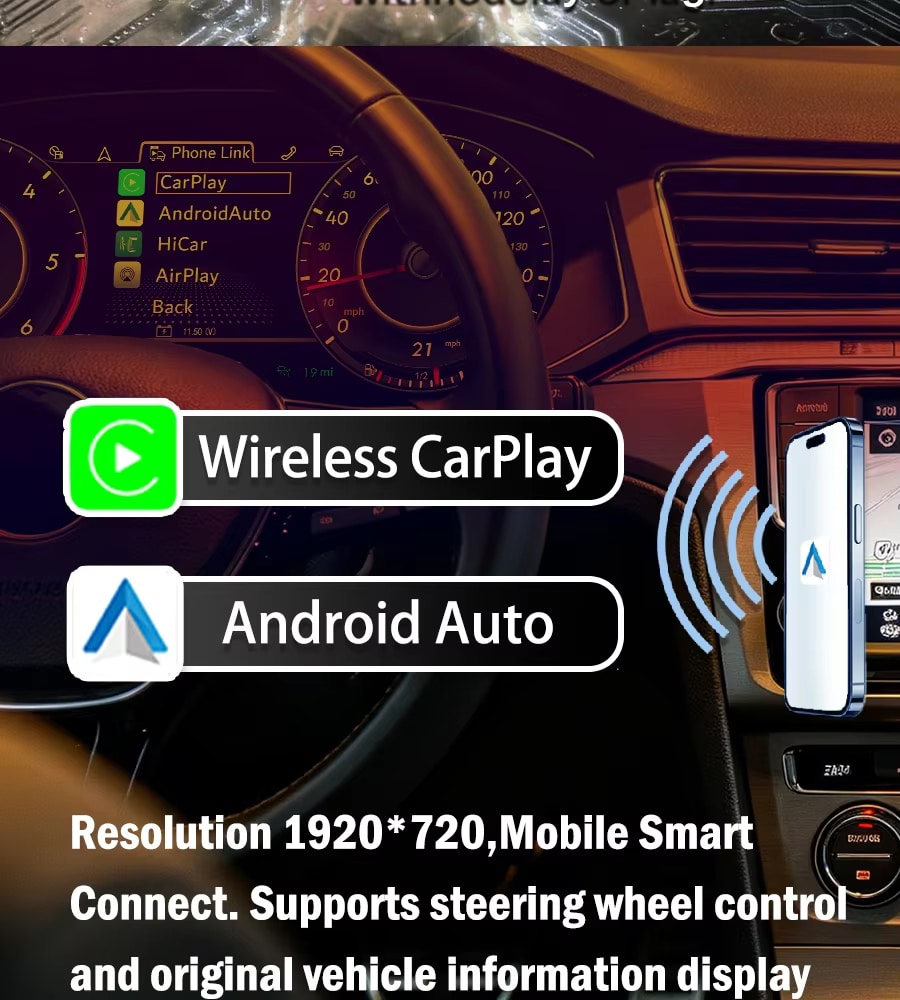
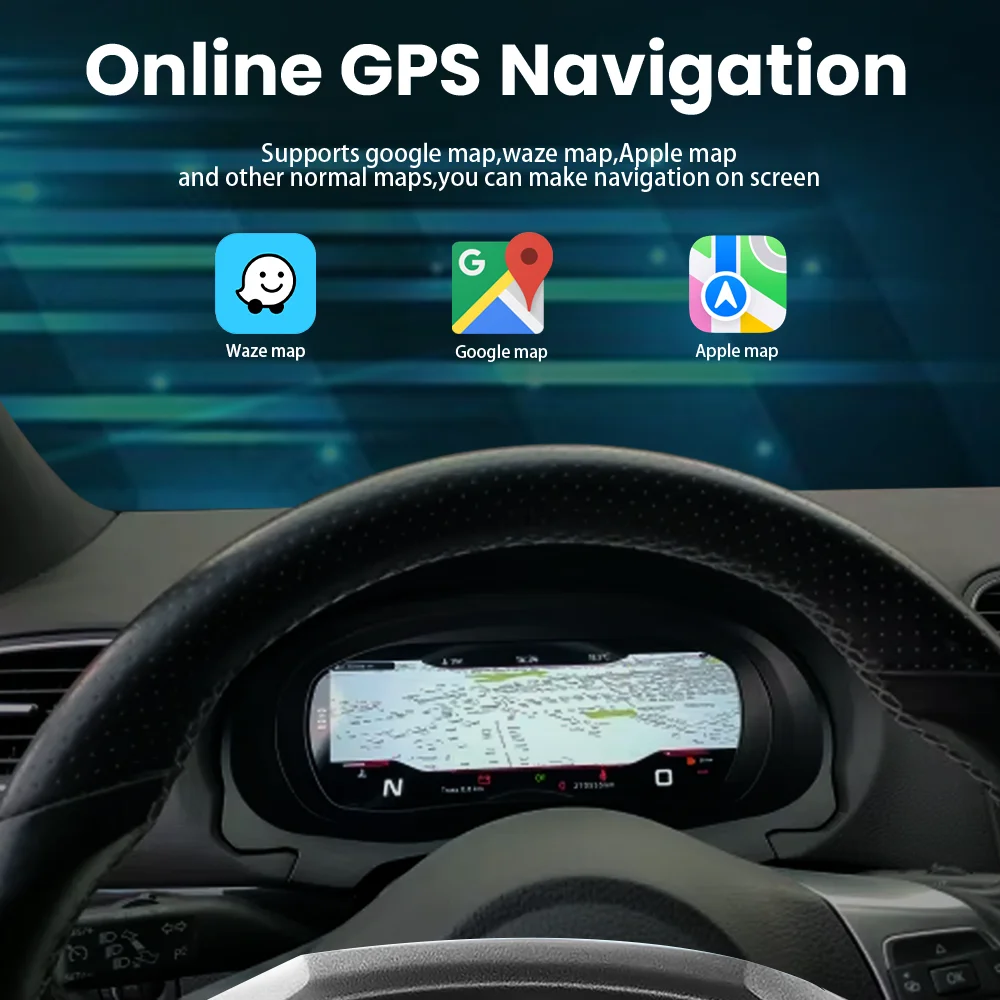
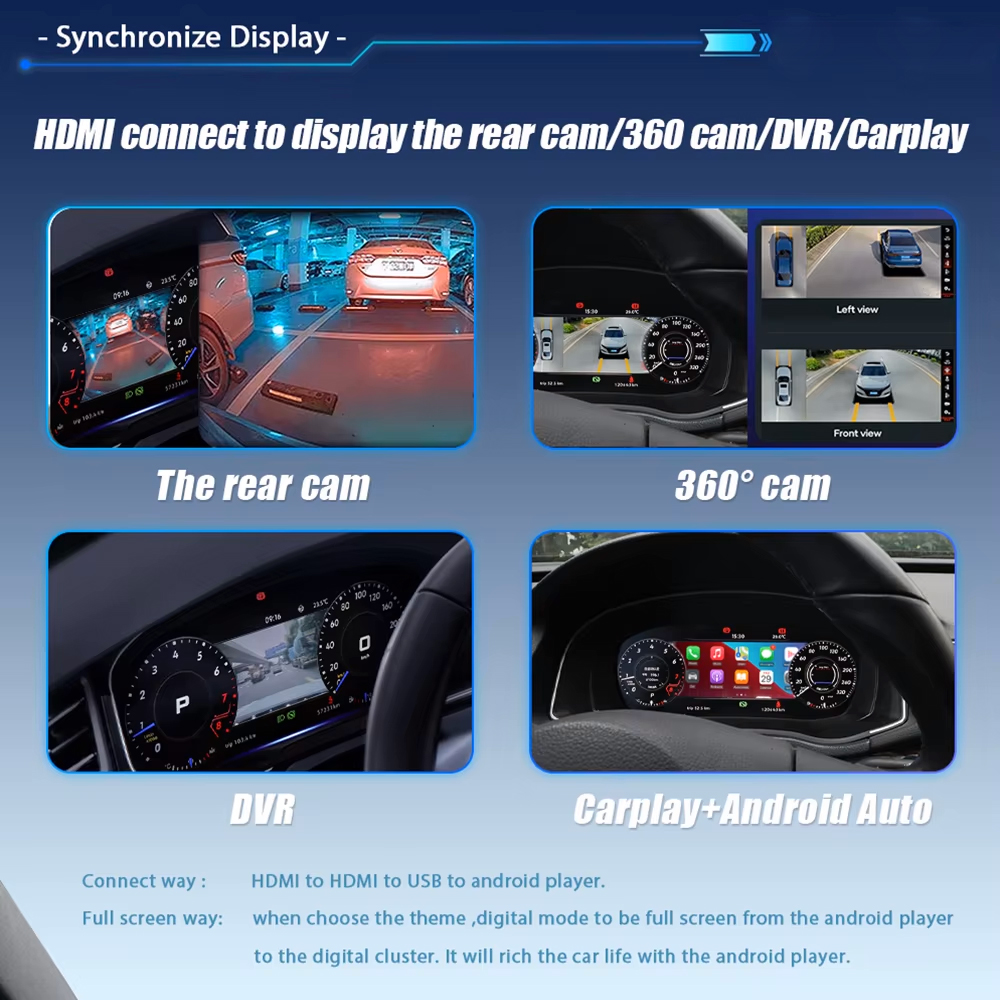
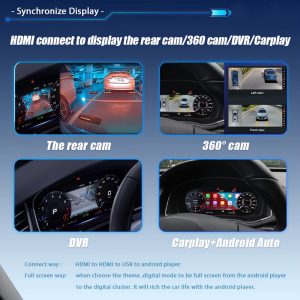
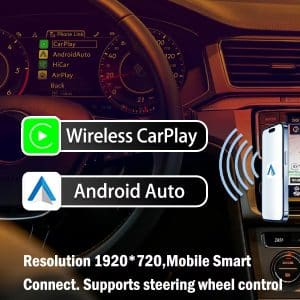
Compatible CarPlay, Android Auto or navigation information can be sent from a supported multimedia source to the instrument through the appropriate display connection.

VW Tiguan digital cluster CarPlay and Android Auto projection display
Keep compatible phone and navigation information closer to your natural driving view without replacing the centre multimedia system.
VW Tiguan digital cluster vehicle information interface
Switch between supported driving information and digital instrument layouts according to your daily driving needs.

The digital cluster does not create an independent CarPlay, Android or navigation system by itself. Projection availability depends on the connected multimedia system and the selected connection solution.

Product Specifications

12.3-Inch Linux Digital Instrument Cluster

Produkttyp LCD Digital Instrument Cluster
Vehicle Application Volkswagen Tiguan 2017–2022
Displaystorlek 12,3 tum
Display Technology IPS LCD
Upplösning 1920 × 720
Operativsystem Linux Instrument System
Betraktningsvinkel 178°
Uppdateringsfrekvens 60 Hz
Svarstid 5 ms
Vehicle Power 12V DC
Maximal ström 3A Max
Maximal effekt 36W Max
Driftstemperatur -30°C till +85°C
Förvaringstemperatur -40°C till +90°C
Listed Weight 3.5kg
Listed Package Size 42 × 28 × 42cm

RAM, storage, DSP, 4G and Android versions are not configuration choices for this product because it is a dedicated Linux instrument cluster rather than an Android head unit.

Choose the Correct Version

The Important Choice Is the Vehicle Match

This product does not use RAM or storage tiers. The correct purchase depends on matching the instrument structure and vehicle configuration.

Original Cluster Appearance

Send a straight front photo showing the complete instrument and surrounding dashboard trim.

Vehicle Year and Region

Confirm the exact year and whether the vehicle is a regional Tiguan or Tiguan L configuration.

Left-Hand Drive or Right-Hand Drive

Confirm the steering position so the order record matches the actual vehicle.

Projection Requirement

Tell iKAGOO whether you need compatible map or phone information displayed in the instrument.

Matched Installation Hardware

Prepared for a Cleaner and More Organised Upgrade

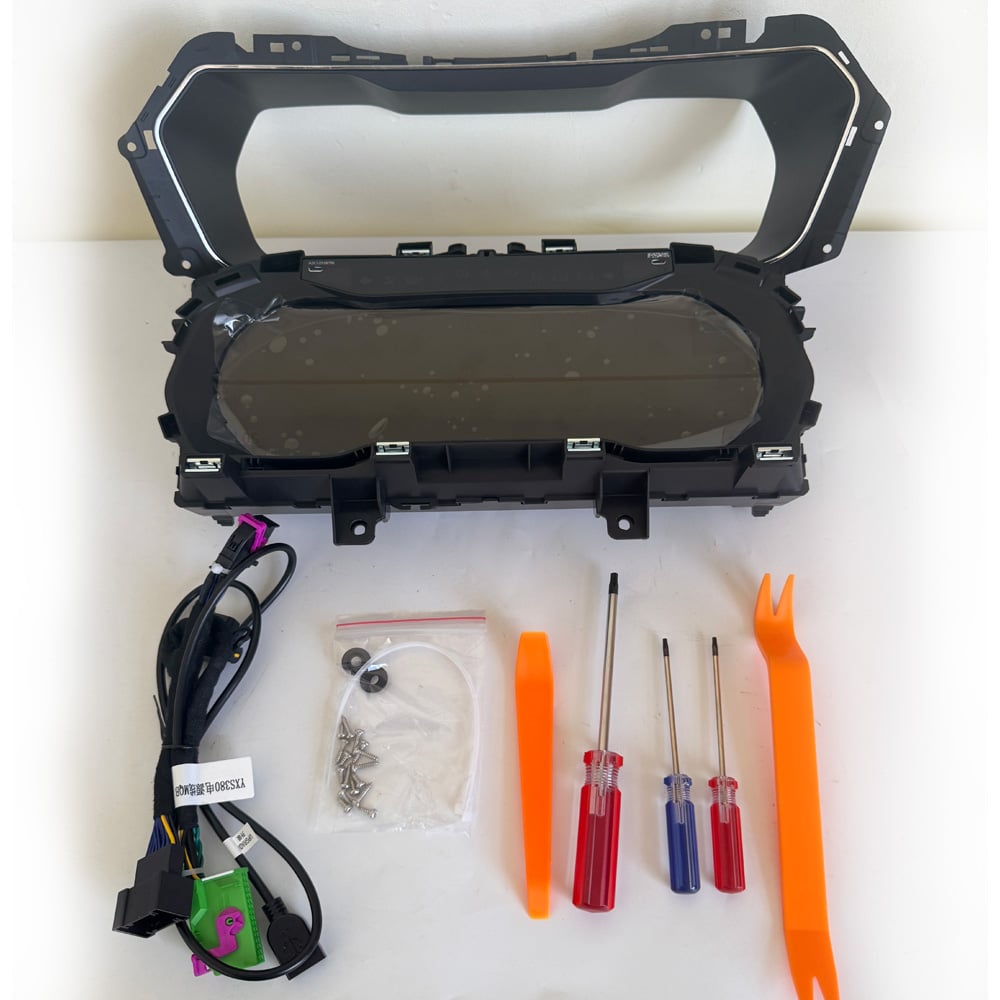
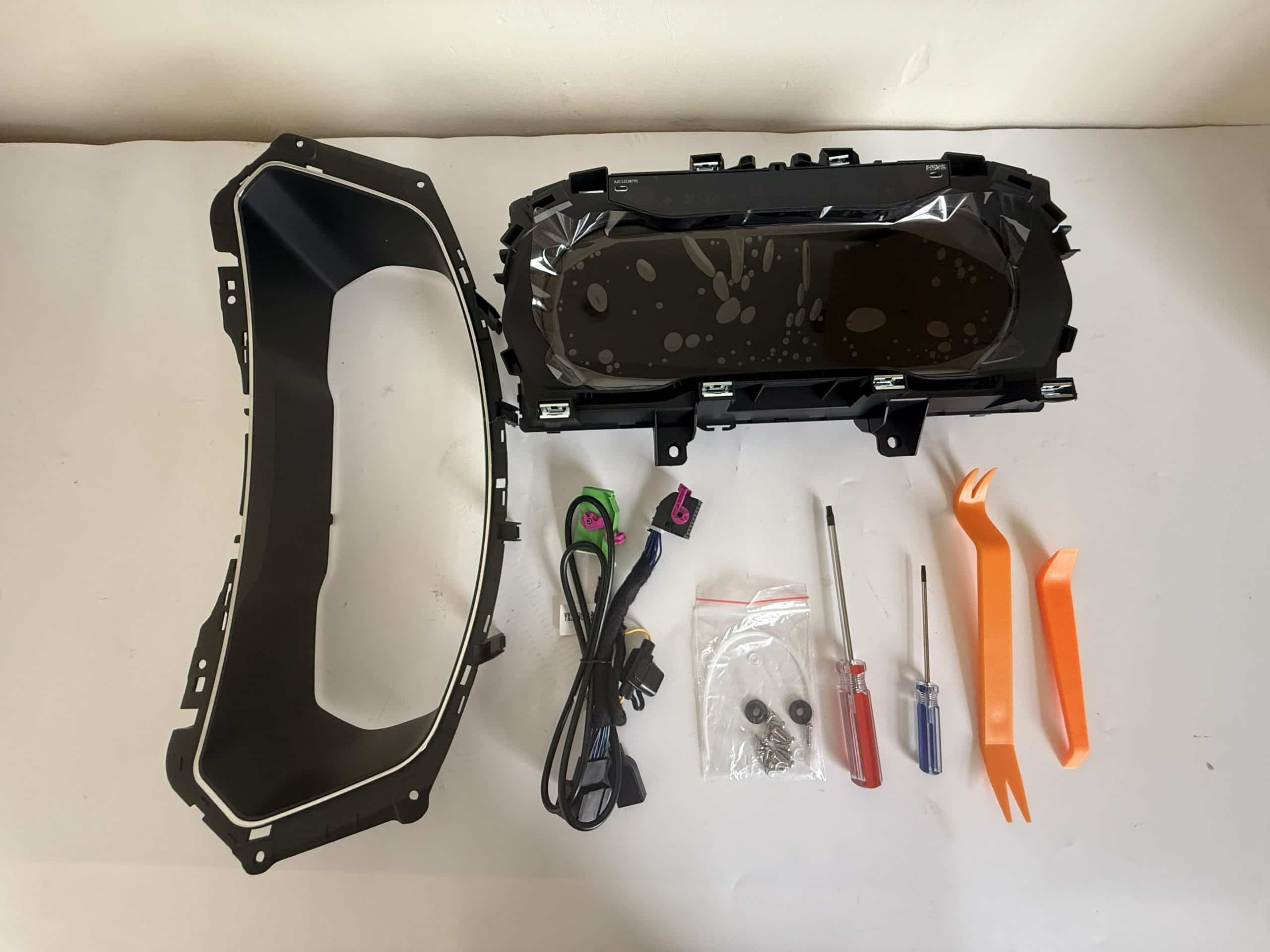
The digital cluster is supplied with the applicable vehicle connection solution and useful installation accessories, helping reduce unnecessary wiring changes and last-minute parts searches.

VW Tiguan digital cluster package with wiring harness and installation tools
The cluster, matched vehicle wiring and installation tools are organised to support a smoother Tiguan upgrade.

The exact harness, adapter and projection accessories depend on the confirmed vehicle and requested functions. iKAGOO prepares the applicable connection solution before shipment.

Original Vehicle Integration

Keep the Tiguan’s Original Instrument Logic Where Required

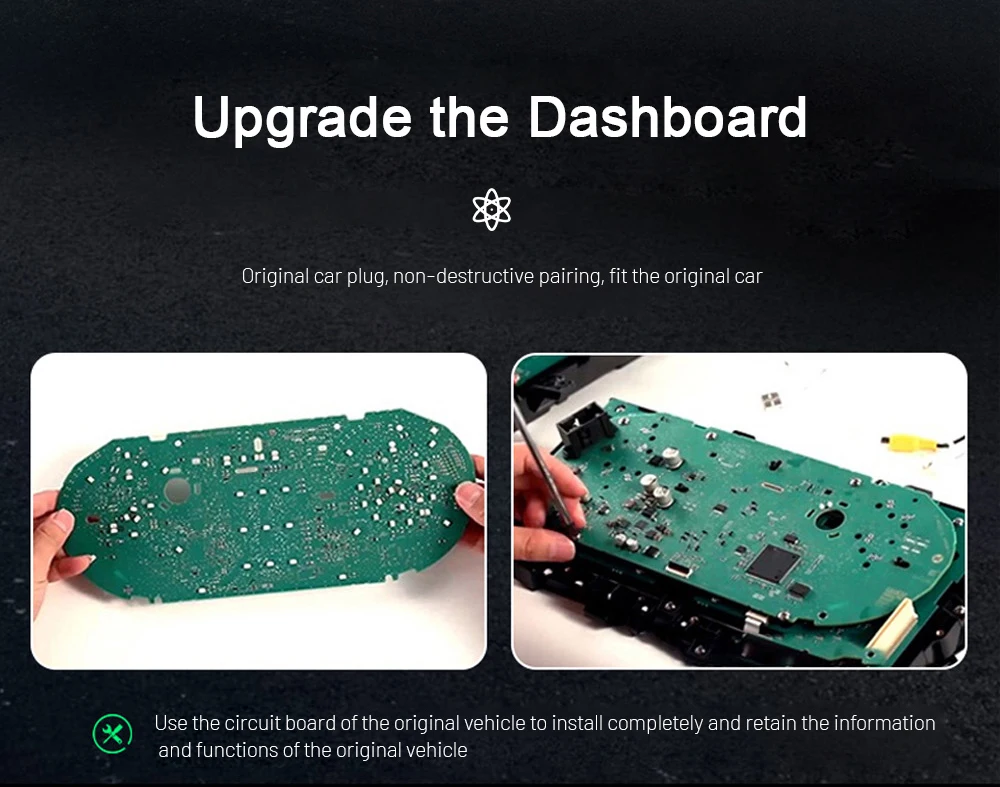
Where applicable, the required original instrument components are transferred into the new digital cluster housing. This helps the upgraded display continue working with the vehicle’s original information, identity and control logic.

Original Volkswagen instrument cluster circuit board transfer
Transferring the required original components helps preserve supported vehicle information and reduces the need for an unrelated replacement-cluster route.
VW Tiguan digital instrument cluster housing before installation
The digital cluster housing is designed to receive the required components and fit into the supported Tiguan instrument position.

Level 3 — Advanced DIY

Installation for Experienced DIY Users or Automotive Electronics Installers

The installation requires careful cluster removal, connection work and final vehicle-function testing. An experienced DIY installer can complete the work with suitable tools, or the product can be installed by a general automotive electronics installer.

Recommended Installation Process

  1. Record the original mileage, warning lights and normal instrument behaviour.
  2. Power down the vehicle using appropriate automotive-electronics practice.
  3. Remove the surrounding trim and original cluster carefully.
  4. Transfer the required original components where applicable.
  5. Connect the matched harness and secure all connectors and ribbon cables.
  6. Complete the required cluster settings.
  7. Test the driving information and warnings before reinstalling all trim.

Pause the Installation If

  • The original cluster housing or connector does not match.
  • The retained original component cannot be seated securely.
  • A ribbon cable or connector appears damaged or excessively tight.
  • Speed, RPM, fuel, gear or temperature information is missing.
  • A critical warning behaves incorrectly.
  • The display repeatedly restarts or does not sleep and wake normally.
  • There is abnormal heat, smoke or a burning smell.

Before closing the dashboard, test speed, RPM, fuel, temperature, gear, mileage, turn signals, high beams, seat-belt status, door status, warning indicators, steering-wheel controls and supported driver-assistance information.

Digital Interface and System

Choose the View That Works Best for Your Driving

VW Tiguan digital cluster functions and original steering-wheel support
View supported vehicle information through a clearer 1920 × 720 digital layout while continuing to use compatible original controls.
VW Tiguan digital cluster selectable gauge styles
Select the gauge and pointer style that gives you the clearest view of the information you use most.
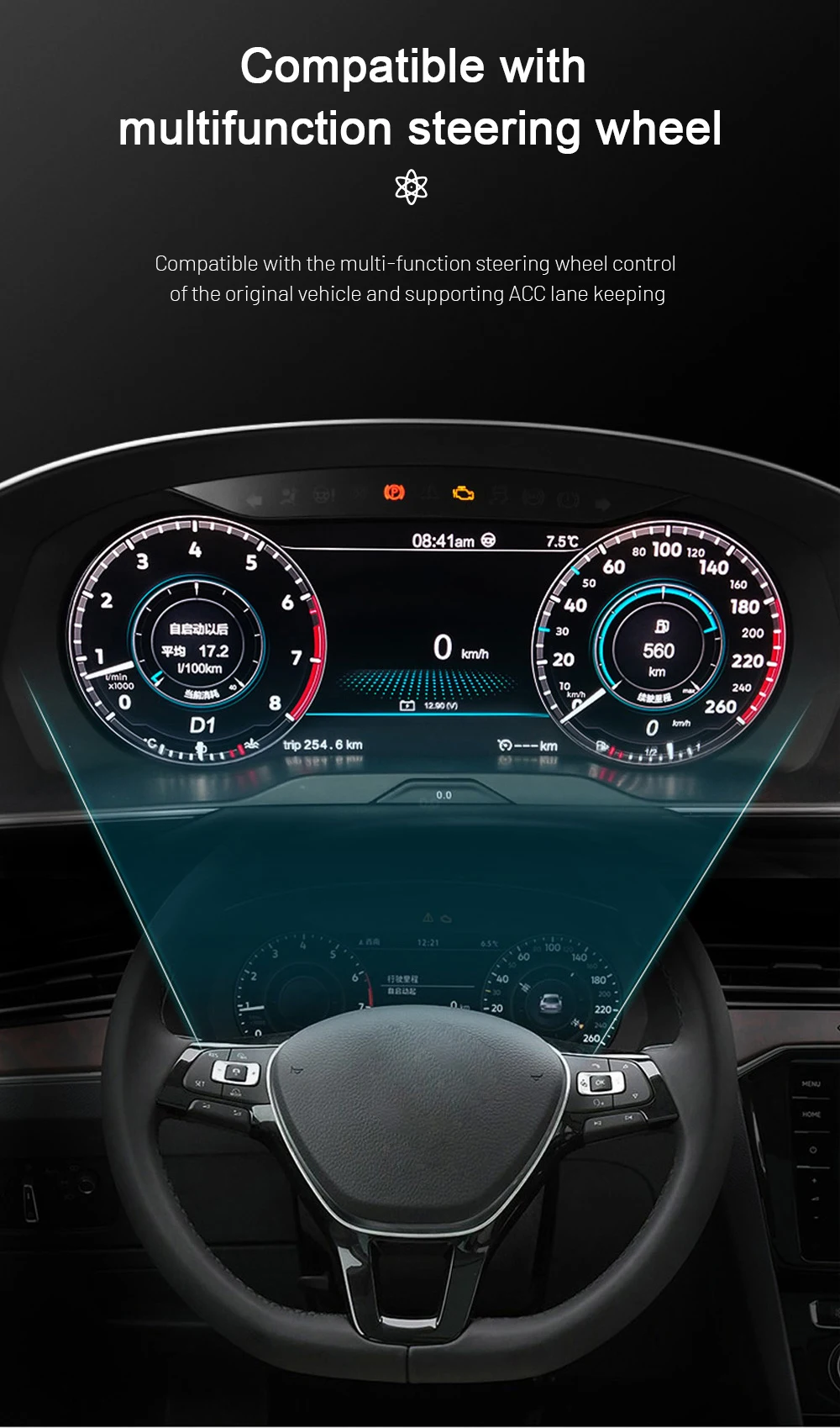
Volkswagen multifunction steering-wheel control with digital cluster
Use supported Volkswagen steering-wheel buttons to move through compatible instrument information without reaching toward the dashboard.
VW Tiguan digital instrument theme color settings
Adjust the instrument theme colour to create a display appearance that better suits your preferred driving style.
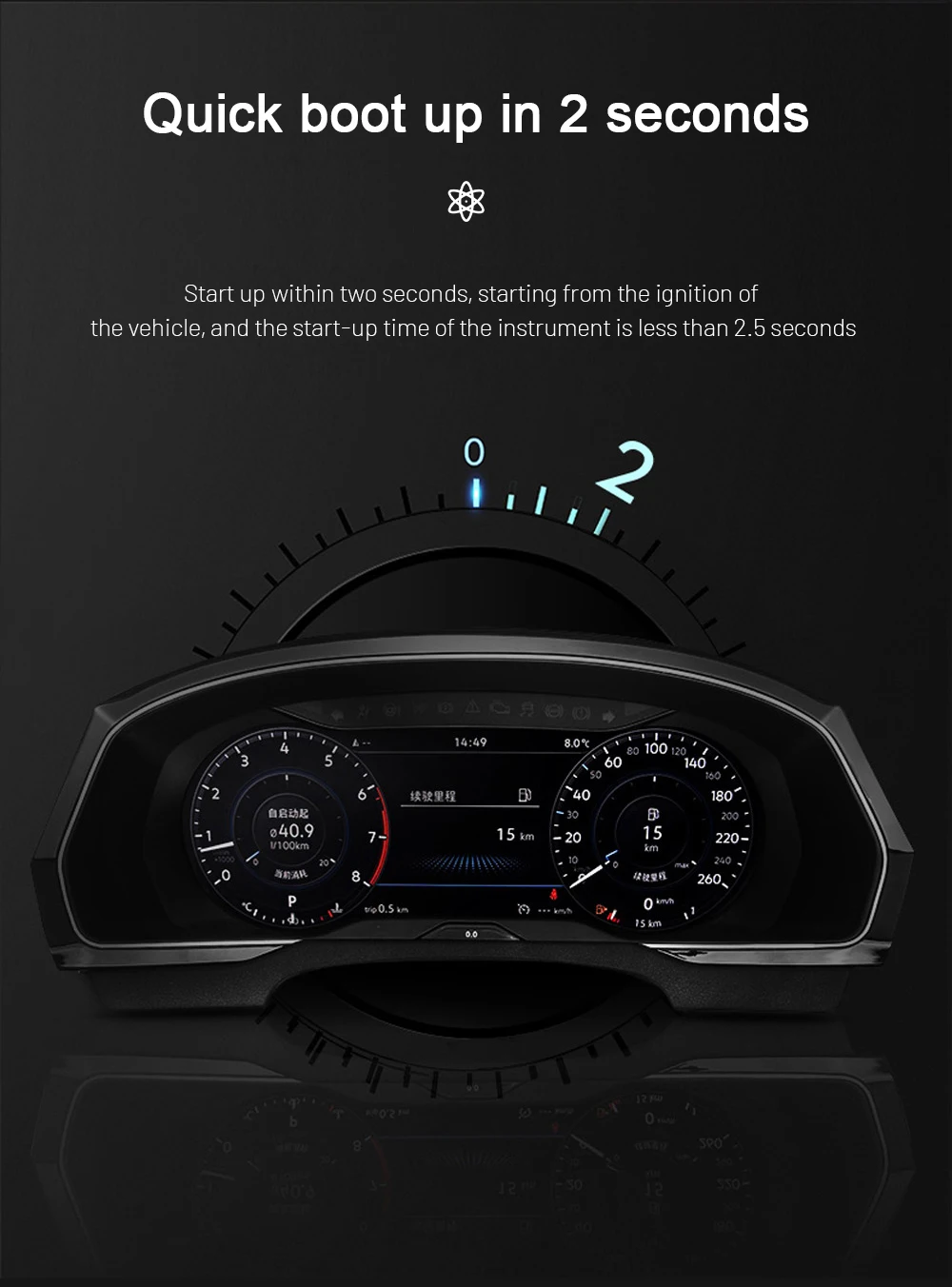
VW Tiguan Linux digital cluster fast startup
The dedicated Linux platform is designed to start quickly when the vehicle is switched on.
VW Tiguan digital cluster Linux system stability
A focused Linux instrument system avoids unnecessary applications and keeps the display centred on driving information.
VW Tiguan IPS digital cluster screen display
The IPS display provides a wide viewing angle and a clear instrument presentation from the driver’s seat.

Before You Order

Send These Details So iKAGOO Can Prepare the Correct Version

1. Vehicle Details

Volkswagen Tiguan, exact production year, fuel type and trim level.

2. Original Instrument Photo

A clear front photo showing the complete cluster, gauges and surrounding trim.

3. Full Dashboard Photo

A wider photo showing the steering wheel, instrument opening, air vents and centre dashboard.

4. Steering Position

Confirm left-hand drive or right-hand drive.

5. Previous Modifications

Tell us about any previous instrument replacement, aftermarket head unit or wiring change.

6. Navigation Display Requirement

Confirm whether you want compatible map or phone information displayed in the instrument.

Open the Compatibility Guide

Delivery and After-Sales Support

Supported Before Shipment and After Installation

Order Preparation

Vehicle-specific orders are normally prepared within approximately 1–3 business days before dispatch.

Spårbar internationell frakt

Tracking information is provided after dispatch. Delivery time depends on the destination and carrier.

Frakt med DDP (leverans fritt destination) som tillval

Tax-included DDP may be available for eligible destinations when selected or confirmed before shipment.

12-Month Hårdvarugaranti

Eligible hardware is covered for verified manufacturing defects under the current warranty terms.

Installation and Configuration Support

Support is available for connection, original-component transfer, settings and final function checks.

Confirmed Compatibility Protection

When accurate vehicle information was supplied and iKAGOO confirmed compatibility before purchase, the current refund policy applies if no reasonable installation solution remains.

Vanliga frågor och svar

VW Tiguan Digital Cluster Questions

What is the VW Tiguan 2017–2022 Digital Cluster?

It is a vehicle-specific 12.3-inch Linux LCD instrument cluster that upgrades the supported original Tiguan instrument area with a modern digital cockpit layout.

Är det här en Android-huvudenhet?

No. It is a dedicated digital instrument cluster. It does not replace the centre infotainment unit, amplifier, speakers or camera system.

Which Tiguan years are supported?

The product is prepared for supported Volkswagen Tiguan 2017–2022 vehicles. The original instrument appearance and dashboard structure must still be checked before shipment.

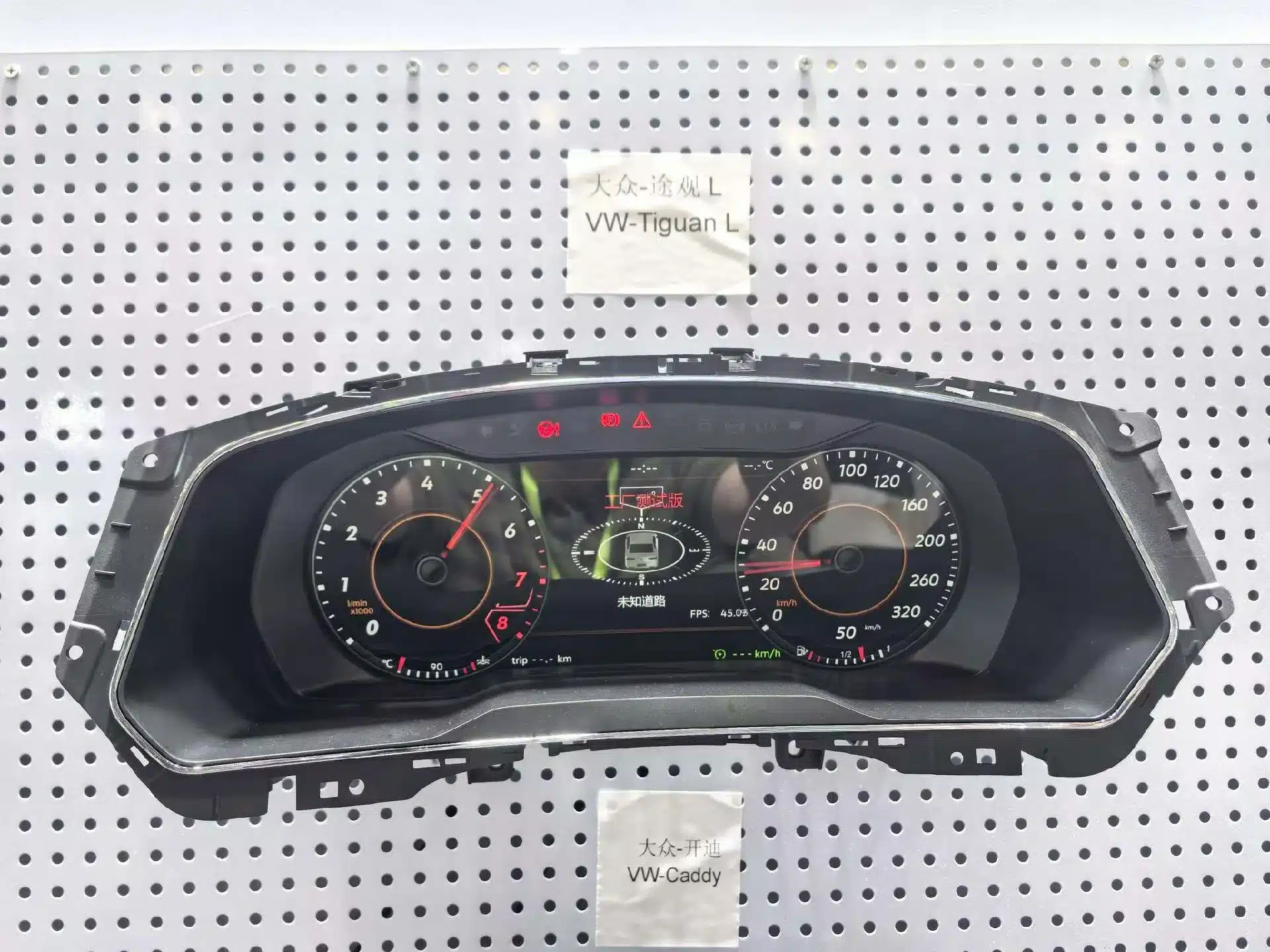
Is Tiguan L automatically the same as a standard Tiguan?

No. Regional models can use different housings, trim and instrument structures. Send clear photos rather than ordering only by model name.

Will the original mileage be retained?

The applicable original vehicle-data logic continues through the specified original-component transfer and installation route. Record the original mileage before removing the cluster.

Will the steering-wheel controls continue to work?

Supported Volkswagen multifunction steering-wheel controls continue to operate compatible instrument functions after correct installation.

Will ACC and lane information still display?

Supported assistance information continues to display on vehicles originally equipped with the relevant functions. The visual layout may differ from the original Volkswagen interface.

Can the cluster show CarPlay or navigation information?

Compatible phone or navigation information can be shown when the vehicle has a supported multimedia source and the required display connection.

Is the projection cable always included?

The required cable or adapter depends on the multimedia source and selected package. Tell iKAGOO which system is installed before shipment.

Kan jag installera den själv?

The installation is rated Level 3 — Advanced DIY. It is suitable for customers with previous dashboard and automotive-electronics installation experience, or a general automotive electronics installer.

Does installation require cutting the factory wiring?

The matched connection route is designed to work with supported original vehicle interfaces without intentionally cutting the main factory harness.

What should be tested before closing the dashboard?

Test speed, RPM, fuel, temperature, gear, mileage, turn signals, high beams, seat-belt status, door status, warnings, steering controls and supported assistance information.

Vilken garanti och support ingår?

Eligible hardware includes a 12-month limited warranty. iKAGOO also provides vehicle matching, installation guidance, configuration assistance and after-sales support.

Ready to Upgrade Your Tiguan?

Choose the Correct Cluster and Let iKAGOO Prepare the Vehicle Match

Select the available purchase option, provide accurate vehicle information and let iKAGOO prepare the appropriate digital cluster, connection route and installation guidance for your order.

Kontakta iKAGOO:s support

5.00

Baserat på 1 recensioner
1
0
0
0
0

1 recension för VW Tiguan 2017–2022 Digital Cluster 12.3″ LCD Upgrade

  1. Adam Richardson -

    Totalt betyg
    Valuta för pengarna

    I had the cluster installed in my 2019 Tiguan R-Line by a Volkswagen specialist. The finished result looks clean and much closer to a factory-style upgrade than a typical aftermarket display. The graphics are clear, and the dashboard now feels more suitable for the rest of the R-Line interior. Professional installation was worth it.

    Är det till någon hjälp?
Lägg till en recension

Your email address will not be published. Required fields are marked

Du måste vara inloggad för att kunna lägga till foton i din recension.

iKAGOO – frakt, garanti, returer och kundtjänst
iKAGOO:s kundtjänst

Frakt, garanti och returer

Tydlig information om orderhantering, internationella leveranser, fordonsspecifika produkter, garantiservice, returer och skadade försändelser.

Orderhantering Normalt 1–3 arbetsdagar före leverans.
Internationell leverans Normalt 5–20 arbetsdagar efter avsändning, beroende på destination.
Hårdvarugaranti 12 månaders begränsad garanti för berättigade tillverkningsfel.
Fordonsspecifik support Vi erbjuder hjälp med kompatibilitet, kabeldragning och konfiguration.

Vanliga frågor och svar

Dessa svar ger en praktisk sammanfattning. De fullständiga villkoren, som du hittar via länkarna nedan, gäller för alla beställningar.

01

Varifrån skickas beställningarna, och hur lång tid tar leveransen?

De flesta beställningar från iKAGOO skickas från vårt distributionscenter i Kina efter att produktkonfigurationen och fordonsuppgifterna har kontrollerats. En normal orderhantering tar ungefär 1-3 arbetsdagar.

Beräknade leveranstider efter avsändning är:

  • USA och Kanada: cirka 5–9 arbetsdagar
  • Europeiska unionen: cirka 7–15 arbetsdagar
  • Storbritannien och Australien: cirka 7–10 arbetsdagar
  • Andra regioner som stöds: cirka 7–20 arbetsdagar

Leveranstiderna kan påverkas av tullklarering, lokala helgdagar, leveranser till avlägsna områden, väderförhållanden eller förseningar hos transportören.

02

Måste jag betala importskatt, moms eller tullavgifter?

I den vanliga internationella frakten ingår normalt inte moms i destinationslandet, importtullar, mäklaravgifter eller tullklareringsavgifter.

För berättigade resmål inom Europeiska unionen finns ett valfritt DDP-frakttjänst kan förekomma. Importavgifter ingår endast om DDP väljs vid utcheckningen eller bekräftas av iKAGOO skriftligen före leveransen.

Om DDP inte har valts är mottagaren ansvarig för eventuella avgifter som tas ut av den lokala tullmyndigheten eller transportören.

03

Kan jag begära expressleverans?

Expressleverans eller snabbleverans kan erbjudas för vissa produkter och destinationer. Tillgänglighet, transportör och eventuella extra kostnader bekräftas innan leveransen.

Beroende på destination och produkttyp kan iKAGOO använda transportörer som DHL, FedEx, UPS, EMS, 4PX eller någon annan logistikleverantör som erbjuder spårning.

04

Hur kan jag spåra min försändelse?

När beställningen har skickats skickas spårningsnumret eller spårningslänken normalt till den e-postadress som angavs vid beställningen.

Det kan ta flera arbetsdagar innan uppdateringar i spårningen visas medan ett paket överförs mellan internationella och lokala transportörer.

05

Vilka är iKAGOO:s regler för returer och återbetalningar?

Rätten till retur beror på orsaken till returen, produktens skick, installationsstatus, den dokumentation som lämnats in samt om returen har godkänts av iKAGOO.

Vid en retur av en felfri vara måste produkten normalt sett vara oanvänd, oavinstallerad, komplett och lämplig för återförsäljning. Kunden ansvarar i regel för godkända returfraktkostnader.

Ursprungliga fraktkostnader, DDP-avgifter, moms, tullavgifter och övriga logistikkostnader återbetalas i regel inte, såvida inte detta krävs enligt gällande lagstiftning eller bekräftas på annat sätt av iKAGOO.

Skicka inte tillbaka en produkt utan att först ha fått en godkänd returadress och returinstruktioner från iKAGOO.

06

Vad händer om iKAGOO har bekräftat att produkten är kompatibel men den inte går att installera?

Ytterligare skydd kan gälla om iKAGOO har bekräftat kompatibiliteten före köpet, kunden har lämnat korrekta uppgifter om fordonet och kunden har samarbetat vid rimliga installations- och felsökningsåtgärder.

Om iKAGOO bekräftar att det inte finns någon rimlig teknisk lösning och problemet anmäls inom 7 kalenderdagar efter leveransen, kan kunden ha rätt till återbetalning av produktpriset utan att behöva lämna tillbaka produkten.

Ursprungliga fraktkostnader, DDP, moms, tullavgifter och övriga avgifter från tredje part ingår inte i denna återbetalning av produktpriset.

07

Vilken garanti erbjuder iKAGOO?

Bland de iKAGOO-produkter som omfattas av erbjudandet ingår en 12 månaders begränsad hårdvarugaranti som täcker konstaterade tillverkningsfel och berättigade hårdvarufel vid normal användning.

Beroende på vilket problem det gäller kan lösningen omfatta färndiagnos, hjälp med konfiguration, reservdelar, reparation, produktbyte, delvis återbetalning eller full återbetalning.

Garantin täcker normalt inte skador som orsakats av felaktig kabeldragning, otillåten modifiering, oavsiktlig skada, vatteninträngning, stötar, felaktig användning, felaktig spänning, installationsfel eller inkompatibel utrustning från tredje part.

08

Upphör garantin automatiskt att gälla när man öppnar förpackningen?

En inspektion eller granskning av tredje part innebär inte automatiskt att hela garantin upphör att gälla. Skador som orsakats av obehörig reparation, byte av komponenter, felaktiga modifieringar, trasiga kretsar eller felaktig återmontering omfattas dock inte av garantin.

Kontakta iKAGOO innan du demonterar eller reparerar produkten, så att rätt diagnostikförfarande kan tillhandahållas.

09

Vad händer om min beställning anländer skadad eller om det saknas delar?

Kontakta iKAGOO inom 7 kalenderdagar efter leveransen och behåll originalförpackningen, fraktetiketten, tillbehören och produkten.

Vänligen skicka tydliga bilder eller videoklipp som visar:

  • Den yttre fraktkartongen och fraktetiketten
  • Eventuella synliga skador på förpackningen
  • Produkten och det berörda området
  • Alla mottagna tillbehör och kablar

Efter kontroll kan iKAGOO ordna med leverans av saknade delar, utbyte, reparation, återbetalning eller någon annan rimlig lösning beroende på det enskilda fallet.

10

Vad ska jag göra om jag har beställt fel produkt?

Kontakta iKAGOO innan du installerar eller använder produkten. Ett byte eller en retur kan godkännas förutsatt att produkten är oanvänd, oinstallerad, komplett och i ett skick som gör den lämplig för återförsäljning.

Kunderna står normalt sett för fraktkostnaderna och eventuella prisskillnader om fel produkt, fordonsmodell, årsmodell eller fabriksspecifikation har valts.

En kostnadsfri förbetald returetikett tillhandahålls inte automatiskt.

11

Kan jag ändra eller avboka min beställning efter att jag har betalat?

Kontakta iKAGOO så snart som möjligt, helst inom 12 timmar efter att beställningen gjorts, när du begär en adress, en fordonskonfiguration eller en produktändring.

En ändring eller avbokning träder i kraft först efter bekräftelse från iKAGOO. Fordonsspecifika produkter kan komma att gå vidare till inköp, programmering, testning, konfigurering eller anpassning kort efter betalningen.

När förberedelserna eller leveransen har påbörjats kan det hända att avbokning inte är möjlig, eller att redan uppkomna rimliga kostnader dras av.

12

Vad ingår i paketet?

Paketets innehåll varierar beroende på produkt, fordonsmodell, fabriksmonterat system och vald konfiguration.

Beroende på produkt kan förpackningen innehålla själva enheten, fordonsspecifika kabelhärvor, CANBUS-gränssnitt, adaptrar, USB-kablar, antenner, mikrofoner, monteringsdelar och övriga installationstillbehör.

Se den aktuella produktsidan, bilderna på förpackningen och orderbekräftelsen för en exakt förteckning över de medföljande komponenterna.

13

Hur kontaktar jag iKAGOO:s support?

Du kan kontakta iKAGOO via kontaktformuläret, e-post, WhatsApp eller de tillgängliga supportkanalerna på webbplatsen. Den normala svarstiden är inom 24 arbetstimmar.

För att få snabbare teknisk support, ange ditt ordernummer, fordonets modell och årsmodell, bilder på fabriksinstallationen, produktbilder samt en tydlig video som visar problemet.

Besök: iKAGOO – Kontakt och support

14

Är betalningen säker, och finns det möjlighet att betala i delbetalningar?

Betalningarna hanteras via de säkra betalningsmetoder som visas vid kassan. Vilka kort, e-plånböcker och avbetalningsalternativ som är tillgängliga kan variera beroende på land, valuta, betalningsleverantör och kundens behörighet.

Alla avbetalningstjänster, inklusive de alternativ som erbjuds av PayPal eller någon annan leverantör, omfattas av den aktuella leverantörens regionala tillgänglighet och godkännanderegler.

Läs iKAGOO:s fullständiga riktlinjer

Läs igenom hela villkoren innan du beställer, särskilt vad gäller fordonsspecifika produkter, internationella skatteregler och returer i samband med installation.

Denna FAQ är en förenklad kundguide. De fullständiga, publicerade villkoren, orderbekräftelsen och gällande konsumentlagstiftning har företräde om formuleringarna skiljer sig åt.

VW Tiguan 2017–2022 Digital instrumentpanel | 12,3″ LCD VW Tiguan 2017–2022 Digital Cl...

Det ursprungliga priset var: $880.00.Det nuvarande priset är: $468.00.

Lägg till i varukorg