Toyota Alphard Digital Cluster 2015-2019 for a Cleaner, Newer Driving Display
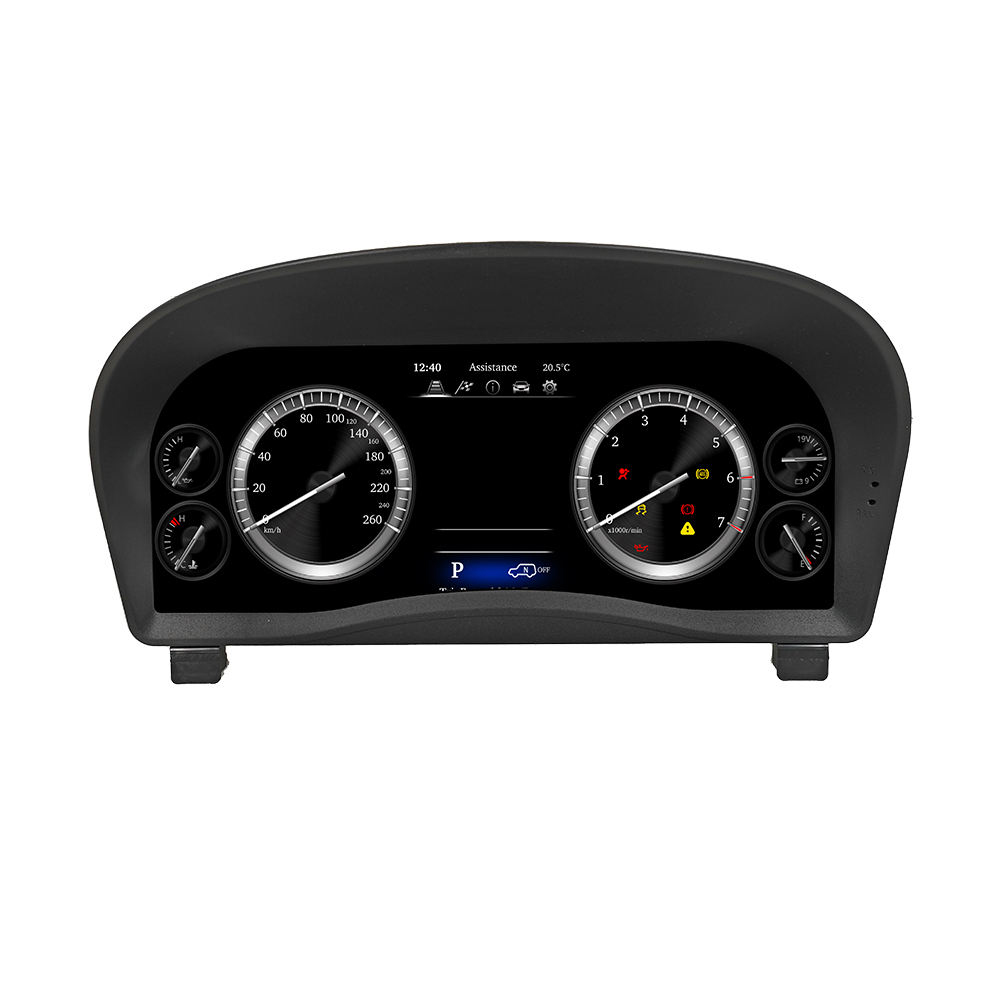
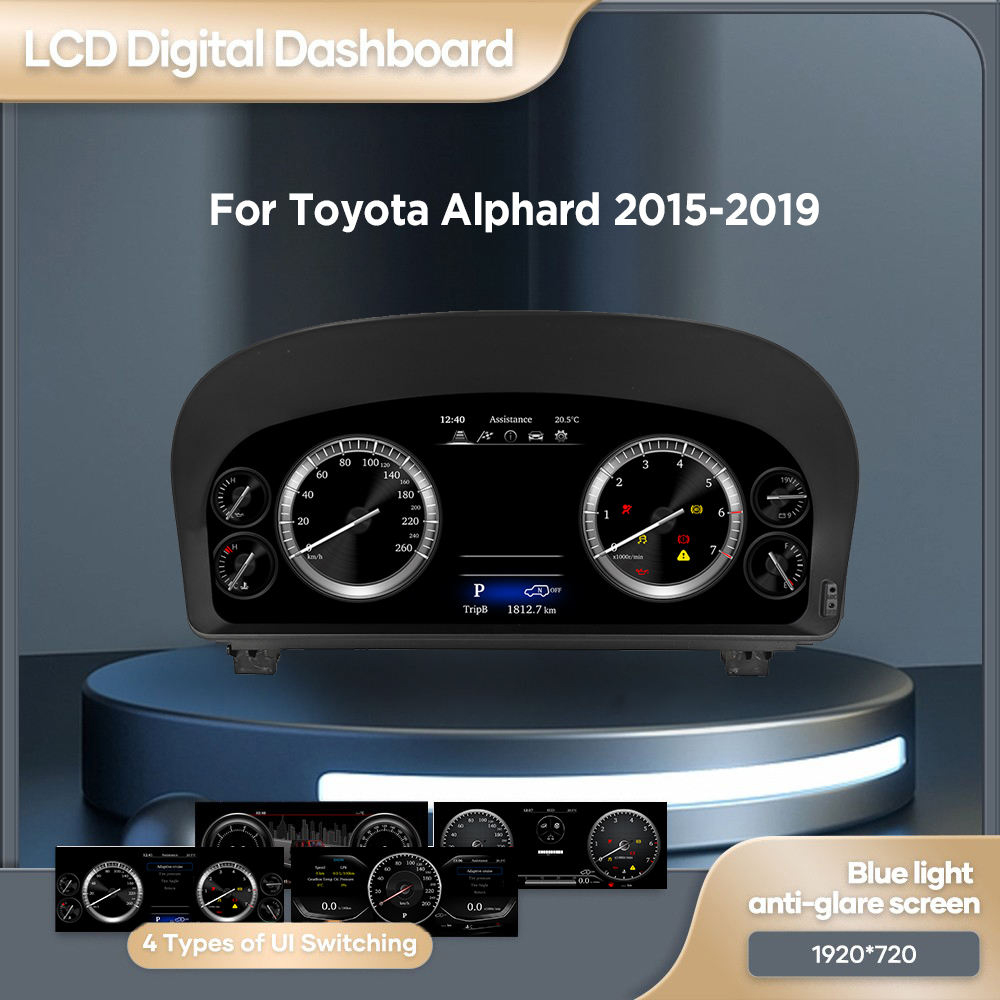
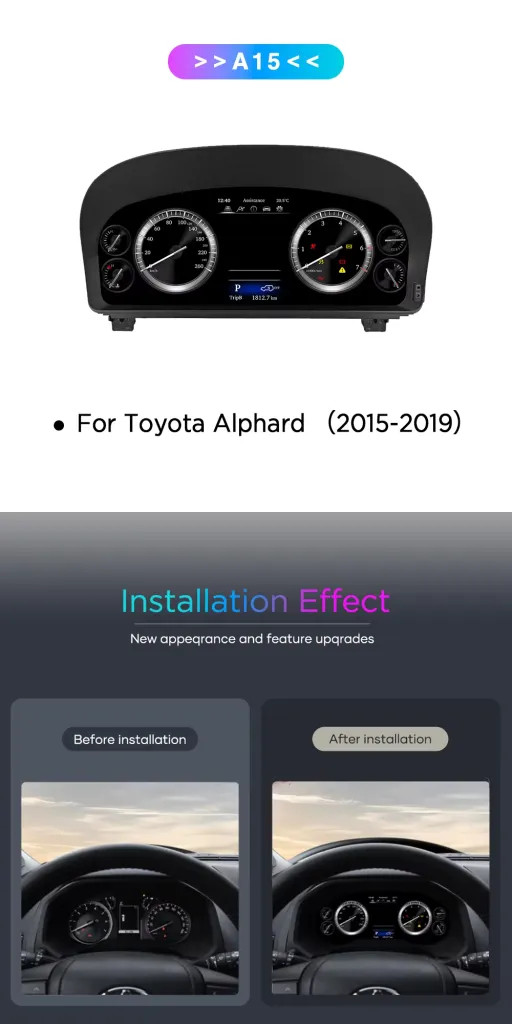
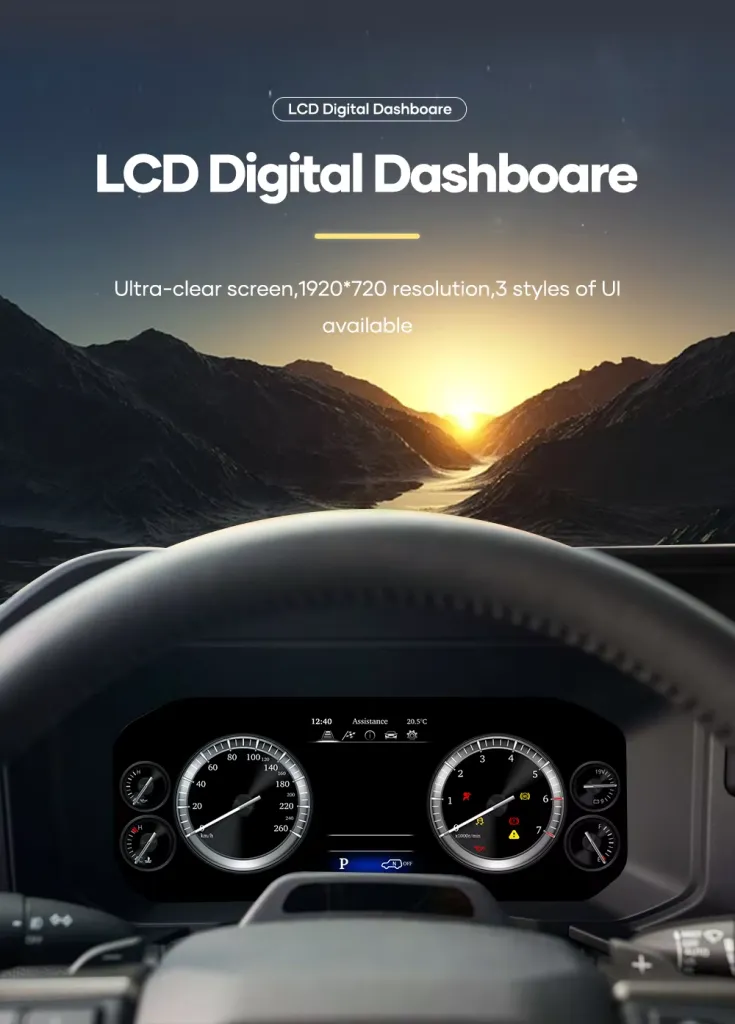
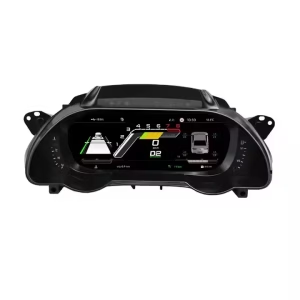
This Toyota Alphard Digital Cluster 2015-2019 upgrades the factory gauge area to a 12.3-inch 1920×720 Linux virtual cockpit display. It is built for owners who want the Alphard cabin to feel more modern while keeping essential vehicle information clear and easy to read.
- 12.3-inch display
- 1920×720 resolution
- Linux dedicated cluster system
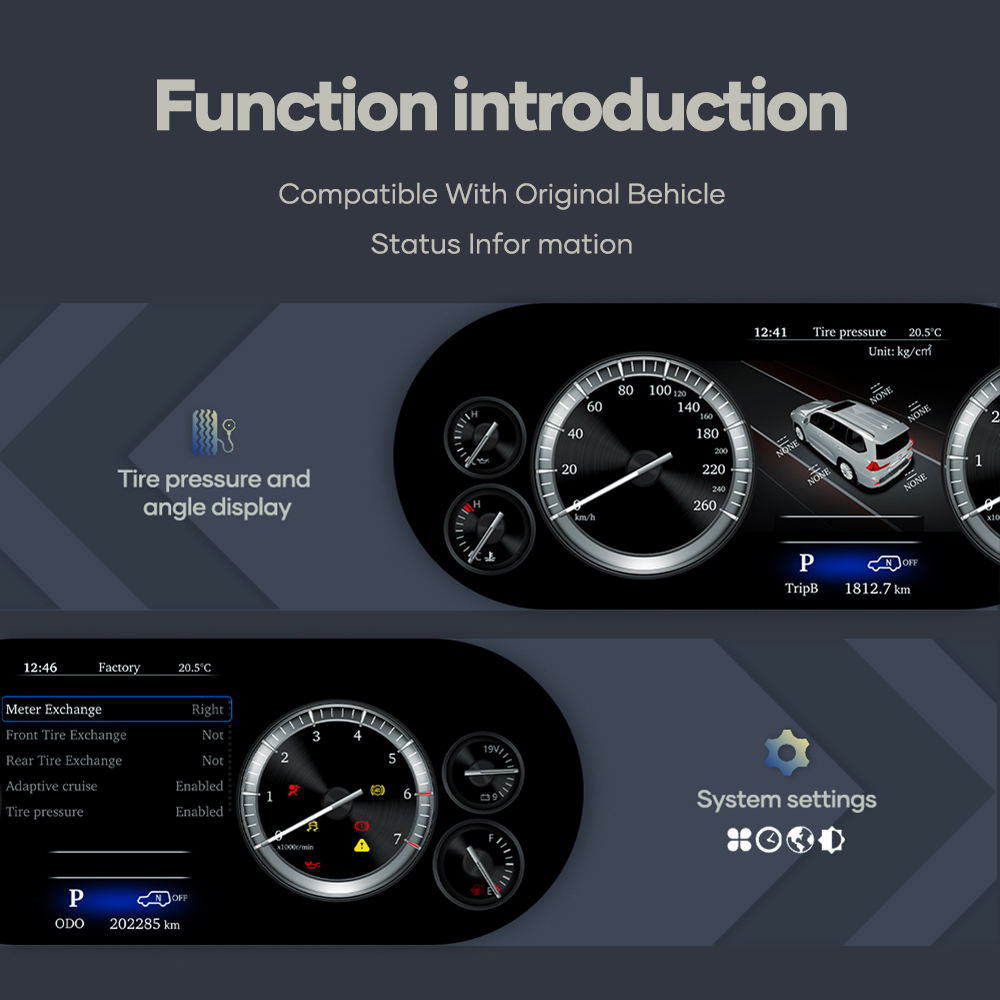
- Speed, RPM, fuel and warning data
- Steering wheel cluster-control support
- Dedicated harness connection
- OEM-style cockpit upgrade
To prepare the correct version, iKAGOO checks your vehicle year, dashboard photo, original cluster layout and connector configuration before shipment.
Make the Alphard cockpit feel current again
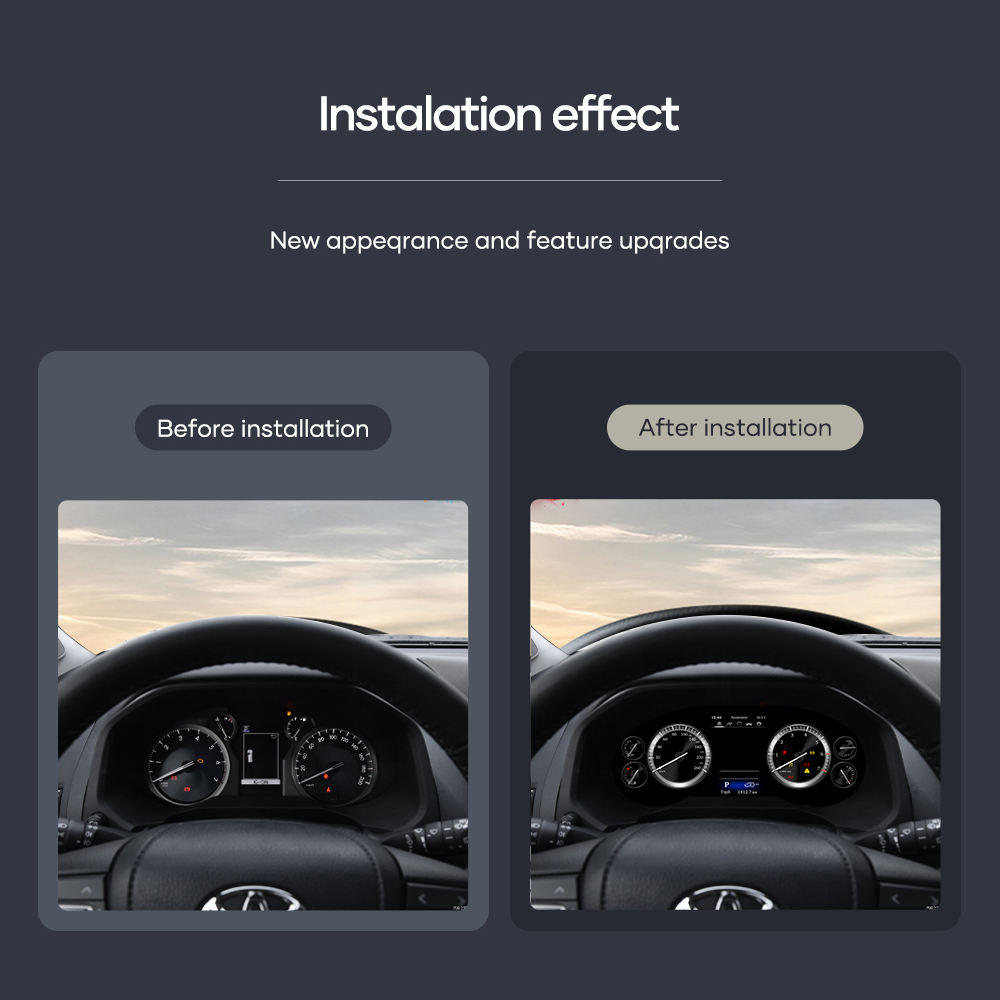
The first thing you see as a driver is the instrument cluster. This upgrade gives your Alphard a wider, clearer digital display while keeping the dashboard focused and practical.
What does this Alphard digital cluster upgrade do?
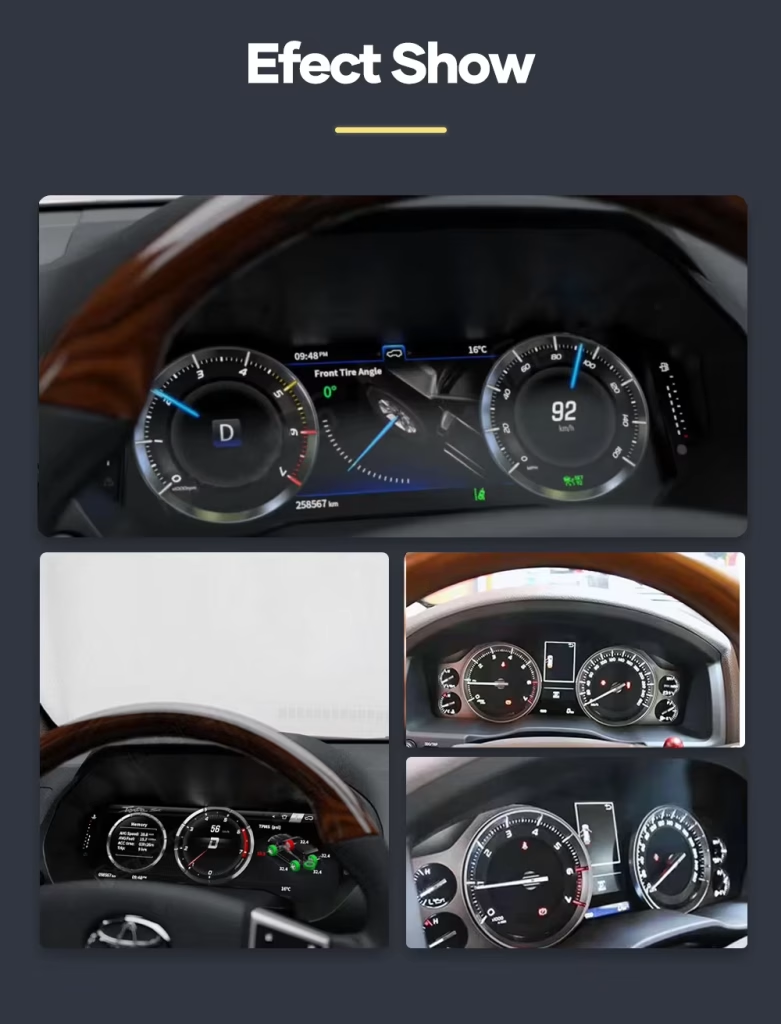
The Toyota Alphard Digital Cluster 2015-2019 replaces the older factory gauge look with a 12.3-inch Linux digital instrument cluster. It displays key driving information such as speed, RPM, fuel level, coolant temperature, warning indicators and vehicle status information in a more modern cockpit layout.
It is not an Android head unit and it is not designed for installing apps. It is a dedicated Linux instrument display system for the Toyota Alphard 2015–2019 dashboard.
Why Alphard owners choose this 12.3-inch digital dashboard cluster
Modern driver display
Your Alphard is a premium MPV, but the factory gauge layout can make the driver area feel older than the rest of the vehicle. This Toyota Alphard 30 Series digital cluster upgrade gives the cabin a more current visual center.
Clear daily information
The 12.3-inch 1920×720 display makes driving data easier to scan. Speed, RPM, fuel level, coolant temperature and warning information are presented through a dedicated instrument interface.
Vehicle-specific preparation
iKAGOO prepares the matched screen, wiring harness and vehicle interface according to your model year and original cluster layout. This reduces the chance of ordering the wrong Alphard instrument cluster replacement.
Original vehicle functions supported after correct installation
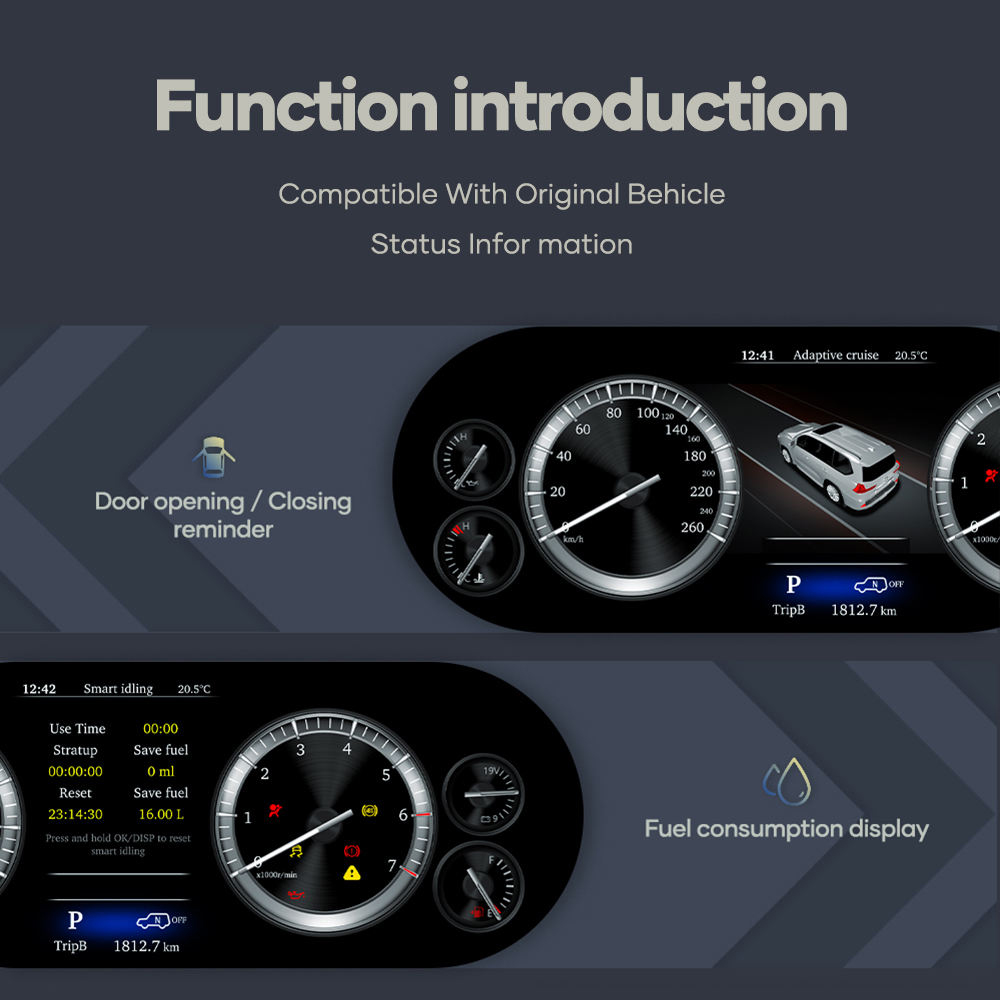
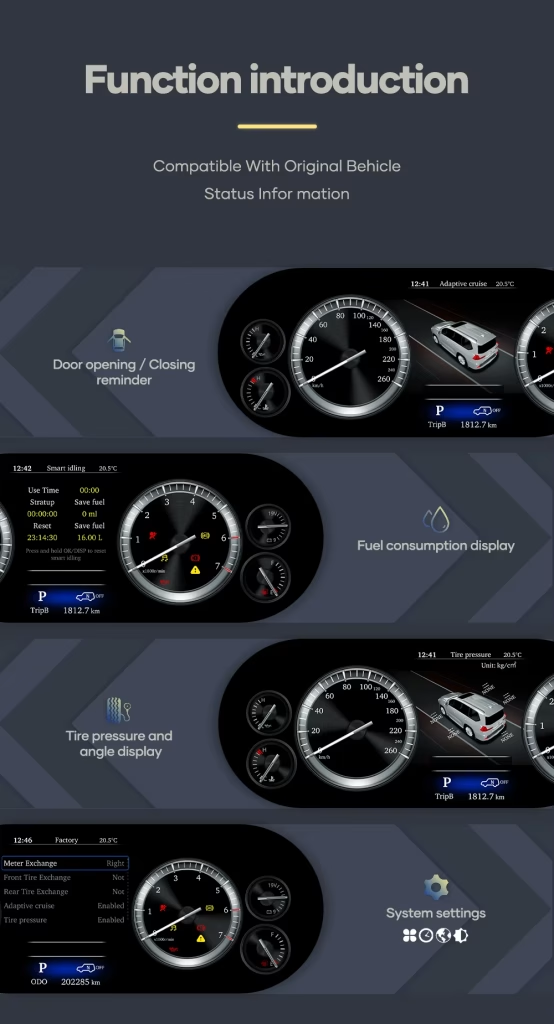
Driving data continues to display
- Speed display is supported.
- RPM display is supported.
- Fuel level display is supported.
- Coolant temperature display is supported.
- Key warning indicators and vehicle status information are supported.
Controls and data behavior
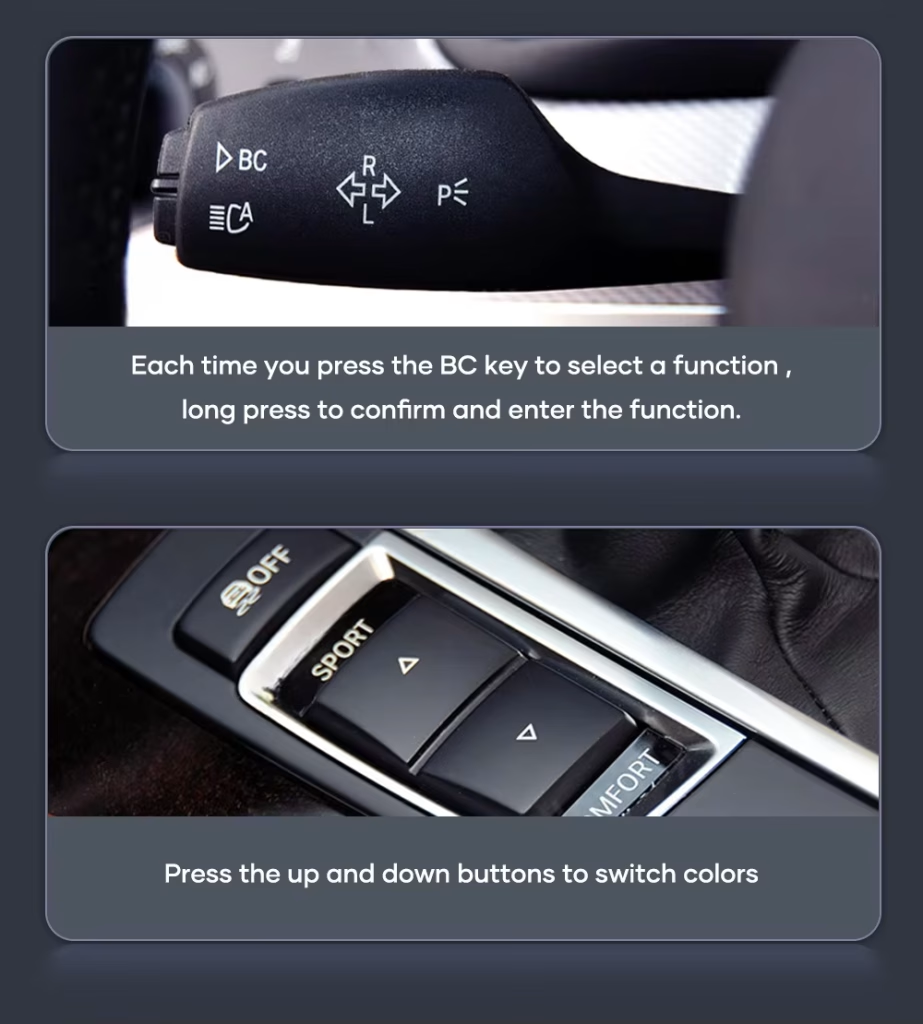
- Factory steering-wheel buttons related to cluster menu control continue to work in most cases.
- Mileage and trip information are designed to sync with the vehicle system.
- Navigation prompts can be shown when paired with a compatible navigation source that supports cluster guidance output.
- The dedicated harness is designed to connect without intentionally cutting supported factory wiring.
Special factory configurations, previous aftermarket wiring, non-standard regional versions or damaged connectors may require additional connection instructions. Please provide clear dashboard and original cluster photos before ordering.
How iKAGOO prepares your Toyota Alphard digital cluster order
1. Vehicle information check
We check your Toyota Alphard model year, market version, dashboard photo and original cluster layout. This is important because imported Alphard vehicles can be described differently by region.
2. Cluster and harness matching
iKAGOO prepares the correct 12.3-inch display route, matched wiring harness and vehicle interface according to the information you provide.
3. Installation support after delivery
After delivery, you can request practical connection and configuration guidance for the product route supplied by iKAGOO.
Three iKAGOO checks that help you decide before buying
iKAGOO Upgrade Necessity
86/100Strong Upgrade Case. This upgrade makes sense for Alphard owners who plan to keep the vehicle and want the driver area to match the premium MPV experience more closely.
- Older factory gauge look is improved.
- 12.3-inch display gives a stronger daily-use change.
- Linux cluster keeps the function focused on driving data.
How this result is determined: This product is evaluated under the iKAGOO Upgrade Necessity framework, which considers factory-system condition, daily-use improvement, long-term ownership value, alternatives and practical upgrade value.
Read the Upgrade Necessity frameworkiKAGOO Original Vehicle Compatibility
88/100High OEM-style Integration. The score reflects the overall integration quality of this Alphard digital cluster route, not a percentage of factory functions lost.
- Vehicle data display is supported.
- Steering-wheel cluster controls are supported in most cases.
- Dedicated harness connection is used.
How this result is determined: This result is based on the iKAGOO Original Vehicle Compatibility framework. It evaluates function continuity, controls, vehicle data and warnings, physical architecture, factory-style interaction and installation integration.
Read the compatibility frameworkiKAGOO Installation Ease Level
Nivå 3Advanced DIY. This installation ease level means the upgrade is realistic for experienced DIY installers or automotive electronics installers. It requires careful dashboard disassembly, matched harness connection, configuration and full function testing before final reassembly.
- The original instrument cluster area must be accessed carefully.
- Matched harness and vehicle interface must be connected correctly.
- Temporary testing should be completed before final reassembly.
How this result is determined: This installation ease level helps buyers understand the required installation skill before ordering. It does not mean the product is low quality or unsuitable for upgrade.
Read the installation ease level frameworkWhy this iKAGOO digital cluster is the better upgrade path for long-term Alphard ownership
Keep the old factory gauges
Lowest cost, but the driver area keeps the older visual style. It does not make the Alphard cabin feel meaningfully newer.
- No visual modernization
- No wider digital layout
- Best only if you do not care about cockpit appearance
Repair the original cluster
Repair can restore basic operation, but it usually returns the vehicle to the same older display experience.
- Useful for fault recovery
- Limited upgrade value
- No virtual cockpit look
Used OEM replacement
A used original cluster may solve a hardware issue, but matching, mileage behavior and condition can still create uncertainty.
- Still old-generation display style
- Condition depends on the donor unit
- May still need vehicle-specific handling
iKAGOO 12.3 Digital Cluster
This is the stronger choice when you want a real visual upgrade, clearer display experience and vehicle-specific preparation from iKAGOO.
- 12.3-inch 1920×720 display
- Linux dedicated instrument system
- Vehicle data and warning display
- Steering-wheel cluster-control support
- Matched harness preparation
Buying conclusion
For owners who want more than a repair, this iKAGOO Toyota Alphard 12.3 inch digital dashboard cluster delivers a stronger improvement in daily display experience, cockpit appearance and long-term ownership value. It is the more suitable choice when you plan to keep the vehicle and want the cabin to feel meaningfully newer.
Toyota Alphard 2015–2019 and regional name guidance
This product is prepared for Toyota Alphard 2015–2019. The same generation may be described as Alphard 30 Series or AH30 in many import markets. Some buyers also compare it with Vellfire 30 Series because the Alphard and Vellfire are closely related in this generation.
iKAGOO prepares the correct version according to the vehicle generation, model year, dashboard layout, factory cluster and connector configuration—not only the badge name used in your market.
| Primary model | Toyota Alphard |
|---|---|
| Common generation name | Alphard 30 Series / AH30 |
| Applicable page range | 2015–2019 Toyota Alphard |
| Related regional references | Japan domestic model, Hong Kong, Singapore, Malaysia, Thailand, China, Taiwan, Russia, Middle East and imported right-hand-drive or left-hand-drive markets |
| Before ordering | Please send the model year, dashboard photo, original cluster photo and connector photo when requested. This helps iKAGOO prepare the correct screen, wiring harness and vehicle interface. |
Current confirmed specifications
| Produkttyp | Digital Instrument Cluster / LCD Cluster / Virtual Cockpit Retrofit |
|---|---|
| Fordonspassning | Toyota Alphard 2015–2019 |
| Skärmstorlek | 12,3 tum |
| Upplösning | 1920×720 |
| Operativsystem | Linux dedicated instrument display system |
| Android app installation | No. This cluster is not an Android head unit and is not designed for installing Android apps. |
| Supported vehicle data | Speed, RPM, fuel level, coolant temperature, key warning indicators and vehicle status information |
| Rattreglage | Factory steering-wheel buttons related to cluster display switching and menu control are supported in most cases after correct installation. |
| Mileage and trip behavior | Designed to sync mileage and trip information with the vehicle system. Actual behavior can depend on the exact vehicle configuration. |
| Navigation prompts | Supported when paired with a compatible navigation source that supports cluster guidance output. |
| Connection method | OEM-style connectors and dedicated harness route, typically without intentional wire cutting for supported wiring. |
| SKU | T1003-1 |
| Weight and package size | 2 kg; 46 × 33 × 25 cm |
See the Toyota Alphard digital cluster from different upgrade angles
A clearer driving display for daily Alphard use
The digital cluster helps the driver read core information more quickly while giving the dashboard a cleaner, newer look.
12.3-inch display area with a wider visual layout
The larger LCD layout gives the Alphard cockpit a stronger visual upgrade than simply repairing or replacing the old factory gauge unit.
OEM-style cluster interface for a premium MPV cabin
The goal is not to make the dashboard look aftermarket. The upgrade should feel controlled, clean and suitable for the Alphard’s luxury MPV interior.
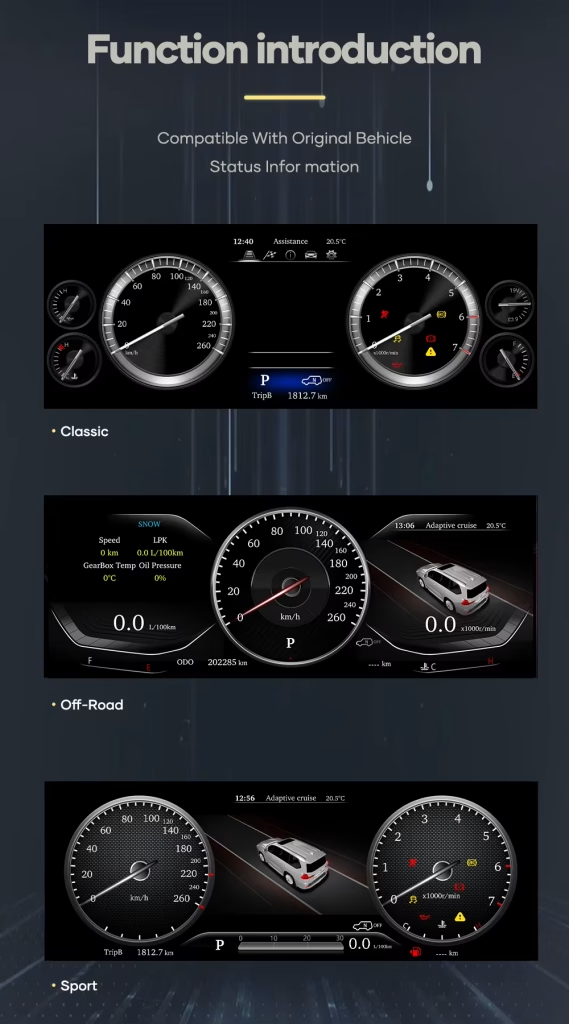
Multiple cluster layouts for different driving preferences
You can choose a display style that fits your own driving preference while keeping the cluster focused on vehicle information.
Vehicle-specific upgrade route for the Alphard dashboard
Correct physical matching matters. iKAGOO checks the vehicle year, original cluster layout and connector configuration before preparing the order.
Driver-focused screen design for quick information reading
The cluster is designed to keep speed, RPM and vehicle information in the driver’s natural viewing area.
Modern display style without turning the cluster into an app screen
This Linux cluster is dedicated to instrument display. It keeps the upgrade focused on driving data instead of unnecessary app functions.
Clear speedometer and vehicle information presentation
A high-resolution display helps reduce the dated feeling of the factory gauge area and improves the dashboard’s first impression.
Built for the Alphard owner who wants a premium cockpit result
The Alphard is often used as a family, executive or passenger vehicle. A cleaner driver display helps the whole cabin feel more current.
Matched display route for correct installation planning
The right cluster upgrade is not only about screen size. The order also needs the correct wiring route and vehicle interface preparation.
Useful for refreshing a luxury MPV that still drives well
If your Alphard still serves you well but the driver display feels old, this virtual cockpit retrofit gives a visible daily improvement.
A complete digital cluster upgrade instead of a small cosmetic change
This is the right direction when you want the Alphard driver area to feel newer, clearer and more aligned with a modern premium vehicle.
Installation Ease Level: Level 3 — Advanced DIY
What the installation normally involves
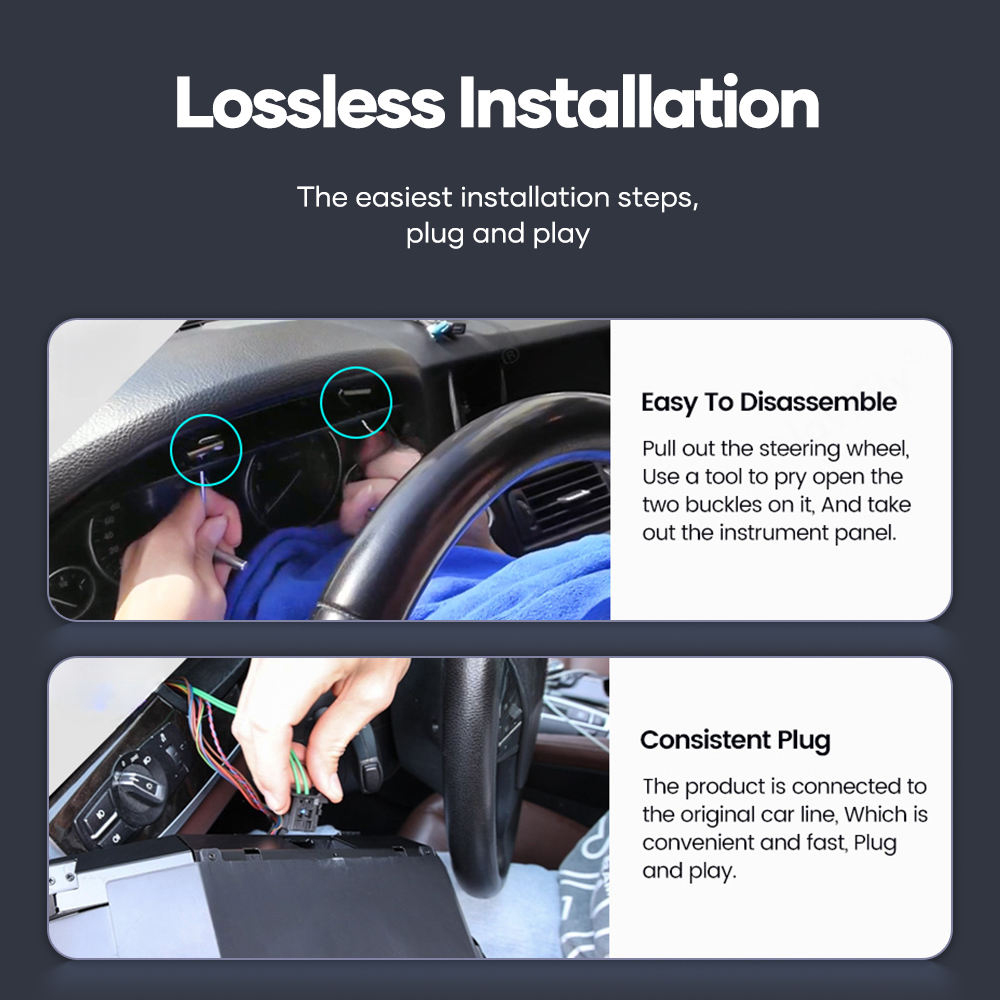
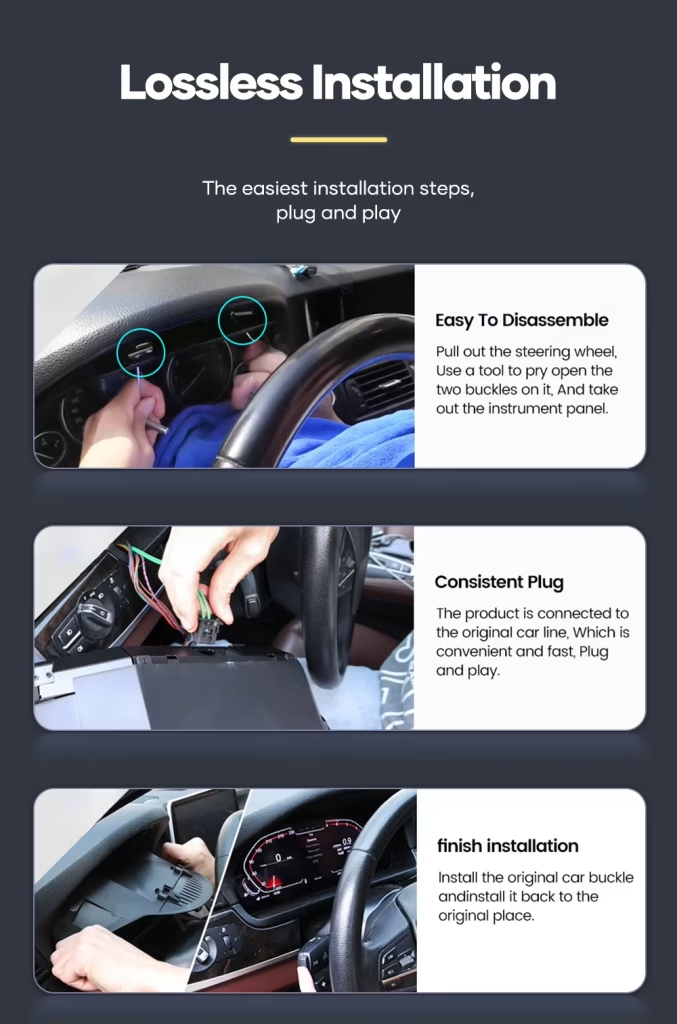
- Careful removal of the original instrument cluster area and related trim.
- Connection of the matched harness and vehicle interface.
- Cluster power-on and display testing before final reassembly.
- Checking speed, RPM, fuel level, temperature, warning information and steering-wheel cluster controls.
- Confirming mileage, trip behavior and sleep/power behavior after installation.
Who should install it?
This product is suitable for experienced DIY installers or an automotive electronics installer. The matched harness route helps reduce wiring modification, but correct disassembly, connector identification and function testing are still required.
Do not force connectors. Do not cut the factory main harness unless iKAGOO has provided a specific instruction for your confirmed vehicle route.
Stop installation and contact iKAGOO if any of these happen
- The connector shape or pin layout clearly does not match.
- A connector pin is bent, loose or damaged.
- The supplied harness does not match the installation instruction for your vehicle.
- You smell abnormal heat, burning odor or see smoke.
- The fuse repeatedly blows.
- Power or ground cannot be confirmed.
- The installation would require cutting the original main vehicle harness.
- Vehicle data, warning behavior or power behavior is abnormal after temporary testing.
Prepared for your vehicle, supported after delivery
Vehicle-specific configuration
iKAGOO checks your vehicle details before preparing the order so the screen, harness and interface route match your Alphard as closely as possible.
Factory wiring protection
The matched harness route is designed to connect to supported factory wiring without intentional wire cutting under normal matched conditions.
Original function support
We help you focus on the functions that matter after installation: driving data, warning information, mileage behavior and steering-wheel cluster controls.
Installation and configuration guidance
After delivery, iKAGOO can provide practical connection and configuration help for the supplied product route.
12-month hårdvarugaranti
Eligible manufacturing defects are covered by iKAGOO’s 12-month limited hardware warranty under the applicable policy.
Better than guessing from a low-price listing
A cheaper listing is not useful if the harness, vehicle interface or cluster route is wrong. iKAGOO prepares the order around your actual vehicle information.
Support that matters after your Alphard cluster arrives
12-month hårdvarugaranti
This product is covered by iKAGOO’s 12-month limited hardware warranty under the applicable policy. Keep your order details, vehicle photos and installation photos so support can review the situation clearly.
Configuration support after delivery
Vehicle-specific electronics need correct setup. If you meet a connection, display or vehicle-data issue during installation, contact iKAGOO with photos and a clear description before forcing any wiring change.
Toyota Alphard Digital Cluster 2015-2019 FAQ
Is this Toyota Alphard Digital Cluster compatible with 2015–2019 models?
Yes, this Toyota Alphard Digital Cluster is prepared for Toyota Alphard 2015–2019. Before shipment, provide your vehicle year, dashboard photo and original cluster photo so iKAGOO can prepare the correct version.
Är det här en Android-huvudenhet?
No, this is not an Android head unit. It runs on Linux as a dedicated instrument cluster system and is not designed for installing Android apps.
Does it support original steering wheel controls?
Yes, factory steering-wheel buttons related to cluster display switching and menu control are supported in most cases after correct installation and configuration.
Will the cluster show speed, RPM and vehicle warnings?
Yes, the cluster displays real-time vehicle information such as speed, RPM, fuel level, coolant temperature, key warning indicators and vehicle status information.
Will mileage and trip data sync after installation?
Yes, the Alphard Digital Cluster is designed to sync mileage and trip information with the vehicle system. Actual behavior can depend on the exact vehicle configuration, so provide your vehicle details before ordering.
Can it show navigation directions on the cluster?
Yes, navigation prompts can be shown when the cluster is paired with a compatible navigation source, such as an aftermarket head unit or CarPlay system route that supports cluster guidance output.
Does installation require cutting wires?
No, the matched harness is designed to connect through OEM-style connectors for supported vehicles, typically without intentional wire cutting. Stop installation and contact iKAGOO if the connectors do not match.
Can a first-time owner install it?
No, first-time installers should use an experienced automotive electronics installer. This product is Level 3 — Advanced DIY, which means it needs careful dashboard disassembly, connector identification and full function testing before final reassembly.
Ingår garanti?
Yes, eligible hardware is covered by iKAGOO’s 12-month limited warranty under the applicable policy. Keep your order details, vehicle photos and installation photos for faster support.
Make your Toyota Alphard dashboard feel modern again
Choose this Toyota Alphard Digital Cluster 2015-2019 if you want a clear 12.3-inch Linux instrument display, a stronger premium cockpit look and iKAGOO support for vehicle-specific order preparation.
Sébastien Mercier -
J’utilise mon Alphard pour le transport de personnes (VTC) à Paris. L’ancien compteur à aiguilles faisait un peu ‘vieillot’ pour un véhicule de ce standing. Ce compteur numérique change radicalement l’ambiance du poste de conduite. L’affichage est très fluide et les menus sont clairs. Ça donne vraiment l’impression d’être aux commandes d’un vaisseau spatial. Installation rapide et sans erreur au tableau de bord.