


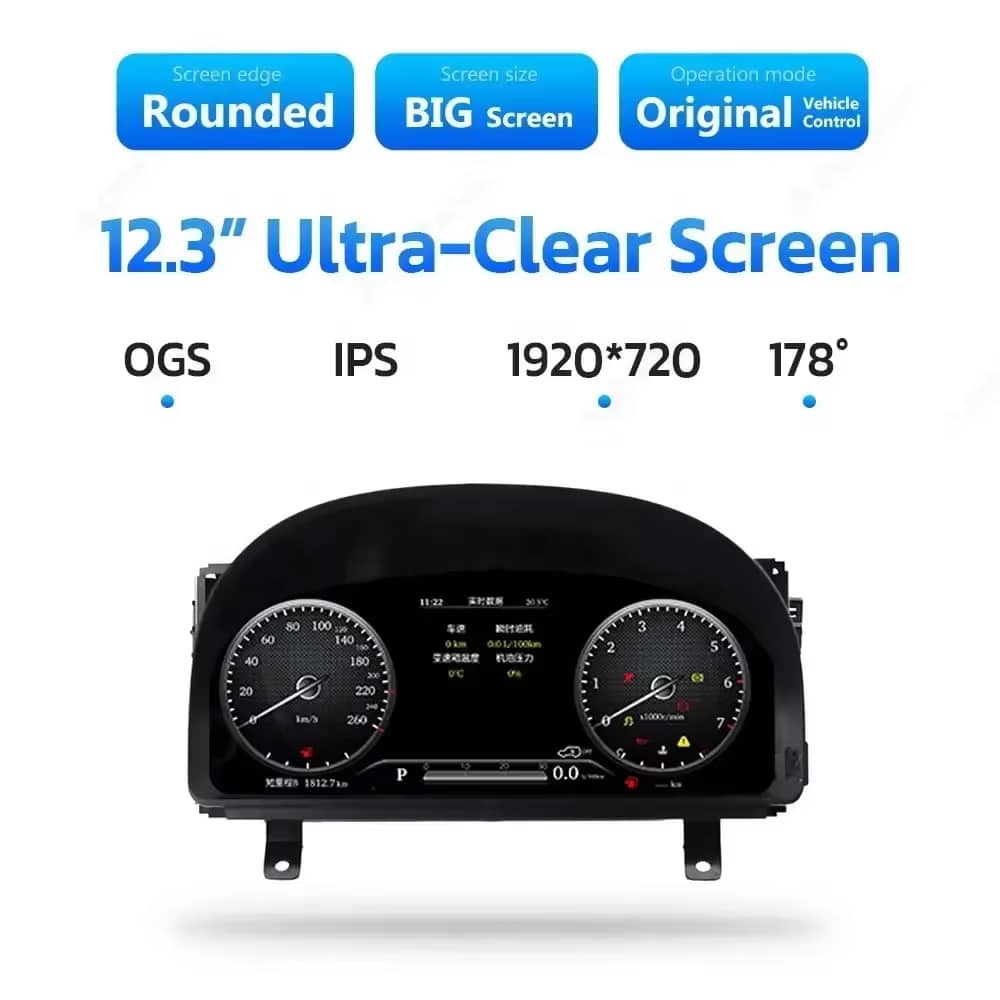
Klar 12,3-tums skärm
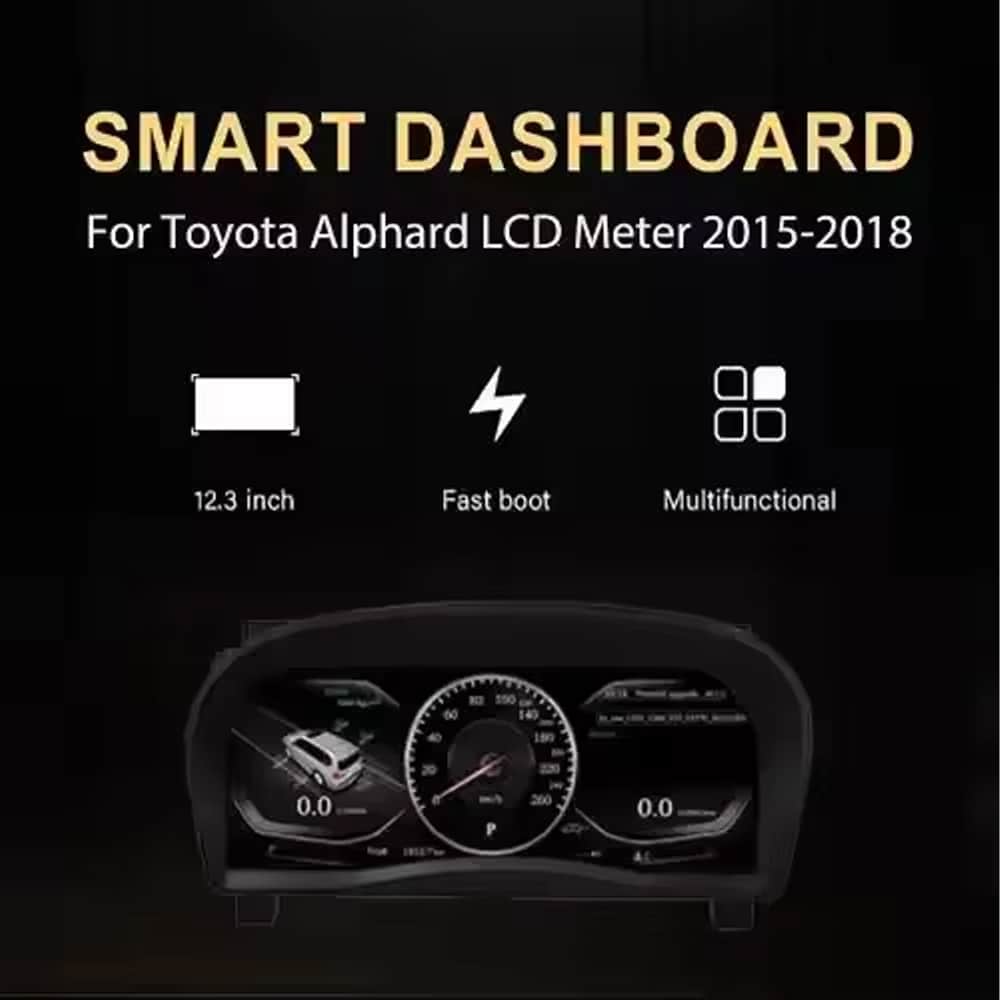
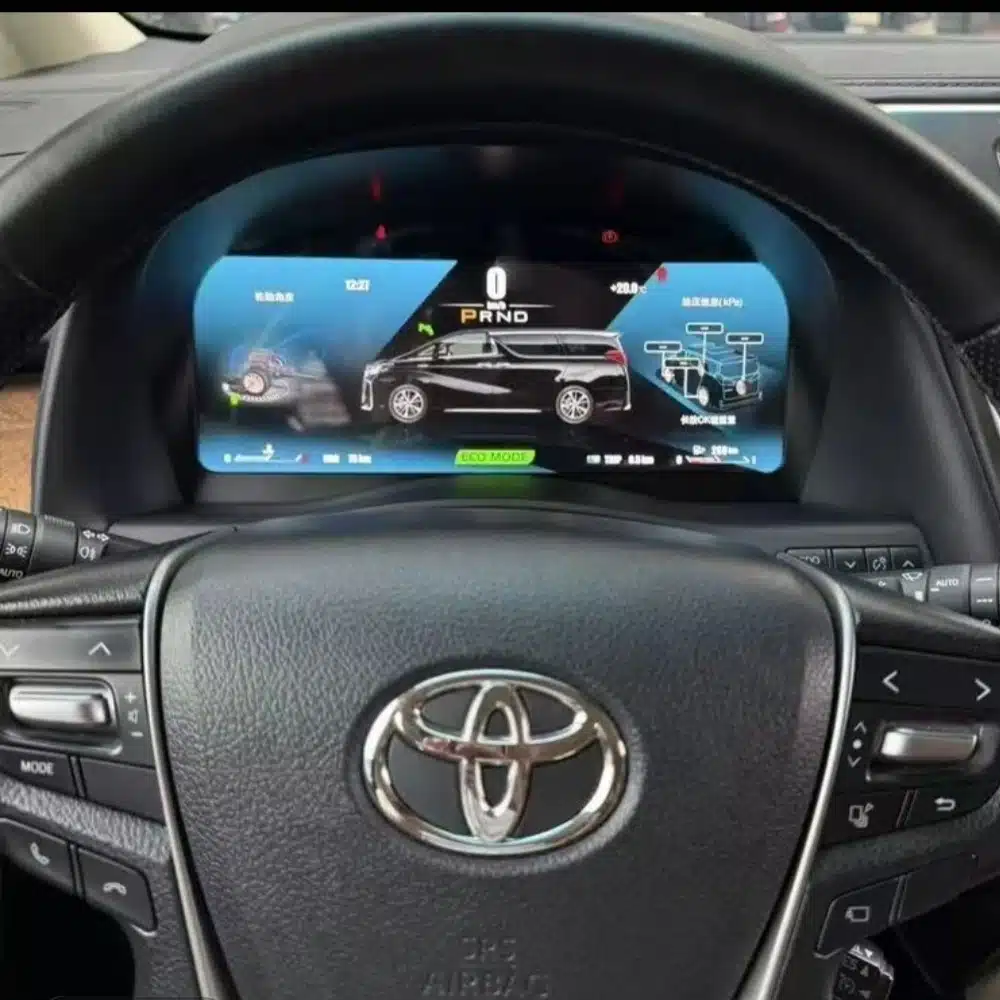
En bred skärm med upplösningen 1920×720 gör det enklare att se information om hastighet, varvtal, växel och fordonet från förarplatsen.

| Vikt | 6 kg |
|---|---|
| Dimensioner | 48 × 38 × 28 cm |
| Stödbil | Alphard 20-serien (2008–2019) |
| Produktens kompatibilitet | Plug and play |
| Produktens ursprung | Ingen äkta originalprodukt |


$995.00 Det ursprungliga priset var: $995.00.$785.00Det nuvarande priset är: $785.00.

Vi sköter tillämplig moms och importtull för berättigade beställningar från EU och USA. Beräknad besparing: $120-$280 .
Fraktkostnaden tillkommer. Den exakta fraktkostnaden beräknas utifrån leveransadressen och visas i din varukorg innan du går till kassan.
Slutgiltig frakt bekräftas utifrån din leveransadress i kassan.
Kompatibilitetsgranskning, fullständigt kompatibilitetsskydd, 12 månaders hårdvarugaranti och fortsatt support efter installationen.
 Fullständig återbetalningsgaranti
Kompatibilitetsgaranti
Har det bekräftats att produkten inte är kompatibel med din bil? Då får du tillbaka hela beloppet.
→
Fullständig återbetalningsgaranti
Kompatibilitetsgaranti
Har det bekräftats att produkten inte är kompatibel med din bil? Då får du tillbaka hela beloppet.
→
 12-Month Hårdvarugaranti
Hårdvarugaranti ingår under de första 12 månaderna.
→
Långsiktig kundsupport
Rådgivning om programvara, reservdelsstöd och samordning av reparationer kopplas alltid till din ursprungliga beställning.
→
12-Month Hårdvarugaranti
Hårdvarugaranti ingår under de första 12 månaderna.
→
Långsiktig kundsupport
Rådgivning om programvara, reservdelsstöd och samordning av reparationer kopplas alltid till din ursprungliga beställning.
→
Vårt mål är att få din beställning rätt innan den lämnar oss. Vi verifierar kompatibilitet, förbereder rätt installation och kontaktar dig endast om något behöver bekräftas.

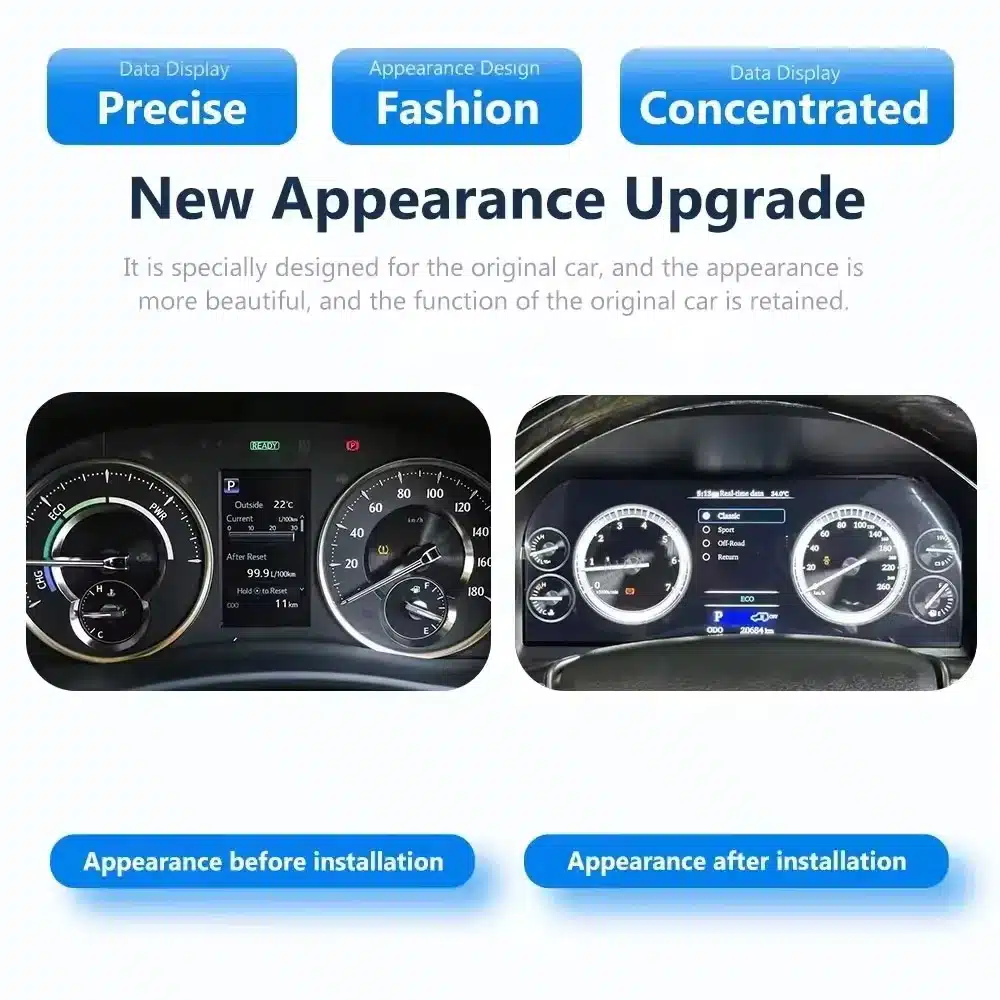
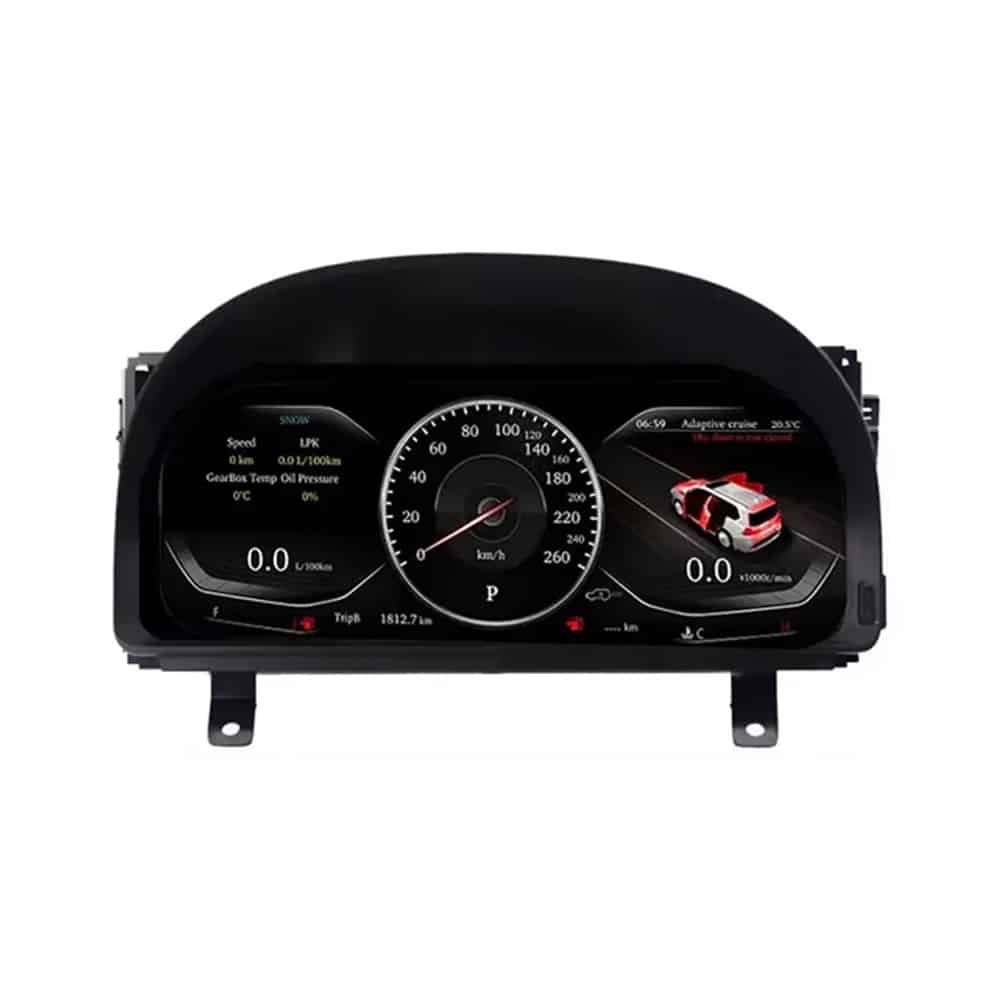
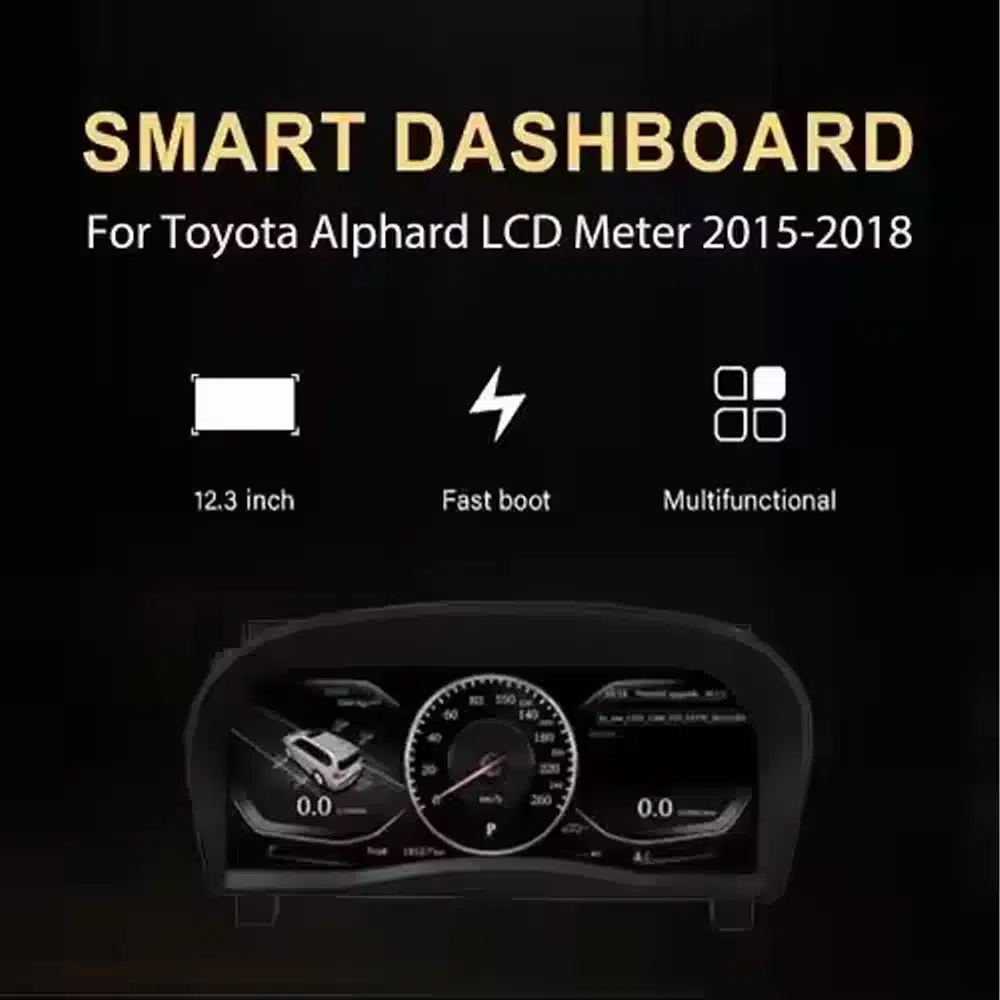
Den Toyota Alphard 20-serien – digital instrumentpanel ersätter den ursprungliga instrumentpanelen med en 12,3-tums Linux-LCD-skärm med upplösningen 1920×720. Den ger dig en tydligare digital översikt över hastighet, varvtal, växelläge, bränsleinformation, temperatur, körsträcka och stödda fordonsvarningar, samtidigt som instrumentpanelens utformning förblir integrerad med fordonet.
Detta är en komplett uppgradering av instrumentpanelen, inte en Android-radio eller en modul som endast stöder CarPlay. iKAGOO kontrollerar fordonets tillverkningsår, en bild på instrumentpanelen, marknadsspecifikationer, rattens placering och den ursprungliga anslutningskonfigurationen innan leverans, så att rätt instrumentpanel och passande kablage kan förberedas för din beställning.
Denna produkt är en fordonsspecifik instrumentpanel helt i LCD för Toyota Alphard 20-serien, som vanligtvis förknippas med den andra generationens instrumentpanel som introducerades från 2008 fram till modellbytet 2015. Den ersätter den ursprungliga instrumentpanelen och visar relevant kör- och fordonsinformation via en modern digital layout.
Registreringsår kan överlappa varandra mellan olika marknader. Skicka ett tydligt foto av din nuvarande instrumentpanel och instrumentbräda till iKAGOO innan du skickar in produkten. Kunder med instrumentbrädor från senare år av modellåren 2015–2019 bör använda den separata versionen för senare generationens instrumentpaneler som visas längre ner på denna sida.
Fördelen ligger inte bara i den större skärmen. Denna uppgradering förändrar den information som visas varje gång du kör och ger en äldre Alphard-förarhytt en renare digital presentation.
En bred skärm med upplösningen 1920×720 gör det enklare att se information om hastighet, varvtal, växel och fordonet från förarplatsen.
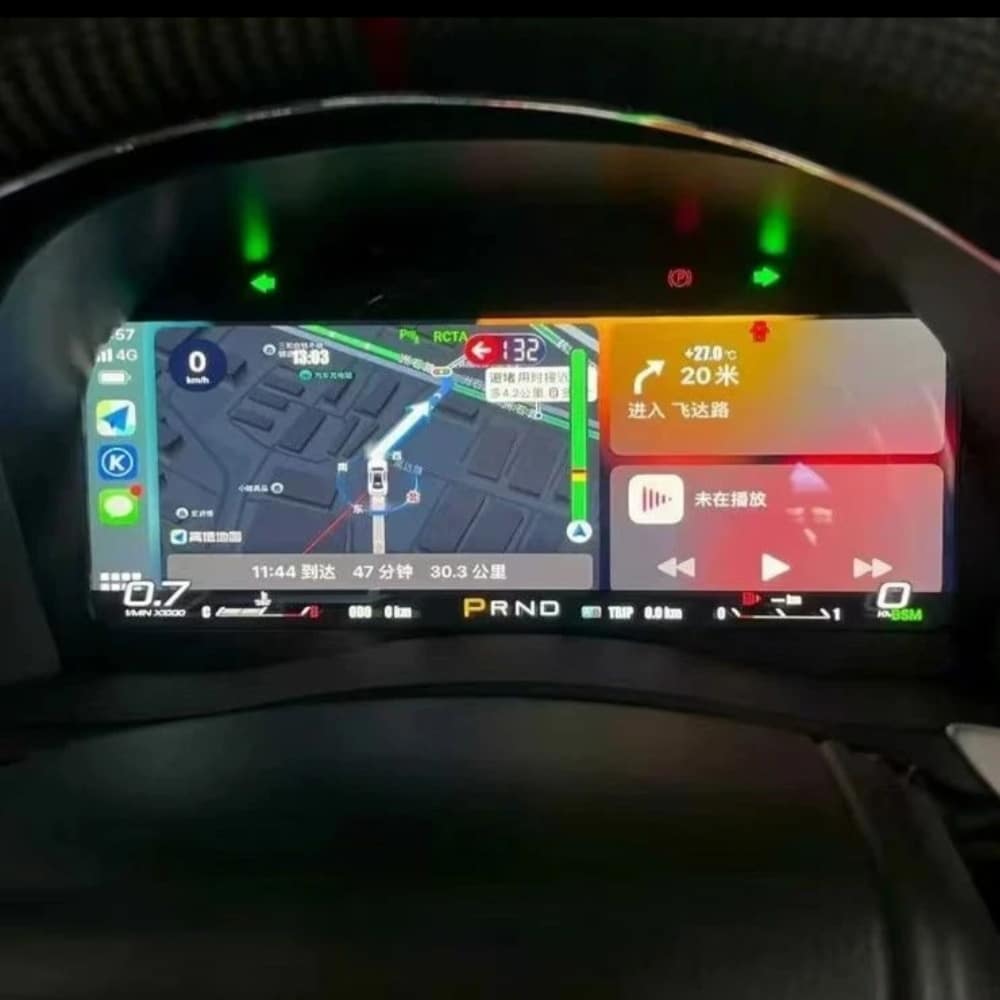
Välj bland flera instrumentpanelteman och layouter. Vilka teman som ingår beror på vilken version av instrumentpanelen som har anpassats för just din bil.
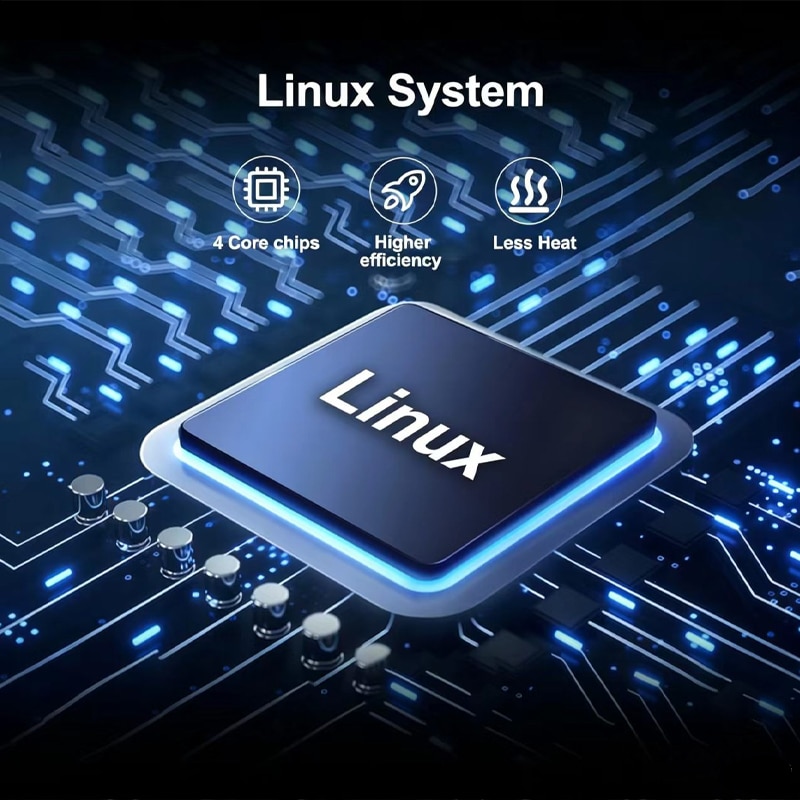
Klustret använder ett särskilt Linux-baserat instrumentsystem som är utformat för snabb uppstart och direkt åtkomst till körinformation.
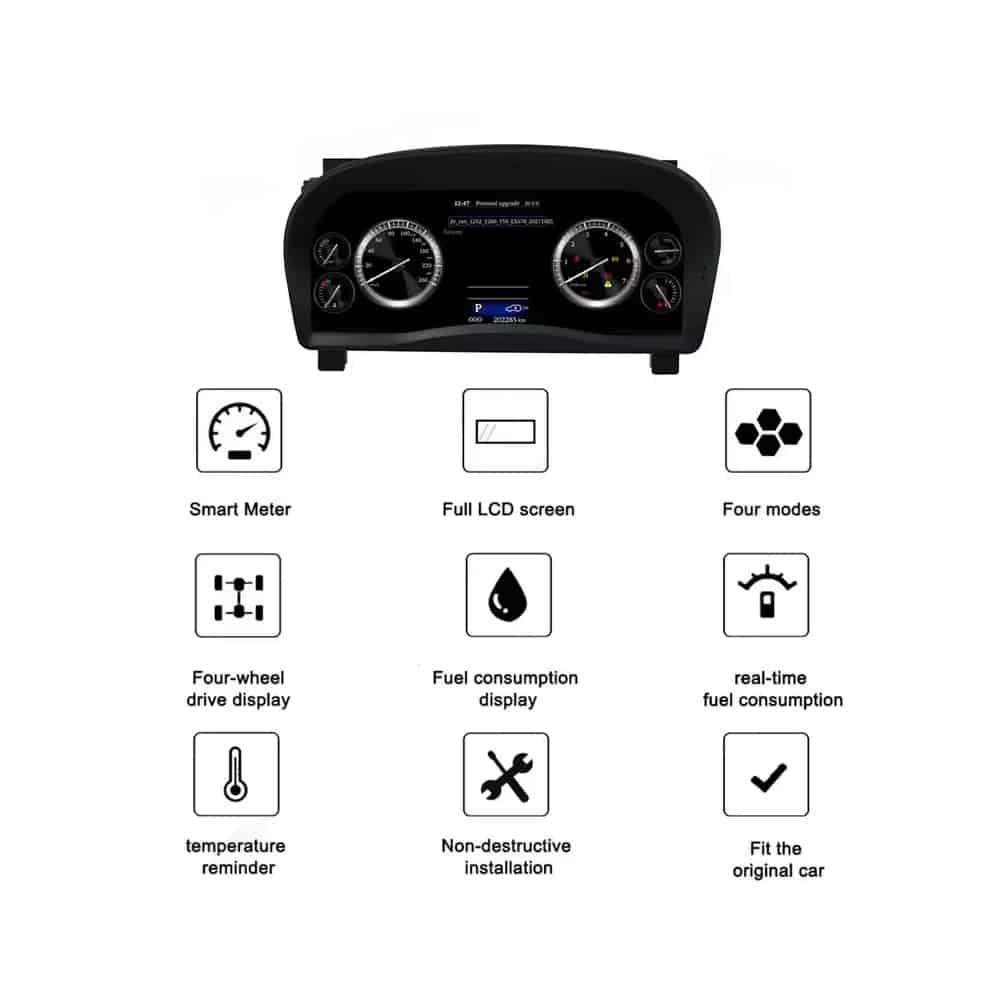
Information om hastighet, varvtal, växel, bränsle, temperatur, körsträcka, bränsleförbrukning och varningar visas fortfarande.
MPH eller km/h, gränssnittsspråk och regionala fordonsuppgifter kan kontrolleras i samband med orderförberedelserna.
iKAGOO förbereder lämpligt kluster och kabeldragning utifrån den fordonsinformation du tillhandahåller.
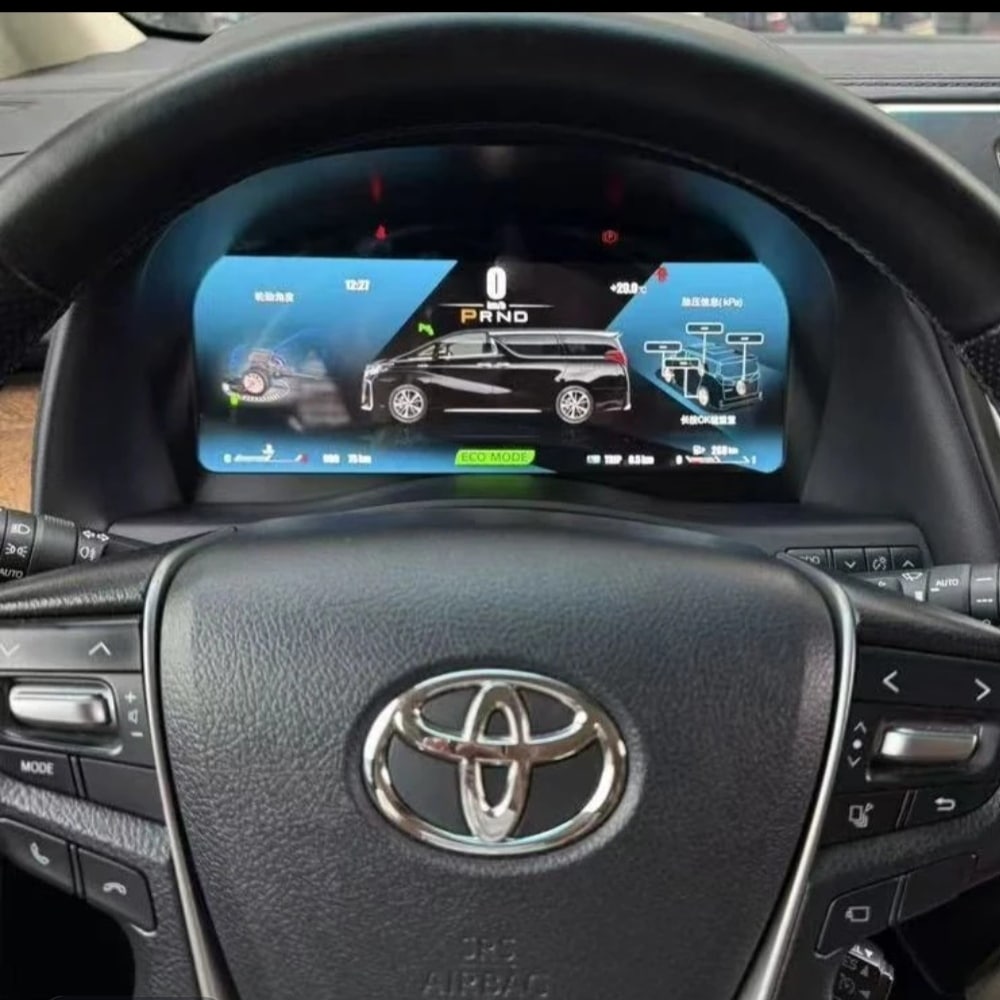
Med rätt Alphard-version, anpassad kabeldragning och korrekt installation är instrumentpanelen utformad för att fortsätta visa den ursprungliga körinformationen som du litar på.
Information om fordonets ursprungliga hastighet och motorvarvtal stöds.
Information om vilken växel som är inkopplad visas fortfarande på den digitala displayen.
Information om bränslenivå, kylvätsketemperatur och annan relaterad fordonsinformation är fortfarande tillgänglig.
Information om trippmätare och trippstatistik stöds via den förinställda instrumentpanelkonfigurationen.
Varningsindikatorer och information om fordonets status som stöds fortsätter att visas.
Sidorna med information om bränsleförbrukning och körning som stöds är fortfarande tillgängliga.
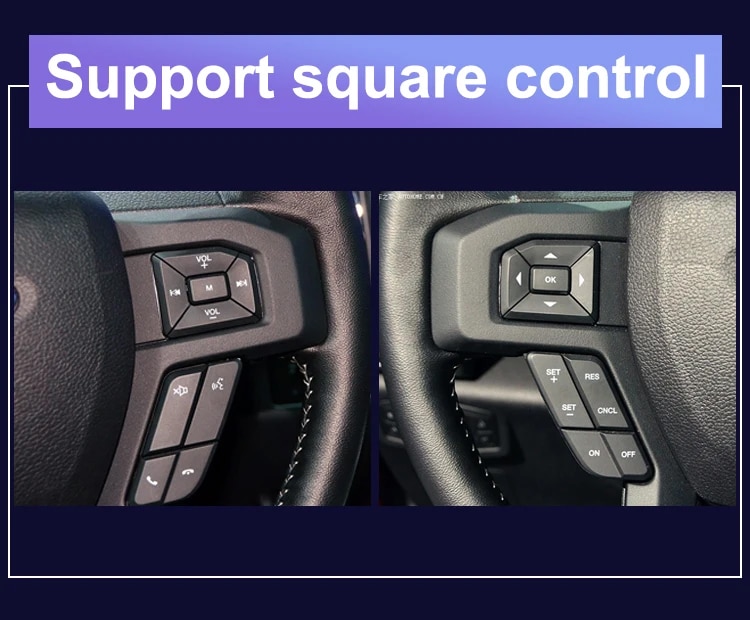
De ursprungliga reglagen på ratten stöds fortfarande om bilen är utrustad med sådana.
Information om hybriddrift eller fyrhjulsdrift visas i den mån sådan information finns tillgänglig enligt fordonets ursprungliga konfiguration.
Den anpassade kabelstammen är utformad för att anslutas utan att den medföljande fabriksmonterade huvudkabelns ledningar avsiktligt skärs av.
Dessa bilder visar den fysiska enhetskonstruktionen, det bakre höljet, skärmkonstruktionen och anslutningskomponenterna som medföljer uppgraderingen.
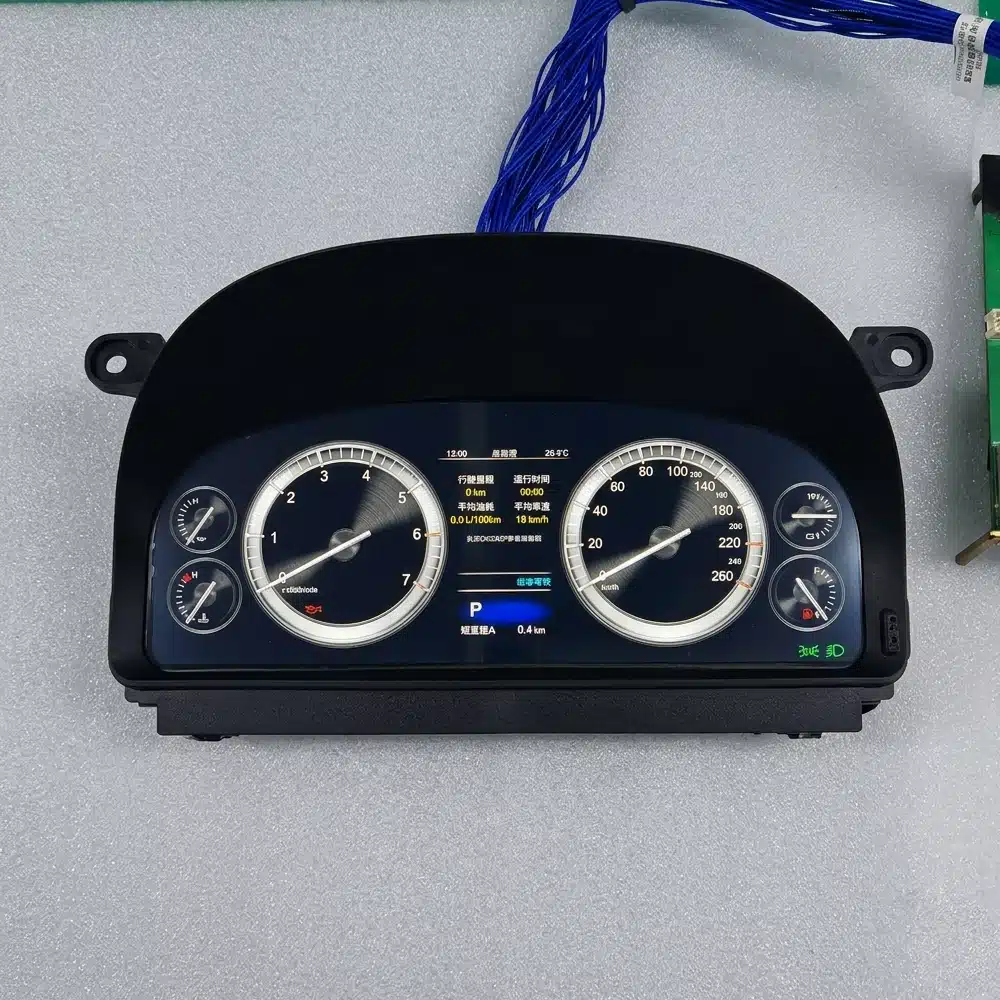
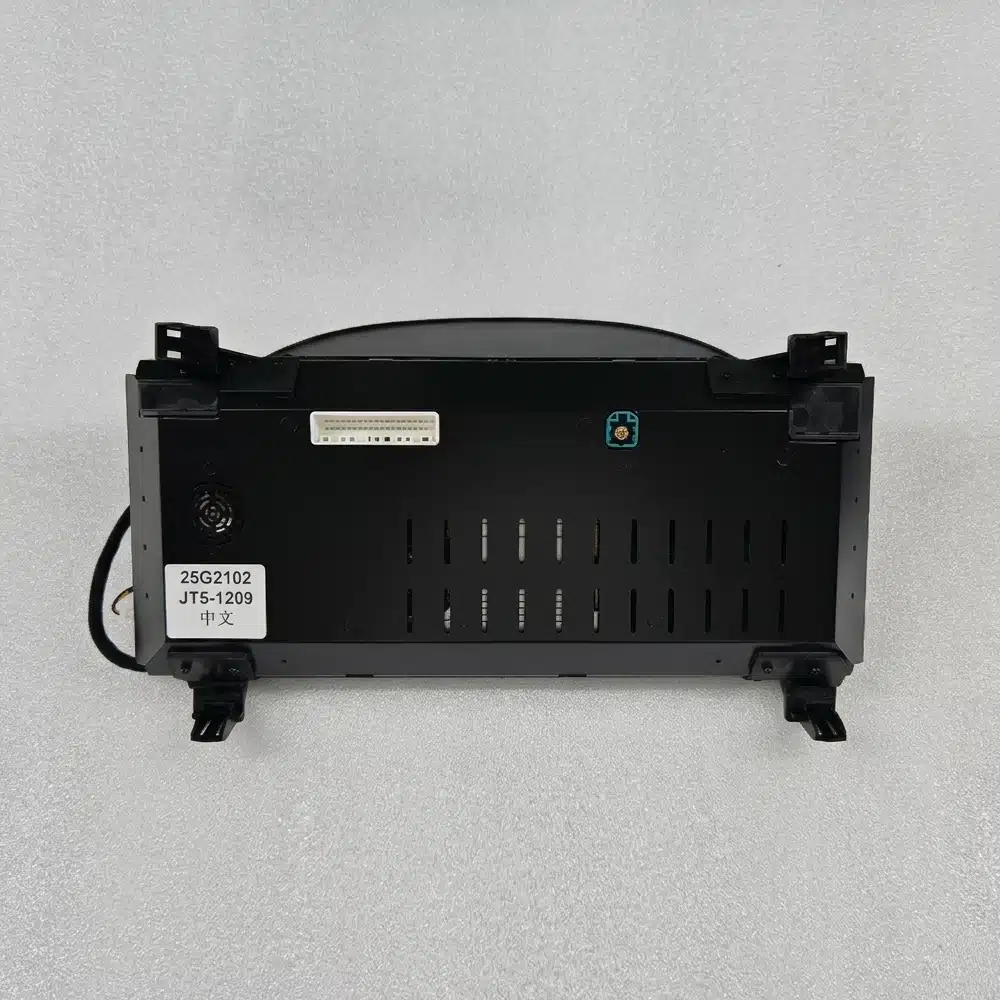
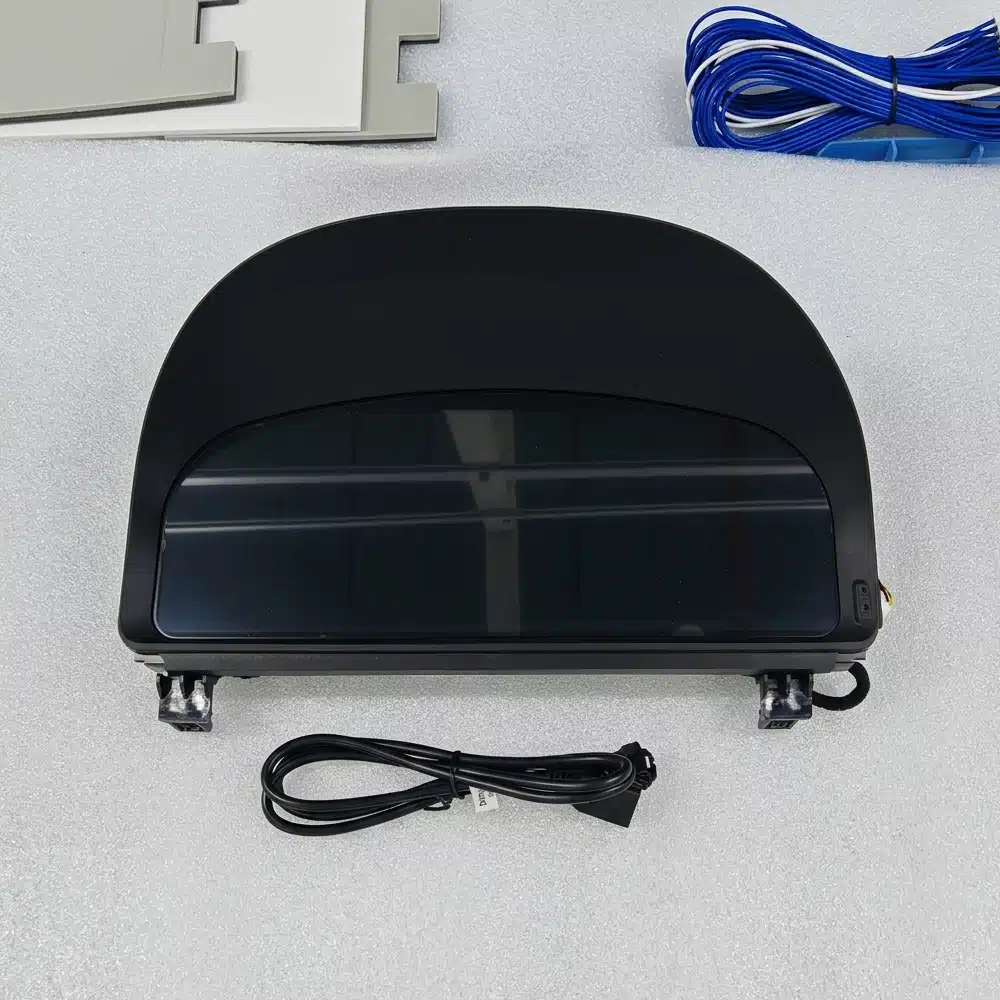
Instrumentpanelen bygger på ett specialanpassat Linux-system snarare än en allmän Android-underhållningsplattform. Detta gör att fokus ligger på kördata, instrumentlayouter och snabb åtkomst till viktig information.
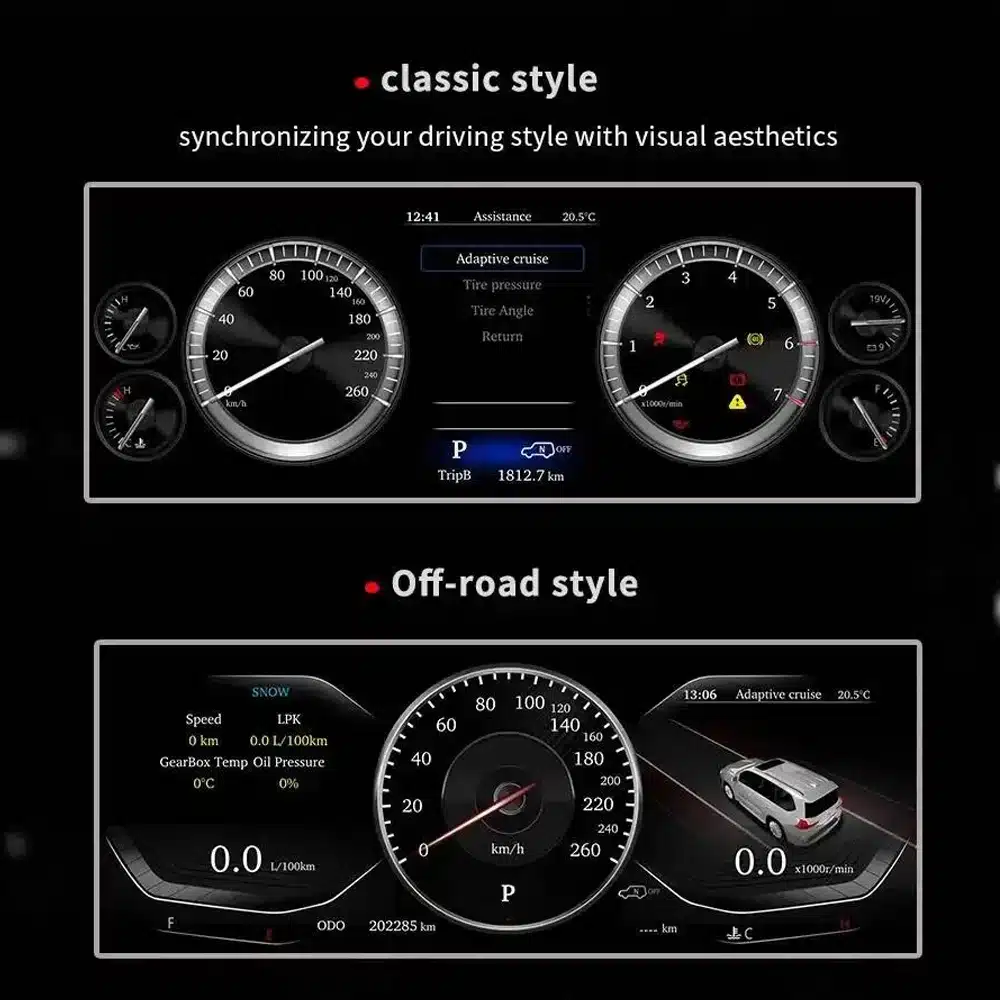
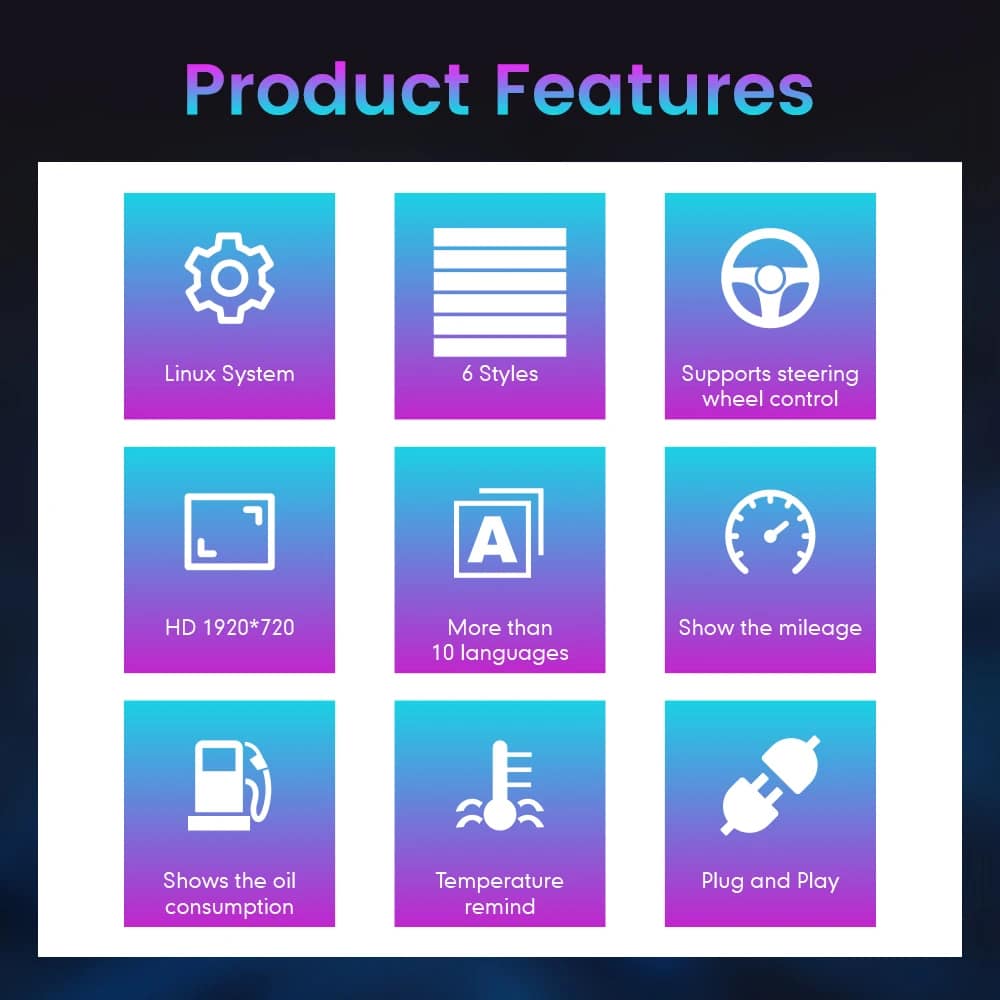
Instrumentpanelen ligger rakt framför dig varje gång du kör. Den bredare skärmen och de uppdaterade layouterna syns under varje resa, inte bara när du använder en specifik app.
När det gäller importerade fordon kan en liten MPH-omvandlare lösa ett problem. En helt digital instrumentpanel kan kombinera anpassningen av måttenheter med en mer omfattande uppgradering av displayen och informationsvisningen.
Genom att reparera den ursprungliga instrumentpanelen återfår du den ursprungliga upplevelsen. Denna produkt är avsedd för ägare som även vill ha en modern förardisplay och valbara layouter.
Om du planerar att behålla din Alphard kan en uppgradering av förargränssnittet få bilen att kännas mer modern utan att det går ut över den komfort och det utrymme som du redan uppskattar.
Dessa utvärderingar hjälper dig att få en uppfattning om det praktiska värdet, integreringen i fordonet och installationsarbetet innan du beställer.
Detta är en betydande uppgradering för ägare som vill ha en modernare förardisplay, tydligare daglig information och en helt digital instrumentpanel.
När rätt version av 20-serien är klar är instrumentpanelen utformad för att integrera information om hastighet, varvtal, växel, bränsle, temperatur, körsträcka, bränsleförbrukning, varningssignaler och styrning i den nya digitala displayen.
Installationen kräver att den ursprungliga instrumentenheten demonteras noggrant, att ledningarna identifieras korrekt, att fordonets data testas samt att körsträcka, varningsindikatorer och strömförsörjning kontrolleras.
En högre installationsnivå speglar den omfattning av professionellt arbete som krävs. Det innebär inte att produktens kvalitet är sämre, att kompatibiliteten är sämre eller att uppgraderingsvärdet är lägre.
Registreringsåren för Alphard kan överlappa varandra mellan olika regioner. Instrumentpanelens utformning och den ursprungliga instrumentgruppen är mer tillförlitliga indikatorer än enbart registreringsåret.
Denna sida är avsedd för instrumentpanelen i andra generationens Alphard, som vanligtvis förekommer i bilar från ungefär 2008–2015. Skicka in en tydlig bild framifrån på din ursprungliga instrumentpanel och instrumentkluster så att iKAGOO kan bekräfta att det är rätt hölje och anslutningsversion.
Fordon med den senare versionen av instrumentpanelen i tredje generationen kräver den separata instrumentpanelen för modellåren 2015–2019. Välj inte enbart utifrån registreringsår.
Se den digitala instrumentpanelen för Toyota Alphard 2015–2019

| Produkttyp | Digital LCD-instrumentpanel |
|---|---|
| Huvudsaklig användning av fordonet | Toyota Alphard 20-serien / AH20, förutsatt att instrumentpanelen och anslutningarna stämmer överens |
| Allmän modellperiod | Instrumentpanel av andra generationen från ungefär 2008–2015; registreringsåren kan variera beroende på marknad |
| Skärmstorlek | 12,3 tum |
| Upplösning | 1920 × 720 |
| Konstruktion av displayen | OGS IPS |
| Betraktningsvinkel | Upp till 178° referens |
| Operativsystem | Dedikerat Linux-baserat instrumentsystem |
| Bearbetningsplattform | Fyrkärnig plattform |
| Visningsteman | Flera teman och layouter; exakt vilka som ingår beror på vilken version det gäller |
| Körinformation | Hastighet, varvtal, växel, bränsle, temperatur, körsträcka, trippmätare och stödda förbrukningsdata |
| Fordonets status | Varningsindikatorer och information om fordonets status som stöds |
| Enheter | Inställning/konfiguration av MPH eller KM/H beror på fordonsversionen |
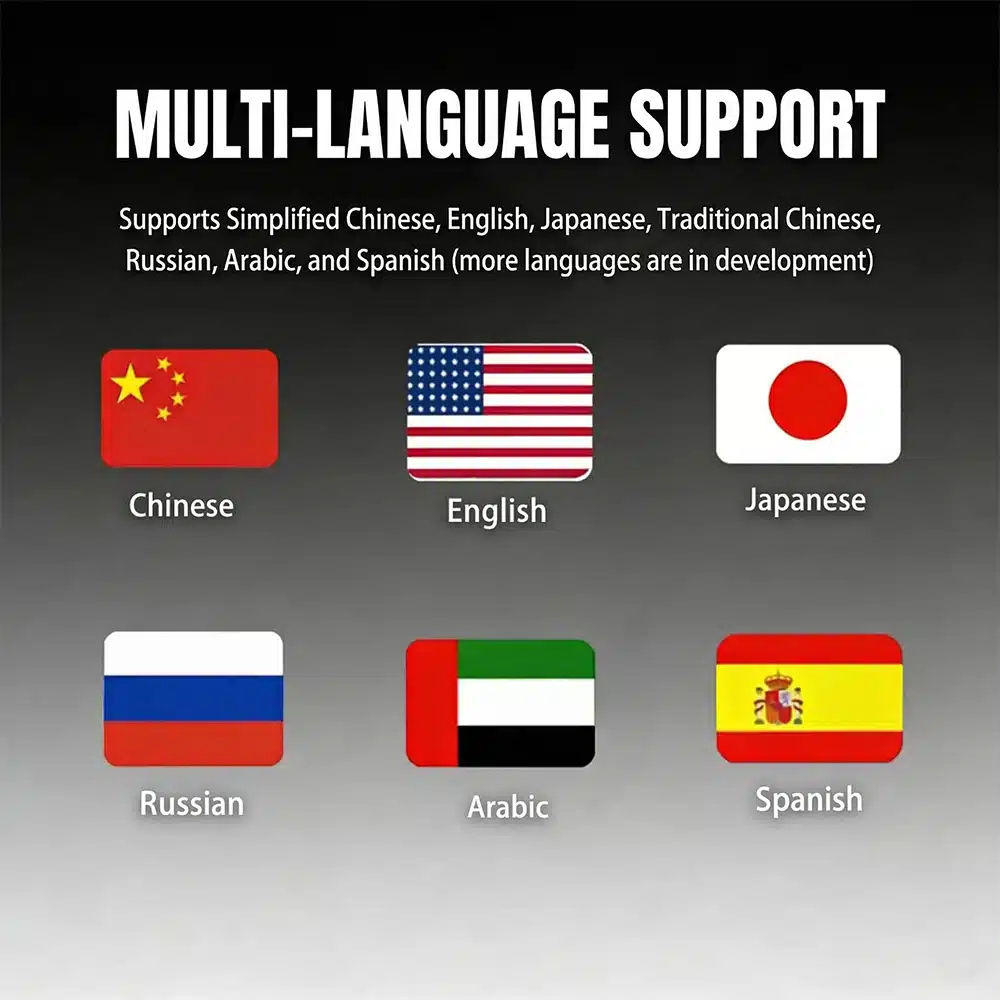
| Språk | Flerspråkigt gränssnitt; bekräfta önskat språk före leverans |
| Interaktion med ratten | Stöd för originalinstrumentens kontrollknappar där sådana fanns |
| Kabelanslutning | Anpassad anslutningskonfiguration för den bekräftade fordonsversionen |
| Artikelnummer | FD-132 |
| Angiven produktvikt | 6 kg |
| Angivna paketmått | 48 × 38 × 28 cm |
Det nuvarande inköpsområdet använder en beställningsväg. Den fysiska kluster- och anslutningskonfigurationen utformas utifrån den fordonsinformation du tillhandahåller, istället för att man ska behöva hitta på onlinevarianter som inte stöds.
| Alternativ | Vad den är bra på | Vad man bör tänka på |
|---|---|---|
| Reparera den ursprungliga instrumentpanelen | Återställer den ursprungliga skärmen och fabriksutseendet. | Den har varken ett mer omfattande digitalt gränssnitt eller valbara moderna layouter. |
| Begagnad originalinstrumentpanel | Bevarar Toyotas ursprungliga design. | Uppgifter om version, körsträcka, kodning, ålder och tidigare fordon kan behöva granskas. |
| Liten MPH-omvandlare eller HUD | En enklare lösning när det enda målet är att se hastigheten i MPH. | Det är fortfarande en extra display och innebär inte att hela instrumentpanelen moderniseras. |
| Modul endast för CarPlay | Utökar underhållningssystemet med navigering via telefonen, musik och samtal. | Den ersätter inte förarens instrumentpanel. |
| iKAGOO digital instrumentpanel | Förbättrar hela förardisplayen med en bred LCD-skärm och stöd för fordonets originalinformation. | Det krävs ett korrekt val av generation och en professionell installation. |
Utifrån den produktutrustning som visas på denna sida omfattar beställningen främst den kompletta instrumentpanelen samt tillhörande anslutningsdelar. Det exakta innehållet i paketet bekräftas för den fordonsversion som förbereds för leverans.
Den färdigmonterade enheten bestående av skärm och hölje, förberedd för den bekräftade instrumentpanelsversionen.
De anslutningar för ström, data och fordonsgränssnitt som är tillämpliga för den bekräftade konfigurationen.
Version, regionala krav på displayen och de angivna fordonsuppgifterna kontrolleras före leverans.
Anlita en montör med erfarenhet av instrumentpaneler, fordonsdatasystem och interiördetaljer. Notera den ursprungliga mätarställningen och fotografera alla ursprungliga inställningar innan du demonterar den fabriksmonterade instrumentpanelen.
Jämför fordonet, den ursprungliga instrumentpanelen, instrumentklustrets utformning, rattens placering och anslutningarna med orderinformationen.
Fotografera den aktuella mätarställningen, varningslampornas status, enheterna och instrumentpanelens ursprungliga funktion innan demontering.
Skydda instrumentpanelen och inredningsdetaljerna, koppla bort fordonets batteri vid behov och ta försiktigt bort den ursprungliga enheten.
Anslut inte med våld. Kontrollera att kontaktens form, stiftplaceringen, gränssnittsmärkningen och kabeldragningen stämmer överens med de förberedda anvisningarna.
Installera den anpassade kabeldragningen, anslut ström till instrumentpanelen och gör de nödvändiga inställningarna för fordon, språk och enheter.
Kontrollera hastighet, varvtal, växel, bränsle, temperatur, körsträcka, styrreglage och varningslampor innan du sätter tillbaka alla inredningsdelar.
Stäng av fordonet, kontrollera att instrumentpanelen stängs av normalt och se till att fordonet övergår till sitt normala viloläge.
Sätt tillbaka alla trimdelar först efter att displayen, data, varningar, reglage och strömförsörjningen har kontrollerats och befunnits fungera korrekt.
Att avbryta arbetet i detta skede skyddar både fordonet och produkten. Skicka tydliga bilder på kontakterna och en kort video till iKAGOO så att du kan få rätt anvisningar för anslutningen.
iKAGOO kontrollerar den angivna modellen, årsmodellen, instrumentpanelen, instrumenten och regionala uppgifter innan leverans.
Beställningarna skickas med spårningsnummer. Bearbetningen påbörjas efter att betalningen och nödvändiga uppgifter om fordonet har mottagits.
Berättigade hårdvarufel hanteras enligt de gällande garantivillkoren för iKAGOO från och med det bekräftade leveransdatumet.
Support för anslutning, konfiguration och felsökning erbjuds förutsatt att installatören tillhandahåller tydliga bilder och testinformation.
iKAGOO hjälper till med rimliga inställningar och funktionskontroller i enlighet med den bekräftade fordonskonfigurationen.
Om iKAGOO har bekräftat kompatibiliteten utifrån korrekta uppgifter och det inte finns någon rimlig installationslösning efter felsökning, gäller de nuvarande återbetalningsvillkoren.
Denna sida avser instrumentpanelen till Alphard 20-serien. Registreringsåren kan överlappa med senare modeller, därför kontrollerar iKAGOO din aktuella bild på instrumentpanelen, instrumentbrädan, rattens placering, drivlina och anslutningskonfiguration innan leverans.
Ange modell, registreringsår, en tydlig bild framifrån av den ursprungliga instrumentpanelen, en bild som visar hela instrumentbrädan, vänster- eller högerstyrning, bensin- eller hybridkonfiguration, önskad enhet (MPH/KM/H), språk samt en bild av den aktuella mätarställningen.
Det är en komplett ersättning för instrumentpanelen med LCD-skärm. Det är inte en Android-enhet, en bilradio eller en modul som endast stöder CarPlay.
Krav på hastighet i MPH eller KM/H kan kontrolleras under orderhanteringen. Ange för iKAGOO vilken enhet du behöver och uppge fordonets marknadsspecifikation.
Fotografera och notera det ursprungliga mätarställningen innan du tar bort den fabriksmonterade instrumentpanelen. Hanteringen av mätarställningen kan variera beroende på fordon och instrumentpanelens version, så kontrollera hur du ska gå tillväga med iKAGOO och din installatör innan installationen. Ägaren och installatören är ansvariga för att följa lokala lagar om redovisning av mätarställning.
De instrumentreglage på ratten som stöds fortsätter att fungera via det förberedda fordonsgränssnittet, förutsatt att fordonet är utrustat med dessa reglage.
De stödda varningsindikatorerna och informationen om fordonets status fortsätter att visas efter korrekt anslutning och konfiguration. Installatören bör testa alla varningslägen innan instrumentpanelen monteras tillbaka.
Information om hybriddrift och fyrhjulsdrift kan visas förutsatt att fordonet i fråga tillhandahåller nödvändiga data och att rätt version har tagits fram. Ange information om drivlinan i din beställning.
Den anpassade kabelstammen är utformad för att anslutas utan att den medföljande fabriksmonterade huvudkabeln behöver klippas av. Avbryt installationen och kontakta iKAGOO om det verkar nödvändigt att klippa av eller tvinga in en inkompatibel kontakt.
Vi rekommenderar att installationen utförs av en fackman. Arbetet omfattar demontering av instrument, skydd av inredningsdetaljer, kontroll av anslutningar, datatestning, hantering av körsträcka samt testning av fordonets viloläge.
Produkten stöder flera teman och layouter. Mediefiler från olika förberedda versioner visar olika antal teman, så den exakta uppsättningen teman fastställs utifrån den programvaruversion som medföljer din beställning.
Den standardprodukt som beskrivs här är en specialutvecklad instrumentpanel för Linux, inte en allmän Android-underhållningsenhet. Alla navigations-, media- eller telefonvisningar som visas i referensmaterialet beror på den specifika externa källan och det förberedda gränssnittet och bör bekräftas innan beställning.
Paketet består huvudsakligen av LCD-instrumentpanelen och tillhörande anslutningskomponenter som är anpassade för den bekräftade fordonsversionen. Exakta leveransdetaljer bekräftas i samband med beställningen.
Produkten omfattas av iKAGOO:s gällande 12-månaders hårdvarugaranti, som gäller från och med det bekräftade leveransdatumet. Villkor för berättigande, returfrakt, reparation och utbyte följer den gällande publicerade garantipolicyn.
Lämna korrekta uppgifter om fordonet före köpet och samarbeta vid felsökning i samband med installationen. Om iKAGOO har bekräftat kompatibiliteten utifrån korrekta uppgifter och det inte finns någon rimlig installationslösning kvar efter felsökningen, hanteras ärendet enligt iKAGOO:s gällande återbetalningspolicy. Felaktiga uppgifter, icke angivna modifieringar och fordonsspecifika begränsningar berättigar inte till ovillkorlig retur och återbetalning.
Välj det aktuella köpalternativet, ange uppgifter om ditt fordon och instrumentpanelen, så ordnar iKAGOO den instrumentpanel, displaykonfiguration och anslutningslösning som passar just din beställning.
Du måste vara logged in för att publicera en recension.

Tydlig information om fordonskompatibilitet, orderberedning, internationell leverans, garanti, returer och support efter försäljning.
Fordonsspecifik elektronik kräver rätt version, kablage och konfiguration. Vår process är utformad för att minska undvikbara kompatibilitets- och installationsproblem.
Fordonsmodell, årsmodell, originalsystem och relevant konfigurationsinformation kan granskas före köp för att minska risken för att välja fel version.
Före leverans kontrolleras beställningen mot den bekräftade fordonsinformationen så att rätt version, konfiguration och nödvändiga fordonsspecifika komponenter kan förberedas.
Vårt mål är att få din beställning rätt innan den lämnar oss. Vi verifierar kompatibilitet, förbereder rätt installation och kontaktar dig endast om något fortfarande behöver bekräftas.
En praktisk sammanfattning av de viktigaste villkoren som gäller för fordonsspecifika iKAGOO-beställningar.
De flesta iKAGOO-beställningar skickas från vår lagerplats i Kina efter att produktkonfigurationen och fordonsinformationen har kontrollerats.
Normal orderhantering tar ungefär 1-3 arbetsdagar. Beräknad leverans efter avsändning är i allmänhet:
Tullklarering, helgdagar, väder, transportförseningar och leverans till avlägsna områden kan påverka dessa uppskattningar.
Standard internationell frakt inkluderar normalt inte destinationslandets moms, importtullar, mäklaravgifter eller tullklareringavgifter.
För berättigade destinationer inom Europeiska unionen, DDP-frakt kan vara tillgänglig. Importrelaterade avgifter ingår endast när DDP väljs i kassan eller bekräftas skriftligen av iKAGOO före leverans.
När DDP inte väljs är avgifter som tas ut av lokala tullmyndigheter eller transportföretaget normalt mottagarens ansvar.
Express- eller snabbare frakt kan vara tillgänglig för utvalda produkter och destinationer. Tillgänglighet, transportör och eventuella extrakostnader bekräftas före leverans.
Beroende på rutt och produkttyp kan iKAGOO använda DHL, FedEx, UPS, EMS, 4PX eller en annan spårbar logistikleverantör.
Efter sändning skickas spårningsnumret eller spårningslänken normalt till den e-postadress som användes för beställningen. Spårningsuppdateringar kan ta flera arbetsdagar innan de visas under internationella transportöverföringar.
Returberättigande beror på orsaken till returen, produktens skick, installationsstatus, stödjande bevis och om returen har godkänts av iKAGOO.
För en godkänd retur utan defekt måste produkten normalt förbli oanvänd, inte installerad, komplett och lämplig för återförsäljning. Kunden är i allmänhet ansvarig för godkända returfraktkostnader.
Originalfrakt, DDP, moms, tullar och andra logistikkostnader är i allmänhet inte återbetalningsbara om inte lagen kräver det eller annat bekräftats av iKAGOO.
Skicka inte tillbaka en produkt innan du har fått en godkänd returadress och returinstruktioner från iKAGOO.
Ytterligare skydd kan tillämpas när iKAGOO har granskat fordonskompatibiliteten, kunden har lämnat korrekt fordonsinformation och rimliga installations- och diagnostiska åtgärder har slutförts.
Om iKAGOO bekräftar att ingen rimlig teknisk lösning är tillgänglig och problemet rapporteras inom 7 kalenderdagar efter leveransen, kan kunden vara berättigad till återbetalning av produktpriset utan att behöva returnera produkten.
Originalfrakt, DDP, moms, tullavgifter och andra tredjepartsavgifter ingår inte i denna återbetalning av produktpriset.
Berättigade produkter inkluderar en 12 månaders begränsad hårdvarugaranti som täcker verifierade tillverkningsfel och berättigade maskinvarufel vid normal användning.
Beroende på det verifierade problemet kan supporten omfatta fjärrdiagnos, konfigurationshjälp, reservdelar, reparation, utbyte, delvis återbetalning eller full återbetalning.
Inspektion eller undersökning av tredje part upphäver inte automatiskt hela garantin. Skador som orsakats av obehörig reparation, felaktig modifiering, brutna kretsar, felaktig återmontering, felaktig kabeldragning, stötar, vatteninträngning eller felaktig användning täcks dock normalt inte.
Kontakta iKAGOO innan du demonterar, modifierar eller reparerar produkten så att rätt diagnostisk procedur kan tillhandahållas.
Kontakta iKAGOO inom 7 kalenderdagar efter leveransen och behåll den ursprungliga förpackningen, fraktiketten, tillbehören och produkten.
Vänligen skicka tydliga bilder eller videoklipp som visar:
Efter verifiering kan iKAGOO ordna en leverans av saknade delar, ersättning, reparation, återbetalning eller en annan rimlig lösning.
Kontakta iKAGOO så snart som möjligt och före installation. Vid ändringar av adress, fordonskonfiguration eller produkt, kontakta oss företrädesvis inom 12 timmar efter att beställningen gjorts.
Ett byte eller en retur kan godkännas när en felaktigt vald produkt förblir oanvänd, inte monterad, komplett och lämplig för återförsäljning. Kunder ansvarar normalt för relevanta fraktkostnader och prisskillnader.
Fordonsspecifika produkter kan komma att gå igenom inköp, programmering, testning eller konfigurering kort efter betalning. När förberedelse eller frakt har påbörjats kan avbokning inte längre vara möjlig, eller skäliga kostnader som redan uppkommit kan dras av.
Paketets innehåll varierar beroende på produkt, fordonsmodell, fabrikssystem och vald konfiguration.
Beroende på produkt kan paketet innehålla huvudenheten, fordonsspecifika kabelstammar, CANBUS-gränssnitt, adaptrar, USB-kablar, antenner, mikrofoner, monteringsdetaljer eller andra nödvändiga installationstillbehör.
Hänvisa till relevanta produktbilder, specifikationer och orderbekräftelse för det exakta innehållet i din beställning.
Du kan kontakta iKAGOO via webbplatsens kontaktformulär, WhatsApp eller andra tillgängliga supportkanaler. Typisk svarstid är inom 24 arbetstimmar.
För snabbare teknisk diagnos, inkludera ditt ordernummer, fordonsmodell och årsmodell, relevanta foton på fabrikssystemet, produktfoton och en tydlig video som visar problemet.
Betalningar behandlas via de säkra betalningsmetoderna som visas i kassan.
Tillgängliga kort-, plånboks- och delbetalningsalternativ kan variera beroende på land, valuta, betalningsleverantör och kundens behörighet.
Delbetalningstjänster, inklusive alternativ som erbjuds av PayPal eller en annan betalningsleverantör, är fortfarande föremål för den leverantörens regionala tillgänglighet och godkännandekrav.
Detta avsnitt är en förenklad kundguide. De fullständiga publicerade policy-sidorna, orderbekräftelsen och tillämplig konsumentlagstiftning har företräde om någon formulering skiljer sig.
$995.00 Det ursprungliga priset var: $995.00.$785.00Det nuvarande priset är: $785.00.
Slutgiltig frakt bekräftas utifrån din leveransadress i kassan.

Välj vad du planerar att köpa. Vi visar bara de detaljer som behövs för den produkten.
Vi går igenom detaljerna och skickar den rekommenderade produktversion till din e-post.
Vi använder nödvändiga cookies för att hålla webbplatsen säker och fungera korrekt. Med ditt samtycke kan vi också använda analyscookies för att förbättra surfupplevelsen. Se vår Integritetspolicy.




Daniel Navarro -
Installerad i min Alphard från 2010. Bränsle, körsträcka och varningar är tydligt synliga.