


Tydlig digital hastighets- och varvtalsvisning
Stora digitala och grafiska mätare gör det enklare att avläsa hastighet och motorinformation utan att behöva förlita sig på en liten informationsskärm i mitten.

| Vikt | 8 kg |
|---|---|
| Dimensioner | 48 × 38 × 28 cm |
| Stödbil | 2015–2018 för Toyota Highlander, 2018–2019 för Toyota Highlander |
| Produktens kompatibilitet | Plug and play |
| Produktens ursprung | Ingen äkta originalprodukt |


$780.00 Det ursprungliga priset var: $780.00.$680.00Det nuvarande priset är: $680.00.

Vi sköter tillämplig moms och importtull för berättigade beställningar från EU och USA. Beräknad besparing: $120-$280 .
Fraktkostnaden tillkommer. Den exakta fraktkostnaden beräknas utifrån leveransadressen och visas i din varukorg innan du går till kassan.
Slutgiltig frakt bekräftas utifrån din leveransadress i kassan.
Kompatibilitetsgranskning, fullständigt kompatibilitetsskydd, 12 månaders hårdvarugaranti och fortsatt support efter installationen.
 Fullständig återbetalningsgaranti
Kompatibilitetsgaranti
Har det bekräftats att produkten inte är kompatibel med din bil? Då får du tillbaka hela beloppet.
→
Fullständig återbetalningsgaranti
Kompatibilitetsgaranti
Har det bekräftats att produkten inte är kompatibel med din bil? Då får du tillbaka hela beloppet.
→
 12-Month Hårdvarugaranti
Hårdvarugaranti ingår under de första 12 månaderna.
→
Långsiktig kundsupport
Rådgivning om programvara, reservdelsstöd och samordning av reparationer kopplas alltid till din ursprungliga beställning.
→
12-Month Hårdvarugaranti
Hårdvarugaranti ingår under de första 12 månaderna.
→
Långsiktig kundsupport
Rådgivning om programvara, reservdelsstöd och samordning av reparationer kopplas alltid till din ursprungliga beställning.
→
Vårt mål är att få din beställning rätt innan den lämnar oss. Vi verifierar kompatibilitet, förbereder rätt installation och kontaktar dig endast om något behöver bekräftas.
iKAGOO – uppgradering till fordonsspecifik digital instrumentpanel
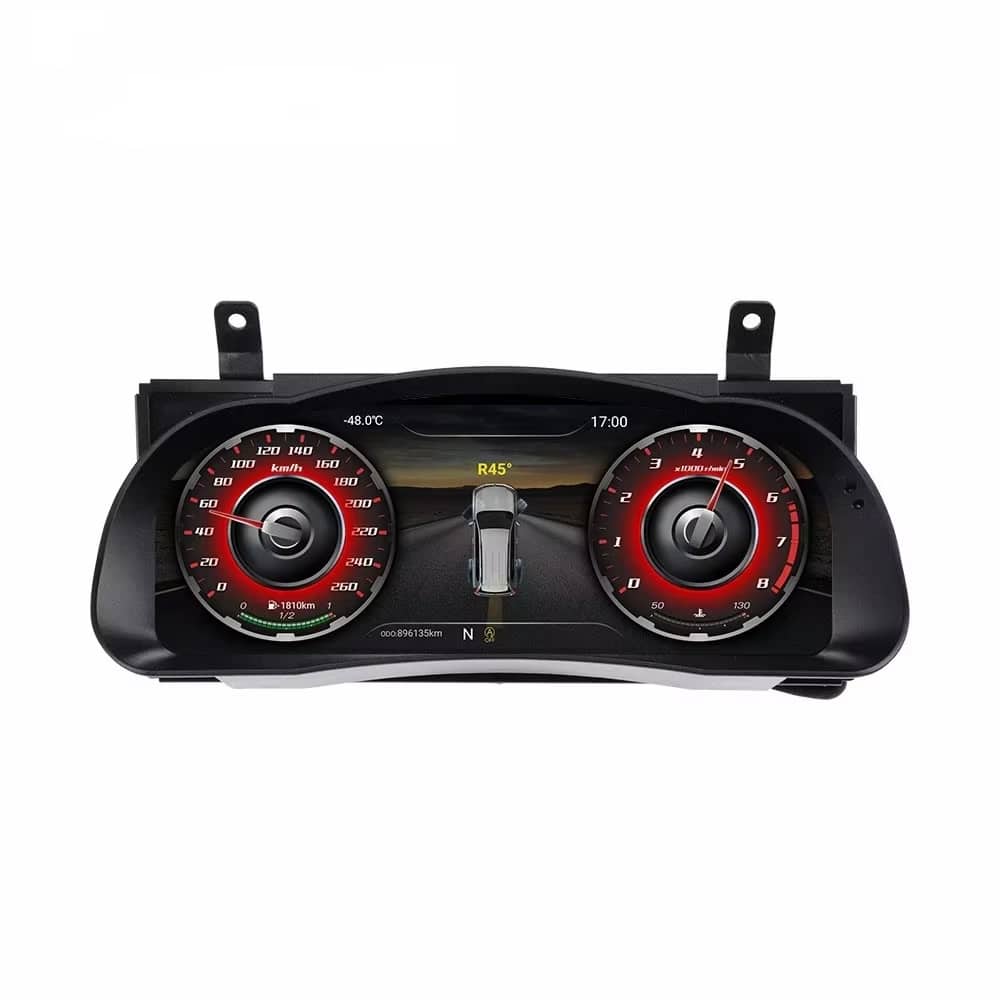
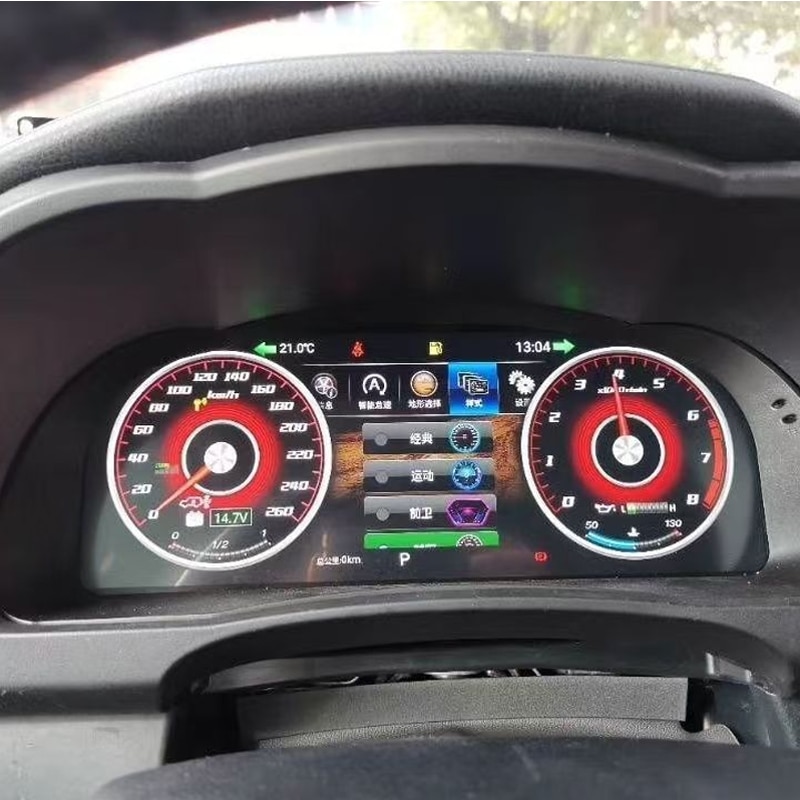
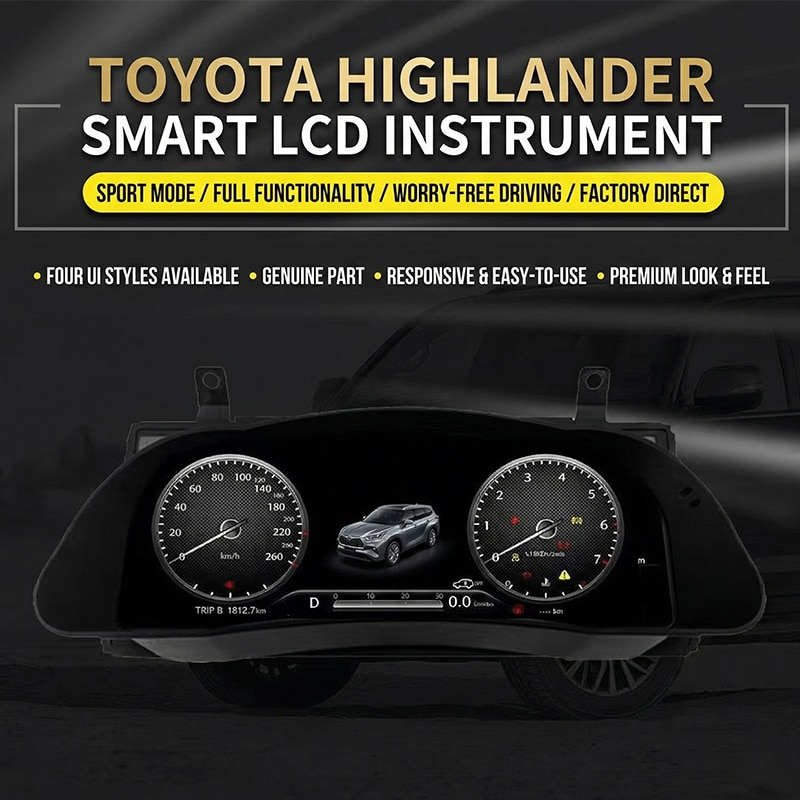
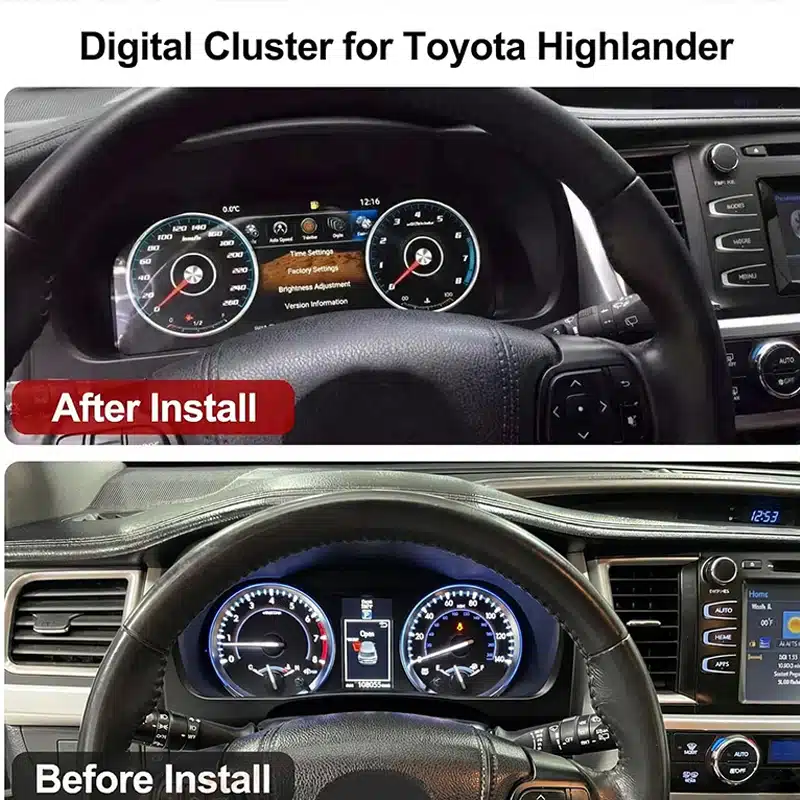
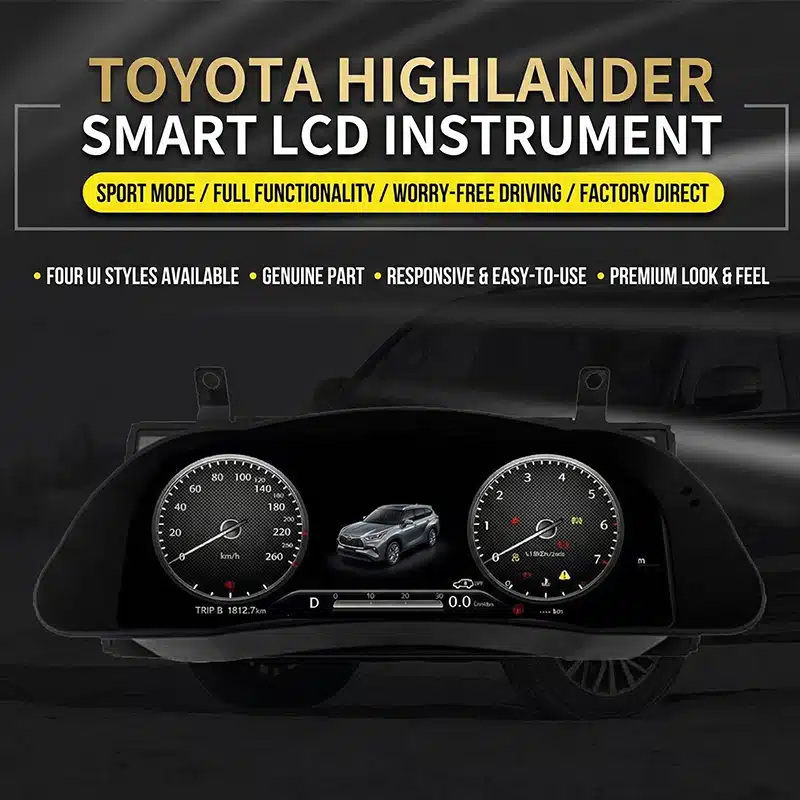
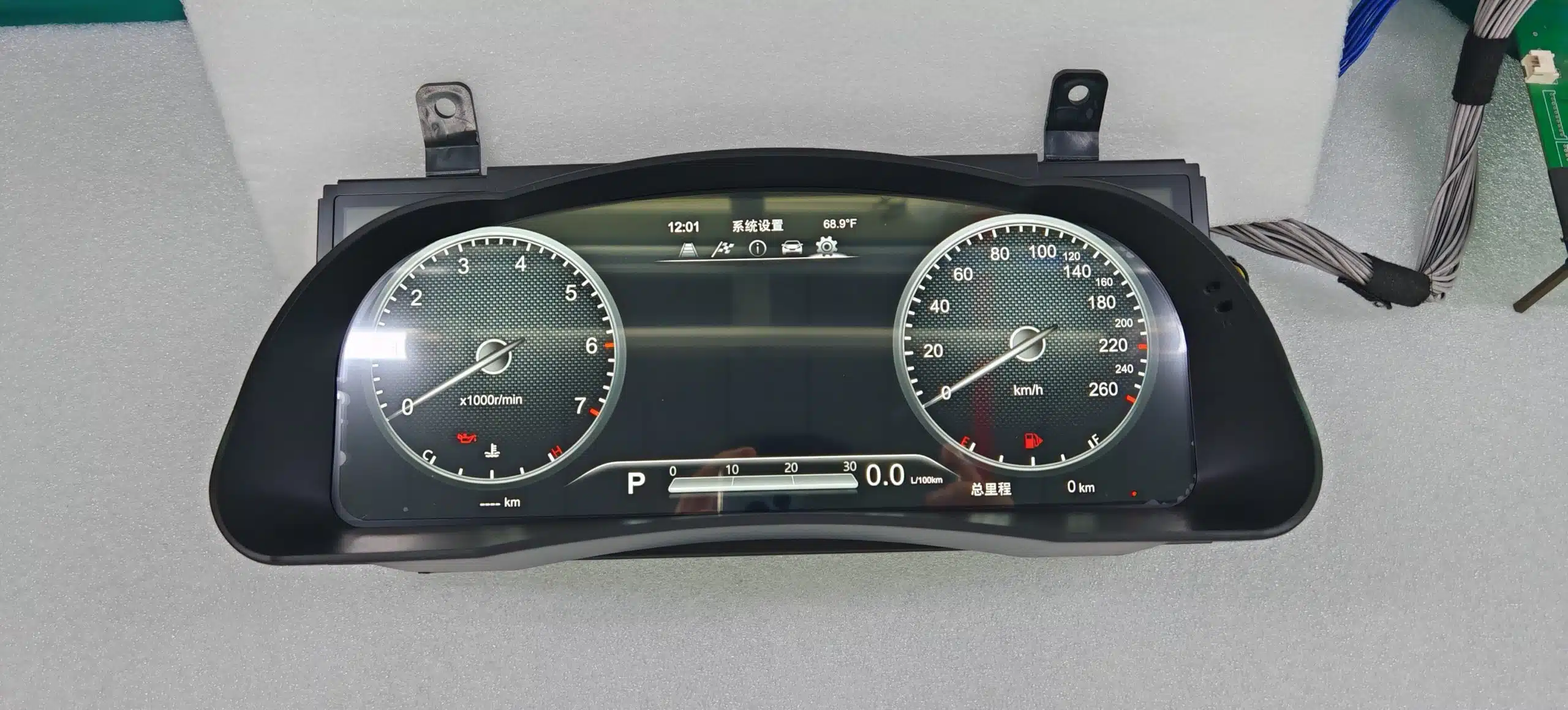
Den Toyota Highlanders digitala instrumentpanel ersätter den traditionella instrumentpanelen med en bred 12,3-tums Linux-skärm med upplösningen 1920×720, vilket ger din Highlander en renare och mer modern förarorienterad förarplats.
Se hastighet, varvtal, körsträcka, reseinformation, bränsleuppgifter, däcktryck samt stödda fordonsvarningar via ett tydligt digitalt gränssnitt som är lättare att avläsa under den dagliga körningen.
Detta är en komplett uppgradering av instrumentpanelen. Den ersätter inte radion i mitten och är inte en modul som enbart stödjer CarPlay, vilket gör att du kan modernisera förardisplayen utan att behöva byta ut hela infotainmentsystemet.
En bred skärm med upplösningen 1920×720 ger mer utrymme för körinformation och förbättrar sikten från förarsätet.
Se information om stödda hastigheter, varvtal, körsträcka, trippmätare, bränsle, däcktryck och varningsmeddelanden på en förarorienterad display.
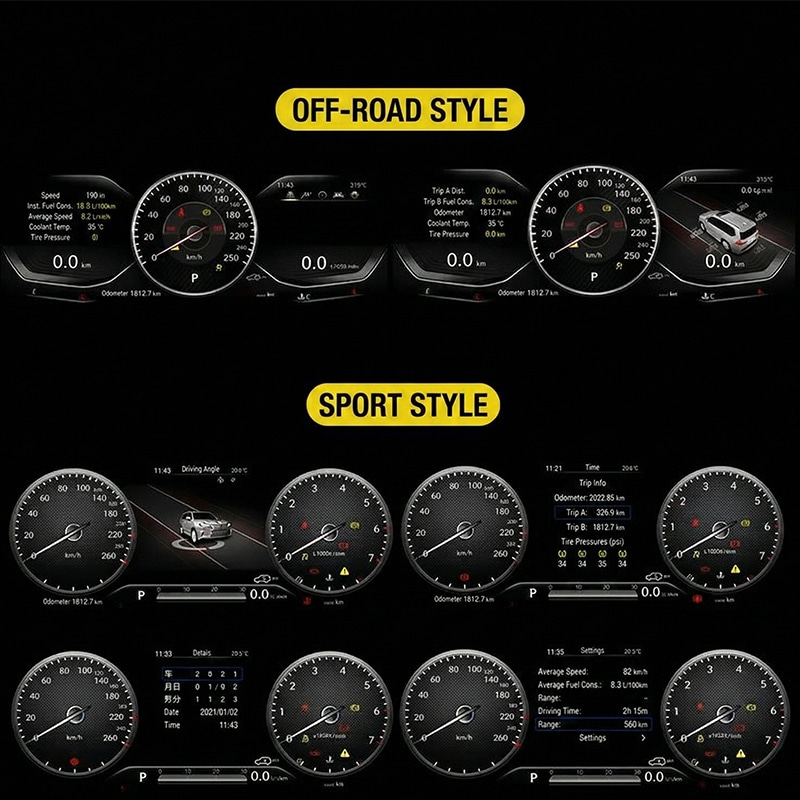
Anpassa instrumentpanelens utseende efter behov – oavsett om det gäller vardagskörning, turkörning, sportinriktad information eller terrängkörning.
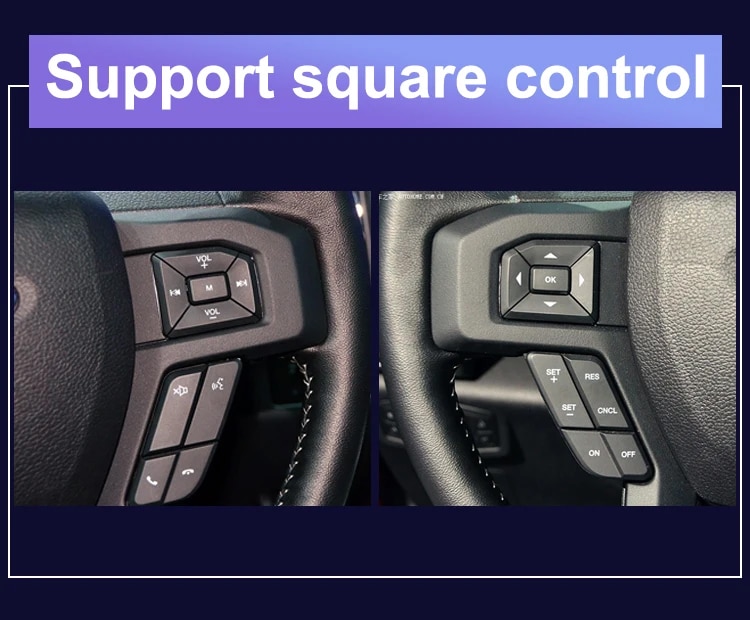
Använd de originalknappar på ratten som stöds för att byta visningssidor och styra kompatibla instrumentpanelfunktioner.
Höljet följer formen på Highlander-instrumentpanelen, vilket ger ett renare och mer integrerat utseende.
iKAGOO kontrollerar tillverkningsår, instrumentpanel, originalinstrumentgrupp, drivlina och regional konfiguration innan beställningen behandlas.
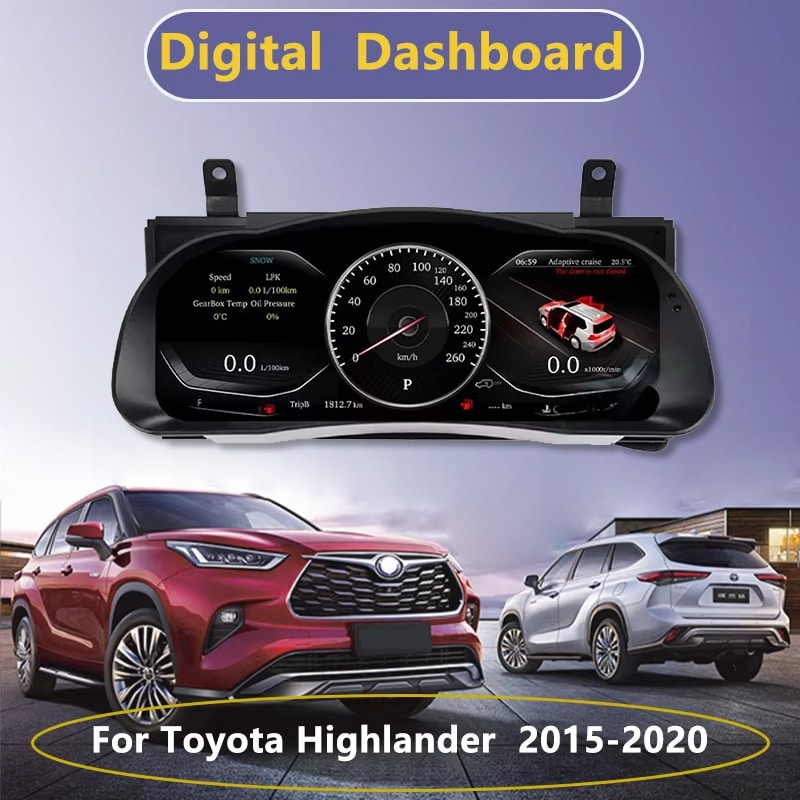
Denna 12,3-tums digitala instrumentpanel är avsedd för kompatibla modeller av Toyota Highlander från 2015–2019. Den utgör en betydande uppgradering för ägare som önskar en större digital hastighetsmätare, tydligare fordonsinformation och en modernare körmiljö.
För att kunna tillverka rätt version kontrollerar iKAGOO ditt fordons årsmodell, foto på instrumentpanelen, instrumentklustrets ursprungliga utseende, om det är en bensin- eller hybridmodell, rattens placering samt vilken marknad fordonet är avsett för innan leverans. Detta hjälper oss att tillverka rätt display, kabeldragning och inställningar för din beställning.
Värde i vardagen
Den största fördelen är inte bara att man ersätter mekaniska mätare med en skärm. Det handlar om att göra den information du använder varje dag lättare att läsa, lättare att strukturera och trevligare att titta på.
Stora digitala och grafiska mätare gör det enklare att avläsa hastighet och motorinformation utan att behöva förlita sig på en liten informationsskärm i mitten.
Information om körsträcka, resor, bränsle, räckvidd, däcktryck och varningsmeddelanden kan presenteras i ett tydligare digitalt format.
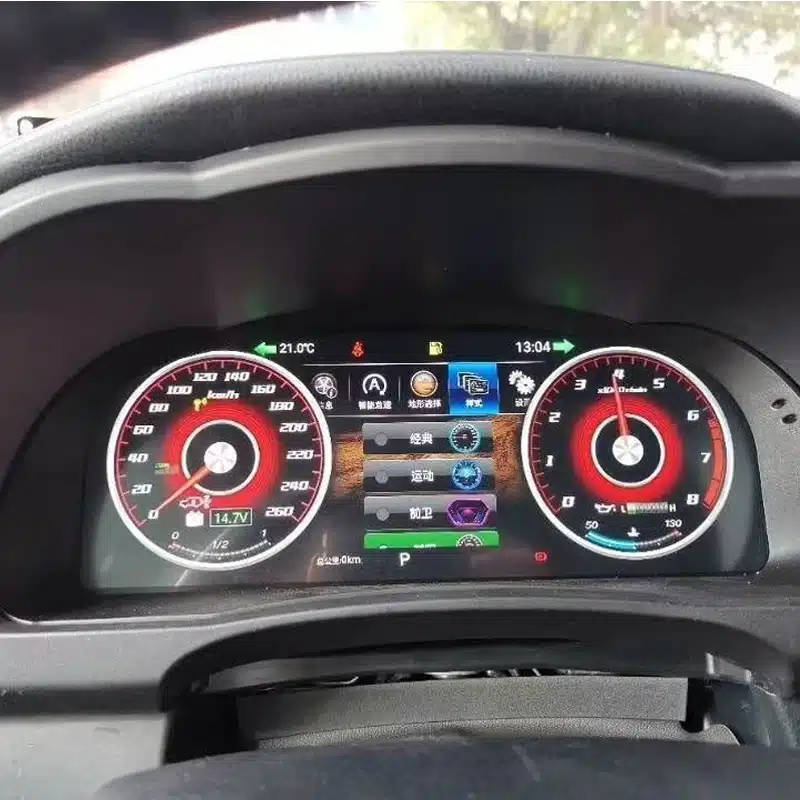
Välj bland de tillgängliga visningslägena för att lyfta fram klassiska mätare, sportinformation, resedata eller en mer överskådlig visning för vardagskörning.
De ursprungliga knapparna på ratten som stöds finns fortfarande tillgängliga, så att du på ett smidigare sätt kan bläddra mellan sidorna i instrumentpanelen och komma åt körinformation.
Uppgradera den del av interiören som ligger rakt framför dig utan att byta ut radion eller byta ut hela mittkonsolsystemet.
iKAGOO använder information om ditt fordon och foton för att ta fram en lämplig instrumentpanelkonfiguration och en anpassad anslutningslösning.
Stöd för fordonets originalfunktioner
Med rätt fordonsversion, anpassad kabeldragning och korrekt installation är instrumentpanelen utformad för att fortsätta visa den information som stöds och som tillhandahålls av din Highlander.
Information om fordonshastighet och motorvarvtal visas fortfarande via det nya digitala instrumentpanelsgränssnittet.
Information om trippmätare, delsträckor och resor finns fortfarande tillgänglig efter att instrumentpanelen har förberetts och konfigurerats korrekt.
Bränslenivå, information om bränsleförbrukning och återstående räckvidd visas fortfarande för den dagliga resplaneringen.
Information om däcktryck och däckvarningar som stöds förblir synliga på den digitala displayen.
Varningar som gäller motor, bromsar, säkerhetsbälten och fordonets status fortsätter att visas även efter korrekt installation.
De ursprungliga rattknapparna som stöds kan fortfarande användas för att styra kompatibla instrumentpanelsidor och inställningar.
I de versioner som stöds kan man välja mellan MPH eller KM/H samt lämpliga enheter för temperatur eller däcktryck.
Information om ACC och avvikelse från körfält som stöds kan fortsätta att visas i fordon som ursprungligen var utrustade med dessa funktioner.
Läs mer om uppgraderingen
Utforska instrumentpanelens utformning, utseendet i kupén och de tillgängliga gränssnittslayouterna för att förstå hur uppgraderingen förändrar körmiljön i Highlander.


iKAGOO:s köpbedömningar
Dessa tre iKAGOO-utvärderingar hjälper dig att avgöra om uppgraderingen passar dina ägarplaner, din fordonskonfiguration och ditt val av installationssätt.
Denna uppgradering ger Highlander-ägare som planerar att behålla bilen ett stort mervärde i vardagen och ger dem en tydligare och modernare upplevelse av förarinformationen.
Uppgraderingen kanske inte är lika nödvändig om den ursprungliga instrumentpanelen fungerar bra och du helst vill behålla interiören helt i originalskick.
Denna produkt utvärderas enligt ramverket ”iKAGOO Upgrade Necessity”, som beaktar fabrikssystemets skick, förbättringar i den dagliga användningen, det långsiktiga ägarvärdet, tillgängliga alternativ samt uppgraderingens praktiska värde.
Läs ramverket för nödvändigheten av en uppgradering av iKAGOODet Highlander-specifika höljet, den anpassade anslutningsvägen och de stödda fordonsdatafunktionerna är utformade för att uppgraderingen ska kännas som en integrerad del av fordonet snarare än som en separat skärm.
Kompatibilitetskvaliteten omfattar den fysiska installationen, fordonsinformation, originalreglage, varningsindikering, gränssnittsdesign och den övergripande integrationen. Det innebär inte att en viss procentandel av originalfunktionerna tas bort.
Detta resultat baseras på iKAGOO:s ramverk för kompatibilitet med originalfordon. Det utvärderar kontinuiteten i fabriksfunktionerna, originalreglage, integration av fordonsdata och varningar, fysisk arkitektur, interaktion i fabriksstil samt integrationsmöjligheter vid installation.
Resultatet visar den övergripande integrationskvaliteten för uppgraderingen. Det innebär inte att samma andel av fabrikens funktioner går förlorade eller bevaras.
Läs iKAGOO:s ramverk för fordonskompatibilitetVi rekommenderar att installationen utförs av en fackman, eftersom arbetet omfattar demontering av instrumentpanelen, anpassning av kontakter, inställning av fordonet samt en fullständig kontroll av varnings-, data- och strömförsörjningsfunktionerna.
En högre installationsnivå speglar omfattningen av det professionella arbete som krävs. Det innebär inte att produktens kvalitet är sämre, att kompatibiliteten är sämre eller att uppgraderingsvärdet är lägre.
Denna installationsnivå fastställs enligt iKAGOO Car Electronics ramverk för installationssvårighetsgrad. Här beaktas demontering av instrumentpanelen, anslutning av ledningar, kabeldragning, CANBUS- konfiguration, funktionstestning, strömförsörjning samt den erfarenhetsnivå som krävs av installatören.
Installationssvårigheten beskriver den arbetsinsats som krävs för att genomföra installationen på rätt sätt. Den innebär inte att produkten har lägre kvalitet eller lägre uppgraderingsvärde.
Läs iKAGOO:s ramverk för installationssvårighetsgradVälj rätt uppgraderingsväg
Varje lösning tillgodoser ett annat behov. Den här jämförelsen hjälper dig att välja det alternativ som passar bäst för det du vill förbättra i din Highlander.
| Alternativ | Vad som förändras | Lämpar sig bäst för | Huvudsaklig övervägande |
|---|---|---|---|
| iKAGOO Digital Cluster | Ersätter den ursprungliga mätarenheten med en komplett digital display. | Ägare som vill ha moderna instrument, valbara teman och tydligare körinformation. | Kräver fordonsspecifika förberedelser och professionell montering. |
| Reparation av originalkluster | Reparerar den befintliga instrumentenheten från fabriken. | Ägare som föredrar det ursprungliga utseendet och endast behöver åtgärda ett befintligt fel. | Den reparerade enheten behåller sin ursprungliga skärmdesign. |
| Begagnad originalinstrumentpanel | Ersätter den defekta instrumentpanelen med en annan enhet i originalstil. | Ägare som kan skaffa fram en exakt matchande originaldel. | Körsträcka, kodning, specifikationer och delarnas skick kan kräva extra uppmärksamhet. |
| CarPlay-modul | Lägger till stöd för telefonanslutning till infotainmentsystemet i mitten. | Ägarna vill främst ha funktioner för navigering via telefonen, musik och samtal. | Den ersätter eller moderniserar inte instrumentpanelen. |
| Android-huvudenhet | Uppgraderar mittskärmen och multimediasystemet. | Ägare som vill ha Android-appar, navigations- och multimediafunktioner. | Det är en annan produkt än den här instrumentdisplayen. |
Läs mer om produkten
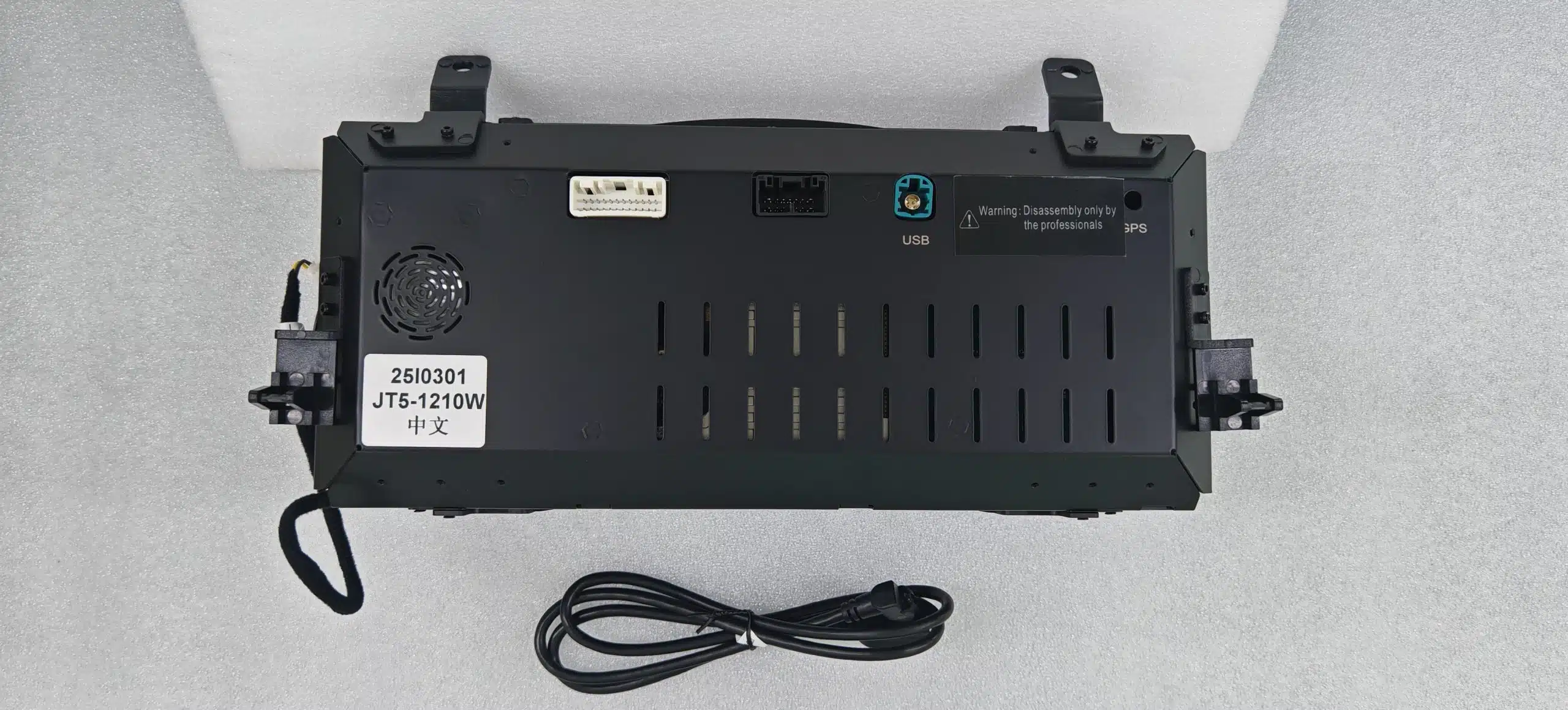
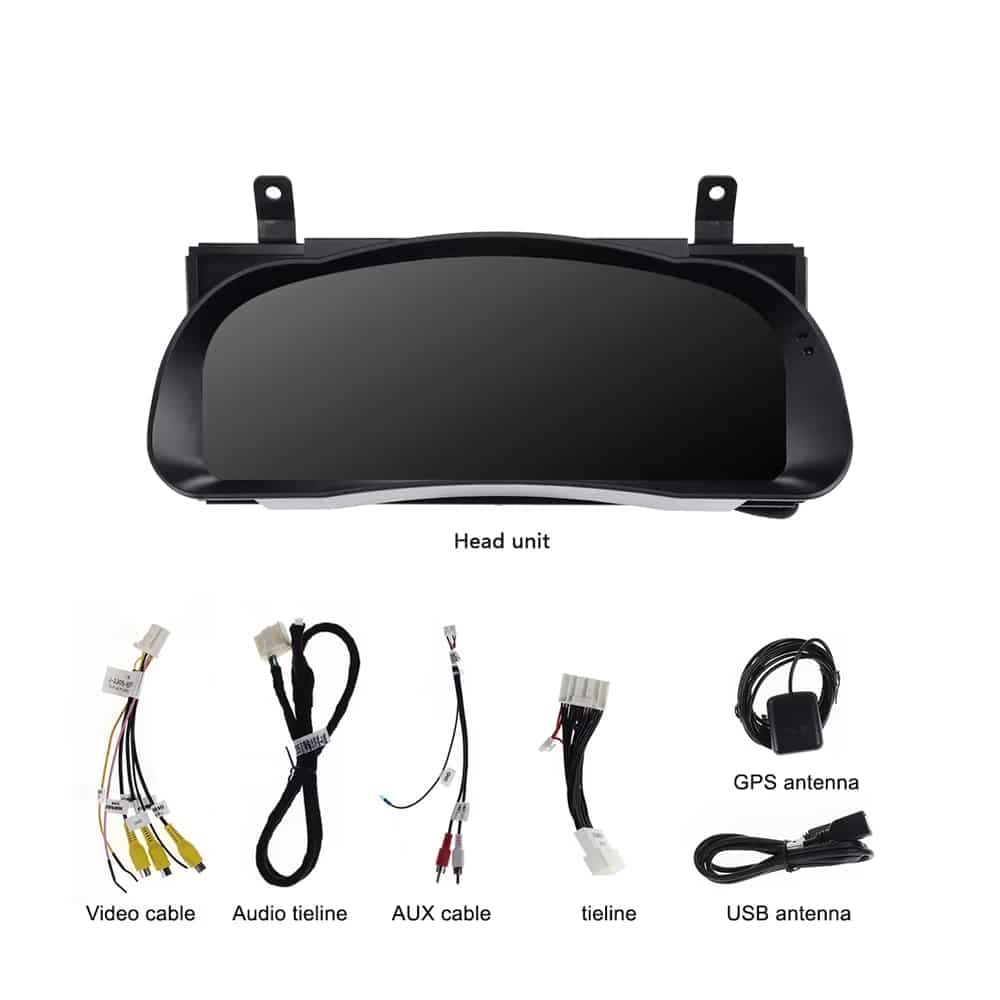
Gå igenom visningsalternativen, den fysiska klusterenheten, anslutningarna på baksidan, medföljande kablar och exempel på rattreglage innan du väljer din konfiguration.
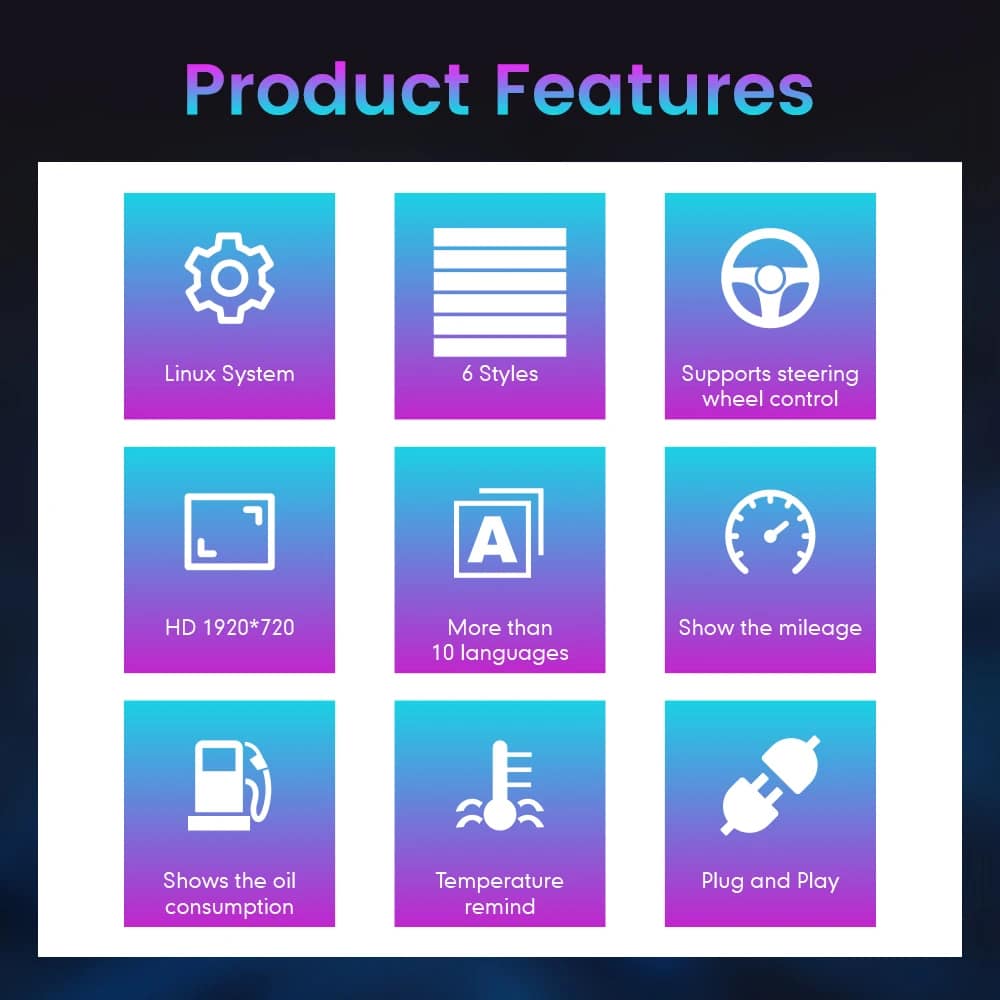
Produktspecifikationer
Detta instrumentkluster är inriktat på fordonsinformation och förardisplayen. Det är inte avsett att ersätta multimediafunktionerna i en Android- huvudenhet eller ett CarPlay-system.
| Produkttyp | Komplett fordonsspecifik digital instrumentpanel |
|---|---|
| Användningsområde för fordon | Toyota Highlander, stöd för modeller från 2015 till 2019 |
| Displaystorlek | 12,3 tum |
| Skärmtyp | Digital instrumentpanel med HD QLED-skärm |
| Upplösning | 1920 × 720 |
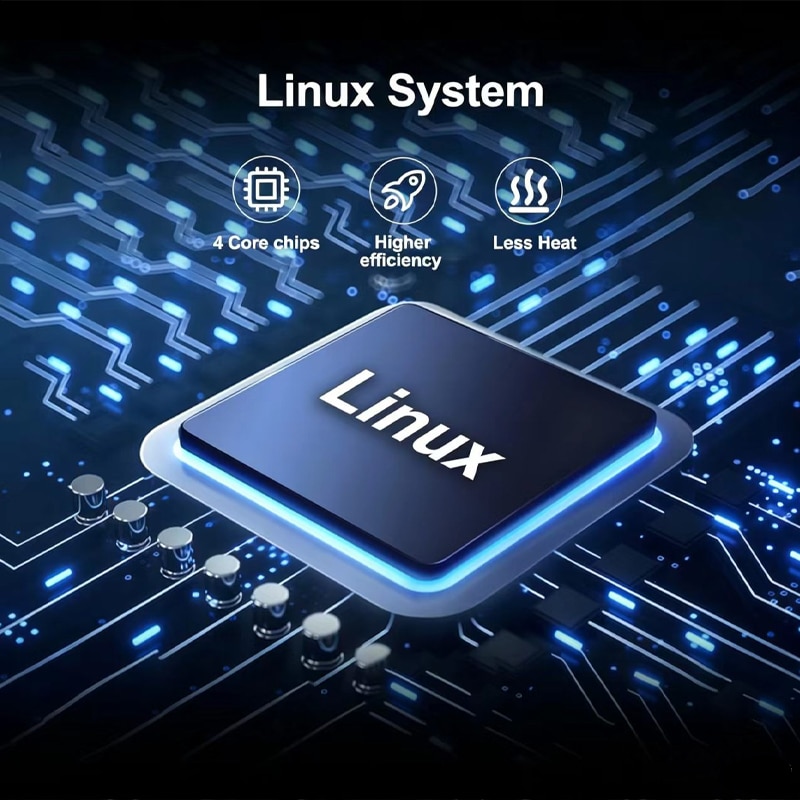
| Operativsystem | Linux |
| Uppdatera prestanda | Upp till 60 fps |
| Start | Snabb uppstart av Linux, utformad för användning i instrument |
| Visningsteman | Sex olika gränssnittsstilar att välja mellan |
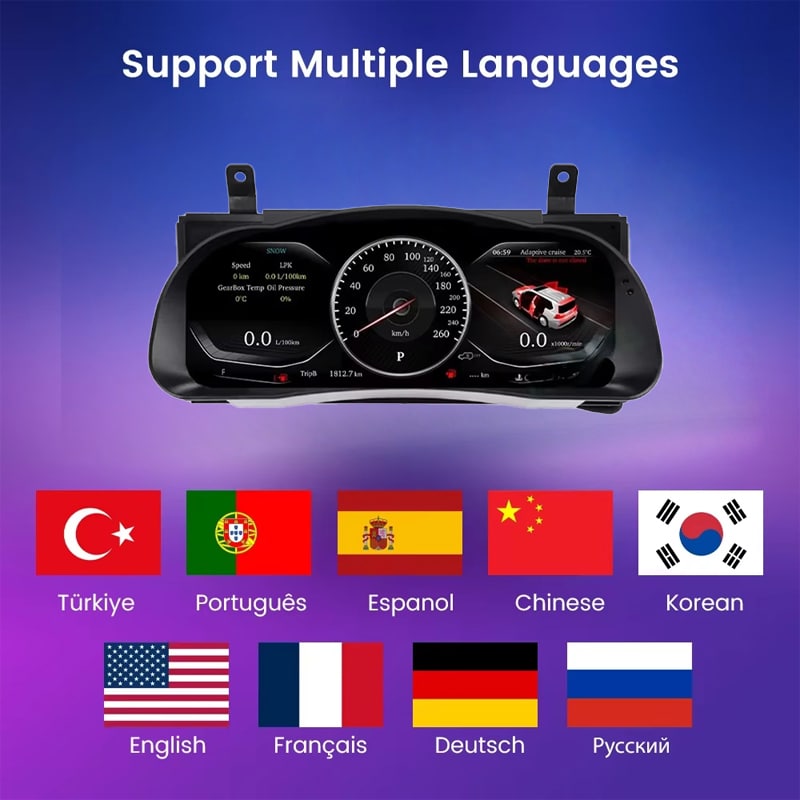
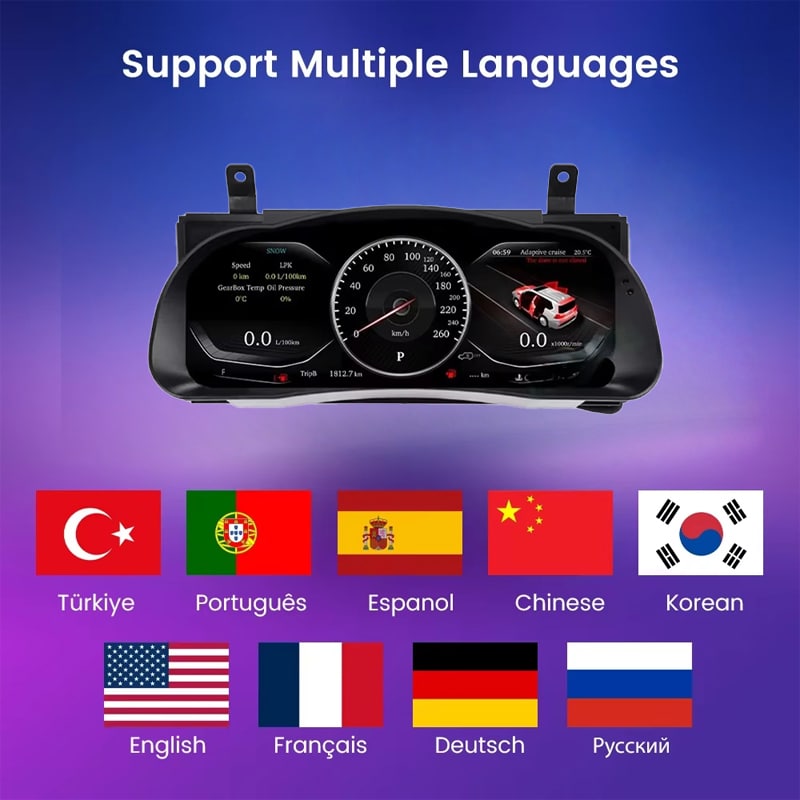
| Språk | Mer än 10 språk som stöds i gränssnittet; ange vilket språk du föredrar vid beställningen |
| Fordonsinformation | Information om tillåten hastighet, varvtal, körsträcka, trippmätare, bränsle, räckvidd, TPMS och varningsmeddelanden från fordonet |
| Enheter | Inställningar för enheterna MPH/KM/H, temperatur och däcktryck stöds |
| Standardkontroller | Stöd för originalfunktionerna på ratten |
| Angivet driftsområde | -40 °C till +80 °C |
| Anslutningsmetod | Anpassad, fordonsspecifik anslutningsväg utformad för att undvika avsiktlig avskärning av den stödda fabriksmonterade huvudkabeln |
| Tillgängliga årsklasser | Versionerna 2015–2018 och 2018–2019 |
| Fraktvikt | 8 kg |
| Förpackningens mått | 48 × 38 × 28 cm |
| Produktfokus | Digitala instrument och information om kompatibla fordon. Android- appar, Apple CarPlay, Android Auto, DSP-ljud, 4G, Wi-Fi och Bluetooth-multimediafunktioner ingår inte i denna produkts funktionsomfång. |
Välj rätt konfiguration
Ditt modellår är viktigt, men även instrumentpanelens ursprungliga utseende, drivlinan och fordonets marknad hjälper iKAGOO att ta fram den mest lämpliga konfigurationen.
Välj detta alternativ för den tillämpliga tidigare instrumentkonfigurationen efter att du har bekräftat det ursprungliga utseendet på instrumentpanelen med iKAGOO.
Välj detta alternativ för den tillämpliga senare instrumentkonfigurationen efter att iKAGOO har kontrollerat den ursprungliga layouten för instrumentpanelen och instrumentklustret.
Hårdvara och anslutningar
iKAGOO förbereder de anslutningstillbehör som krävs utifrån de fordonsuppgifter som bekräftats för din beställning.
Kabelanslutningarna kan variera beroende på fordonets årsmodell, originalinstrumentpanel, bensin- eller hybridkonfiguration samt vilken marknad fordonet är avsett för. iKAGOO tar fram en anslutningslösning efter att ha kontrollerat uppgifterna om ditt fordon.
iKAGOO – Förberedelse av fordon
Med hjälp av några tydliga uppgifter om fordonet kan iKAGOO förbereda lämplig display, kabeldragning och konfiguration innan din beställning skickas.
Ange exakt modellår, särskilt vid beställning av en Highlander från 2018.
Skicka en bild med vidvinkel som visar ratten, den ursprungliga instrumentpanelen och den omgivande instrumentbrädan.
Skicka en tydlig bild framifrån som visar den ursprungliga instrumentpanelens utformning och den centrala informationsdisplayen.
Ange drivlinan så att lämpligt varvtal, bränsle eller energi kan förberedas.
Ange land, amerikanska specifikationer i förekommande fall samt om fordonet har vänsterstyrning eller högerstyrning.
Berätta för oss om utbytta komponenter, ändrad kabeldragning, larm eller annan eftermarknadselektronik i fordonet.
Installationsplanering
En korrekt installation innebär mer än att bara ansluta instrumentpanelen. Installatören bör även kontrollera de visade fordonsuppgifterna, varningsmeddelandena, styrreglagen och hur systemet beter sig vid avstängning.
Fotografera den ursprungliga mätarställningen, varningsindikatorer, enheter, bränslenivå, instrumentpanelen och instrumentklustret innan demontering.
Använd lämpliga verktyg för trimning och skydda instrumentpanelen, rattstången och omgivande ytor i kupén.
Koppla bort fordonets strömförsörjning på rätt sätt och ta bort den ursprungliga instrumentpanelen utan att dra i eller vrida på fabrikskontakterna.
Se till att varje anslutning stämmer överens vad gäller kontaktens form, spärrning och de medföljande anvisningarna. Tvinga aldrig in en kontakt i en olämplig anslutning.
Bekräfta om det är bensin- eller hybridmodell, antal enheter, språk, rattstyrning samt gällande inställningar för fordonsdata.
Kontrollera hastighet, varvtal, körsträcka, reseinformation, bränsle, TPMS, varningslampor, styrfunktioner och information om säkerhetsutrustning.
Stäng av och lås fordonet, och kontrollera sedan att instrumentpanelen följer det förväntade beteendet vid avstängning och viloläge.
Sätt tillbaka trimdelen först efter att nödvändig information om fordonet, varningar, reglage och strömförsörjningens funktion har kontrollerats.
Att avbryta arbetet vid detta skede bidrar till att skydda fordonet, den fabriksmonterade kabeldragningen och den nya instrumentpanelen medan iKAGOO ger rätt anvisningar för anslutningen.
Inköp och kundservice
Din beställning omfattar mer än bara skärmen. iKAGOO hjälper även till med att förbereda fordonets konfiguration och bistår vid installationen samt eftermarknadsprocessen.
Bilens tillverkningsår, instrumentpanel, originalinstrumentgrupp, drivlina och regionala specifikationer används för att ta fram den lämpliga versionen.
Beställningen skickas via en tillgänglig spårbar leveransväg efter att fordonsuppgifterna och produktkonfigurationen har sammanställts.
Godkända och verifierade hårdvarufel hanteras enligt den gällande begränsade hårdvarugarantin från iKAGOO.
iKAGOO kan hjälpa till att granska anslutningsbilder, fordonsinställningar och information om funktionstester när installationshjälp behövs.
Vänligen ange korrekta uppgifter om fordonet och skicka in de begärda bilderna innan köpet så att iKAGOO kan förbereda rätt version. Felaktiga uppgifter om fordonet, dolda modifieringar eller begränsningar i fordonets system betraktas inte som skäl för ovillkorlig retur och återbetalning.
När iKAGOO bekräftar kompatibiliteten före köpet, fordonsinformationen är korrekt och kunden samarbetar vid rimliga åtgärder för att lösa installationsproblem, kommer ett bekräftat kompatibilitetsfel hos iKAGOO att hanteras enligt gällande retur- och återbetalningspolicy.
Frakt enligt DDP eller inklusive skatt gäller endast när detta anges eller uttryckligen bekräftas för destinationen och beställningen.
Fraktpolicy • Garantivillkor • Retur- och återbetalningspolicy • DDP-guide
Vanliga frågor om Highlander Digital Cluster
De tillgängliga versionerna är avsedda för stödda konfigurationer av Toyota Highlander från 2015–2019. iKAGOO kontrollerar tillverkningsår, originalinstrumentpanel, bensin- eller hybridkonfiguration, fordonets marknad, rattens placering samt bilder på instrumentpanelen innan beställningen behandlas.
Välj mellan versionerna 2015–2018 och 2018–2019 utifrån den ursprungliga instrumentkonfigurationen som bekräftats av iKAGOO. Ägare av fordon från 2018 bör skicka in bilder på instrumentpanelen och den ursprungliga instrumentgruppen så att rätt version kan identifieras.
Det är en komplett digital instrumentpanel som ersätter den gamla. Den uppgraderar förarens instrumentdisplay men lägger inte till CarPlay i radion i mitten.
De ursprungliga rattknapparna som stöds fortsätter att fungera för kompatibla instrumentpanelsidor och inställningar efter att rätt fordonsversion har förberetts och konfigurerats.
Det anpassade modulen är utformat för att visa information om fordonets körsträcka efter korrekt förberedelse och konfiguration. Notera den ursprungliga mätarställningen före installationen och kontrollera den information som visas innan den slutliga återmonteringen.
Information från TPMS-systemet och fordonets varningsindikatorer fortsätter att visas via den matchade fordonsdataförbindelsen. Installatören bör kontrollera alla nödvändiga varnings- och statusindikatorer innan installationen slutförs.
Denna produkt ersätter instrumentpanelen, inte infotainmentsystemet i mitten. Den ursprungliga backkameran, radion, förstärkaren och högtalarna ingår fortfarande i fordonets befintliga system.
Bensin- och hybridbilar har olika krav på körinformation. Ange exakt vilken drivlinje som gäller före leveransen så att iKAGOO kan förbereda lämplig display och fordonskonfiguration.
Den anpassade anslutningsvägen är utformad för att undvika att man avsiktligt klipper av den medföljande huvudkabeln från tillverkaren. Om en kontakt inte passar eller om installationen verkar kräva att huvudkabeln klipps av, ska du avbryta arbetet och kontakta iKAGOO för vägledning.
Professionell installation rekommenderas. Arbetet omfattar demontering av instrumentpanelens klädsel, byte av instrument, hantering av anslutningar, konfigurering av fordonet samt fullständiga tester av varningssystem, data och strömförsörjning.
Efter installationen ska du stänga av och låsa fordonet samt kontrollera att instrumentpanelen stängs av och övergår till det förväntade viloläget. Om den förblir strömsatt, startar om upprepade gånger eller aktiveras oväntat, ska du avbryta installationen och kontakta iKAGOO.
I paketet ingår den digitala instrumentpanelen samt tillhörande anslutningstillbehör som är anpassade för den bekräftade fordonsversionen. Produktbilderna visar en videokabel, en ljudanslutningskabel, en AUX-kabel, en huvudanslutningskabel, en GPS-antenn och en USB-kabel.
Godkänd hårdvara omfattas av den gällande 12-månaders iKAGOO begränsade hårdvarugarantin från och med bekräftad leverans. Support för installation, konfiguration och felsökning erbjuds i enlighet med gällande produkt- och villkorsbestämmelser.
Ange exakt år, foto av instrumentpanelen, foto av originalinstrumentpanelen, bensin- eller hybridkonfiguration, land eller fordonsmarknad, uppgifter om vänster- eller högerstyrning samt information om eventuella tidigare modifieringar.
iKAGOO jämför ditt fordons tillverkningsår, instrumentpanelens ursprungliga utseende, instrumentpanelens uppbyggnad, drivlina, regionala konfiguration och rattens placering med den tillgängliga instrumentpanelen och kabeldragningslösningen innan beställningen sammanställs.
Undersök innan du köper
Välj årsmodell i köpområdet och ange foto på instrumentpanelen, foto på originalinstrumentpanelen samt information om drivlina och fordonets marknad. iKAGOO kommer att använda dessa uppgifter för att ta fram lämplig display, kabeldragning och konfiguration för din beställning.
Toyota och Highlander är varumärken som tillhör sina respektive ägare. iKAGOO är en oberoende leverantör av fordonsspecifik elektronik för eftermarknaden och har ingen anknytning till Toyota Motor Corporation.
Du måste vara logged in för att publicera en recension.


Tydlig information om fordonskompatibilitet, orderberedning, internationell leverans, garanti, returer och support efter försäljning.
Fordonsspecifik elektronik kräver rätt version, kablage och konfiguration. Vår process är utformad för att minska undvikbara kompatibilitets- och installationsproblem.
Fordonsmodell, årsmodell, originalsystem och relevant konfigurationsinformation kan granskas före köp för att minska risken för att välja fel version.
Före leverans kontrolleras beställningen mot den bekräftade fordonsinformationen så att rätt version, konfiguration och nödvändiga fordonsspecifika komponenter kan förberedas.
Vårt mål är att få din beställning rätt innan den lämnar oss. Vi verifierar kompatibilitet, förbereder rätt installation och kontaktar dig endast om något fortfarande behöver bekräftas.
En praktisk sammanfattning av de viktigaste villkoren som gäller för fordonsspecifika iKAGOO-beställningar.
De flesta iKAGOO-beställningar skickas från vår lagerplats i Kina efter att produktkonfigurationen och fordonsinformationen har kontrollerats.
Normal orderhantering tar ungefär 1-3 arbetsdagar. Beräknad leverans efter avsändning är i allmänhet:
Tullklarering, helgdagar, väder, transportförseningar och leverans till avlägsna områden kan påverka dessa uppskattningar.
Standard internationell frakt inkluderar normalt inte destinationslandets moms, importtullar, mäklaravgifter eller tullklareringavgifter.
För berättigade destinationer inom Europeiska unionen, DDP-frakt kan vara tillgänglig. Importrelaterade avgifter ingår endast när DDP väljs i kassan eller bekräftas skriftligen av iKAGOO före leverans.
När DDP inte väljs är avgifter som tas ut av lokala tullmyndigheter eller transportföretaget normalt mottagarens ansvar.
Express- eller snabbare frakt kan vara tillgänglig för utvalda produkter och destinationer. Tillgänglighet, transportör och eventuella extrakostnader bekräftas före leverans.
Beroende på rutt och produkttyp kan iKAGOO använda DHL, FedEx, UPS, EMS, 4PX eller en annan spårbar logistikleverantör.
Efter sändning skickas spårningsnumret eller spårningslänken normalt till den e-postadress som användes för beställningen. Spårningsuppdateringar kan ta flera arbetsdagar innan de visas under internationella transportöverföringar.
Returberättigande beror på orsaken till returen, produktens skick, installationsstatus, stödjande bevis och om returen har godkänts av iKAGOO.
För en godkänd retur utan defekt måste produkten normalt förbli oanvänd, inte installerad, komplett och lämplig för återförsäljning. Kunden är i allmänhet ansvarig för godkända returfraktkostnader.
Originalfrakt, DDP, moms, tullar och andra logistikkostnader är i allmänhet inte återbetalningsbara om inte lagen kräver det eller annat bekräftats av iKAGOO.
Skicka inte tillbaka en produkt innan du har fått en godkänd returadress och returinstruktioner från iKAGOO.
Ytterligare skydd kan tillämpas när iKAGOO har granskat fordonskompatibiliteten, kunden har lämnat korrekt fordonsinformation och rimliga installations- och diagnostiska åtgärder har slutförts.
Om iKAGOO bekräftar att ingen rimlig teknisk lösning är tillgänglig och problemet rapporteras inom 7 kalenderdagar efter leveransen, kan kunden vara berättigad till återbetalning av produktpriset utan att behöva returnera produkten.
Originalfrakt, DDP, moms, tullavgifter och andra tredjepartsavgifter ingår inte i denna återbetalning av produktpriset.
Berättigade produkter inkluderar en 12 månaders begränsad hårdvarugaranti som täcker verifierade tillverkningsfel och berättigade maskinvarufel vid normal användning.
Beroende på det verifierade problemet kan supporten omfatta fjärrdiagnos, konfigurationshjälp, reservdelar, reparation, utbyte, delvis återbetalning eller full återbetalning.
Inspektion eller undersökning av tredje part upphäver inte automatiskt hela garantin. Skador som orsakats av obehörig reparation, felaktig modifiering, brutna kretsar, felaktig återmontering, felaktig kabeldragning, stötar, vatteninträngning eller felaktig användning täcks dock normalt inte.
Kontakta iKAGOO innan du demonterar, modifierar eller reparerar produkten så att rätt diagnostisk procedur kan tillhandahållas.
Kontakta iKAGOO inom 7 kalenderdagar efter leveransen och behåll den ursprungliga förpackningen, fraktiketten, tillbehören och produkten.
Vänligen skicka tydliga bilder eller videoklipp som visar:
Efter verifiering kan iKAGOO ordna en leverans av saknade delar, ersättning, reparation, återbetalning eller en annan rimlig lösning.
Kontakta iKAGOO så snart som möjligt och före installation. Vid ändringar av adress, fordonskonfiguration eller produkt, kontakta oss företrädesvis inom 12 timmar efter att beställningen gjorts.
Ett byte eller en retur kan godkännas när en felaktigt vald produkt förblir oanvänd, inte monterad, komplett och lämplig för återförsäljning. Kunder ansvarar normalt för relevanta fraktkostnader och prisskillnader.
Fordonsspecifika produkter kan komma att gå igenom inköp, programmering, testning eller konfigurering kort efter betalning. När förberedelse eller frakt har påbörjats kan avbokning inte längre vara möjlig, eller skäliga kostnader som redan uppkommit kan dras av.
Paketets innehåll varierar beroende på produkt, fordonsmodell, fabrikssystem och vald konfiguration.
Beroende på produkt kan paketet innehålla huvudenheten, fordonsspecifika kabelstammar, CANBUS-gränssnitt, adaptrar, USB-kablar, antenner, mikrofoner, monteringsdetaljer eller andra nödvändiga installationstillbehör.
Hänvisa till relevanta produktbilder, specifikationer och orderbekräftelse för det exakta innehållet i din beställning.
Du kan kontakta iKAGOO via webbplatsens kontaktformulär, WhatsApp eller andra tillgängliga supportkanaler. Typisk svarstid är inom 24 arbetstimmar.
För snabbare teknisk diagnos, inkludera ditt ordernummer, fordonsmodell och årsmodell, relevanta foton på fabrikssystemet, produktfoton och en tydlig video som visar problemet.
Betalningar behandlas via de säkra betalningsmetoderna som visas i kassan.
Tillgängliga kort-, plånboks- och delbetalningsalternativ kan variera beroende på land, valuta, betalningsleverantör och kundens behörighet.
Delbetalningstjänster, inklusive alternativ som erbjuds av PayPal eller en annan betalningsleverantör, är fortfarande föremål för den leverantörens regionala tillgänglighet och godkännandekrav.
Detta avsnitt är en förenklad kundguide. De fullständiga publicerade policy-sidorna, orderbekräftelsen och tillämplig konsumentlagstiftning har företräde om någon formulering skiljer sig.
Uppgradera ditt Toyota Prado J120 digitala kluster för LC120, Prado 120 och Lexus GX470 med 12.3″ 1920×720 Linux disp...
$780.00 Det ursprungliga priset var: $780.00.$680.00Det nuvarande priset är: $680.00.
Slutgiltig frakt bekräftas utifrån din leveransadress i kassan.

Välj vad du planerar att köpa. Vi visar bara de detaljer som behövs för den produkten.
Vi går igenom detaljerna och skickar den rekommenderade produktversion till din e-post.
Vi använder nödvändiga cookies för att hålla webbplatsen säker och fungera korrekt. Med ditt samtycke kan vi också använda analyscookies för att förbättra surfupplevelsen. Se vår Integritetspolicy.




Colin Mercer -
Jag var främst intresserad av hur systemet skulle fungera vid kalla morgonstarter. Hittills startar det snabbt och displayen förblir tydlig även när kupén fortfarande är kall. Informationen om däcktrycket är särskilt användbar vid temperaturväxlingar under vintern. Det tog flera körningar innan jag bestämde mig för vilken layout jag föredrog, men gränssnittet är lätt att förstå när de grundläggande inställningarna väl är klara.