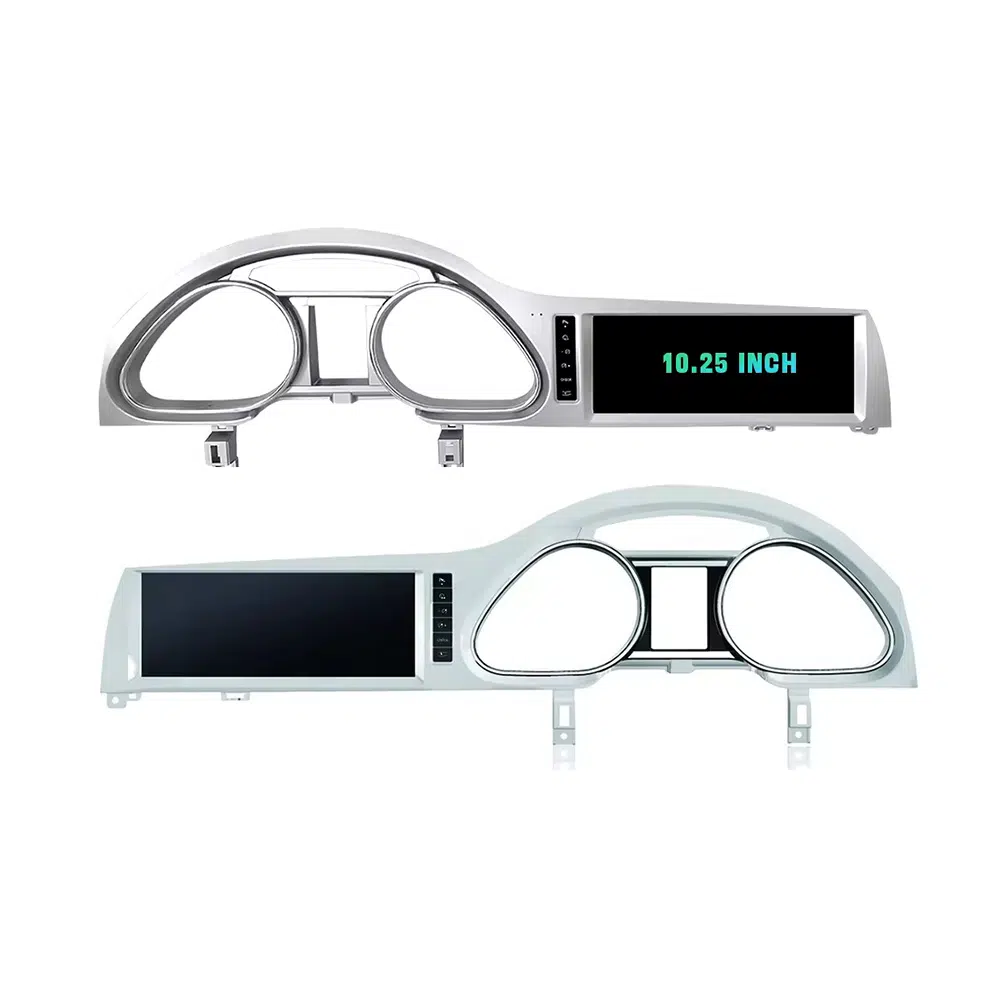
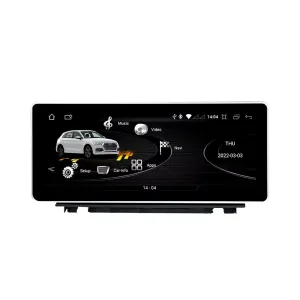
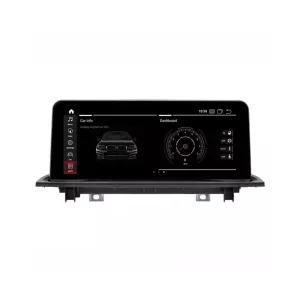
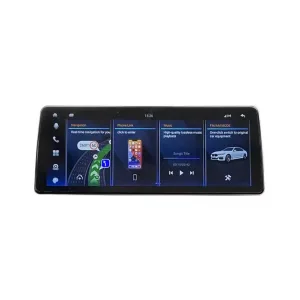
Upgrade your Audi Q7 4L with a vehicle-specific 10.25-inch Android screen route that adds wireless CarPlay, Android Auto, GPS navigation, DSP audio, WiFi/4G and supported Audi system switching without turning the cabin into a generic tablet installation.
Before shipment, iKAGOO checks your model year, dashboard frame, CD/MMI panel, steering position, factory amplifier, MOST fiber-optic route, camera system and connector photos to prepare the correct screen, harness and vehicle interface for your order.
Audi Q7 10.25 Android Screen Upgrade 2006–2015
This iKAGOO upgrade is a vehicle-specific 10.25 Android screen upgrade for selected Audi Q7 4L vehicles from 2006 to 2015. It upgrades the old factory display experience with a wider Android touchscreen, wireless CarPlay, Android Auto, GPS navigation, Bluetooth, WiFi/4G and DSP audio on supported hardware versions. Supported Audi functions such as original system switching, steering-wheel controls, original camera route, original speaker output and vehicle information can continue to work after the correct frame, CANBUS, audio adapter and decoder route are prepared. Before shipment, iKAGOO checks your vehicle year, LHD/RHD position, MMI/CD panel, Bose or MOST fiber-optic requirement and connector photos. It is suitable for Q7 owners who want a modern screen upgrade instead of only repairing or keeping the old MMI screen.
Why This 10.25 Android Screen Upgrade Fits the Audi Q7 4L
Modern screen without a cheap tablet look
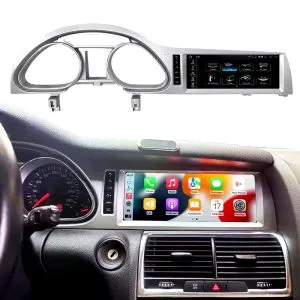
The Q7 dashboard has a wide factory screen area. This 10.25-inch route uses the vehicle-specific frame shape so the upgrade looks integrated with the original trim.
Daily-use CarPlay and Android Auto
Use phone maps, calls, music, messages and compatible voice functions on a larger in-dash display instead of relying only on the old MMI interface.
MMI, Bose and MOST checked before shipment
Audi Q7 screen upgrades fail when the audio route is guessed. iKAGOO checks the MMI panel, amplifier and fiber-optic route before preparing the order.
Original Audi Functions Supported After Correct Matching
These functions depend on the confirmed vehicle system, correct harness, CAN decoder, camera route, audio adapter and installation configuration.
- Original Audi menu access
Supported original-system switching can be retained through the matched integration route. - Rattkontroller
Supported steering-wheel buttons can continue to work through the matched CAN decoder. - Original camera route
Rear camera AHD/CVBS and 360 camera routes must be confirmed before shipment. - Bose / amplifier audio route
Factory speaker output can work when the correct amplifier or MOST fiber-optic decoder route is prepared. - Original fordonsinformation
Supported vehicle data can continue to display through the correct system-switching and CANBUS route. - Skydd av fabrikens ledningsdragning
The matched harness is designed for clean connection without intentionally cutting the supported factory main wiring.
Confirm Your Audi Q7 4L Before We Prepare the Screen
Vehicle Information Needed Before Shipment
- Exact Audi Q7 year and market region.
- Vänster- eller högerstyrning.
- Originalbild på instrumentpanelen och skärmen.
- Foto av original-CD:n / MMI-kontrollpanelen.
- Factory audio system: Bose, external amplifier or standard audio.
- Original connector photos if requested.
- Whether your Q7 has MOST fiber optic, original rear camera or 360 camera.
- Preferred hardware version: 4GB+64GB or 8GB+256GB.
Why these details matter
The Audi Q7 4L can use different dashboard frames, CD panels, MMI systems, Bose amplifiers, MOST fiber-optic audio routes, camera systems and LHD/RHD interiors. These details help iKAGOO prepare the correct 10.25 Android screen, wiring harness, CAN decoder, audio adapter, fiber-optic decoder and camera route.
This reduces wrong-order risk such as no sound, wrong frame, no original menu switching, camera mismatch or unsupported steering control behavior after installation.
Viktiga produktspecifikationer
| Produkttyp | Audi Q7 10.25 Android screen upgrade / Android stereo / vehicle-specific Android head unit route. |
|---|---|
| Main Fitment | Selected Audi Q7 4L vehicles in the 2006–2015 range. Some 2005 market-year vehicles may match the same route after dashboard and CD/MMI panel photo confirmation. |
| Skärmstorlek | 10.25-inch vehicle-specific display. |
| System | Android 13 system shown in current product attributes. |
| CPU | 8-kärnig CPU beroende på valt moderkort. |
| Moderkort | TSK / TSK8259 / TSK8667 according to selected hardware route. |
| Checkout Memory Options | 4GB+64GB 8-core and 8GB+256GB 8-core options shown on the current purchase area. |
| Ljud | DSP 32-band EQ support where selected hardware and audio route support it. |
| Bluetooth | BT 4.0 / BT 5.0 depending on selected hardware version. |
| Navigering | GPS / Glonass support for compatible online or offline navigation apps. |
| Nätverk | WiFi / 4G support where selected hardware and local service allow it. |
| DVR | USB front / rear 1080P DVR route where compatible accessories are used. |
| Radio | FM / AM / RDS or FM / RDS depending on selected hardware route. |
| Camera Route | Rear view camera AHD, rear view camera CVBS and 360 panorama routes require vehicle and version confirmation. |
| Steering Position | Left-hand drive and right-hand drive routes must be confirmed before shipment. |
| Package Data | Listed weight: 3.5 kg. Listed dimensions: 85 × 35 × 25 cm. |
Välj rätt hårdvaruversion
4GB + 64GB 8-core
A practical choice for buyers who mainly want CarPlay, Android Auto, Bluetooth, navigation and daily media use without choosing the highest storage option.
- Bra användbarhet i vardagen
- Better than basic memory routes
- Suitable for normal app and navigation use
8GB + 256GB 8-core
The stronger option for owners keeping the Q7 long term and wanting smoother Android operation, more storage and better multitasking space.
- Den högst listade lagringsvägen
- Better for heavier app use
- Recommended for long-term ownership
iKAGOO Purchase Assessment for This Q7 Screen Upgrade
Behovet av en uppgradering av iKAGOO
89/100Goda skäl att uppgradera. Interiören i den första generationen av Audi Q7 vinner tydligt på en modern 10,25-tums Android-skärm, trådlös smartphone-integration, navigering och förbättrad användarvänlighet för multimedia.
View Upgrade Necessity StandardiKAGOO Original – Kompatibilitet med fordon
84/100Good compatibility route when the correct dashboard frame, MMI route, CAN decoder, amplifier adapter and fiber-optic requirement are checked before shipment.
Ett betyg på 84/100 innebär inte att 16% av fabriksfunktionerna går förlorade. Det innebär att denna produkt kräver noggrannare kontroll eftersom ljud- och MMI-konfigurationerna i Audi Q7 4L varierar.
View Compatibility StandardSvårighetsgrad vid installation av iKAGOO
Nivå 3Advanced DIY. Suitable for experienced DIY installers or an automotive electronics technician. Q7 MMI, MOST fiber optic, amplifier, camera and CANBUS routes must be checked carefully before final reassembly.
View Installation Difficulty GuideWhy Owners Choose iKAGOO for This Audi Q7 Screen Upgrade
Fordonsspecifik förberedelse
iKAGOO checks your Q7 year, dashboard photos, MMI panel, steering side and audio system before shipment so the correct version can be prepared.
Screen, harness and interface matching
Att välja rätt CAN-avkodare, förstärkarväg och fiberoptiska krav är viktigare än att välja en skärm enbart utifrån storleken.
Original function integration
The upgrade is prepared to retain supported original menus, steering-wheel controls, camera display and vehicle information where the matched route allows it.
Skydd av fabrikens ledningsdragning
The matched wiring harness is designed to avoid unnecessary cutting of the original main wiring when the vehicle and harness match.
Installation and setup support
Om din installatör behöver hjälp med att identifiera MMI-typen, fiberoptiksträckan eller resultatet av funktionstestet kan iKAGOO erbjuda support utifrån beställningen.
12-month hårdvarugaranti
Problem med hårdvara som omfattas av garantin hanteras inom ramen för iKAGOO:s 12-månaders begränsade garanti, med kundsupport för felsökning och lämpliga lösningar.
Keep the Old MMI, Add a Box, or Upgrade with iKAGOO?
Endast fabriksmonterad MMI
Det här är bara det bästa alternativet om du är nöjd med den gamla skärmstorleken, det gamla gränssnittet och den begränsade integrationen med smarttelefonen.
- Ingen uppgraderingskostnad
- Det gamla gränssnittet finns kvar
- Begränsad appupplevelse
Modul endast för CarPlay
Useful if you only need phone projection, but it does not give the Q7 a new Android display or modern screen layout.
- Begränsad visuell förändring
- Inget fullständigt Android-system
- Beror på skärmens ursprungliga skick
Universell Android-skärm
Det kanske är billigare, men instrumentpanelsramen i Audi Q7, MMI, Bose, MOST-fiber och kameraintegrationen kan utgöra en verklig risk.
- Osäkerhet kring passform
- Kan se ut som eftermarknadsdelar
- Ökad ljudrisk
iKAGOO 10.25 Q7 Screen Upgrade
Best for owners who want a vehicle-specific 10.25-inch screen, CarPlay, Android Auto, navigation, DSP and Q7 configuration review before shipment.
- 10,25-tums ram avsedd för Q7
- Trådlös CarPlay och Android Auto
- Original-system switching route
- Kontroll av fiberoptisk avkodare
- Fordonsspecifik förberedelse
Köpsammanfattning
If you want your Audi Q7 4L to feel modern without making the dashboard look cheap or creating MMI/audio problems, this iKAGOO 10.25 Android screen upgrade is the stronger route than a generic screen or a small add-on box.
Produktbilder och hur de hjälper dig att fatta beslut
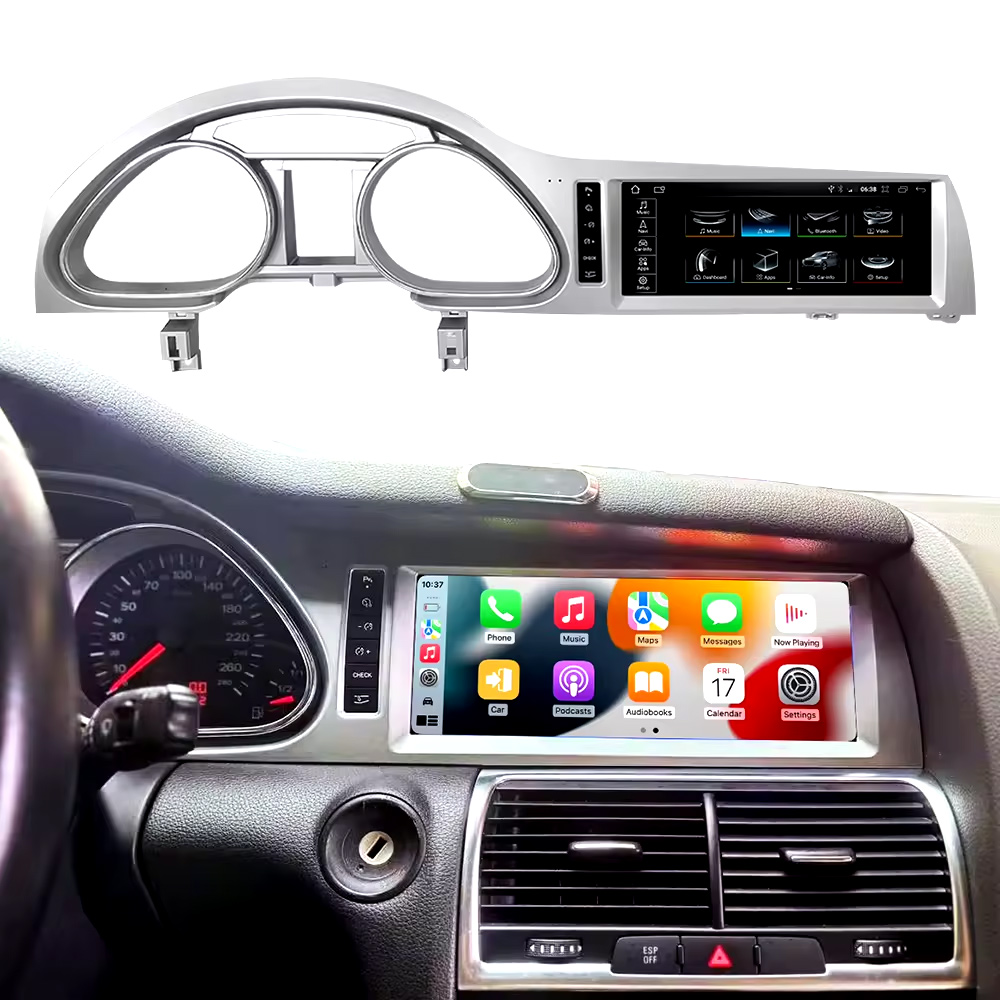
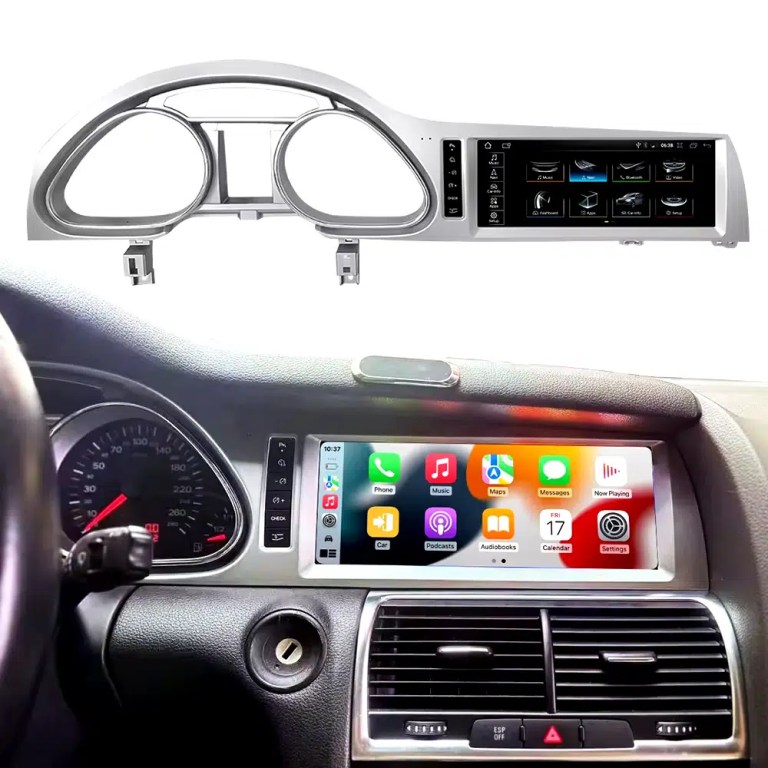
See the installed result inside the Audi Q7 dashboard
This cockpit view helps you judge the final screen position, dashboard balance and CarPlay-style daily-use interface before ordering.
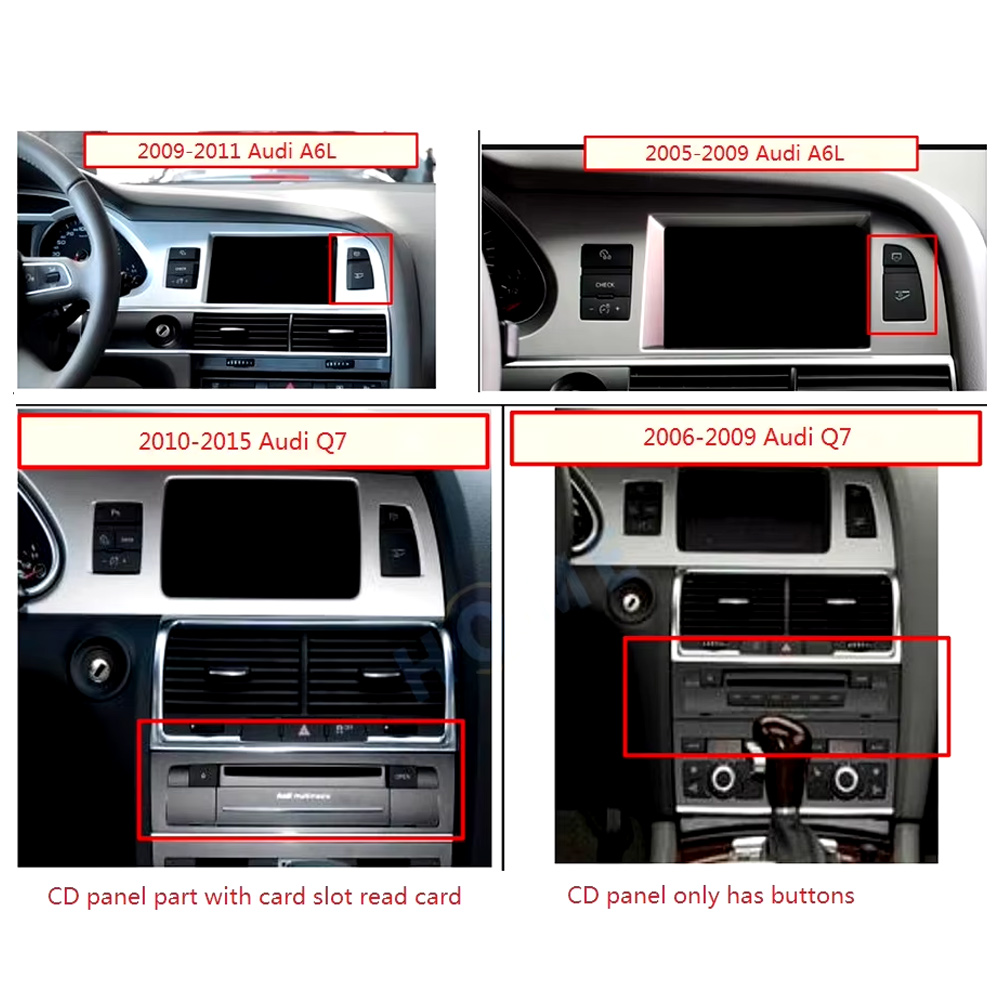
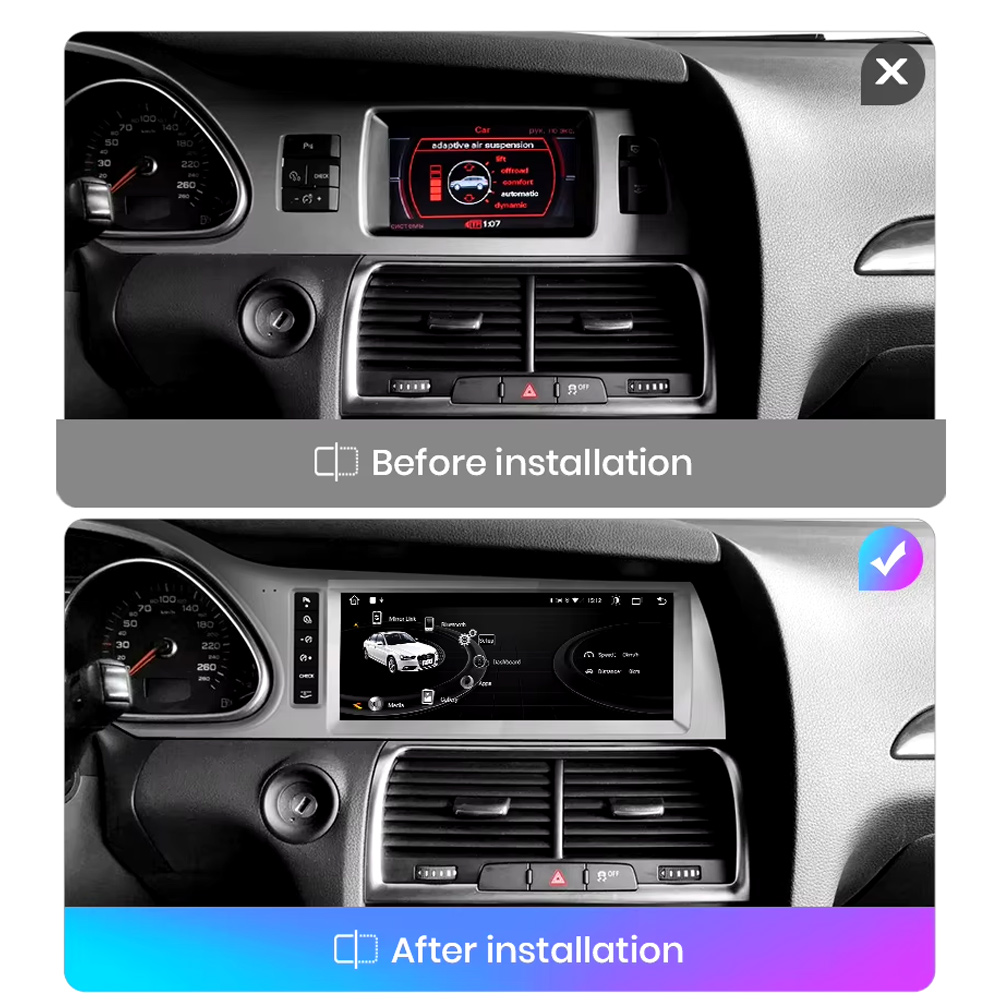
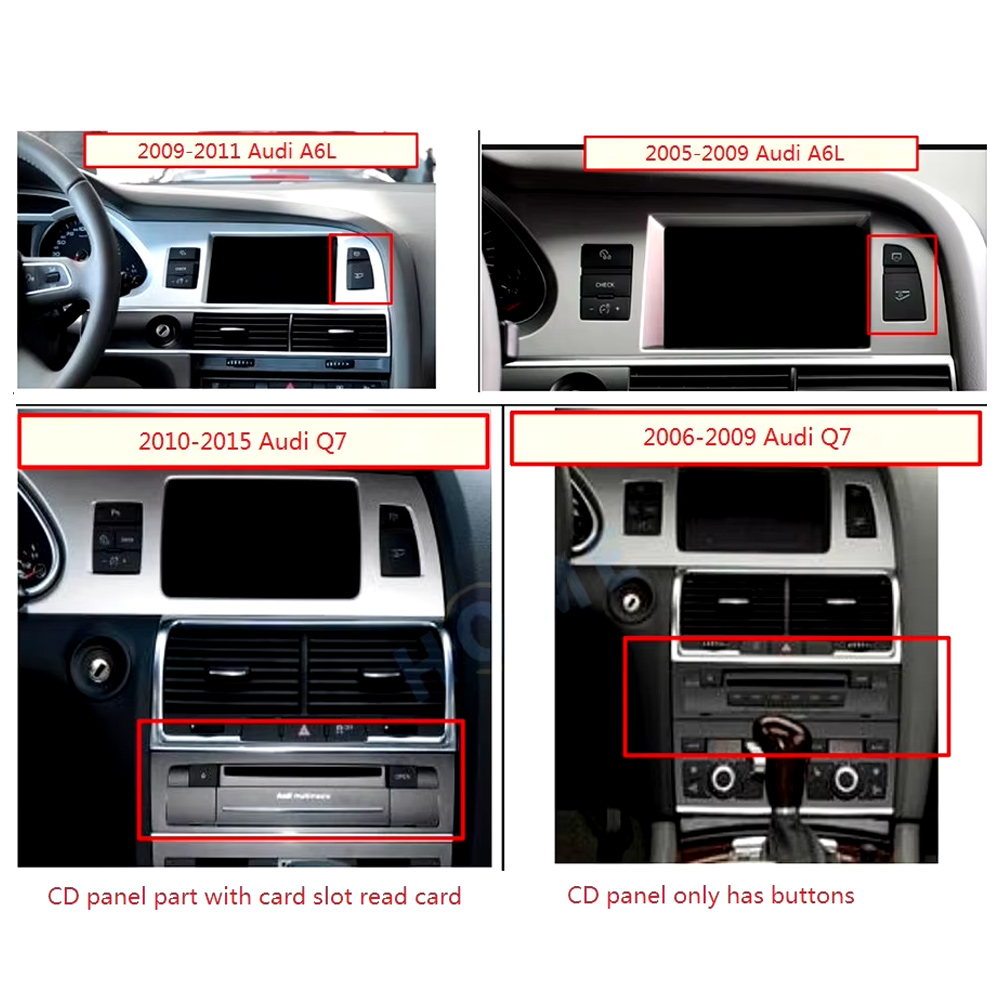
Check the original dashboard and CD/MMI panel before ordering
The correct Audi Q7 Android screen route depends on the original screen area, button layout, CD panel and model-year dashboard structure.
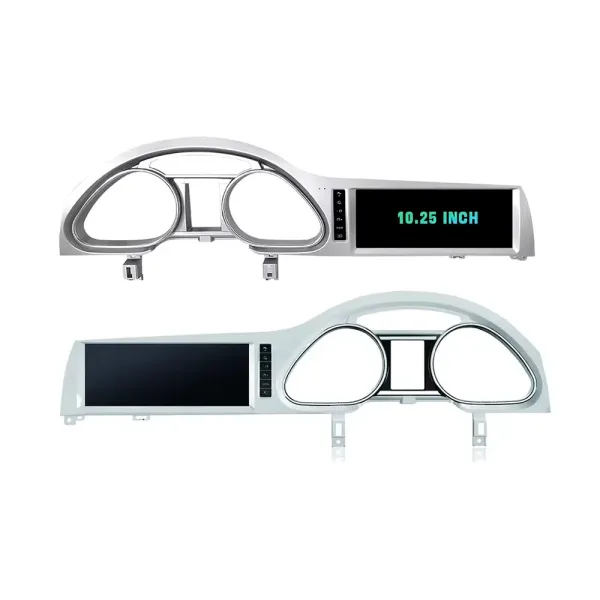
Confirm the 10.25-inch screen frame shape
The product frame view helps you compare steering-side layout and screen position so iKAGOO can prepare the correct Q7-specific frame.
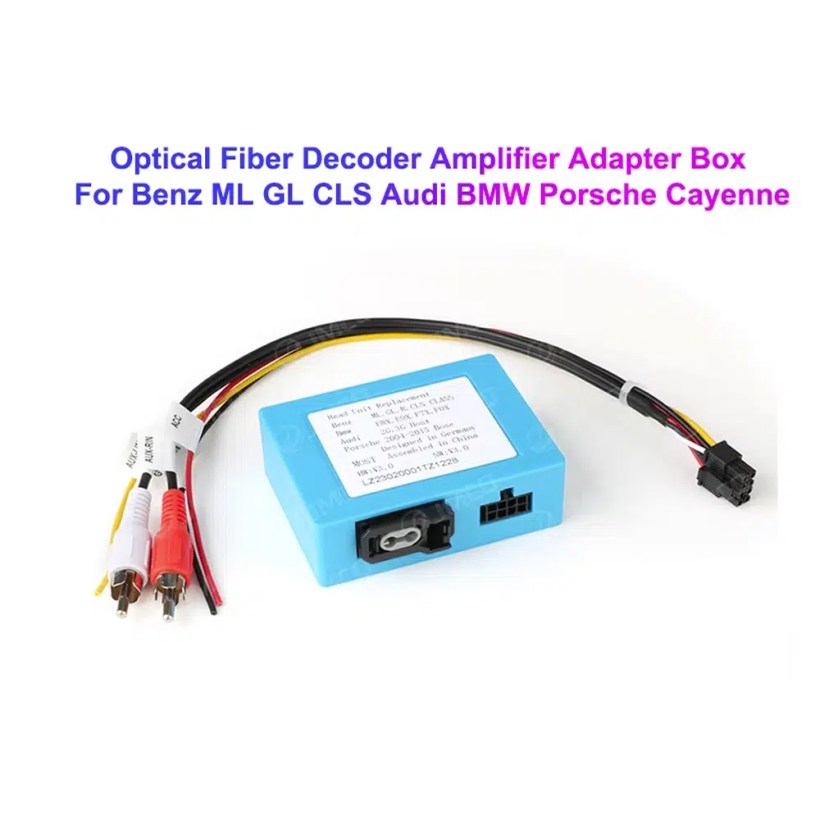
Understand the Bose and MOST fiber-optic decoder route
Many Q7 audio issues come from the amplifier and fiber-optic route. The required decoder must match the original Audi audio system and connector layout.
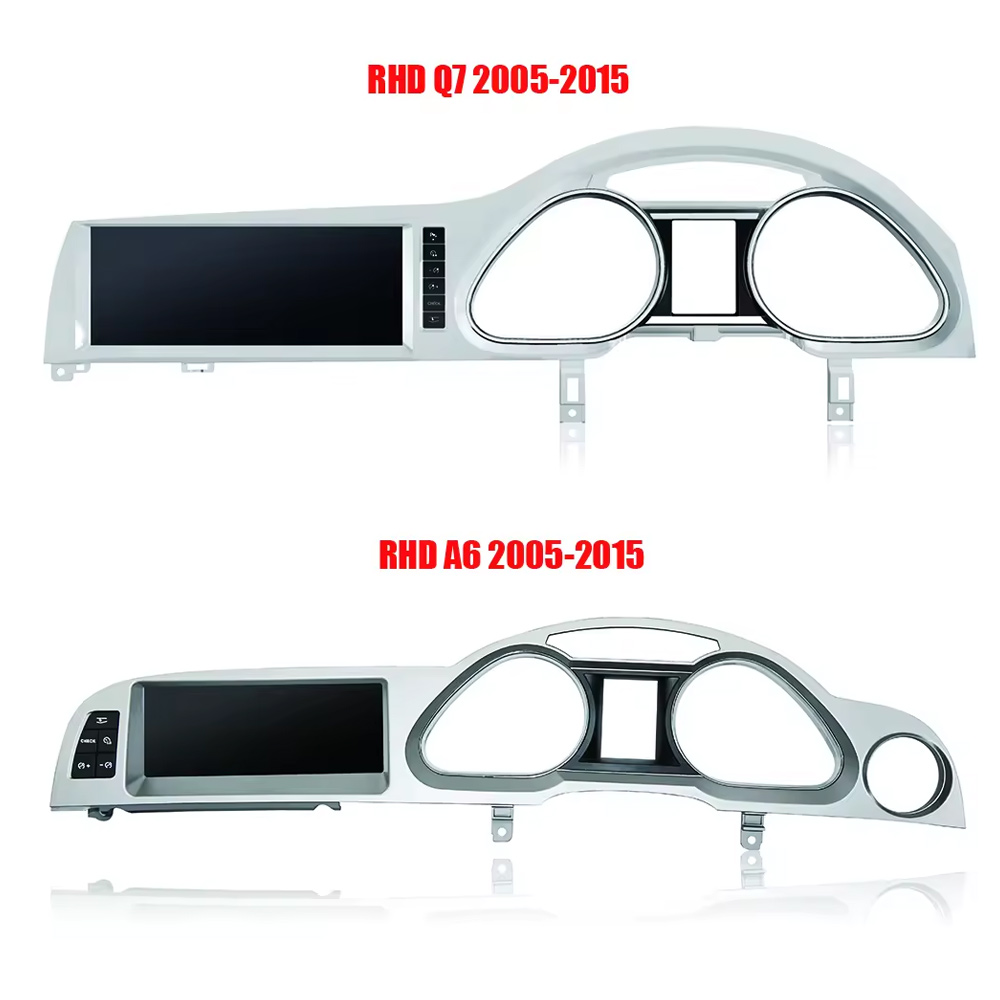
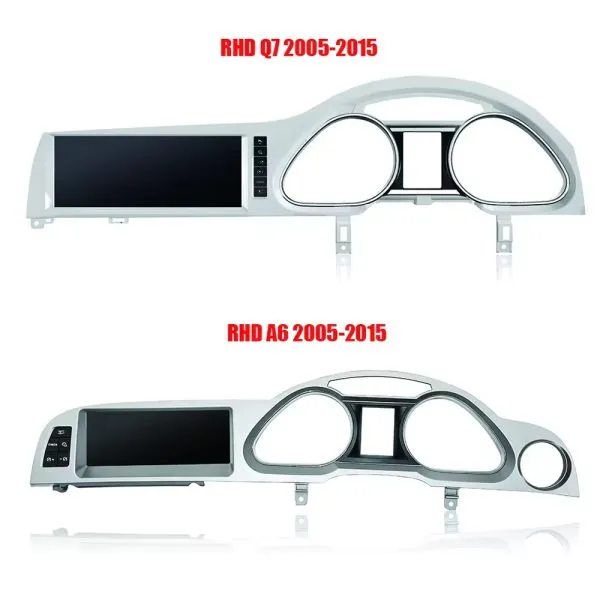
Compare Q7 and A6 frame routes carefully
This product reference makes one point clear: similar Audi frames are not automatically interchangeable. Your dashboard photo must be checked before shipment.
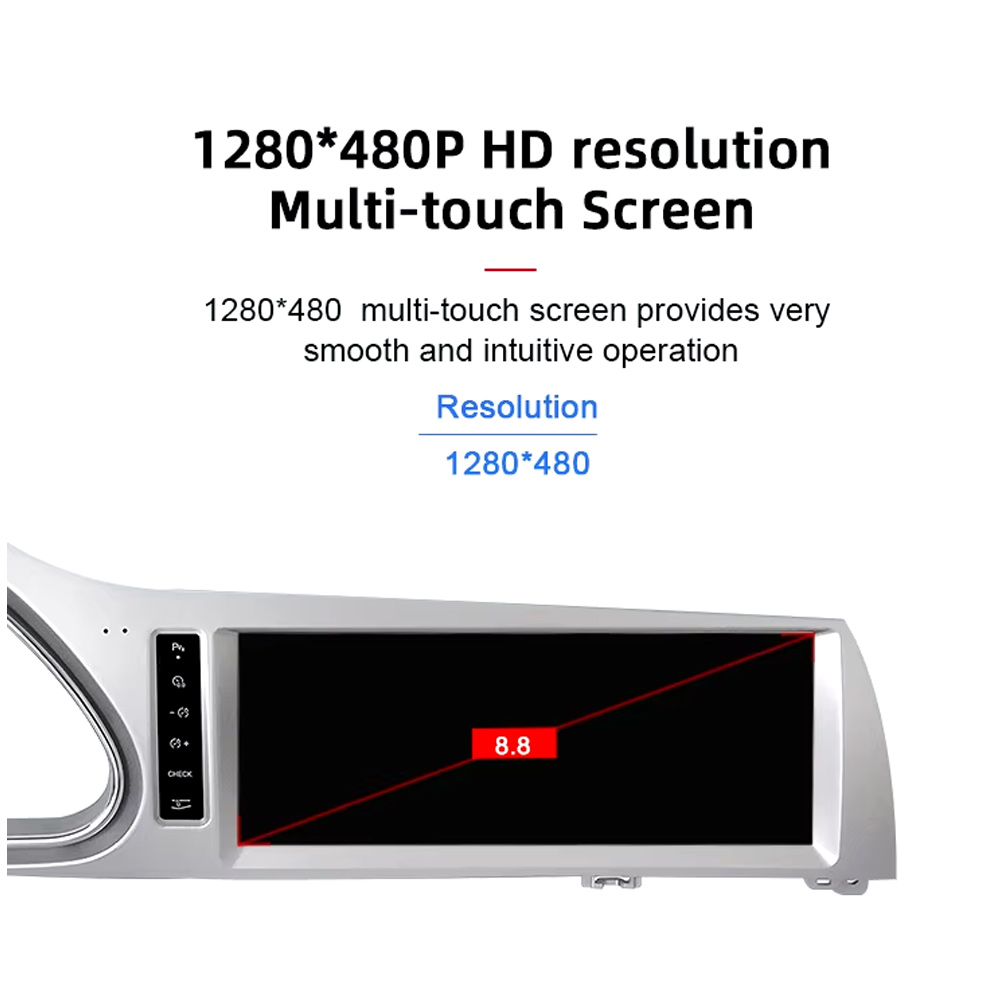
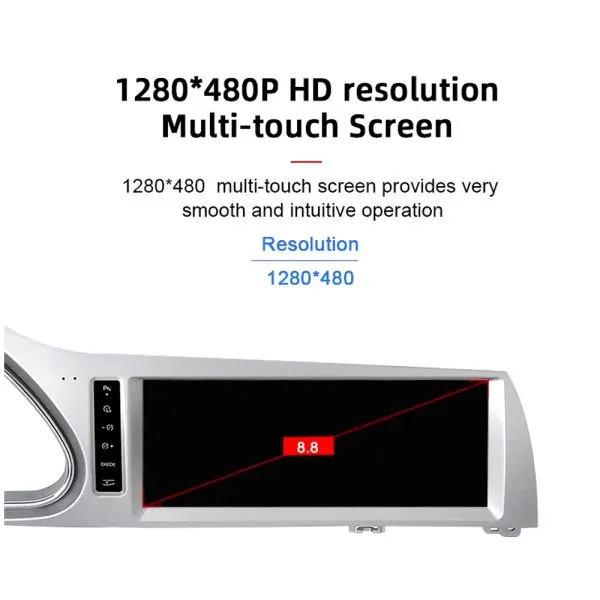
Review the 1280×480 screen reference
The wide display format is designed for the Q7 screen area and gives a cleaner navigation and media layout than the older factory display experience.
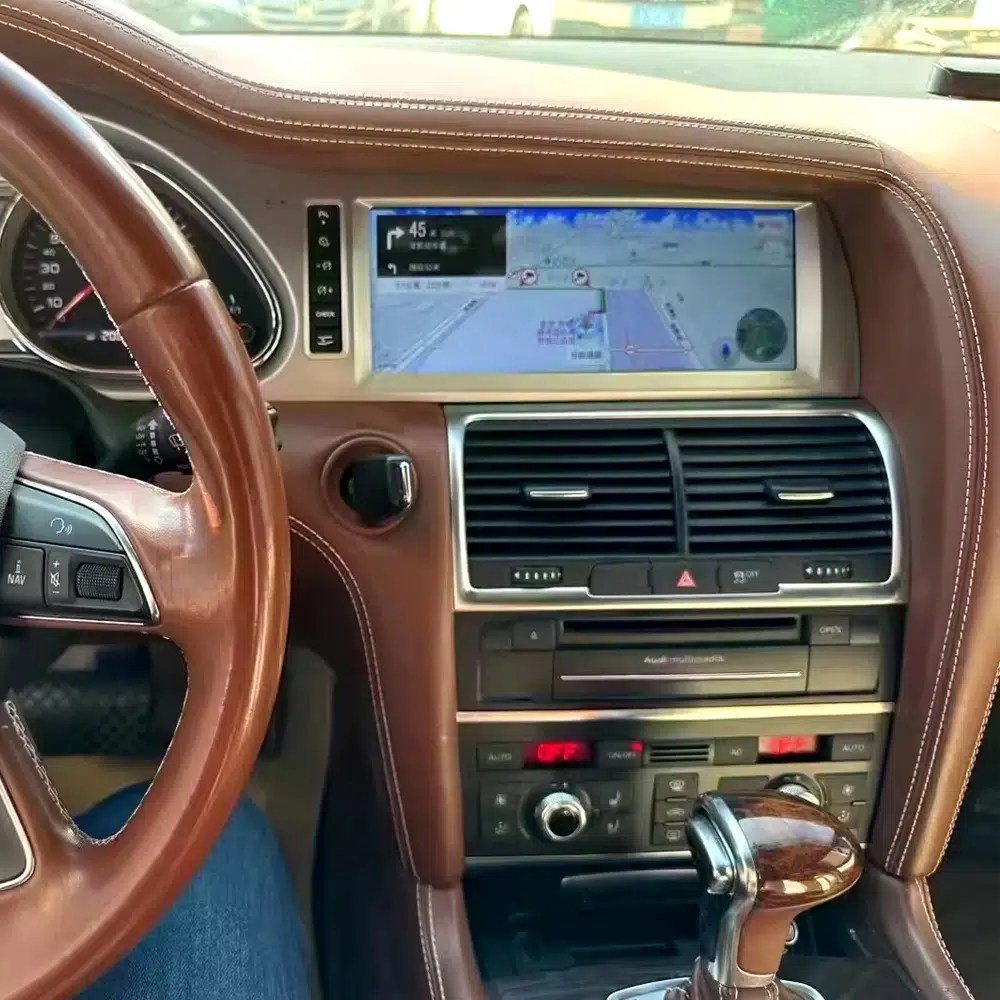
See navigation running inside a real Audi Q7 interior
The installed navigation view helps you judge driver visibility, screen angle and how the 10.25 Android display sits inside the used Q7 cabin.
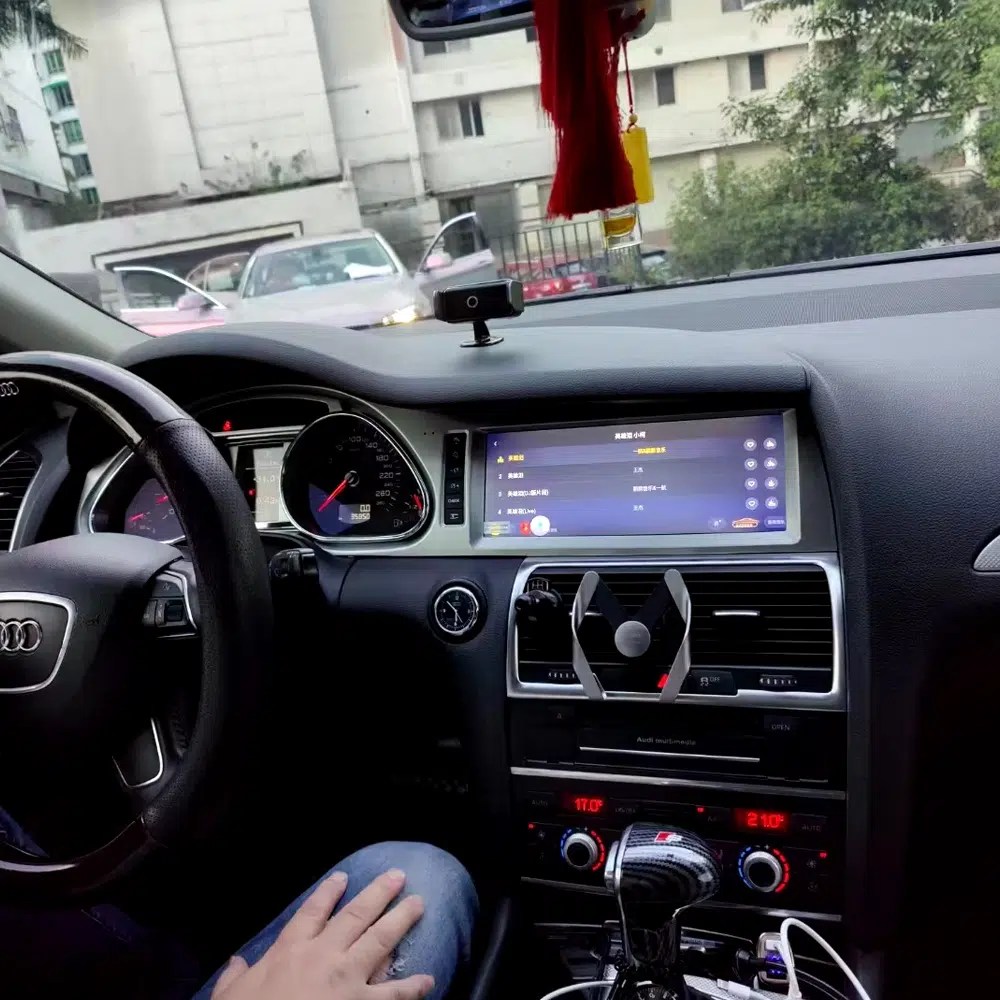
Check another real installation interface
This cabin view gives another practical reference for screen readability, dashboard integration and menu position after installation.
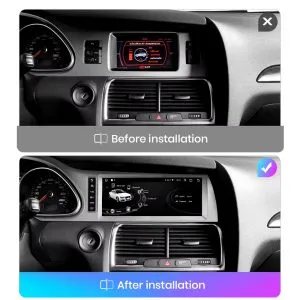
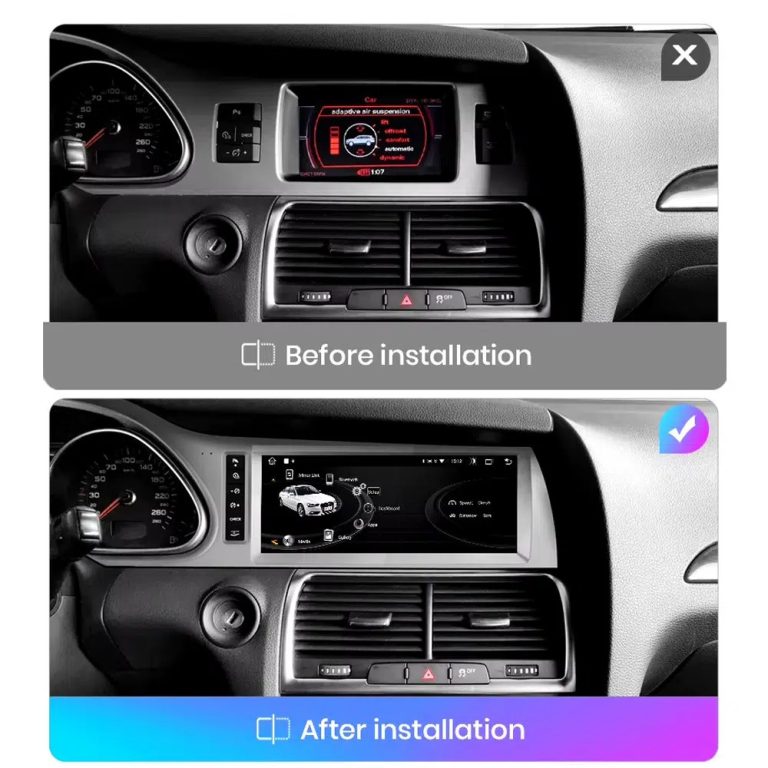
Compare the old display with the upgraded Android display
The before-and-after view shows the main visual change: the old screen area becomes a wider Android interface with a more modern layout.
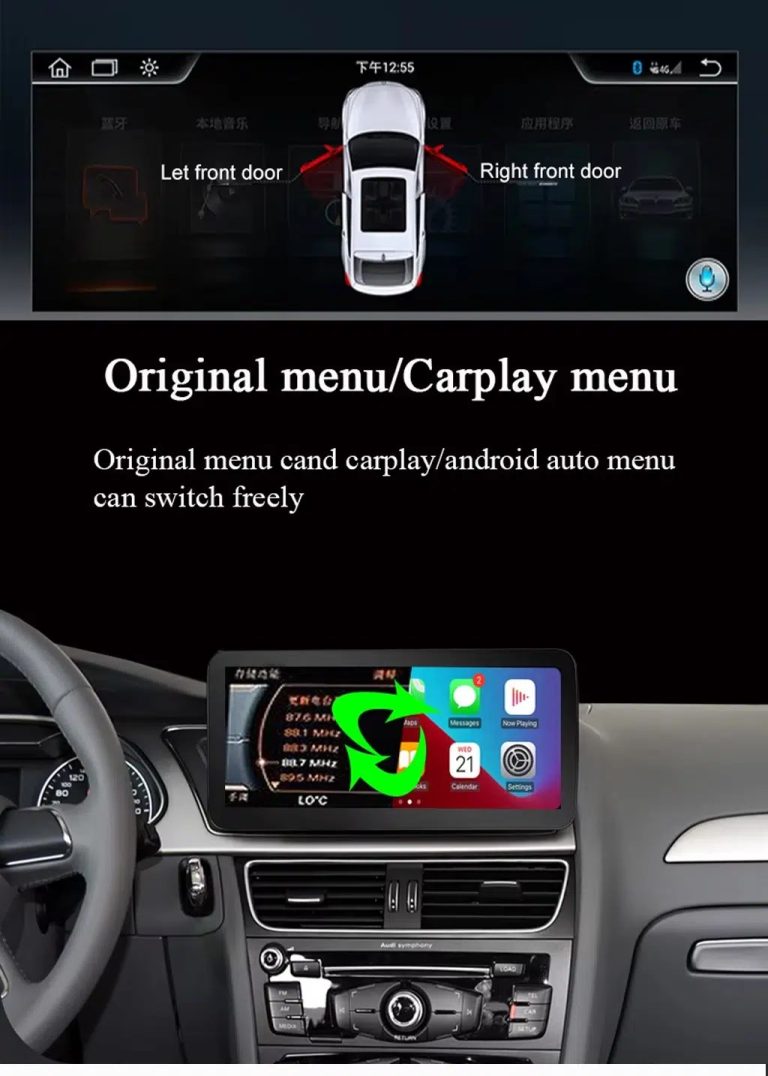
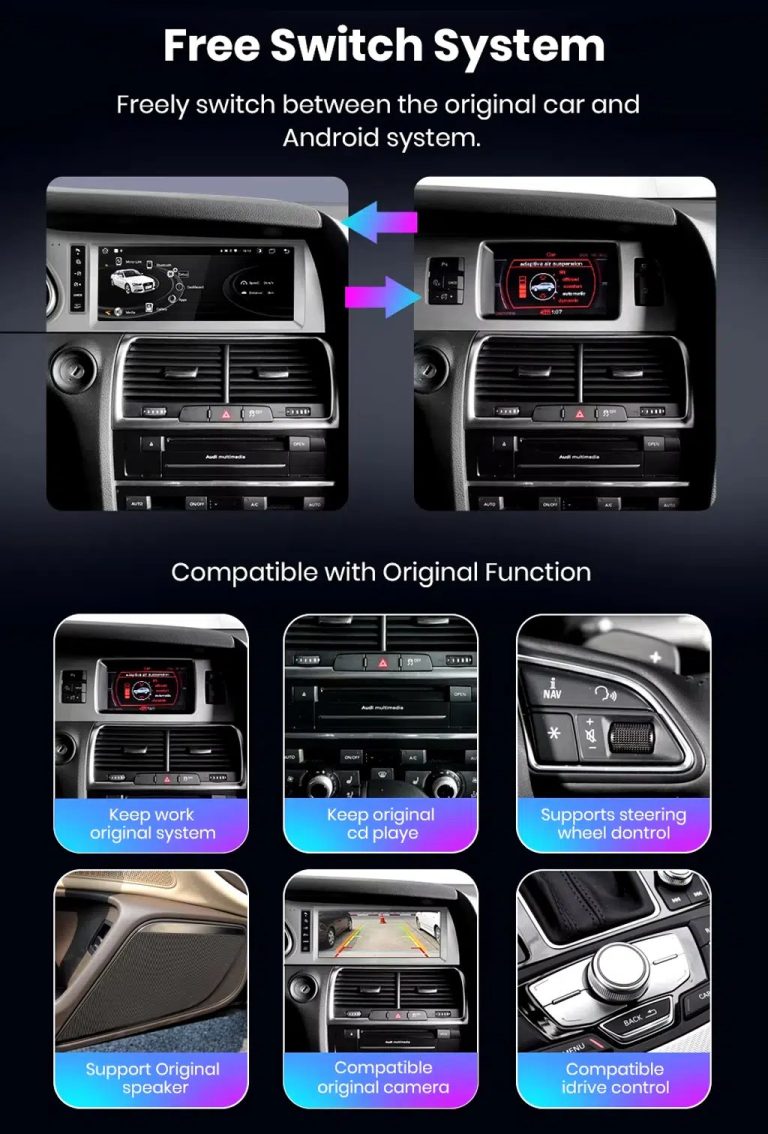
Switch between Android and supported original Audi systems
System switching matters for Q7 owners because it helps keep supported Audi menus available while adding Android, CarPlay and Android Auto functions.
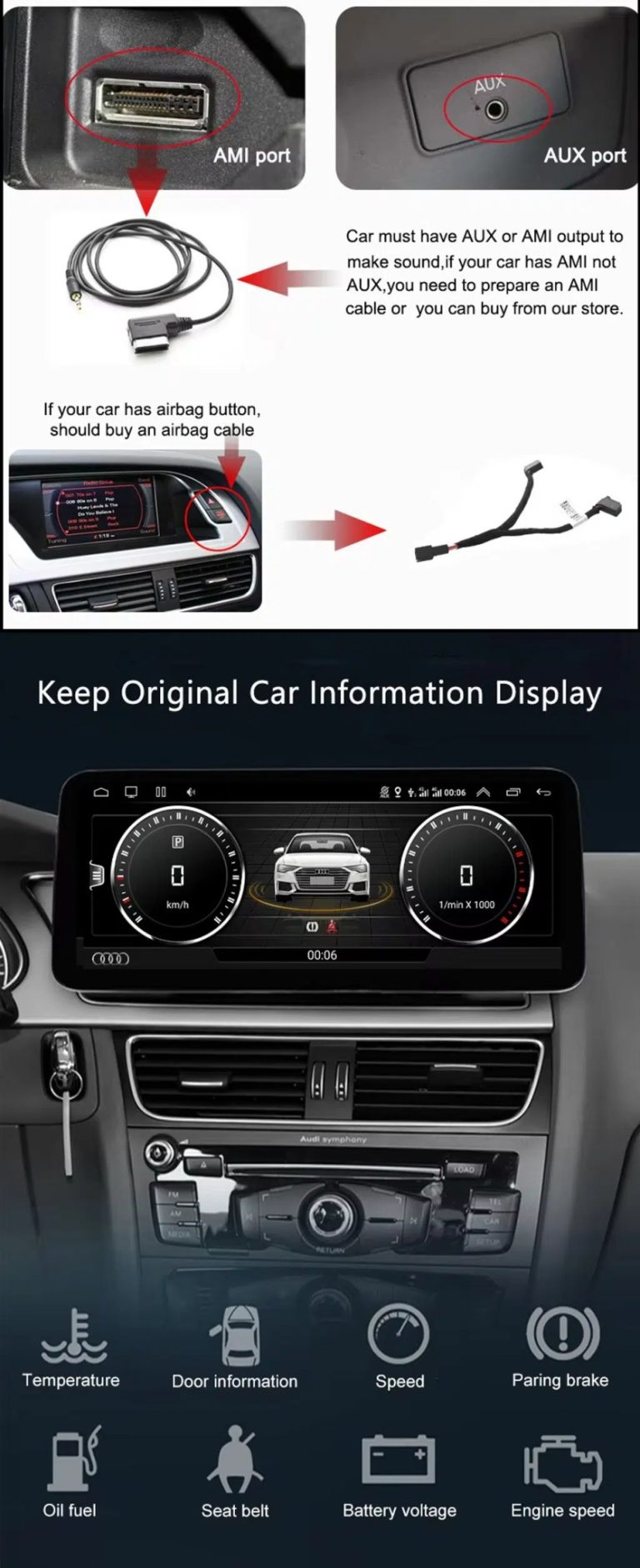
Check AUX, AMI and original vehicle information routes
Some Q7 configurations need the correct AUX, AMI or adapter route for sound and original data display. This should be checked before installation.
Use original menu and CarPlay menu switching
This interface direction shows how the owner can move between the supported original Audi interface and modern CarPlay or Android Auto style display.
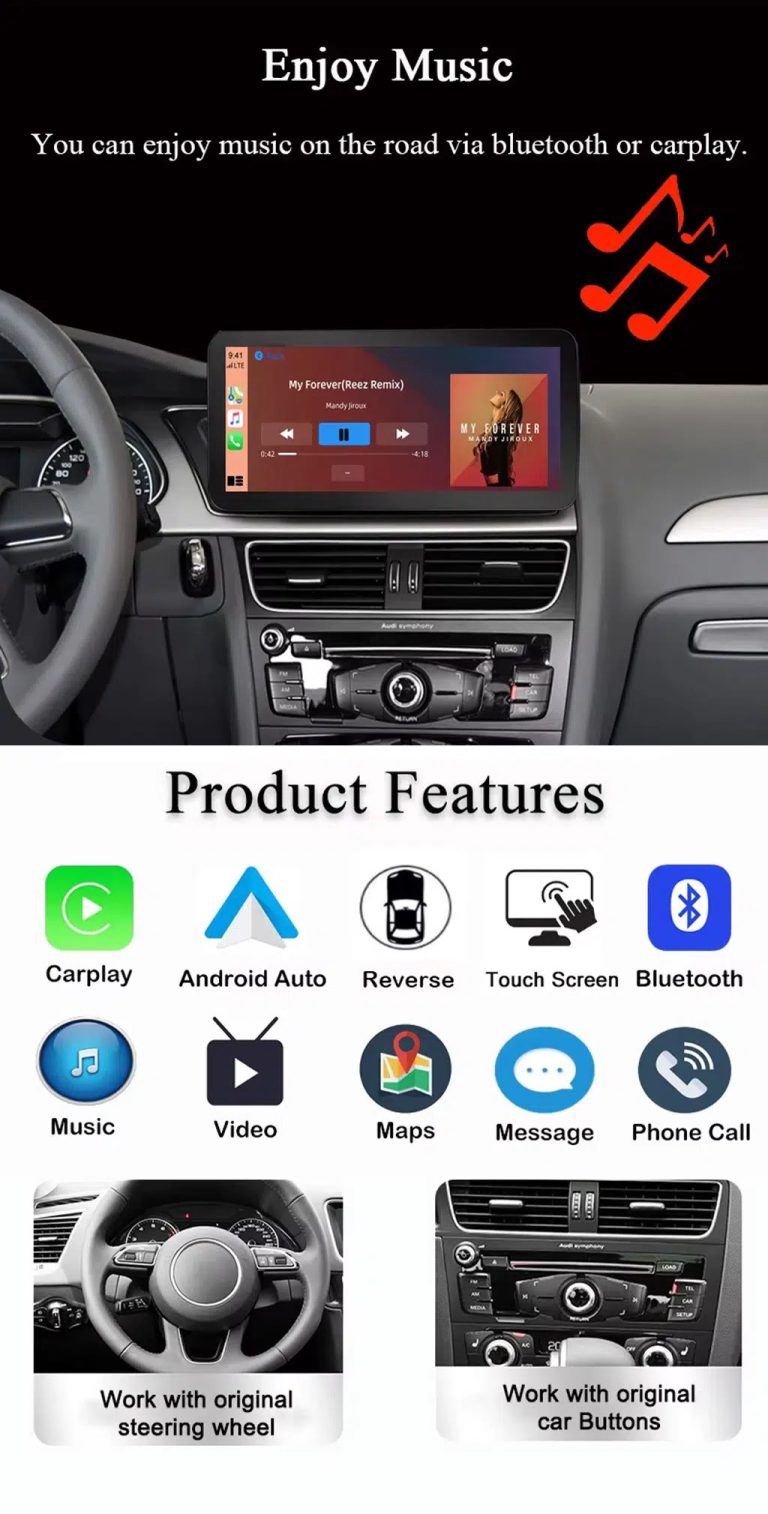
Use music, maps, calls and steering-wheel controls every day
The function overview explains the daily value of the upgrade: music, video, maps, messages, calls, touch operation and supported steering-wheel control.
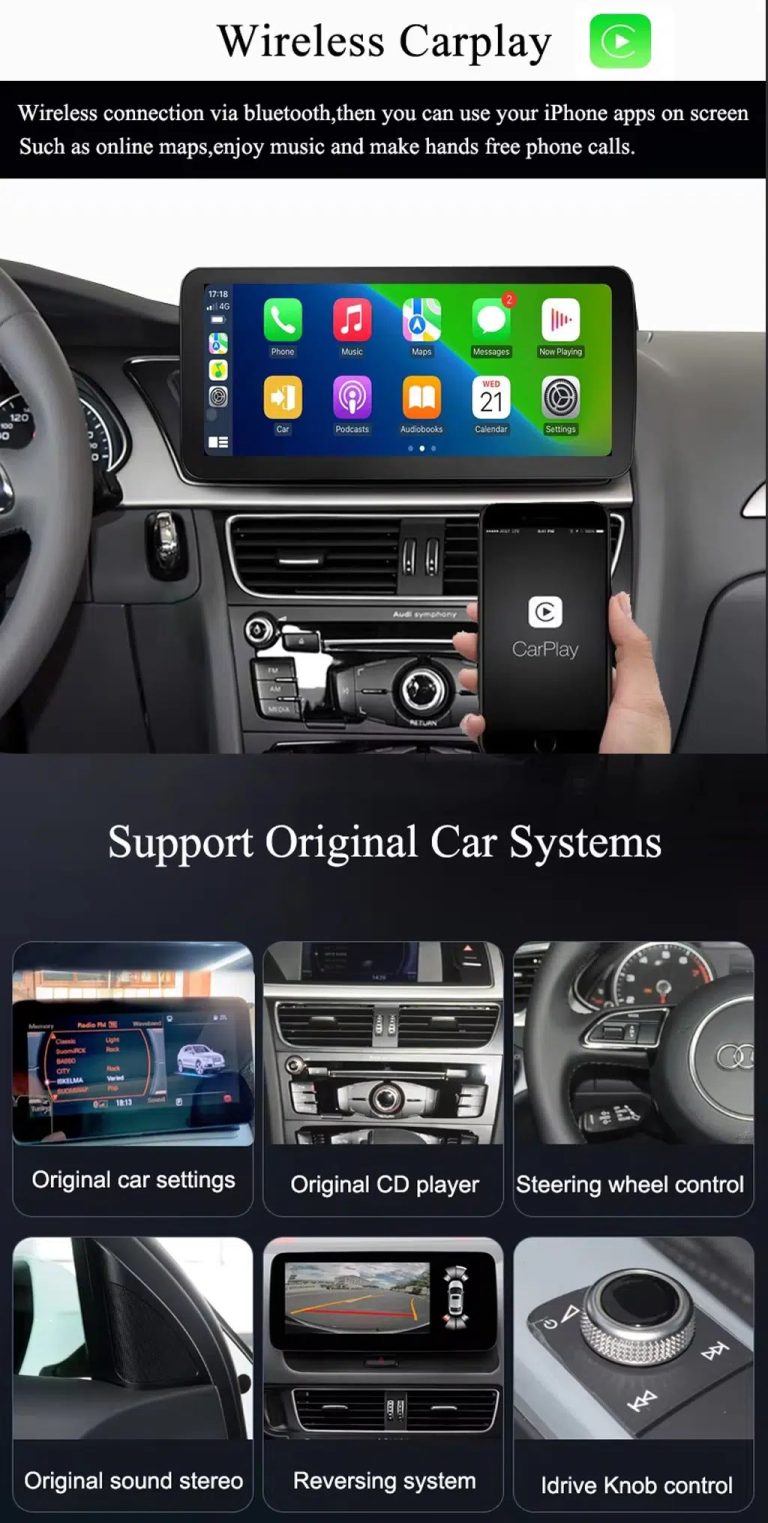
Use wireless CarPlay while keeping supported original car systems
This visual combines wireless CarPlay with original-system value, helping buyers understand that this is more than a simple screen swap.
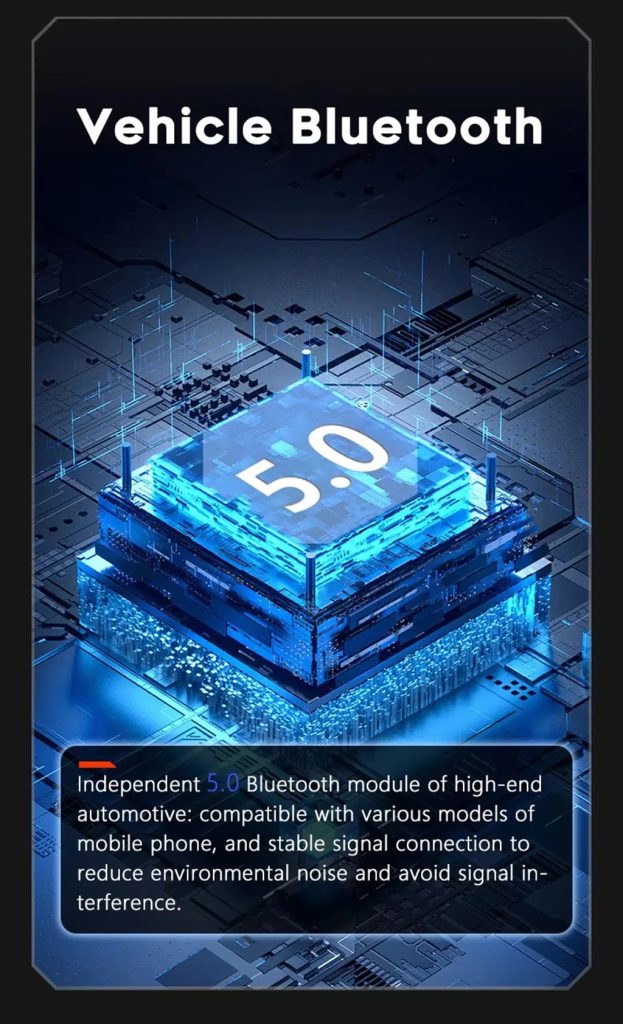
Improve Bluetooth connection on supported hardware
Bluetooth version depends on the selected hardware route, but the upgrade direction supports more practical phone and media connection than relying only on old factory behavior.
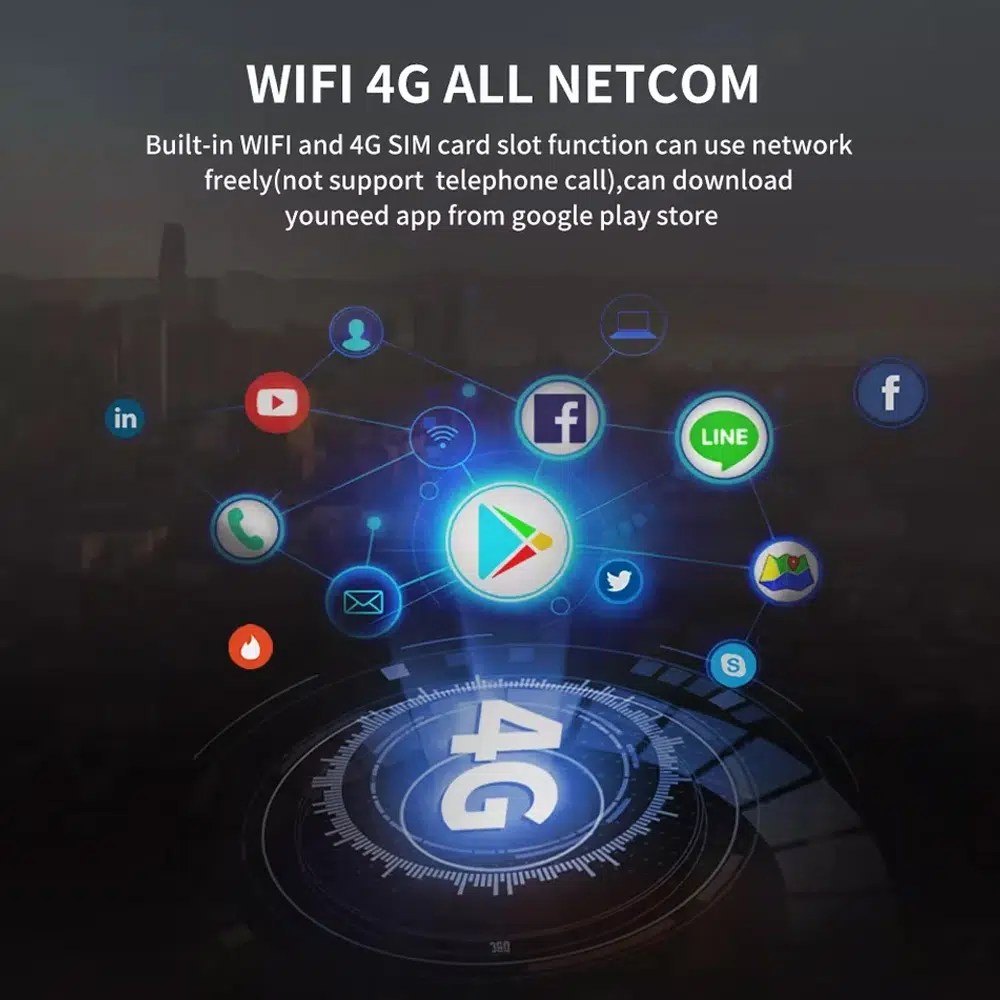
Use WiFi and 4G for apps and online navigation
WiFi och kompatibelt 4G stöder onlinekartor, nedladdning av appar och uppkopplade Android-funktioner i den mån det lokala nätverket och den valda hårdvaran tillåter det.
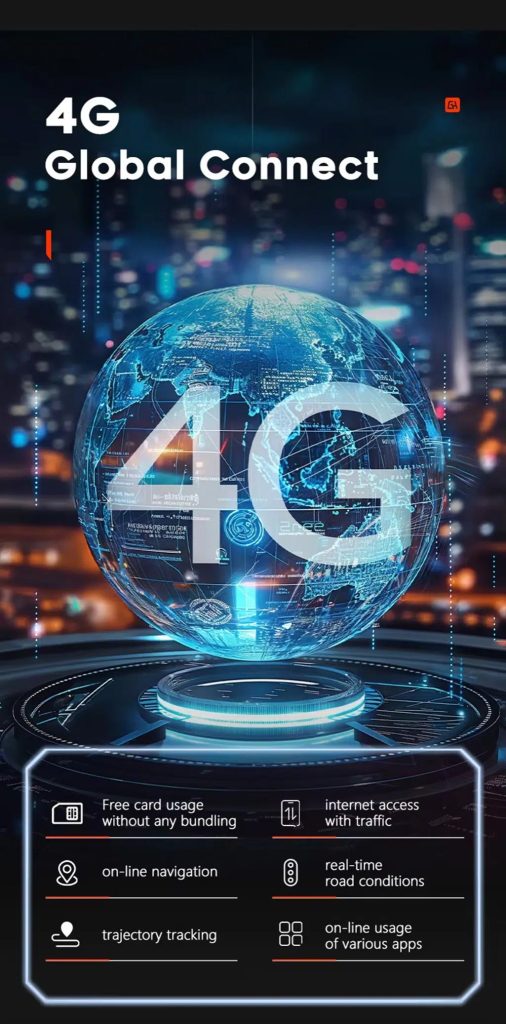
Use 4G network features where local service allows
Online navigation, traffic information and app access depend on compatible network service, SIM support and selected hardware configuration.
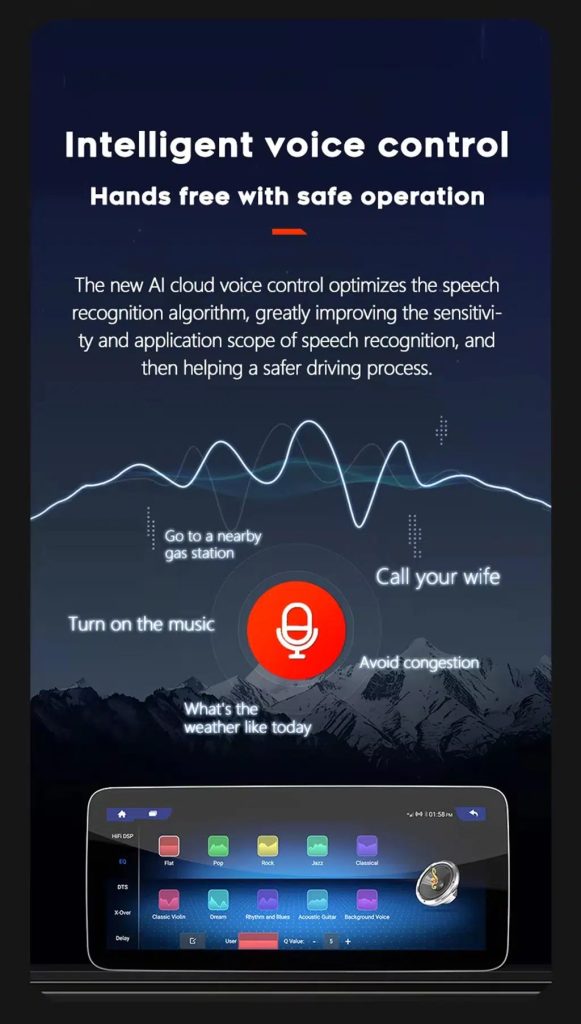
Use voice control with compatible apps
Voice control can make navigation, music and calls easier, but recognition depends on the app, microphone, language, internet connection and phone compatibility.
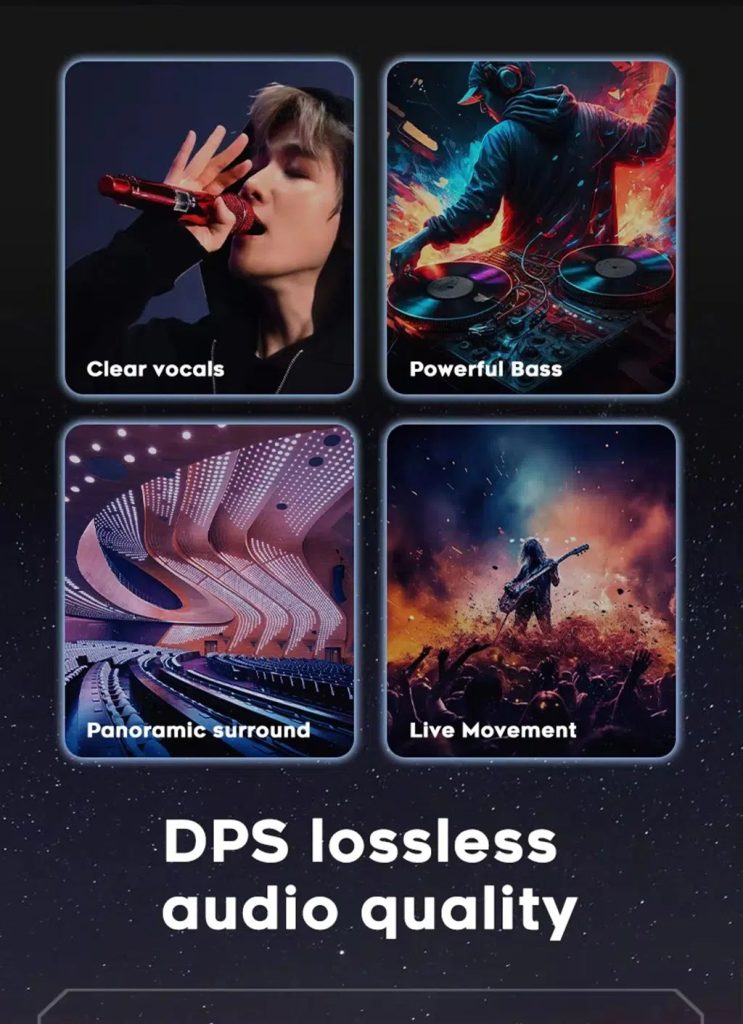
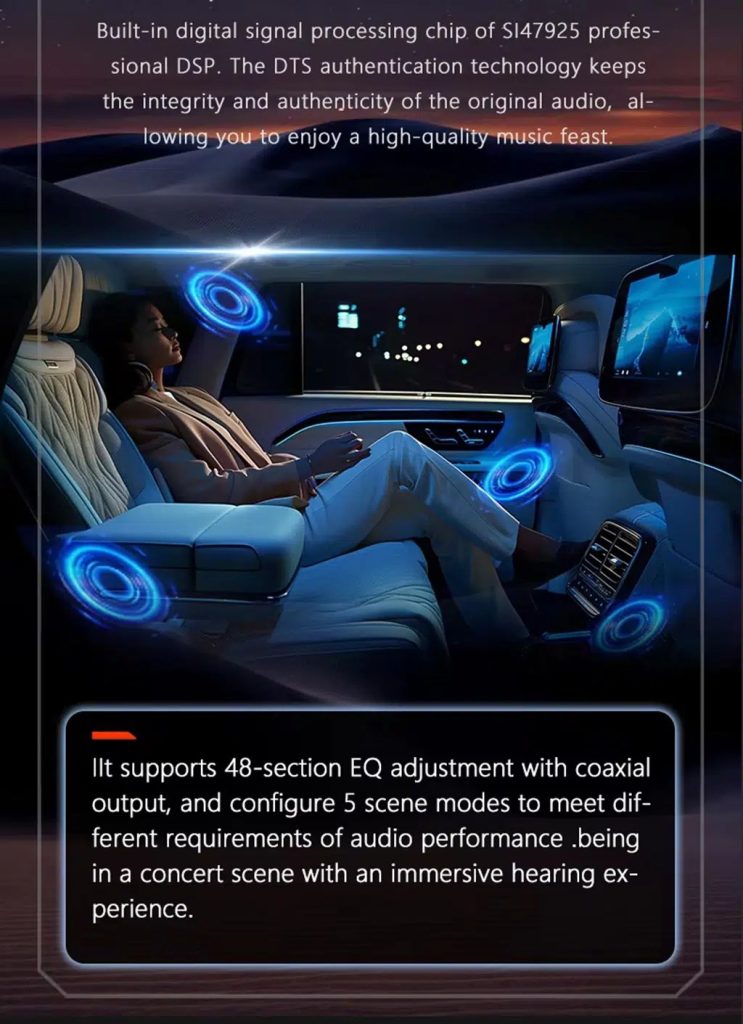
Tune the audio with DSP where supported
DSP helps tune vocals, bass, surround feeling and sound staging when the selected hardware version includes the supported DSP route.
Review multimedia and DSP function direction
This additional media reference helps buyers understand the entertainment and equalizer direction before choosing the hardware version.
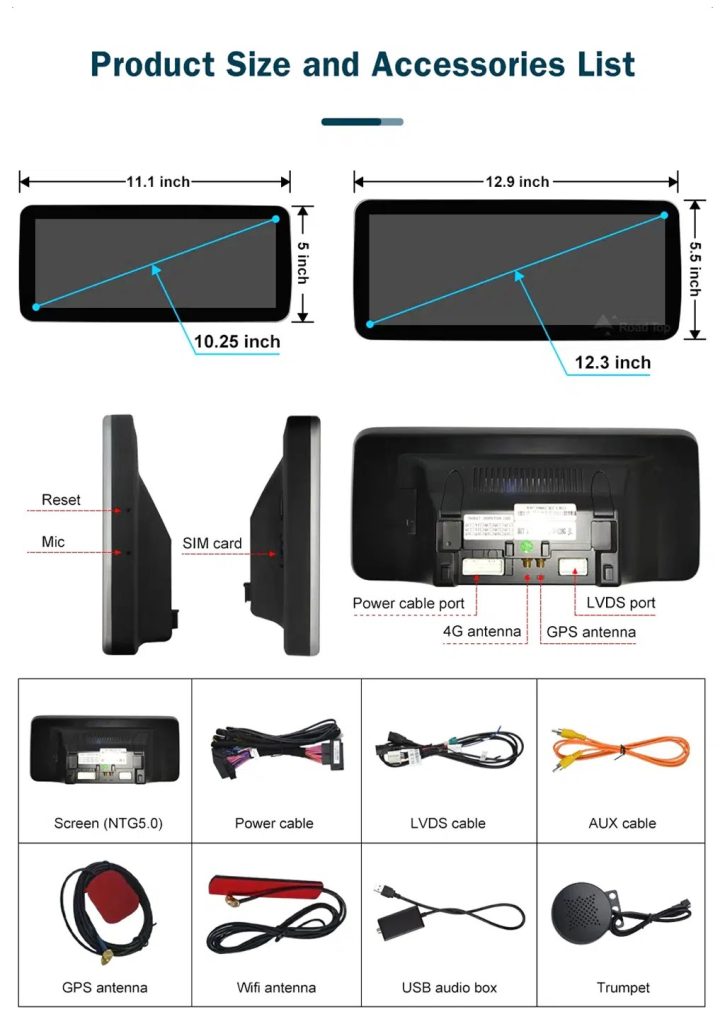
Check product size, rear ports and accessories
The accessory view helps installers understand the screen size, rear connection area, LVDS, power cable, AUX cable, GPS antenna, WiFi antenna, USB audio box and other included parts.
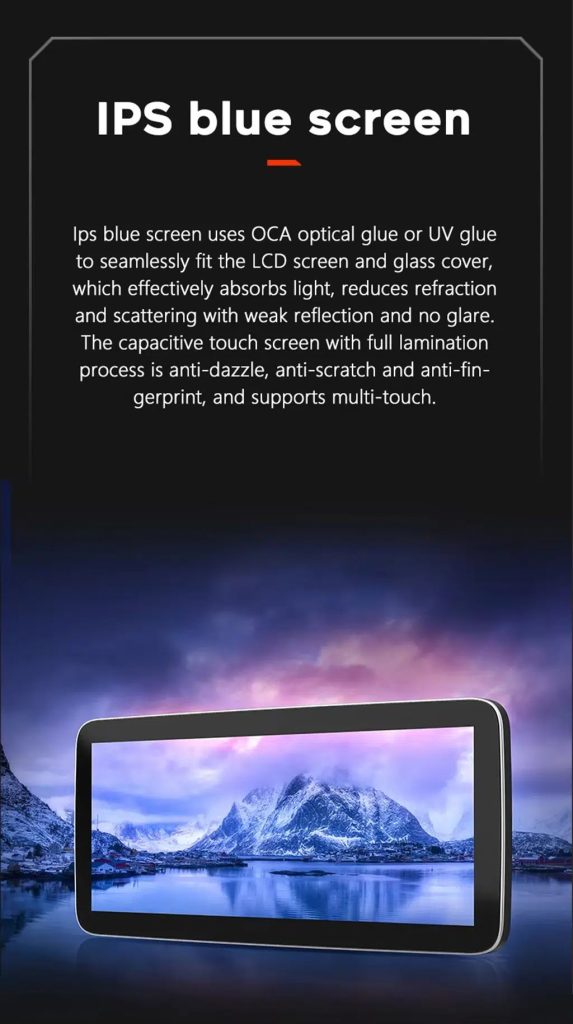
Understand the IPS blue screen display direction
The display construction direction supports a clearer and more comfortable in-car touch experience for daily map, media and menu use.
Review the product gallery before-and-after reference
This gallery view gives another quick reference for the original Q7 display before installation and the wider Android interface after installation.
Confirm another installed dashboard angle
Denna bildserie visar enheten installerad i Q7:s instrumentpanel med ett modernt gränssnitt, vilket hjälper köpare att jämföra det slutliga visuella intrycket.
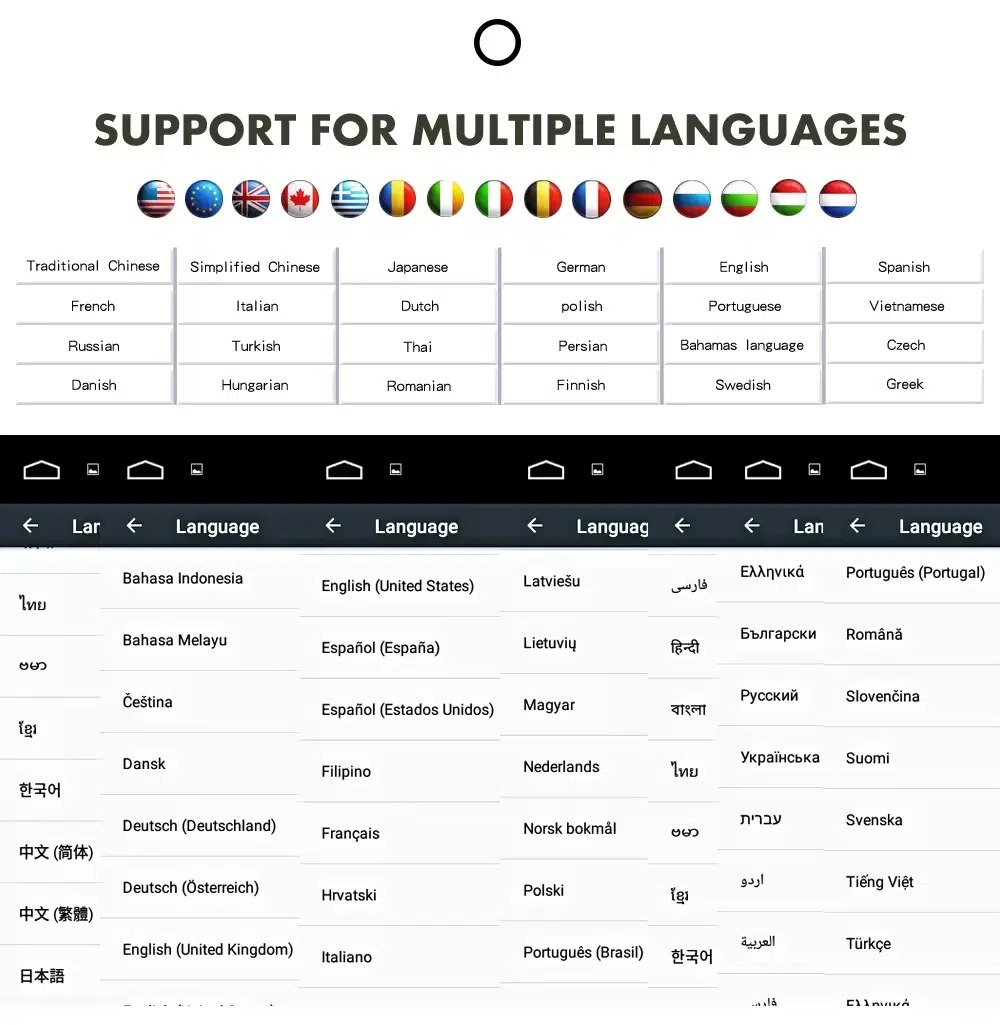
Use the Android interface in multiple languages
Stöd för flera språk gör det möjligt för internationella ägare och installatörer att använda Android-gränssnittet på ett språk de känner till. Den slutgiltiga tillgängligheten beror på inställningarna för firmware och appar.
Common interface languages include English, German, French, Spanish, Italian, Portuguese, Dutch, Russian, Arabic, Japanese and Chinese, depending on firmware and app settings.
Installation Route for the Audi Q7 10.25 Android Screen Upgrade
Bilrecension
Ange årsmodell, bilder på instrumentpanelen, rattens placering och uppgifter om det ursprungliga ljudsystemet.
Konfigurationsjämförelse
iKAGOO kontrollerar ramen, kabelstammen, CAN-avkodaren, förstärkaren och kraven på fiberoptik.
Förberedelser inför leverans
Android-enheten och tillhörande tillbehör är anpassade för den bekräftade fordonskonfigurationen.
Installationssupport
Det finns vägledning för kabeldragning, konfiguration och testning av funktioner som stöds.
Main work required
- Kontrollera instrumentpanelens årsmodell, CD-panelen, MMI-systemet och rattsidan före leverans.
- Kontrollera om bilen har Bose, extern förstärkare eller MOST-fiberoptik.
- Ta försiktigt bort det ursprungliga fönsterområdet och den nödvändiga instrumentpanelbeklädnaden.
- Anslut den anpassade strömkabeln, CAN-avkodaren, LVDS-/videokabeln och ljudadaptern.
- Installera en fiberoptisk avkodare när det har bekräftats att det är nödvändigt.
- Connect GPS, USB, camera, microphone and WiFi/4G accessories according to selected configuration.
- Slå på strömmen innan den slutliga återmonteringen.
- Testa växling mellan originalmenyer, CarPlay, Android Auto, ljud, reglage på ratten, kameror, Bluetooth, GPS samt viloläge/uppvakningsfunktion.
Stop installation and contact iKAGOO if this happens
- Skärmramen passar inte in i instrumentpanelens öppning.
- Kontaktens form eller stiftkonfigurationen stämmer uppenbarligen inte överens med den medföljande kabelhärvan.
- Bilen är utrustad med Bose/MOST-fiberoptik, men det finns ingen bekräftad dekoderanslutning.
- Det hörs inget ljud från högtalarna efter strömstartstestet.
- Det går inte att komma åt den ursprungliga MMI-menyn efter anslutningen.
- En fiberoptisk kabel är kraftigt böjd, krossad eller har lämnats frånkopplad.
- En kontaktstift är böjd, sitter löst eller är skadad.
- A fuse blows repeatedly, or abnormal heat, smell or smoke appears.
- Installationen skulle kräva att fabrikens huvudkabelhärva klipps av.
Vad som normalt ingår
Android-skärm
Fordonsspecifik skärmenhet med den valda Android-hårdvarukonfigurationen.
Kabelhärva
Ström-, signal- och integrationskablage som valts ut i enlighet med det bekräftade fordonet.
CAN-avkodare
Kompatibel avkodare för stödda styrfunktioner och integrering av fordonsinformation.
GPS-antenn
Extern GPS-antenn för Android-navigeringsfunktioner som stöds.
USB-anslutningar
USB-anslutningar för kompatibla enheter, tillbehör och programuppdateringar.
Valfria adaptrar
Fiberoptisk avkodare, kameragränssnitt, AMI-kabel eller andra adaptrar när det har bekräftats att de behövs.
Paketets innehåll varierar beroende på vald version och bekräftad fordonskonfiguration. De slutgiltiga beställningsuppgifterna bör kontrolleras före leverans.
Frakt, garanti och kundservice
Orderhantering
Normalt tar orderhanteringen 1–3 arbetsdagar efter att din fordonskonfiguration har granskats.
Tracked global shipping
Internationella leveranser kan spåras. Den beräknade leveranstiden beror på destinationen, tullklareringen och det leveranssätt som valts vid utcheckningen.
12-month hårdvarugaranti
Problem med hårdvara som omfattas av garantin hanteras enligt iKAGOO:s begränsade garanti. Skador till följd av felaktig kabeldragning, felaktig användning, vatteninträngning eller obehöriga modifieringar täcks normalt inte av garantin.
Vehicle-specific products require accurate vehicle information before shipment. If iKAGOO confirmed compatibility before purchase, your information was accurate, and no reasonable installation solution is available after supported troubleshooting, the current published return and refund policy applies.
Retur- och återbetalningspolicy · Garantivillkor · Fraktpolicy
Audi Q7 10.25 Android Screen Upgrade FAQ
Is this Audi Q7 10.25 Android screen upgrade for every Q7 from 2006 to 2015?
Passar den här produkten till en Audi Q7 från 2005?
Har den stöd för trådlös CarPlay och Android Auto?
Kommer den ursprungliga Audi MMI-menyn fortfarande att fungera?
Kommer Bose eller fabriksförstärkaren fortfarande att fungera?
Does every Audi Q7 need a fiber optic decoder?
Kan den ursprungliga bakkameran behållas?
Does it work with left-hand-drive and right-hand-drive Q7 vehicles?
Är installationen plug-and-play?
Vad ska jag skicka innan jag beställer?
Få din Audi Q7 4L att kännas modern igen
Choose this Audi Q7 10.25 Android screen upgrade if you want a factory-style display route, wireless CarPlay, Android Auto, GPS navigation, DSP audio and iKAGOO configuration matching for your dashboard, MMI and audio system.
Related Q7 upgrade: Audi Q7 Digitalt kluster


Recensioner
Det finns inga recensioner än.