












Tydligare kördata
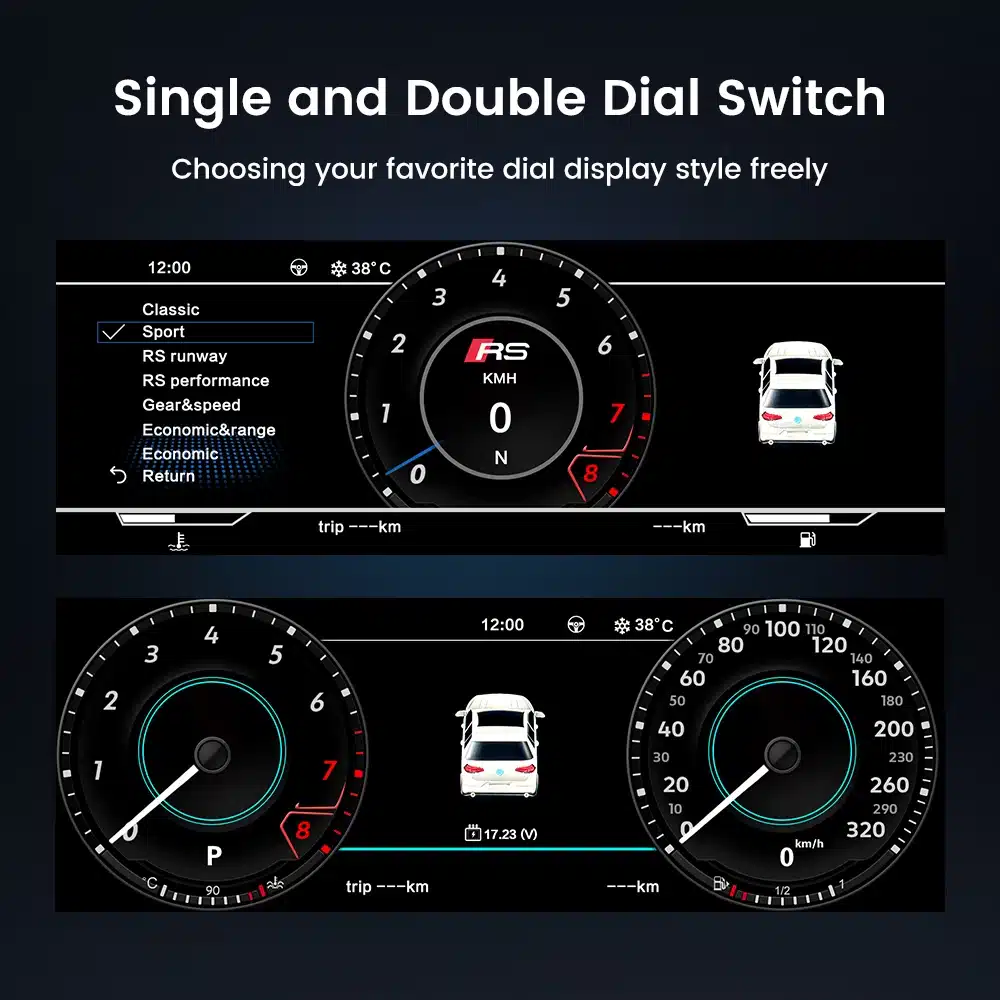
Speed, RPM, gear position, fuel range, oil information, water temperature, TPMS and supported warnings are easier to read than on the original analog layout.

| Vikt | 4.5 kg |
|---|---|
| Dimensioner | 45 × 35 × 25 cm |
| Stödbil | 2009-2012, 2013-2014 |
| Produktens kompatibilitet | Plug and play |
| Produktens ursprung | Ingen äkta originalprodukt |



Från: $1,380.00

Vi sköter tillämplig moms och importtull för berättigade beställningar från EU och USA. Beräknad besparing: $120-$280 .
Fraktkostnaden tillkommer. Den exakta fraktkostnaden beräknas utifrån leveransadressen och visas i din varukorg innan du går till kassan.
Slutgiltig frakt bekräftas utifrån din leveransadress i kassan.
Kompatibilitetsgranskning, fullständigt kompatibilitetsskydd, 12 månaders hårdvarugaranti och fortsatt support efter installationen.
 Fullständig återbetalningsgaranti
Kompatibilitetsgaranti
Har det bekräftats att produkten inte är kompatibel med din bil? Då får du tillbaka hela beloppet.
→
Fullständig återbetalningsgaranti
Kompatibilitetsgaranti
Har det bekräftats att produkten inte är kompatibel med din bil? Då får du tillbaka hela beloppet.
→
 12-Month Hårdvarugaranti
Hårdvarugaranti ingår under de första 12 månaderna.
→
Långsiktig kundsupport
Rådgivning om programvara, reservdelsstöd och samordning av reparationer kopplas alltid till din ursprungliga beställning.
→
12-Month Hårdvarugaranti
Hårdvarugaranti ingår under de första 12 månaderna.
→
Långsiktig kundsupport
Rådgivning om programvara, reservdelsstöd och samordning av reparationer kopplas alltid till din ursprungliga beställning.
→
Vårt mål är att få din beställning rätt innan den lämnar oss. Vi verifierar kompatibilitet, förbereder rätt installation och kontaktar dig endast om något behöver bekräftas.
F-150 2009–2014 · SVT Raptor 2010–2014
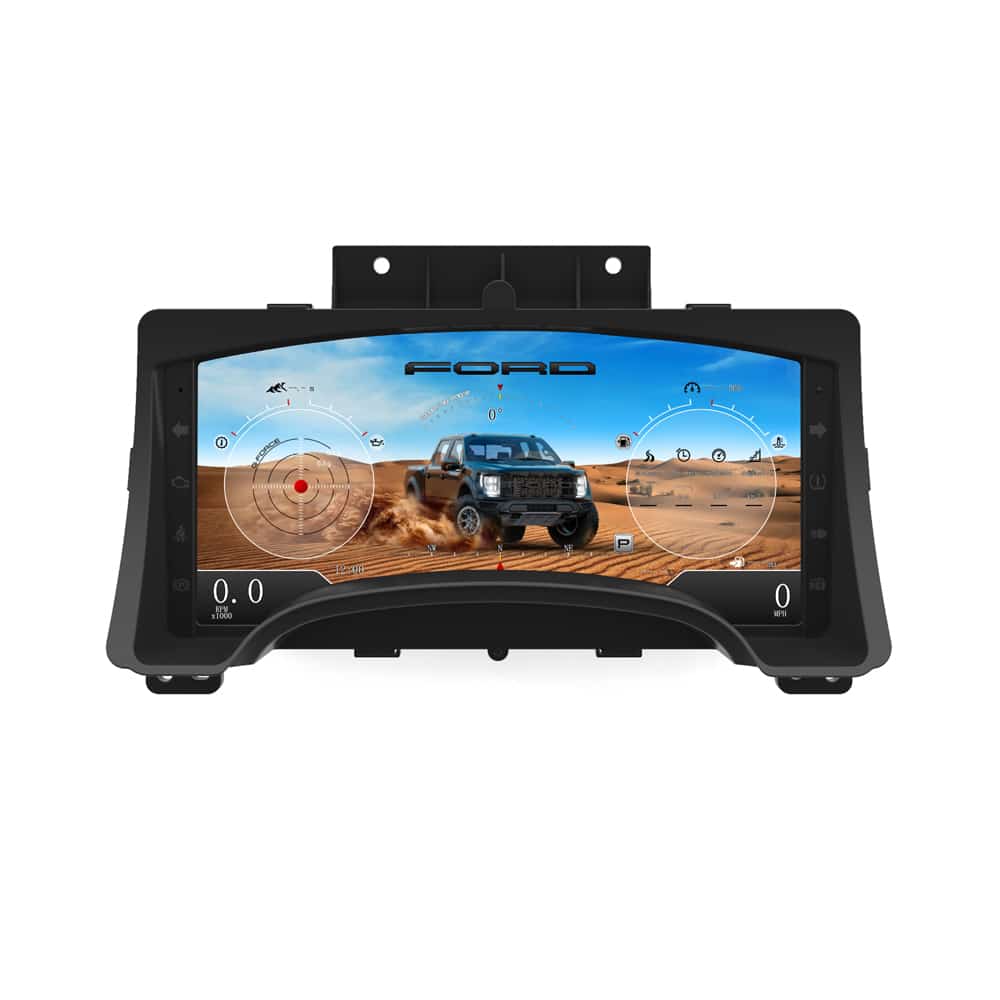
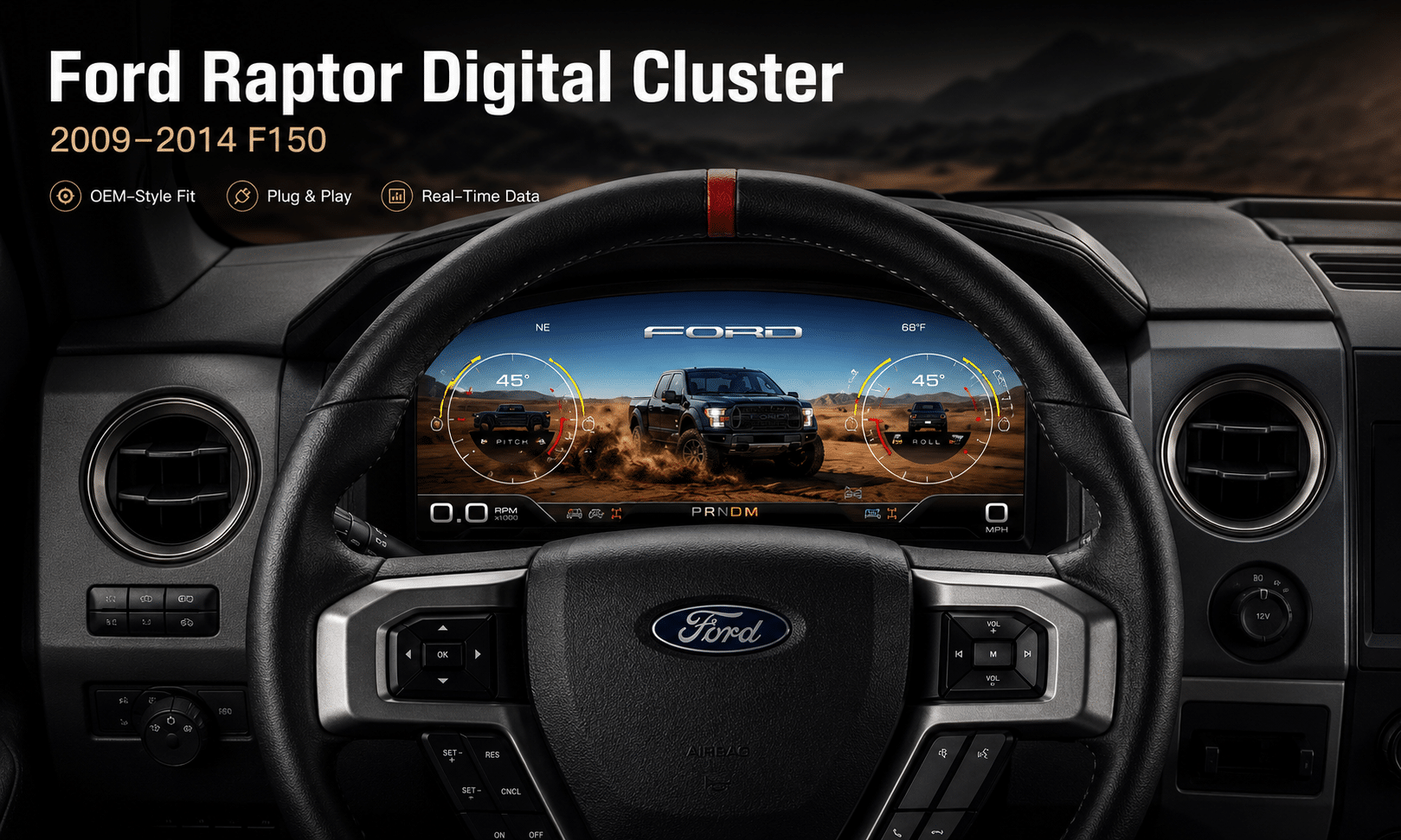
Detta Ford F150 digital instrumentpanel 2009–2014 upgrades the original analog gauge area into a 13.1-inch Linux virtual cockpit. It keeps important original vehicle information visible, adds multiple Raptor-style UI themes, supports factory steering-wheel controls and gives the driver a much more modern instrument layout.
iKAGOO prepares the correct Ford F150 Raptor Digital Cluster 2009–2012 or 2013–2014 version, matched connection solution and installation guidance from your vehicle information.
Förbättringar för daglig användning
The strongest value is not only the screen size. The upgrade changes how you read speed, RPM, tire pressure, oil information, fuel data, warnings and off-road status during normal driving.
Speed, RPM, gear position, fuel range, oil information, water temperature, TPMS and supported warnings are easier to read than on the original analog layout.
The wider digital layout brings supported fuel, temperature, tire-pressure, warning and drivetrain information into a clearer driver-focused display.
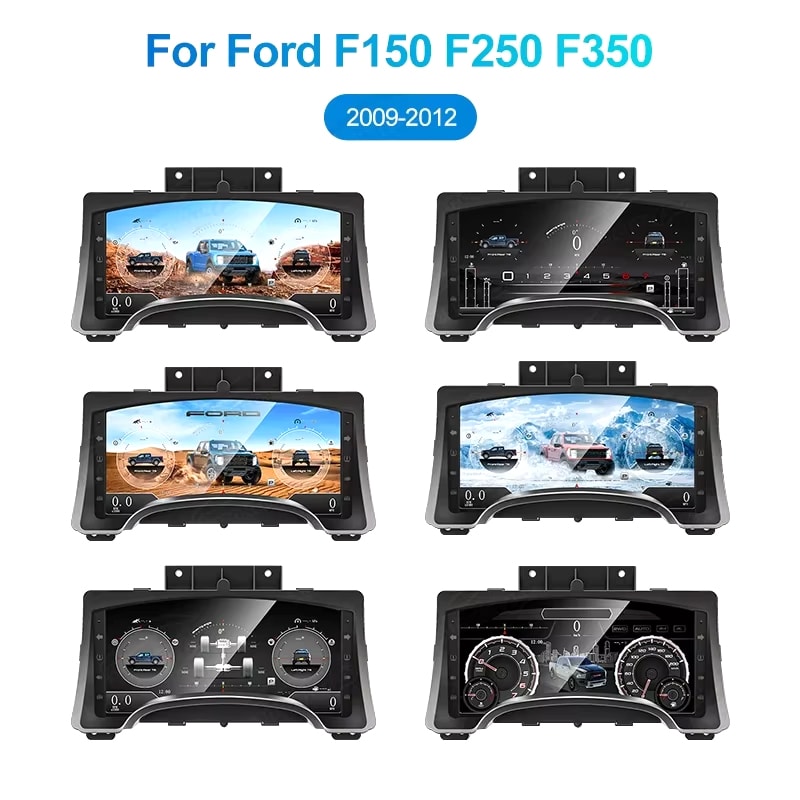
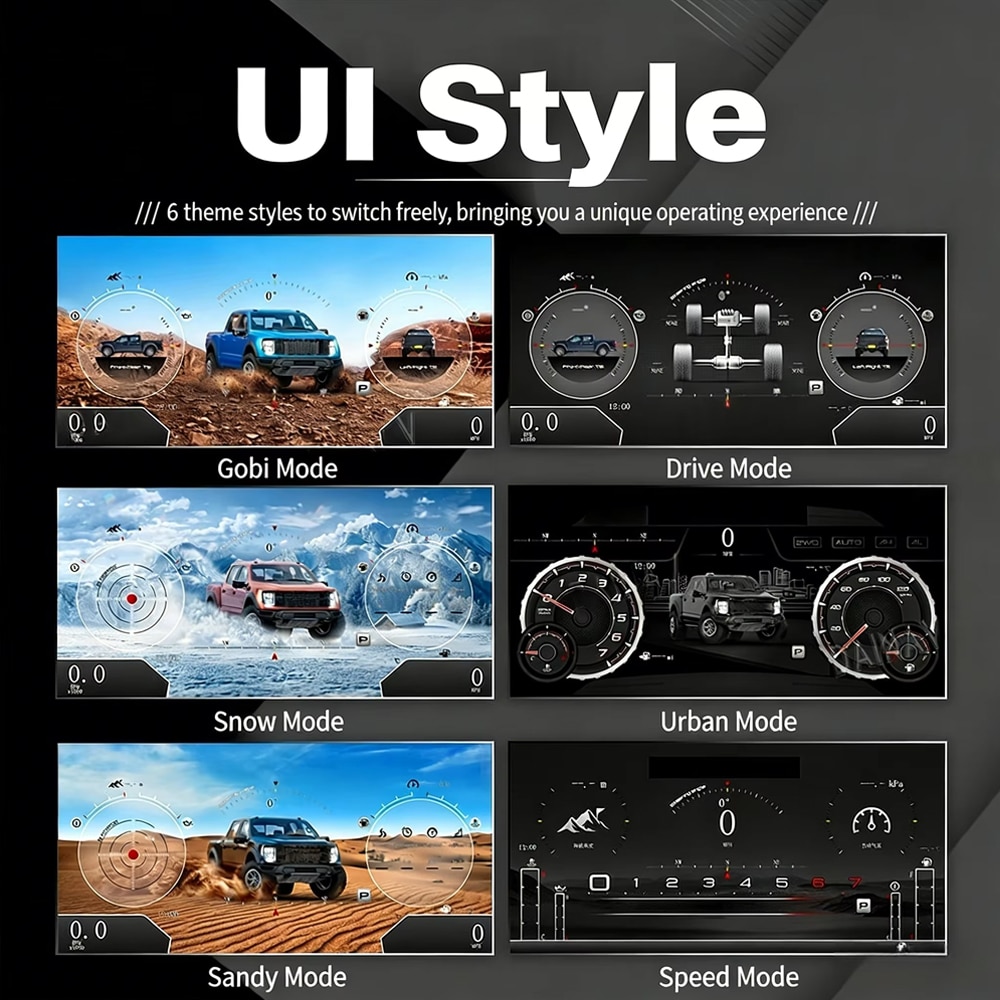
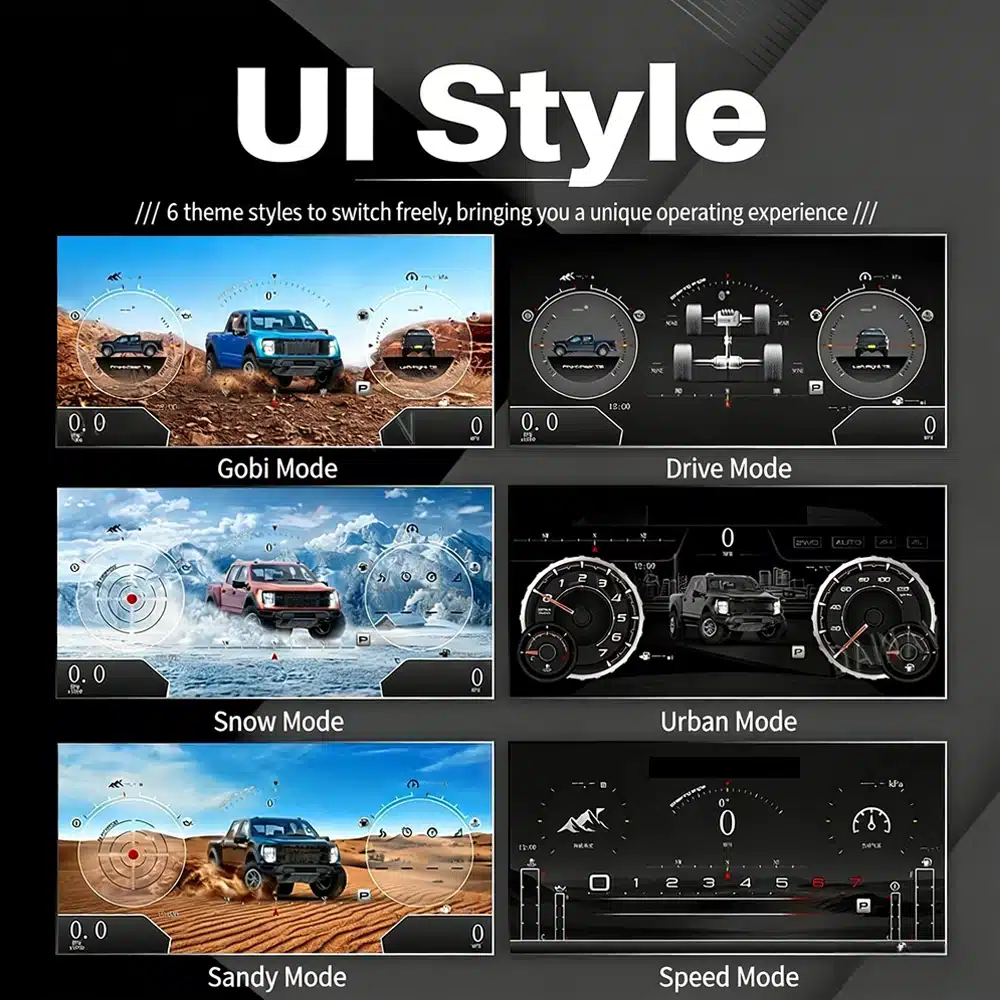
The interface includes multiple visual themes for city driving, speed-focused driving, snow, sand, desert and drivetrain-focused views, making the upgrade feel closer to a modern Raptor cockpit.
Fabriksinställningarna behålls
With the correct year version, retained original instrument electronics and proper installation, the cluster continues to present the important driving information your F-150 supplies.
Anpassat för din lastbil
We separate the Ford F150 Raptor Digital Cluster 2009–2012 and 2013–2014 dashboard versions instead of treating every 12th-generation F-150 as identical.
We confirm your model year, original cluster layout, steering-wheel controls and required instrument configuration before preparing the correct version.
The installation path retains the required original instrument electronics so vehicle-specific data is not treated like a generic replacement cluster.
We help you check speed, RPM, gear, warnings, TPMS, steering controls, units and sleep behavior before final reassembly.
The matched installation is designed to connect without intentionally cutting the supported factory main wiring.
You receive installation and configuration assistance plus a 12-month limited hardware warranty for eligible manufacturing defects.
Fordonsspecifik hårdvara
The molded housing follows the original instrument opening so the finished result looks like a deliberate cockpit upgrade rather than a tablet added on top of the dashboard.

Rätt val av år
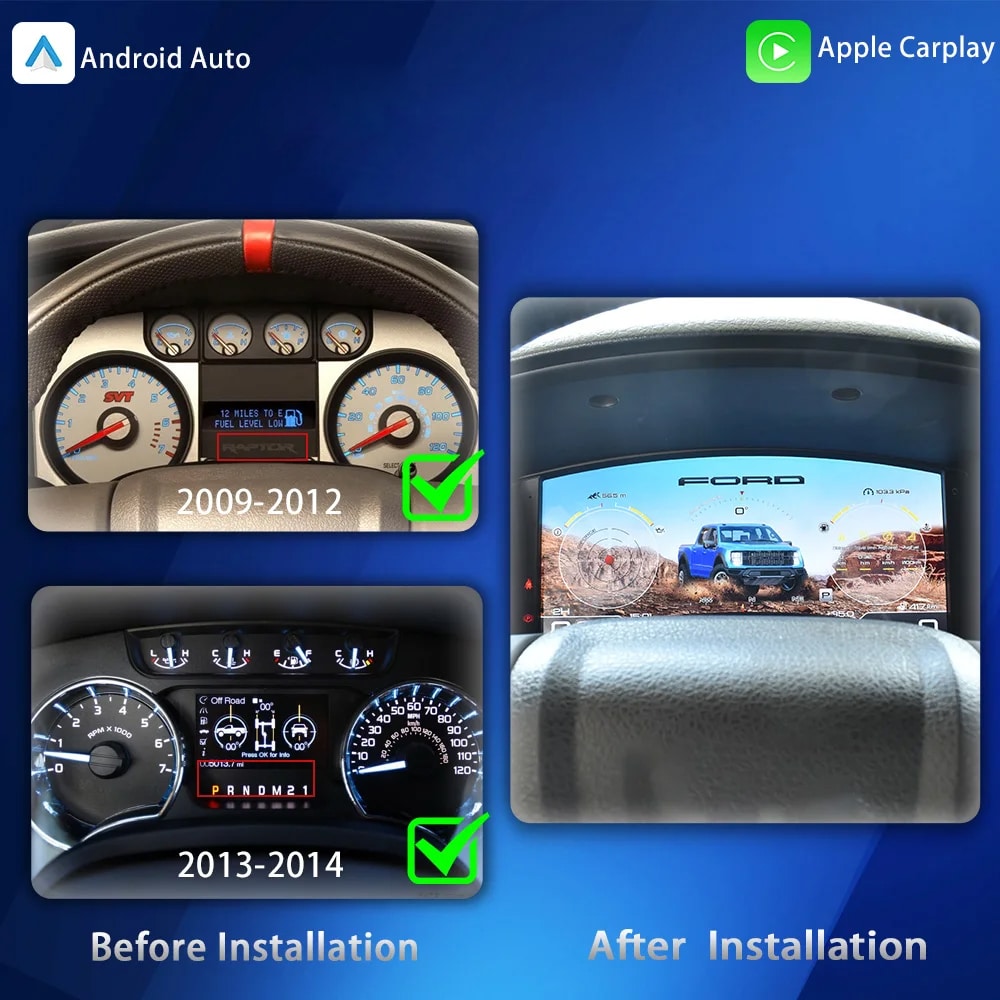
The 2009–2012 and 2013–2014 factory layouts are not identical. Choose the matching year option and send your original cluster photo. The cluster can retain supported original vehicle data when the correct year version and retained instrument electronics are installed properly.

UI-stilar i högupplöst format
This clear UI image replaces the low-resolution dial-switch image. The available styles include Gobi Mode, Drive Mode, Snow Mode, Urban Mode, Sandy Mode and Speed Mode, giving your F-150 or Raptor a more modern factory-style digital cockpit.
Valbara cockpit-teman
The display can prioritize different information depending on how you use the truck: city driving, highway speed, desert driving, snow, sand, drivetrain status or daily vehicle information.

Flerspråkigt gränssnitt
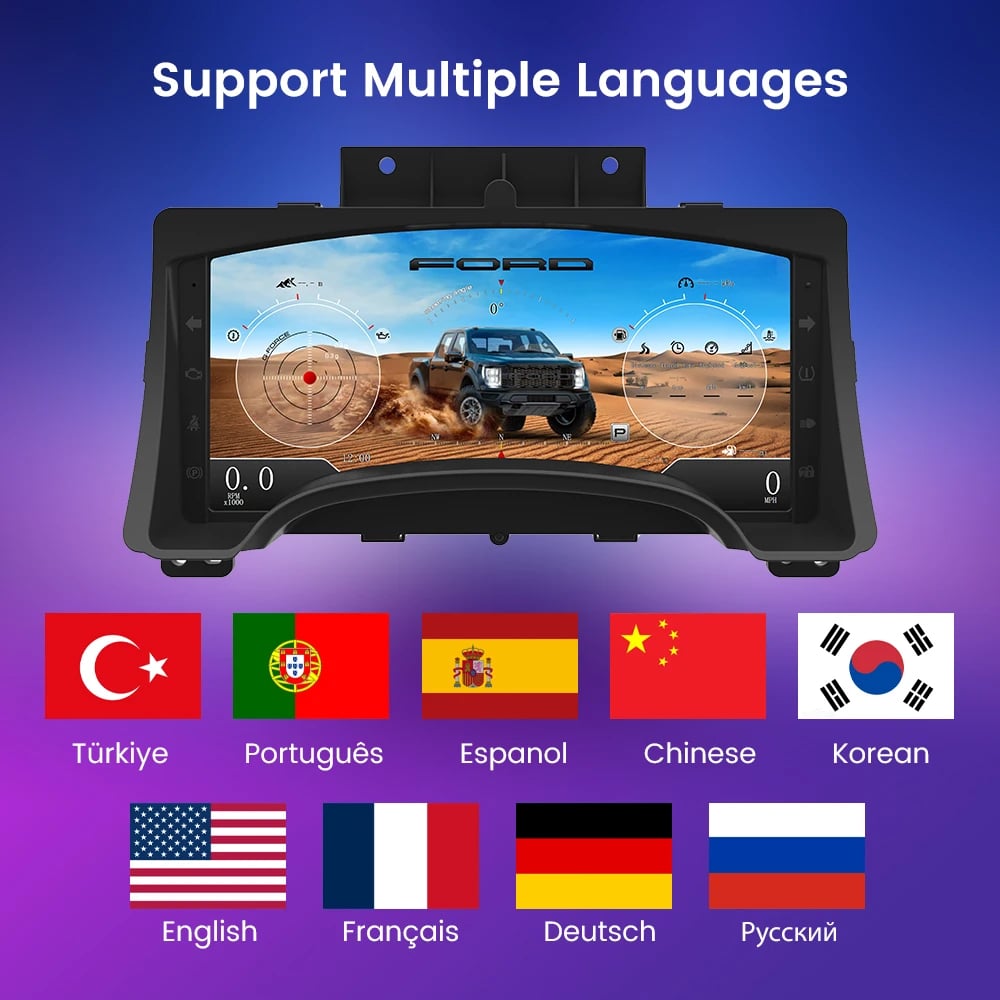
The Linux interface supports multiple languages, including English, Spanish, French, German, Russian, Portuguese, Turkish, Korean, Chinese and Arabic. Ask iKAGOO about your preferred language when placing the order.

Varningar och underhåll
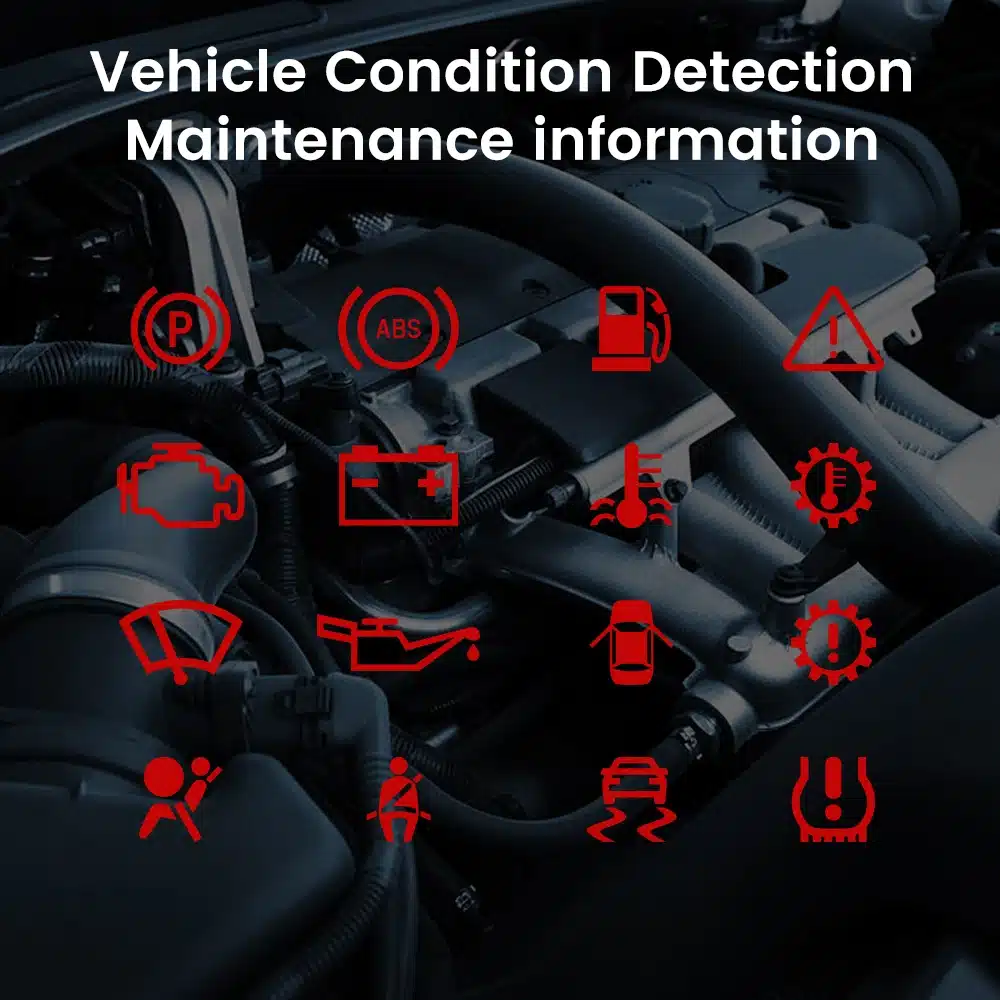
Supported warning indicators, maintenance information and vehicle-status messages remain part of the driving experience, helping you notice issues without returning to the limited original display.

Snabb uppstart av Linux
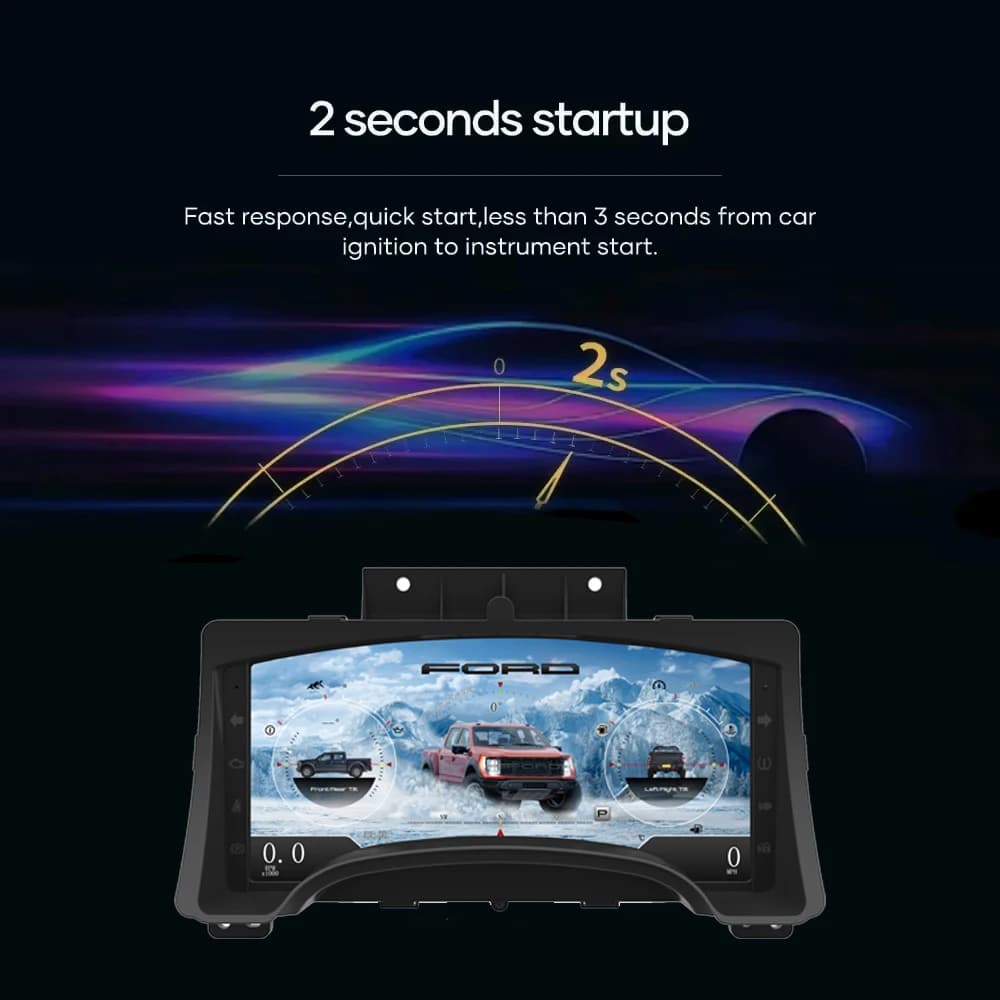
A dedicated Linux platform keeps startup focused on driving information. The specified startup time is under two seconds after ignition.
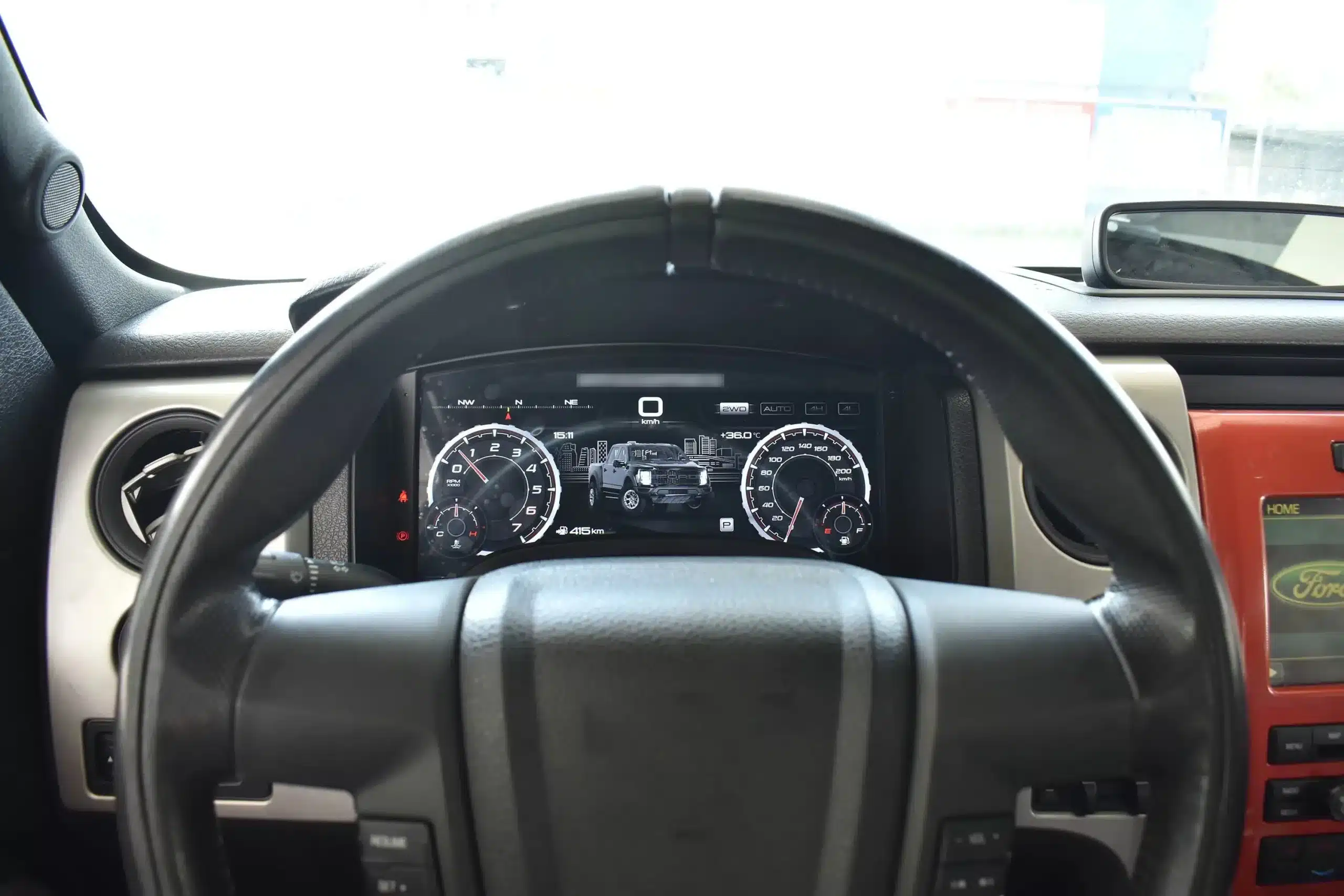
Installed Driving View
The wide screen sits behind the original steering wheel and within the existing dashboard architecture, creating a larger visual upgrade while leaving the center stack and surrounding interior intact.
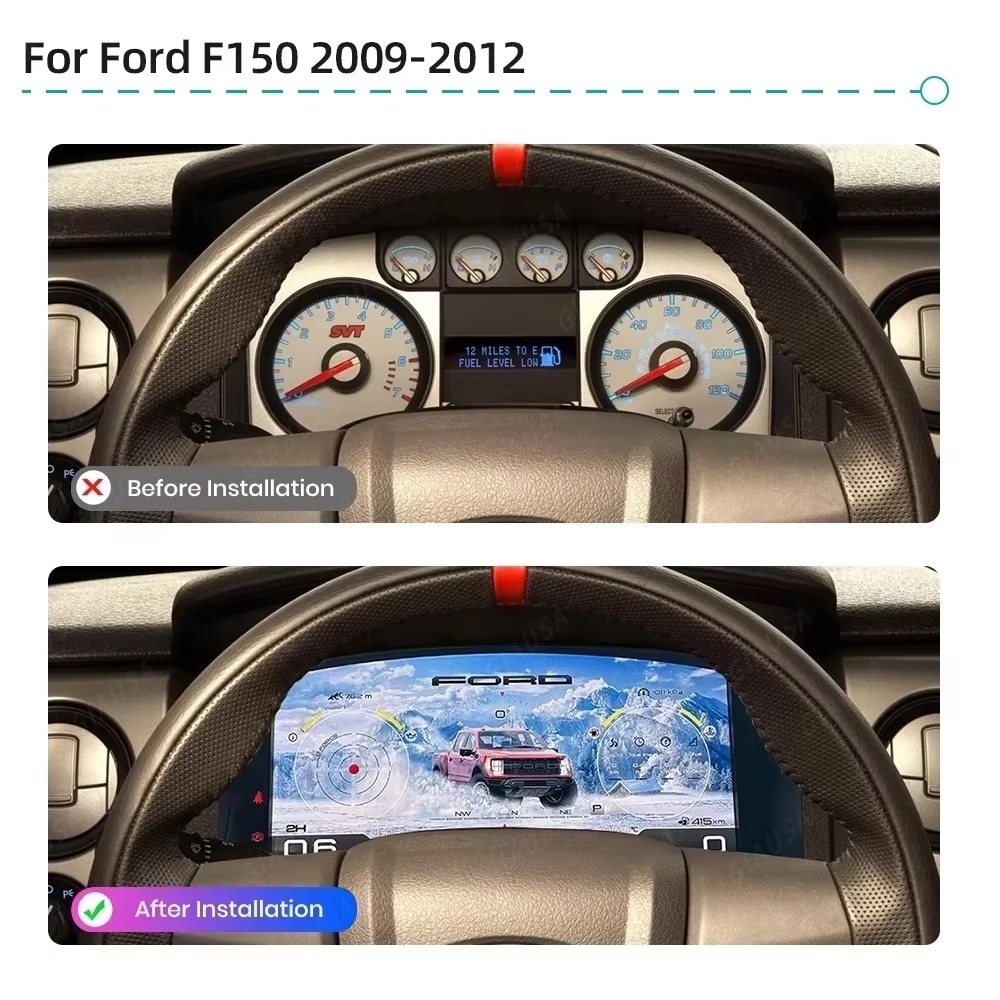
Före och efter
The original analog cluster provides basic information, while the digital replacement creates a wider, brighter and more configurable view directly in the driver’s normal line of sight.
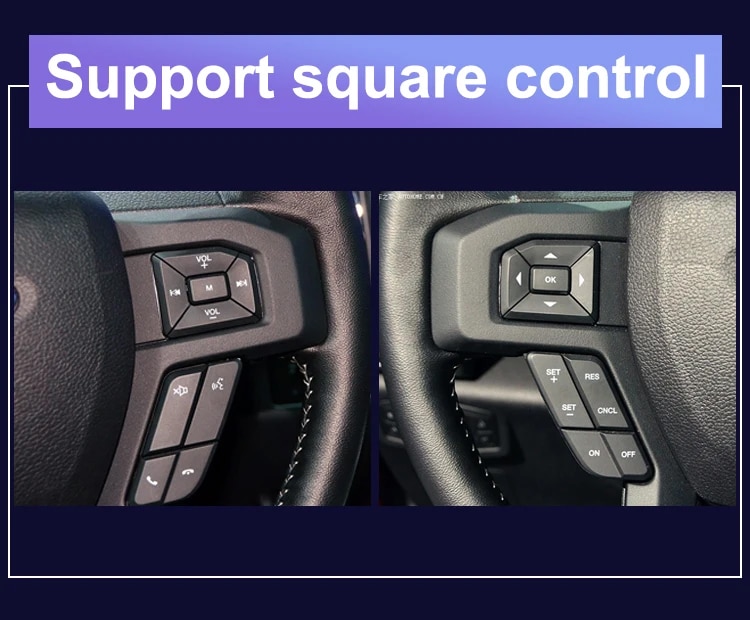
Fabriksinställningar
The supported factory arrow and OK controls let you move through cluster pages, settings and UI modes without adding an unrelated controller to the dashboard.
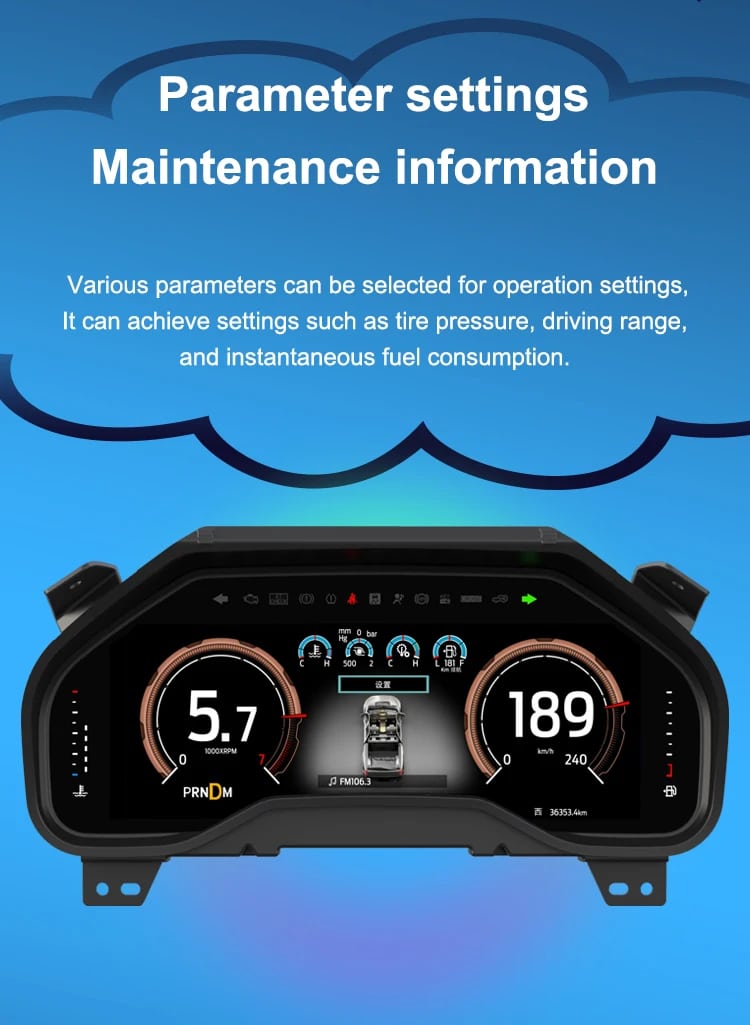
Fordonsdata
The screen layout can vary by year version and selected theme, but the purpose is consistent: make supported vehicle, maintenance and off-road information easier to find during daily use.
Översikt över funktioner
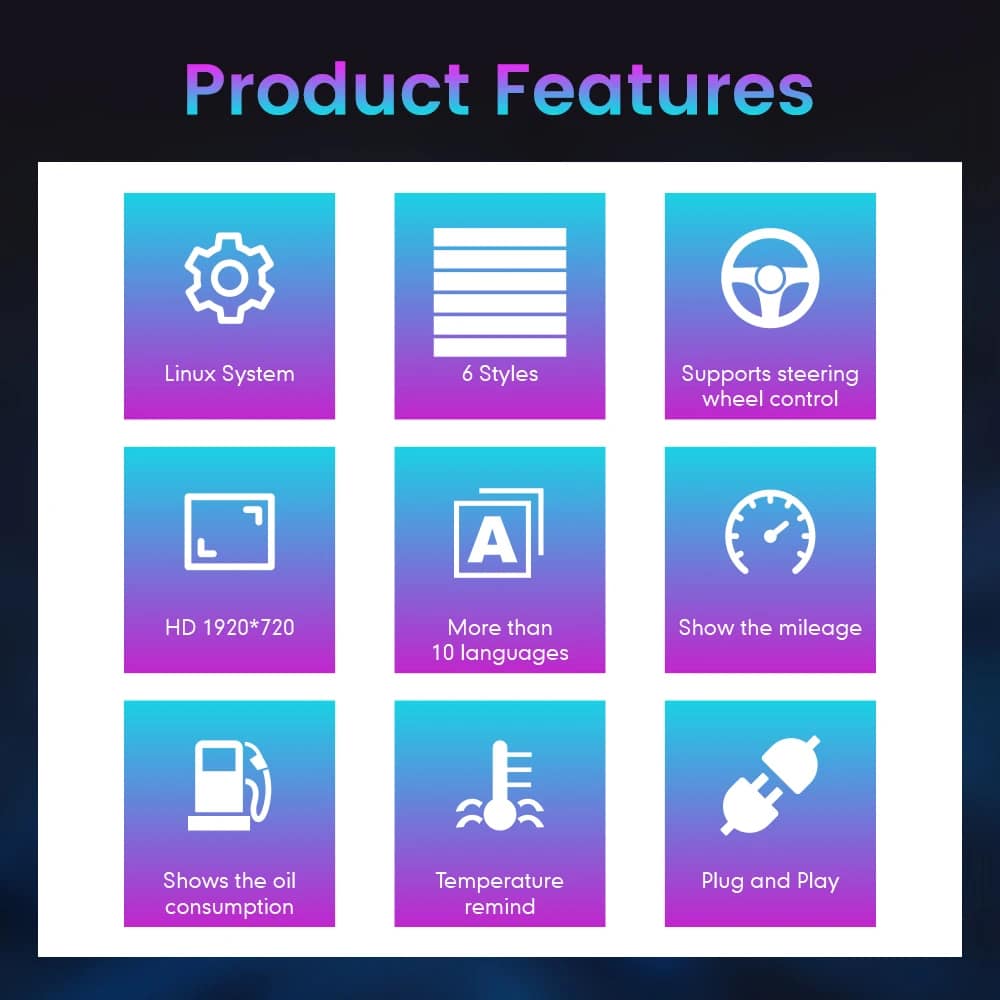
The cluster is built around Linux, selectable layouts, steering-wheel control, mileage display and supported vehicle-status information. For your order, iKAGOO prepares the 13.1-inch, 1920 × 932 configuration stated in the purchase specifications.
Guide till fordons- och regionnamn
This cluster is built around the 12th-generation F-150 dashboard architecture. The purchase area currently provides two hardware groups because the original cluster structure changes across the production run.
Select the Ford F150 Raptor Digital Cluster 2009–2012 option and provide a clear photo of the original cluster. This includes matching trucks with the earlier gauge layout.
Select the 2013–2014 option and provide the later original cluster photo so the correct physical version can be prepared.
The first-generation Raptor belongs to this F-150 generation. Match by model year and original cluster appearance; there is no 2009 model-year SVT Raptor.
Mexican-market badge names can refer to the same generation, but the dashboard, original cluster and connector configuration must match before ordering.
This product is prepared around the North American left-hand-drive dashboard shown. For an aftermarket RHD conversion, send full dashboard and steering-control photos before purchase.
Välj inte den här versionen från 2009–2014. Använd den separata Sidan om den digitala instrumentpanelen i F-150 2015–2020 .
Produktspecifikationer
Orderhantering
Ange modellår, utrustningsnivå, motor-/bränsletyp och marknad.
Skicka den ursprungliga klustret och en bild som visar hela instrumentpanelen på förarsidan.
Vi följer hårdvarukonfigurationen för åren 2009–2012 eller 2013–2014.
Confirm the original steering-wheel controls and instrument layout before shipment.
After delivery, use the provided guidance and contact iKAGOO if the display, controls or vehicle-data behavior differs.
iKAGOO – Köpomdömen
A score of 92/100 does not mean that 8% of factory functions are lost. The score also reflects that the new Linux interface and menu structure differ from the original Ford analog cluster.
Suitable for an experienced DIY installer or an automotive electronics installer. The level describes the work required; it does not indicate lower product quality or lower upgrade value.
Jämför de faktiska resultaten
Installation
This is not a simple USB accessory. Correct work requires careful trim removal, cluster removal, original-component handling, matched connection, vehicle-setting configuration and complete function testing.
Frakt och support
Normally 1–3 business days before dispatch, with additional time when vehicle information or configuration needs clarification.
Typical delivery after dispatch: USA/Canada 5–9 business days, EU 7–15, UK/Australia 7–10, other supported regions 7–20.
Eligible manufacturing defects and hardware failures under normal use are covered by the current limited hardware warranty.
When iKAGOO confirmed compatibility from accurate pre-purchase information but no reasonable solution works, the current published refund policy applies.
Buyer Questions
Redo att uppgradera
Choose the correct year version, send the requested vehicle photos and let iKAGOO prepare the matched digital cluster configuration, UI setup and installation guidance for your truck.
Du måste vara logged in för att publicera en recension.


Tydlig information om fordonskompatibilitet, orderberedning, internationell leverans, garanti, returer och support efter försäljning.
Fordonsspecifik elektronik kräver rätt version, kablage och konfiguration. Vår process är utformad för att minska undvikbara kompatibilitets- och installationsproblem.
Fordonsmodell, årsmodell, originalsystem och relevant konfigurationsinformation kan granskas före köp för att minska risken för att välja fel version.
Före leverans kontrolleras beställningen mot den bekräftade fordonsinformationen så att rätt version, konfiguration och nödvändiga fordonsspecifika komponenter kan förberedas.
Vårt mål är att få din beställning rätt innan den lämnar oss. Vi verifierar kompatibilitet, förbereder rätt installation och kontaktar dig endast om något fortfarande behöver bekräftas.
En praktisk sammanfattning av de viktigaste villkoren som gäller för fordonsspecifika iKAGOO-beställningar.
De flesta iKAGOO-beställningar skickas från vår lagerplats i Kina efter att produktkonfigurationen och fordonsinformationen har kontrollerats.
Normal orderhantering tar ungefär 1-3 arbetsdagar. Beräknad leverans efter avsändning är i allmänhet:
Tullklarering, helgdagar, väder, transportförseningar och leverans till avlägsna områden kan påverka dessa uppskattningar.
Standard internationell frakt inkluderar normalt inte destinationslandets moms, importtullar, mäklaravgifter eller tullklareringavgifter.
För berättigade destinationer inom Europeiska unionen, DDP-frakt kan vara tillgänglig. Importrelaterade avgifter ingår endast när DDP väljs i kassan eller bekräftas skriftligen av iKAGOO före leverans.
När DDP inte väljs är avgifter som tas ut av lokala tullmyndigheter eller transportföretaget normalt mottagarens ansvar.
Express- eller snabbare frakt kan vara tillgänglig för utvalda produkter och destinationer. Tillgänglighet, transportör och eventuella extrakostnader bekräftas före leverans.
Beroende på rutt och produkttyp kan iKAGOO använda DHL, FedEx, UPS, EMS, 4PX eller en annan spårbar logistikleverantör.
Efter sändning skickas spårningsnumret eller spårningslänken normalt till den e-postadress som användes för beställningen. Spårningsuppdateringar kan ta flera arbetsdagar innan de visas under internationella transportöverföringar.
Returberättigande beror på orsaken till returen, produktens skick, installationsstatus, stödjande bevis och om returen har godkänts av iKAGOO.
För en godkänd retur utan defekt måste produkten normalt förbli oanvänd, inte installerad, komplett och lämplig för återförsäljning. Kunden är i allmänhet ansvarig för godkända returfraktkostnader.
Originalfrakt, DDP, moms, tullar och andra logistikkostnader är i allmänhet inte återbetalningsbara om inte lagen kräver det eller annat bekräftats av iKAGOO.
Skicka inte tillbaka en produkt innan du har fått en godkänd returadress och returinstruktioner från iKAGOO.
Ytterligare skydd kan tillämpas när iKAGOO har granskat fordonskompatibiliteten, kunden har lämnat korrekt fordonsinformation och rimliga installations- och diagnostiska åtgärder har slutförts.
Om iKAGOO bekräftar att ingen rimlig teknisk lösning är tillgänglig och problemet rapporteras inom 7 kalenderdagar efter leveransen, kan kunden vara berättigad till återbetalning av produktpriset utan att behöva returnera produkten.
Originalfrakt, DDP, moms, tullavgifter och andra tredjepartsavgifter ingår inte i denna återbetalning av produktpriset.
Berättigade produkter inkluderar en 12 månaders begränsad hårdvarugaranti som täcker verifierade tillverkningsfel och berättigade maskinvarufel vid normal användning.
Beroende på det verifierade problemet kan supporten omfatta fjärrdiagnos, konfigurationshjälp, reservdelar, reparation, utbyte, delvis återbetalning eller full återbetalning.
Inspektion eller undersökning av tredje part upphäver inte automatiskt hela garantin. Skador som orsakats av obehörig reparation, felaktig modifiering, brutna kretsar, felaktig återmontering, felaktig kabeldragning, stötar, vatteninträngning eller felaktig användning täcks dock normalt inte.
Kontakta iKAGOO innan du demonterar, modifierar eller reparerar produkten så att rätt diagnostisk procedur kan tillhandahållas.
Kontakta iKAGOO inom 7 kalenderdagar efter leveransen och behåll den ursprungliga förpackningen, fraktiketten, tillbehören och produkten.
Vänligen skicka tydliga bilder eller videoklipp som visar:
Efter verifiering kan iKAGOO ordna en leverans av saknade delar, ersättning, reparation, återbetalning eller en annan rimlig lösning.
Kontakta iKAGOO så snart som möjligt och före installation. Vid ändringar av adress, fordonskonfiguration eller produkt, kontakta oss företrädesvis inom 12 timmar efter att beställningen gjorts.
Ett byte eller en retur kan godkännas när en felaktigt vald produkt förblir oanvänd, inte monterad, komplett och lämplig för återförsäljning. Kunder ansvarar normalt för relevanta fraktkostnader och prisskillnader.
Fordonsspecifika produkter kan komma att gå igenom inköp, programmering, testning eller konfigurering kort efter betalning. När förberedelse eller frakt har påbörjats kan avbokning inte längre vara möjlig, eller skäliga kostnader som redan uppkommit kan dras av.
Paketets innehåll varierar beroende på produkt, fordonsmodell, fabrikssystem och vald konfiguration.
Beroende på produkt kan paketet innehålla huvudenheten, fordonsspecifika kabelstammar, CANBUS-gränssnitt, adaptrar, USB-kablar, antenner, mikrofoner, monteringsdetaljer eller andra nödvändiga installationstillbehör.
Hänvisa till relevanta produktbilder, specifikationer och orderbekräftelse för det exakta innehållet i din beställning.
Du kan kontakta iKAGOO via webbplatsens kontaktformulär, WhatsApp eller andra tillgängliga supportkanaler. Typisk svarstid är inom 24 arbetstimmar.
För snabbare teknisk diagnos, inkludera ditt ordernummer, fordonsmodell och årsmodell, relevanta foton på fabrikssystemet, produktfoton och en tydlig video som visar problemet.
Betalningar behandlas via de säkra betalningsmetoderna som visas i kassan.
Tillgängliga kort-, plånboks- och delbetalningsalternativ kan variera beroende på land, valuta, betalningsleverantör och kundens behörighet.
Delbetalningstjänster, inklusive alternativ som erbjuds av PayPal eller en annan betalningsleverantör, är fortfarande föremål för den leverantörens regionala tillgänglighet och godkännandekrav.
Detta avsnitt är en förenklad kundguide. De fullständiga publicerade policy-sidorna, orderbekräftelsen och tillämplig konsumentlagstiftning har företräde om någon formulering skiljer sig.
Volkswagen VW T6 digital instrumentpanel för Transporter, Multivan och Caravelle 2015–2019, med...
Från: $1,380.00
Slutgiltig frakt bekräftas utifrån din leveransadress i kassan.
Välj vad du planerar att köpa. Vi visar bara de detaljer som behövs för den produkten.
Vi går igenom detaljerna och skickar den rekommenderade produktversion till din e-post.
Vi använder nödvändiga cookies för att hålla webbplatsen säker och fungera korrekt. Med ditt samtycke kan vi också använda analyscookies för att förbättra surfupplevelsen. Se vår Integritetspolicy.


Michael Brown -
Jag installerade detta på min 2009 Raptor. ‘Off-road Mode’ är helt fantastisk—att se realtidsvisning av lutning, rullvinkel och däcktryck på 13.1-inch HD-skärmen får standardanaloga mätare att se ut som om de vore från stenåldern. Installationen var verkligen plug-and-play
Installationen var plug-and-play, menyn är utan fördröjning, de visuella effekterna är fantastiska och upplösningen är extremt hög