


Digital Instrument Cluster FAQ: 24 Kritiska frågor köpare ställer innan beställning
Detta FAQ för digital instrumentpanel svarar på de frågor köpare upprepade gånger ställer innan de byter ut en fabriksinstrumentpanel. Den är utformad för köpare som undersöker fordonsspecifika digitala kluster för stödda plattformar från Audi, Volkswagen, BMW, Mercedes-Benz, Toyota, Lexus, Ford, Land Rover, Porsche, Nissan, Volvo och andra.
Syftet är inte att övertyga dig om att varje digitalt kluster passar varje fordon. Det är motsatsen: iKAGOO vill att de viktiga skillnaderna ska identifieras före installation—fordonsversion, ursprunglig instrumentarkitektur, bevarade funktioner, mätarställning och säkerhetsdata, PCB-rutt, kodning, CANBUS-kommunikation, CarPlay- eller navigationsintegration och installationskrav.
FAQ för digital instrumentpanel: Hur iKAGOO närmar sig köpbeslutet
iKAGOO behandlar inte ett digitalt kluster som en generisk LCD-skärm. Produkten sitter inuti ett befintligt fordonselektroniksystem, så passform, data, originalkontroller och installation måste beaktas tillsammans.
iKAGOO anser att en lyckad eftermontering inte definieras av den längsta specifikationslistan. Den definieras av huruvida rätt produktversion väljs, de nödvändiga ursprungliga fordonsfunktionerna förblir praktiska, installationsvägen förstås och köparen fortfarande har en supportväg efter leverans.
FAQ för digital instrumentpanel efter köparoro
Använd denna sida som ett nav för köpbeslut. Varje avsnitt besvarar den omedelbara frågan först och länkar till en djupare iKAGOO-guide när mer information är användbar.
Digital Instrument Cluster FAQ: Fordonspassning och kompatibilitet
Kompatibilitet är den första grinden i köpresan. Den korrekta frågan är inte bara “Passar detta en 2015-bil?” utan “Matchar denna produktväg den faktiska instrumentarkitektur som är installerad i detta fordon?”
Varför iKAGOO begär originalklustret och instrumentbrädan
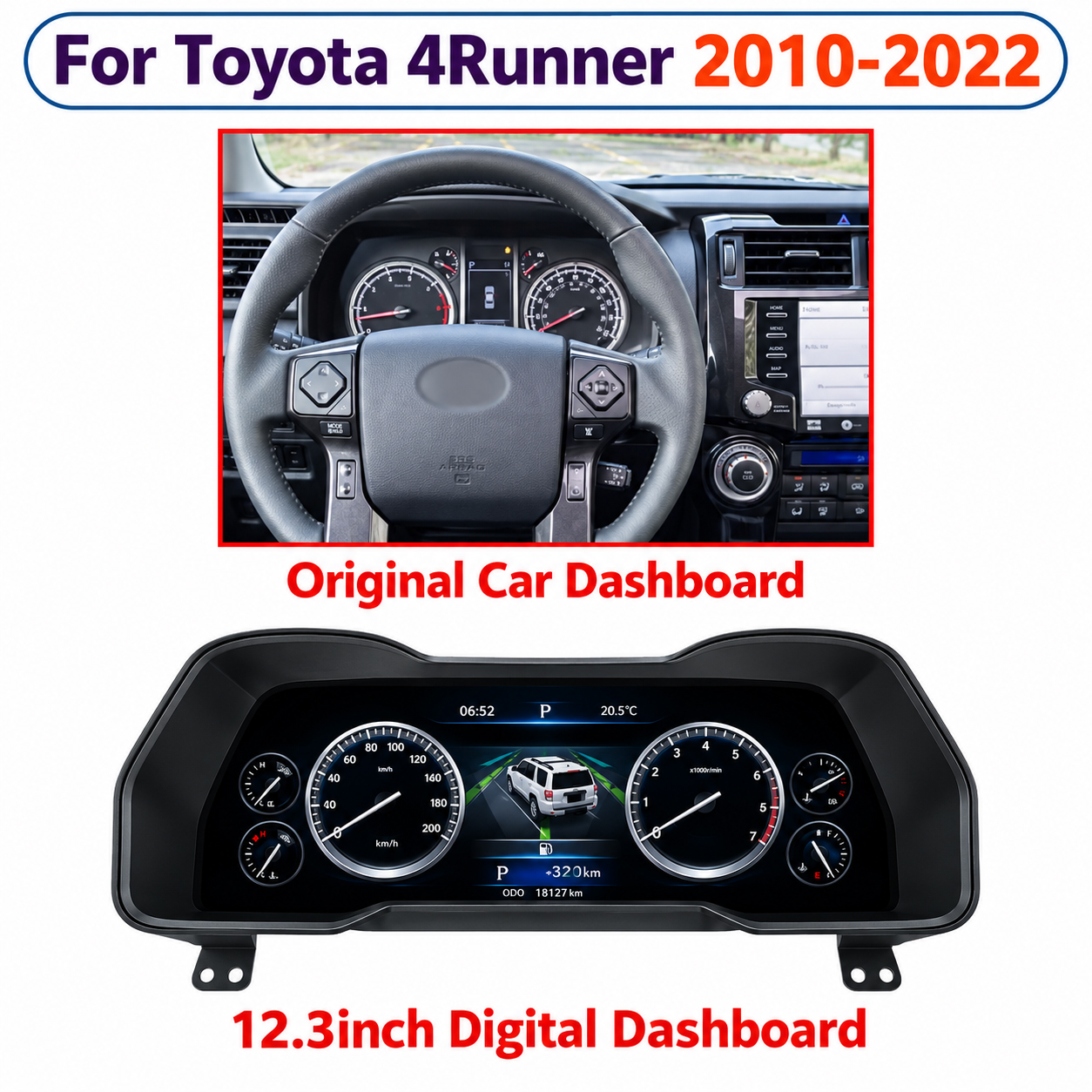
Två fordon kan dela ett modellnamn och ändå använda olika klusterformer, utföranden, kontakter, styrkonfigurationer eller intern elektronik. Ett tydligt foto av originalinstrumentbrädan ger ofta information som en generisk årslista inte kan.
iKAGOO använder därför den synliga fordonskonfigurationen tillsammans med modell och år. Vid behov kan även ytterligare information såsom bränsletyp, klusteretikett, originalsystem eller tidigare instrumentbrädemodifieringar kontrolleras.
Hur vet jag om ett digitalt instrumentkluster passar min bil?
Bekräfta exakt märke, modell, produktionsår, fordonsgeneration där sådan är känd, styr sida och utseendet på originalinstrumentklustret.
Den valda produkten bör matcha den fysiska instrumentbrädevägen och den elektroniska konfiguration som krävs av det fordonet. Om produkten kräver ett original-PCB, fäste, summer, avkodare eller annan bevarad komponent, blir även detta en del av kompatibiliteten.
Är fordonsmodell och år tillräckligt för att bekräfta kompatibilitet?
Nej. Samma generation kan innehålla facelift-ändringar, olika instrumenttyper, olika motorer, regionala versioner eller dolda utrustningsändringar.
Detta är särskilt viktigt nära en produktionsårsdelning. iKAGOO rekommenderar inte att utöka en produkts stödda år enbart för att en tidigare eller senare instrumentbräda ser liknande ut.
Vilka foton och fordonsinformation bör jag skicka?
Börja med exakt modell och produktionsår, LHD- eller RHD-konfiguration, ett tydligt påslaget foto av originalklustret och ett bredare instrumentbrädefoto som visar den omgivande inredningen.
Om multimedia eller navigationsintegration över skärmar är inblandad bör även originalcentersystemet identifieras. Bakre etiketter eller kontaktfoton bör endast begäras när de verkligen behövs.
Spelar vänster- eller högerstyrning roll?
Det kan det göra. Vissa produkter delar samma elektronik mellan LHD- och RHD-fordon, medan andra kan använda olika höljen, inredning, monteringsarrangemang eller fordonsspecifika konfigurationer.
Styrsida bör därför behandlas som en del av kompatibiliteten – inte som en fraktnotering som läggs till efter att produkten redan har valts.
Digital Instrument Cluster FAQ: OEM-funktioner och fordonsvarningar
iKAGOO anser inte att “skärmen slås på” är tillräckligt. En framgångsrik instrumentuppgradering bör hålla den stödda fordonsinformationen och kontrollerna praktiska efter installation.
“Bibehåller originalfunktioner” bör vara ett testbart påstående
Generiska påståenden som “100% OEM-funktioner” eller “99% bibehållna” kan dölja viktiga skillnader. iKAGOO delar upp utvärderingen i kontinuitet för originalfunktioner, kontinuitet för originalstyrning, fordonsdata och varningar, fysisk integration, UI-beteende och installationskvalitet.
Detta gör det enklare att identifiera en saknad kritisk funktion istället för att dölja den i en bred marknadsföringsprocent.
Kommer mina ursprungliga fordonsfunktioner fortfarande att fungera?
En korrekt matchad fordonsspecifik instrumentpanel bör fortsätta tillhandahålla den stödda körinformation som krävs för normal användning. Typiska funktioner kan inkludera hastighet, varvtal, bränsle, kylvätsketemperatur, växelläge, hantering av körsträcka, dörrinformation och varningsdata.
Den exakta listan är fordons- och produktspecifik. iKAGOO rekommenderar inte att använda ett generiskt påstående om bibehållna funktioner för varje instrumentpanel i butiken.
Kommer de ursprungliga varningslamporna fortfarande att fungera?
Stödda varningar bör förbli tydliga och användbara efter att rätt instrumentpanel har installerats och konfigurerats. Deras grafik eller position kan se annorlunda ut än den ursprungliga analoga instrumentpanelen.
Specialvarningar som AHC, VSC/TRAC, 4LO, differentialspärr, TPMS, dieselinformation, AdBlue eller avancerade assistansindikatorer måste kontrolleras individuellt där det är tillämpligt.
Kommer reglagen på ratten fortfarande att fungera?
Många av de klusterflöden som stöds behåller den ursprungliga rattinteraktionen. Knapptilldelningar och menyvägar kan dock skilja sig mellan fabriksklustret och det uppgraderade digitala gränssnittet.
“Rattstyrning stöds” bör därför betyda mer än en kryssruta. Den användbara frågan är vilka knappar som styr vilka funktioner på det faktiska fordonet.
Vad händer om mitt fordon har särskilda fabriksfunktioner?
Behandla dessa som individuella kompatibilitetskrav. Exempel är luftfjädringsdisplayer, offroad-information, status för differentialspärr, TPMS, dieselvarningar, AdBlue, avancerade assistansfunktioner och modellspecifika servicedata.
Vissa produkter stöder dessa funktioner; andra gör det inte. iKAGOO föredrar en definierad begränsning framför ett överdrivet universellt påstående.
Vanliga frågor om digital instrumentkluster: Mätarställning, VIN och ursprungliga fordonsdata
Dessa frågor kräver försiktighet eftersom mätarställning, identitet och säkerhetsinformation inte lagras eller behandlas på exakt samma sätt på alla fordonsplattformar.
LCD-skärmen är bara det synliga lagret
Det föraren ser är det nya gränssnittet. Under det kan fordonet fortfarande vara beroende av originalelektronik, CANBUS-kommunikation, kvarhållen PCB-data eller ytterligare konfiguration.
Det är därför iKAGOO skiljer på “displayuppgradering” och “fordonsidentitet”. Att ersätta det föraren ser innebär inte automatiskt att varje identitets- eller säkerhetsfunktion ersätts på samma sätt.
Kommer min ursprungliga mätarställning att finnas kvar efter uppgraderingen?
Det kan den, men det finns ingen universell metod. Vissa eftermonteringsvägar fortsätter att använda den ursprungliga klusterelektroniken eller ursprungliga fordonsdata, medan andra arkitekturer kan kräva konfiguration eller programmering.
Bevarande av mätarställning bör därför bekräftas för det exakta fordonet och klusterflödet i stället för att antas utifrån en annan modell.
Kommer mitt VIN att ändras om jag byter instrumentkluster?
Att ändra den synliga displayen innebär inte automatiskt att VIN ändras. Svaret beror på vilka originalmoduler som förblir aktiva och var fordonsidentiteten hanteras.
På flöden som behåller det ursprungliga instrument-PCB:t förblir identitetsinformation som hanteras av det kortet kopplad till originalelektroniken. Andra arkitekturer kan använda andra metoder.
Kommer startspärren fortfarande att fungera efter att klustret har bytts?
Det beror på hur fordonets säkerhetssystem är utformat. På vissa plattformar är den ursprungliga instrumentelektroniken nära kopplad till säkerhets- eller startspärrslogik.
Det är en anledning till att vissa digitala klusterlösningar behåller det ursprungliga PCB:t i stället för att ersätta hela den elektroniska identiteten hos det ursprungliga instrumentet.
Will CANBUS vehicle data still display correctly?
A correct digital cluster must do more than switch on. It must receive and interpret the supported vehicle information required for normal driving.
Speed, RPM, fuel, temperature, gear, doors and warning states are examples of information that may depend on CANBUS communication or the retained original electronics.
Digital Instrument Cluster FAQ: PCB Transfer, Coding and Wiring
PCB transfer is one of the areas buyers often misunderstand. On the correct platform, retaining an original board can be part of the engineering solution rather than a compromise.
Why iKAGOO Looks Behind the Screen
The front display tells you how the product looks. The rear housing, PCB strategy, connectors, decoder and wiring tell you how the product actually becomes part of the vehicle.
Two 12.3-inch clusters can have completely different installation requirements. This is why iKAGOO does not use screen size as the primary compatibility rule.
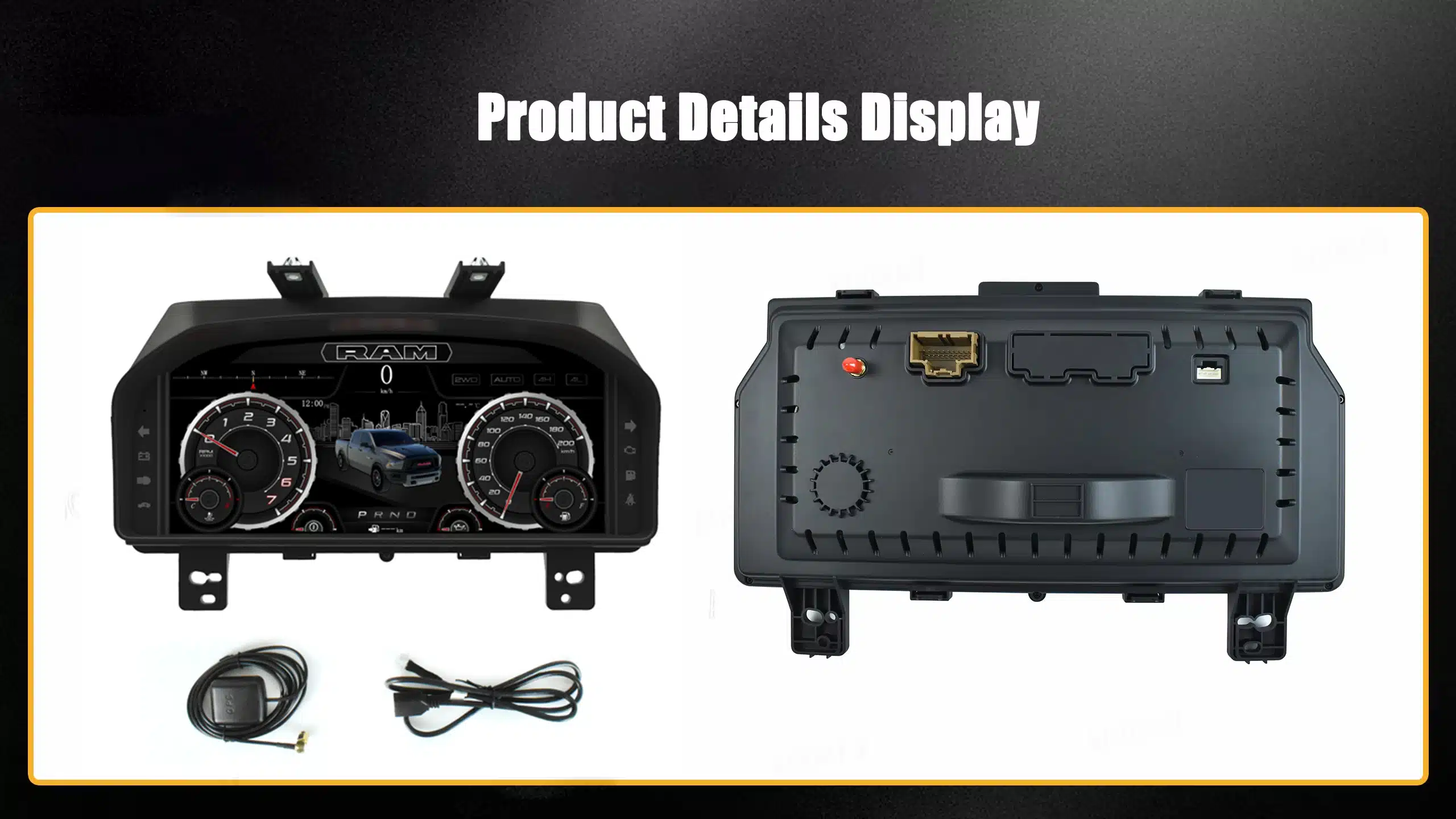
Why do some digital clusters require the original PCB?
Because the original board may continue handling vehicle identity, security logic, warnings, mileage or CANBUS data that the vehicle expects from the factory instrument.
The retrofit display can modernize the visual interface while the original electronics continue performing their vehicle-specific role.
Does a digital instrument cluster require coding or programming?
Some do; others do not. The answer depends on whether the route uses the original PCB, a vehicle-specific CAN interface, independent electronics or an OEM-style replacement method.
Configuration and coding are also different things. A product may require menu configuration without requiring dealer-style immobilizer coding.
Is a digital instrument cluster really plug and play?
“Plug and play” should mean the product uses a vehicle-matched connection route without intentionally cutting the original main harness.
It can still involve dashboard removal, bracket or trim transfer, PCB transfer, adapter installation, product configuration and final function testing.
Behöver jag klippa fabrikskablarna?
Many iKAGOO vehicle-specific cluster routes are designed around matched connectors, harnesses and interfaces rather than intentionally cutting the original main wiring harness.
However, the exact product installation guide takes priority. iKAGOO does not recommend turning “no cutting” into a universal statement for every unrelated cluster design.
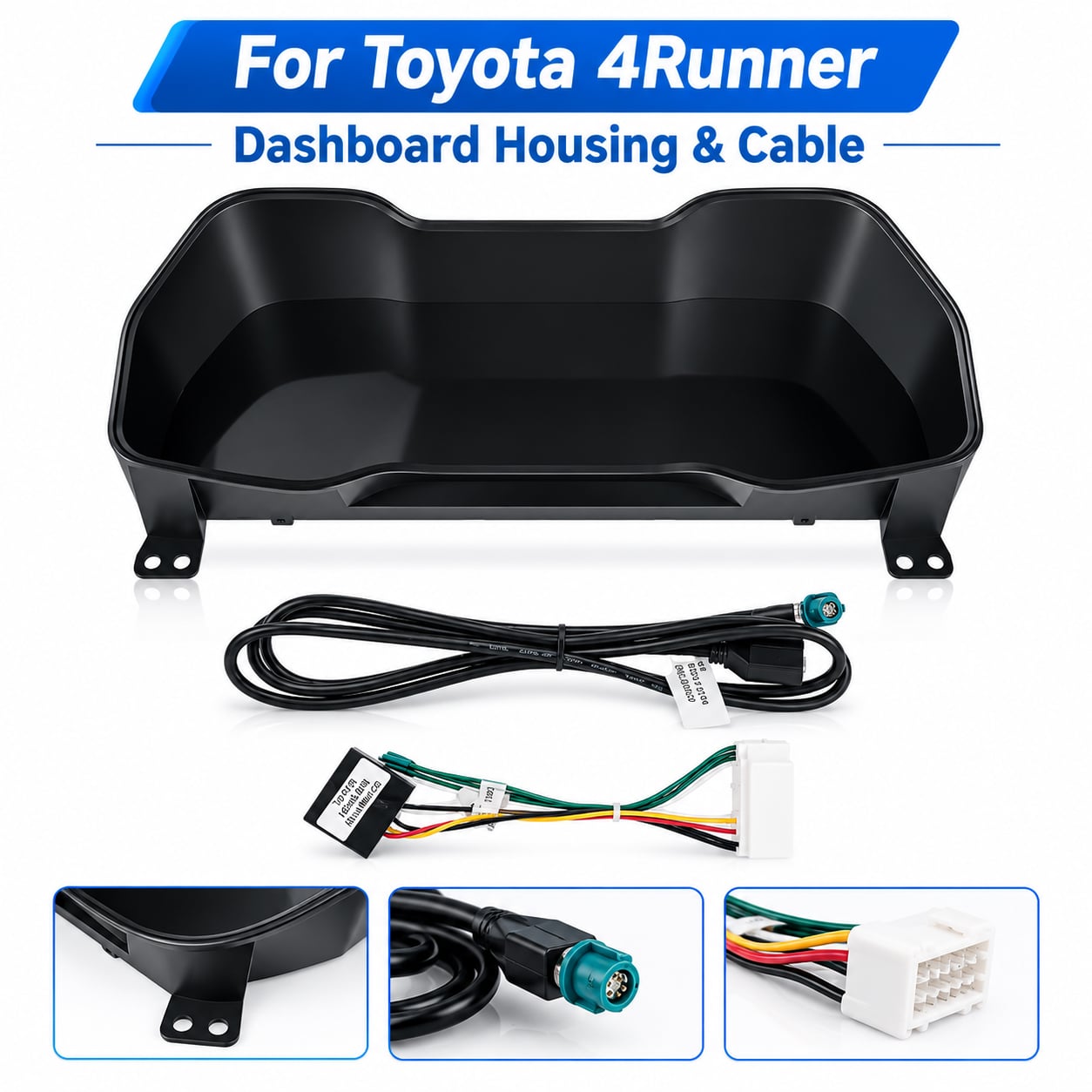
Compatibility Includes the Hardware Around the Screen
Housing dimensions, harnesses, connectors, brackets and interface hardware are part of the complete product route. A correct LCD size with the wrong connection architecture is still the wrong product.
Digital Instrument Cluster FAQ: CarPlay, Android Auto and Navigation Sync
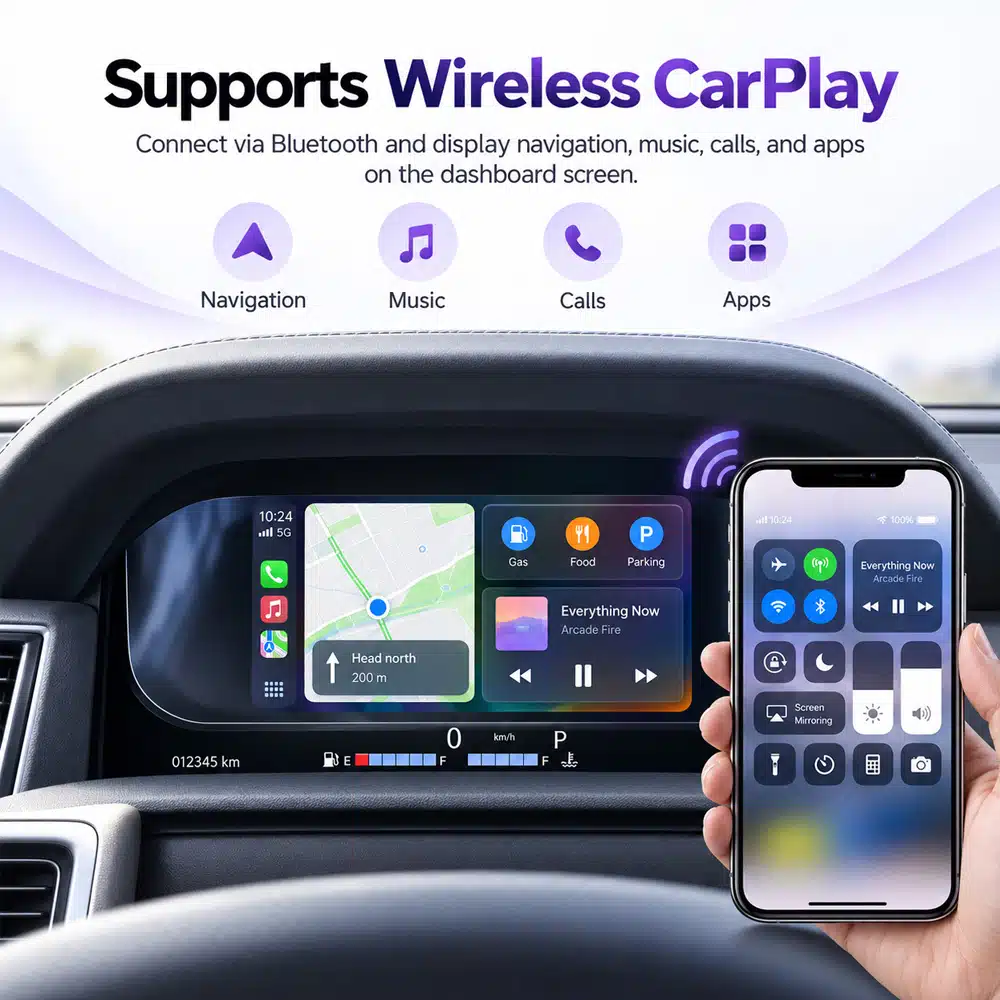
This is one of the most common causes of misunderstanding because “CarPlay”, “navigation” and “map displayed in the cluster” are three different technical statements.
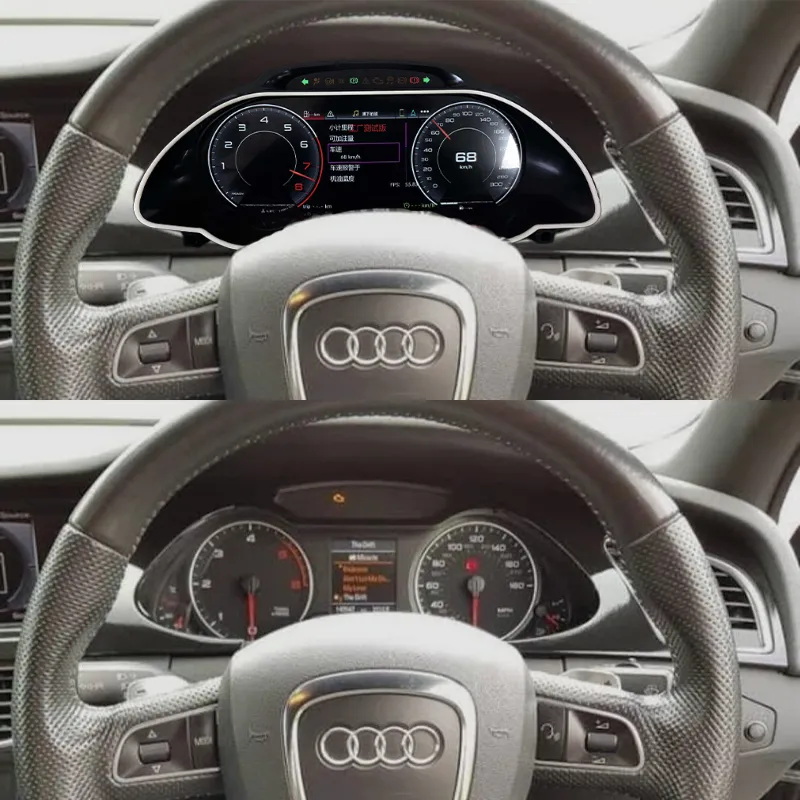
The Center Screen and Instrument Cluster Are Separate Systems
A vehicle can have CarPlay on the center Android screen while the digital instrument cluster has no CarPlay function at all. In another vehicle, a supported HDMI or synchronization route can send selected navigation content to the cluster.
iKAGOO therefore checks where CarPlay runs, what output the center system provides, what input the cluster accepts and whether the selected combination supports the expected cross-screen result.
Does every digital instrument cluster support Apple CarPlay?
No. Some clusters include a supported phone-projection function, some receive navigation information from an external source, and other clusters do not support CarPlay at all.
The feature must be confirmed on the actual product route. iKAGOO does not use “digital screen” and “CarPlay screen” as interchangeable terms.
Can Google Maps or Waze display on the digital cluster?
Only where the selected route supports a compatible navigation source and display method. Depending on the hardware, this can involve HDMI output, a converter or synchronization module, USB communication or another supported connection.
The exact route must be confirmed because different head units can offer different outputs even when both run Android or CarPlay.
Can the digital cluster work with an aftermarket Android head unit?
Sometimes. The Android unit must provide an output or data route that matches what the digital cluster can receive.
iKAGOO reviews a dual-screen upgrade as one vehicle system rather than assuming that two independently compatible screens will automatically communicate with each other.
Can I switch MPH / km/h, language or display themes?
Many digital clusters provide configurable units, languages or display styles, but these functions vary by product family and software version.
For example, the corresponding Toyota 4Runner 2010–2022 iKAGOO cluster route supports MPH ↔ km/h switching as a normal menu function. That does not imply every unrelated cluster uses the same interface.
Digital Instrument Cluster FAQ: Installation Difficulty and Final Verification
iKAGOO considers installation part of the product decision. A product can be compatible and still require a professional installer if PCB transfer, coding or complex dashboard work is involved.
Remote Compatibility Review + Real Installation Verification
Pre-order photos help identify the correct product route. The installer then verifies actual connectors, previous wiring changes, hidden equipment and final function behavior while the dashboard remains open.
iKAGOO recommends completing functional checks before reinstalling every piece of trim. This makes troubleshooting substantially easier if something needs adjustment.
Can I install a digital instrument cluster myself?
It depends on the vehicle and installation route. A confident DIY owner may be able to install a straightforward matched-harness cluster when a verified guide exists.
PCB transfer, coding, calibration, delicate dashboard disassembly or unfamiliar automotive electronics increase the risk. In those cases iKAGOO recommends an experienced automotive-electronics installer.
Vad bör kontrolleras innan man stänger instrumentpanelen?
- Normal ignition startup and shutdown
- Hastighet och RPM
- Fuel level and coolant temperature
- Gear display
- Mileage behavior
- Door and seat-belt information
- Required warning indicators
- Rattkontroller
- MPH / km/h or language settings where supported
- Navigation / projection features where included
- Any special function specifically confirmed before purchase
What should I do if something does not work after installation?
Do not repeatedly change wiring or install unknown firmware. First document the actual symptom.
- Photograph all relevant connections.
- Record a short video showing the problem.
- Confirm the product and software version.
- Identify whether the problem concerns display, CAN data, controls, navigation or settings.
- Contact iKAGOO support with the evidence.
What does iKAGOO verify before shipping my cluster?
When the product requires confirmation, iKAGOO reviews the information relevant to that route before the order is released for shipment.
Depending on the product, this can include vehicle model and year, original cluster, dashboard structure, LHD/RHD configuration, product version, required harness or retained components and important factory functions.
The goal is not to claim that remote review can see every hidden vehicle modification. The goal is to identify preventable mismatches before installation begins.
Digital Instrument Cluster FAQ: What Real iKAGOO Buyer Questions Teach Us
These cases are not used to limit the article to a few vehicle brands. They show why the same 24 questions matter across different supported vehicle platforms.
2013 Jetta GLI MK6
The important buyer question was not screen resolution. The concerns were mileage, VIN, immobilizer behavior and original vehicle data.
In the confirmed YB-110 route, the original instrument PCB remains in use so the factory board continues handling the vehicle logic assigned to it.
iKAGOO lesson: explain what the retained PCB does instead of treating PCB transfer as automatically good or bad.
2013 Audi A5 B8.5 / MMI 3G+
The purchase decision involved the digital cluster, Android center display, original MMI environment and the required route for CarPlay / Waze-related synchronization.
The important distinction was whether CarPlay existed on the center screen versus whether supported map content could actually reach the cluster.
iKAGOO lesson: evaluate the whole cockpit route—not two screens independently.
Land Cruiser 100 / Lexus LX470
Similar-looking dashboards across a vehicle family do not justify automatically extending a product's supported production years.
The exact vehicle year and original dashboard remain necessary because different versions can require different cluster routes.
iKAGOO lesson: real fitment boundaries are more valuable than a wider SEO year range.
F-150 / SVT Raptor 2009–2014
A large digital display does not automatically mean CarPlay or navigation synchronization is part of the product.
If the cluster route does not support those functions, iKAGOO should describe its actual instrument and vehicle-data capabilities instead.
iKAGOO lesson: an accurate limitation creates more trust than an inflated feature list.
4Runner 2010–2022
The corresponding cluster supports MPH ↔ km/h switching as a basic menu function, but the cluster itself should not be described as a CarPlay product.
Units, UI themes, phone projection and map synchronization are separate specification items.
iKAGOO lesson: verify every important function separately.
Discovery 4 / Supported Applications
The supported cluster route focuses on vehicle information, steering-wheel control and supported warning data.
CarPlay should not be added to the product description when the cluster does not provide that function.
iKAGOO lesson: correct vehicle integration is more important than copying functions from another product family.
Digital Instrument Cluster FAQ: What iKAGOO Needs to Check Your Vehicle
Buyers do not need to understand automotive CANBUS engineering. The useful part is providing enough accurate evidence for the product route to be narrowed correctly.
Digital Instrument Cluster FAQ: Continue the iKAGOO Buying Journey
This page answers the high-level buyer questions. The following iKAGOO resources provide the deeper evidence instead of duplicating the same content on every article.
Digital Instrument Cluster FAQ: Why iKAGOO Focuses on Certainty Instead of the Lowest Price
The hardware price is only one part of a retrofit. The wrong version, missing vehicle functions, unclear firmware or unsupported installation can transfer the technical risk to the buyer.
iKAGOO is not trying to be the cheapest source for a generic LCD instrument panel. The value proposition is a more defined vehicle-specific route: identify the correct product, explain the important functional boundaries, provide installation guidance where available and maintain a support path connected to the original order.
Digital Instrument Cluster FAQ Answered — Now Match the Cluster to Your Actual Vehicle
Start from your vehicle, not from screen size. Prepare the exact model and production year, LHD/RHD configuration, original cluster photo, complete dashboard photo and the factory functions that matter most to you.
iKAGOO can then help narrow the correct vehicle-specific route before installation. If the configuration cannot be confirmed from the available evidence, the safer answer is to continue reviewing it rather than pretending compatibility is certain.
Vehicle-specific confirmation takes priority over general examples in this Digital Instrument Cluster FAQ. Images illustrate real iKAGOO product and installation principles but do not transfer compatibility from one vehicle platform to another.




Add comment
Du måste vara inloggad för att publicera en kommentar.