


Volkswagen Lavida 2013-2017 Installation av digitalt instrumentkluster: 17-stegs uppgraderingsguide
Volkswagen Lavida 2013-2017 Digital Instrumentpanel Installation med 17 Verkliga Steg
Detta Volkswagen Lavida 2013-2017 digital instrumentpanel installation guiden täcker den kompletta PQ-plattformsuppgraderingsvägen med 17 verkliga installationssteg, överföring av originalkort, kontroller av hjälpkort, USB-dragning, kalibrering och sluttester.
Guiden är baserad på iKAGOO:s faktiska installationsfoton av Lavida, tekniska videor och eftermarknadsprocedur. Den är avsedd för fordon som fortfarande använder det matchande ursprungliga mekaniska instrumentklustret.
Hur Fungerar Volkswagen Lavida 2013-2017 Digital Instrumentpanel Installation?
Snabbt svar: bekräfta det ursprungliga mekaniska klustret först, slutför förberedelsen av den ursprungliga varningsmenyn, ta bort klustret, överför den nödvändiga ursprungliga elektroniken på en ren bänk, kontrollera det valfria hjälpkortet, sätt tillbaka det digitala klustret, dra båda USB-kablarna och testa systemet innan instrumentpanelens trim återinstalleras.
Jobbet är inte klart när displayen först slås på. Bränslekalibrering, inställningar för fysiskt ljus, val av fordonsmodell och slutliga varnings-/displaykontroller kan fortfarande krävas.
Volkswagen Lavida 2013-2017 Digital Instrumentpanel Kompatibilitet
Använd denna installationsväg när
- Fordonet är en Volkswagen Lavida 2013-2017.
- Den ursprungliga instrumentpanelen använder det matchande PQ-plattformens mekaniska kluster.
- Den ursprungliga klusterformen matchar installationsreferenserna nedan.
- Fordonet har inte konverterats till en annan klusterarkitektur.
Stanna och kontrollera först när
- Det ursprungliga instrumentklustret ser annorlunda ut än referensfotona.
- Klustret eller instrumentpanelen har redan modifierats.
- Tidigare eftermarknadsledningsdragning har ändrat instrumentets anslutningsväg.
- Du kan inte identifiera den ursprungliga klusterarkitekturen.
Viktigt: “plug-and-play” innebär att den supportade installationen inte kräver att man klipper eller skarvar den ursprungliga fordonshärvan. Demontering av instrumentbrädan, överföring av originalkomponenter, USB-dragning och kalibrering är fortfarande en del av installationen.
Verktyg och förberedelser före installation
Grundläggande verktyg
- Verktyg för plasttrimning
- Lämpliga skruvmejslar
- Ren vadderad arbetsbänk
- Fungerande arbetsljus
Hantering av elektroniska komponenter
- Ladda ur statisk elektricitet först
- Håll kretskorten i kanterna
- Vidrör inte komponenter direkt
- Tryck aldrig på LCD-skärmen
Före stängning av instrumentbrädan
- Kontrollera alla anslutningar
- Håll båda USB-kablarna tillgängliga
- Slutför första strömtesterna
- Stäng trimmen endast efter att testerna godkänts
Ta inte bort instrumentets originalsummer. Det är en del av den bevarade ursprungliga hårdvaruvägen och bör förbli installerad.
Volkswagen Lavida Digitalt Kluster Installationsflöde
Slutför varningsinställningarna före borttagning
Gör detta medan det ursprungliga mekaniska instrumentklustret fortfarande är installerat och i drift.
- Ställ in varning för vinterdäck till det högsta tillgängliga värdet.
- Ställ in varning för hastighetsgräns till det högsta tillgängliga värdet.
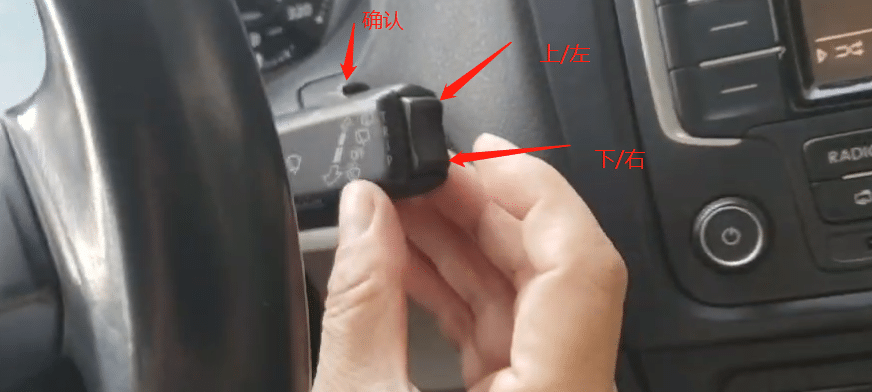
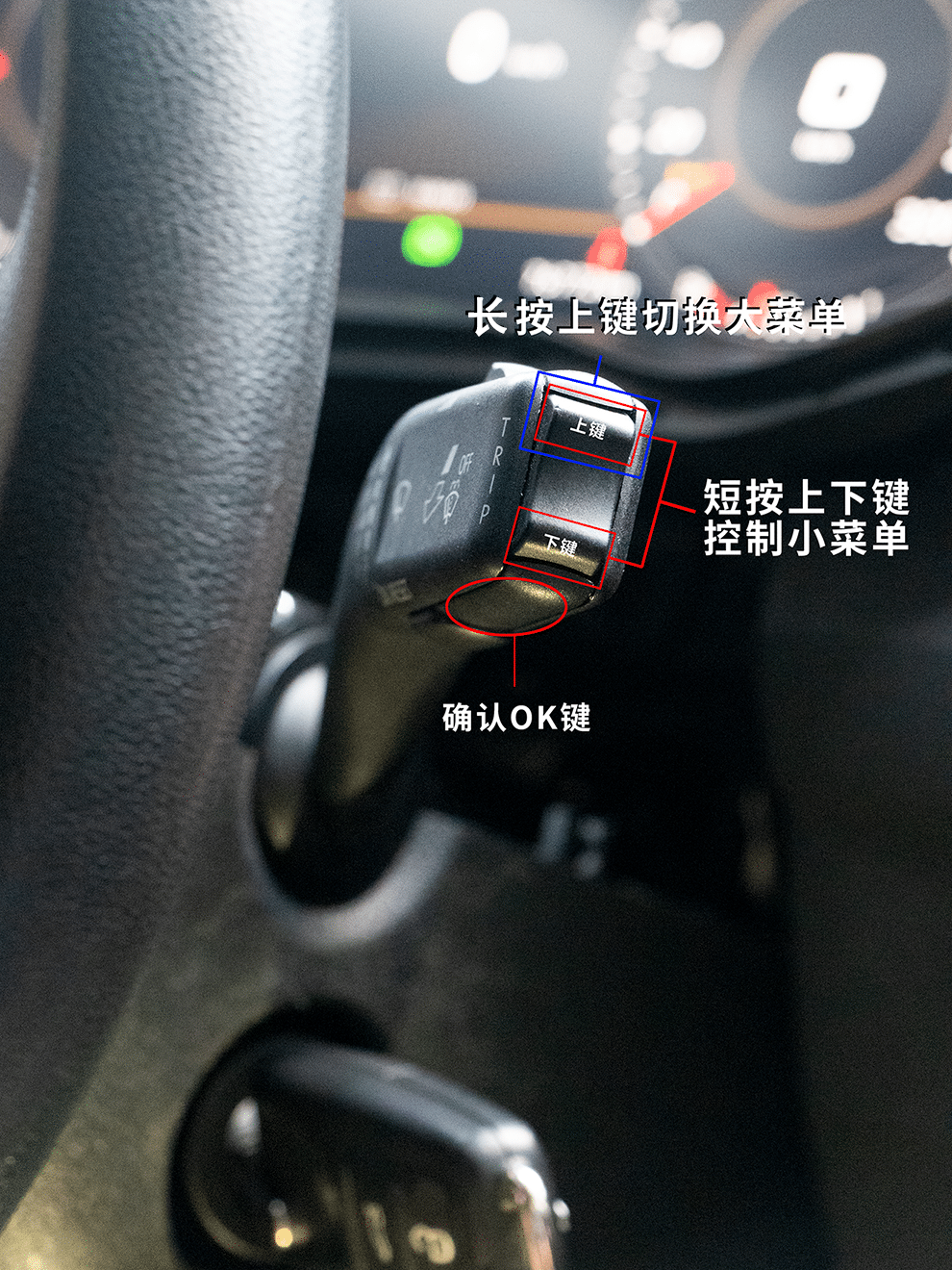
- Öppna multifunktionsmenyn för hastighetsbegränsning.
- Koppla om båda varningsfunktionerna av.
- Börja först därefter ta bort det ursprungliga instrumentklustret.
Slutkontroll: båda varningsvägarna har förberetts medan den ursprungliga klustermenyn fortfarande är tillgänglig.
Borttagning av instrumentbrädans klädsel och originalkluster
Den första fysiska etappen är kontrollerad åtkomst till instrumentbrädan. Tvinga inte instrumentklustret genom trim som inte har lossats helt.
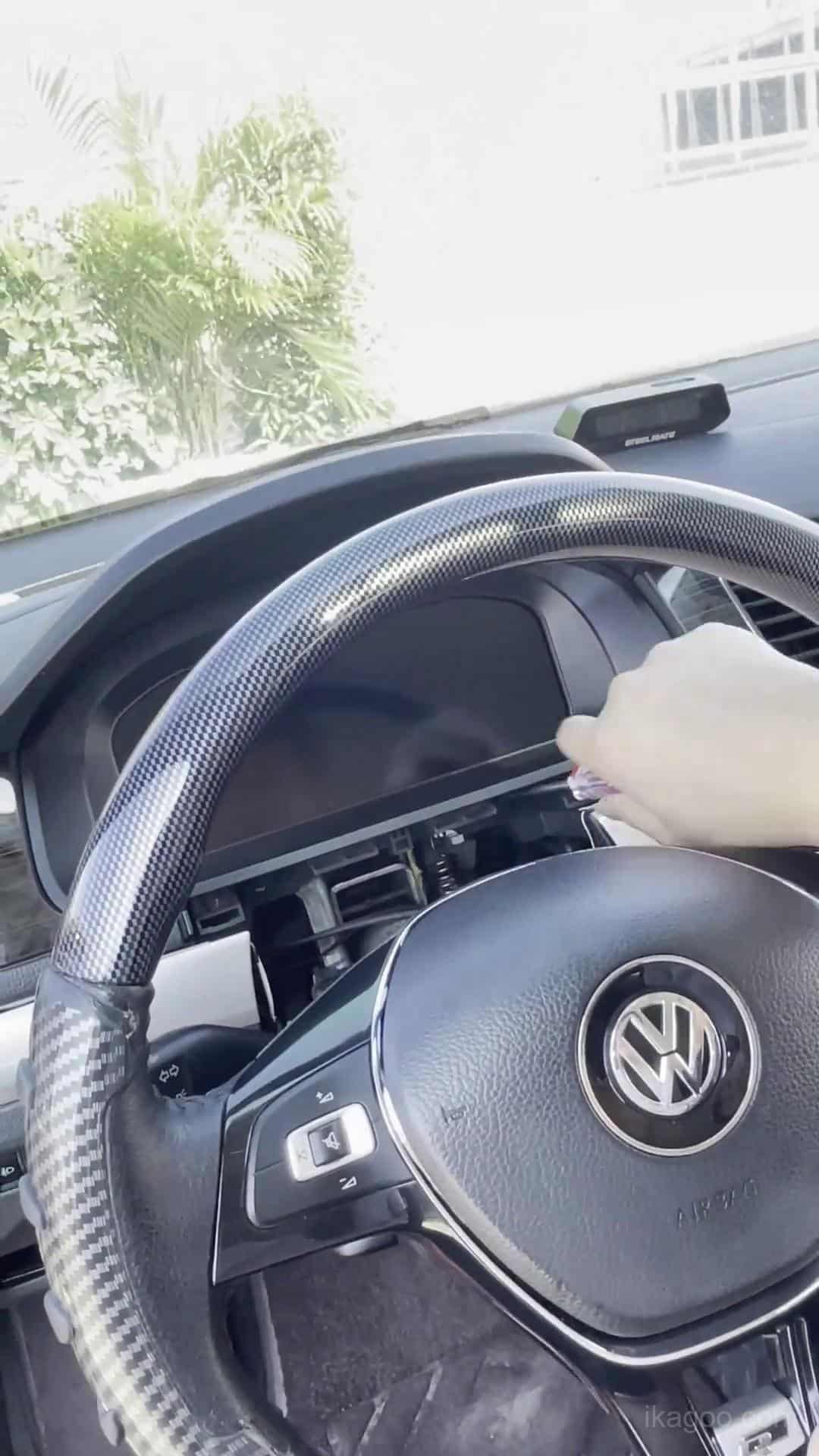
Steg 1. Bekräfta det ursprungliga mekaniska klustret
Jämför det ursprungliga klustrets front, omgivande instrumentbrädans trim och instrumentöppningen med denna installationsväg innan du tar bort något.
Ta ett tydligt foto av den ursprungliga instrumentbrädan och klustret innan du börjar. Detta ger en användbar dokumentation av eventuella varningsindikeringar eller befintligt skick på instrumentbrädan.
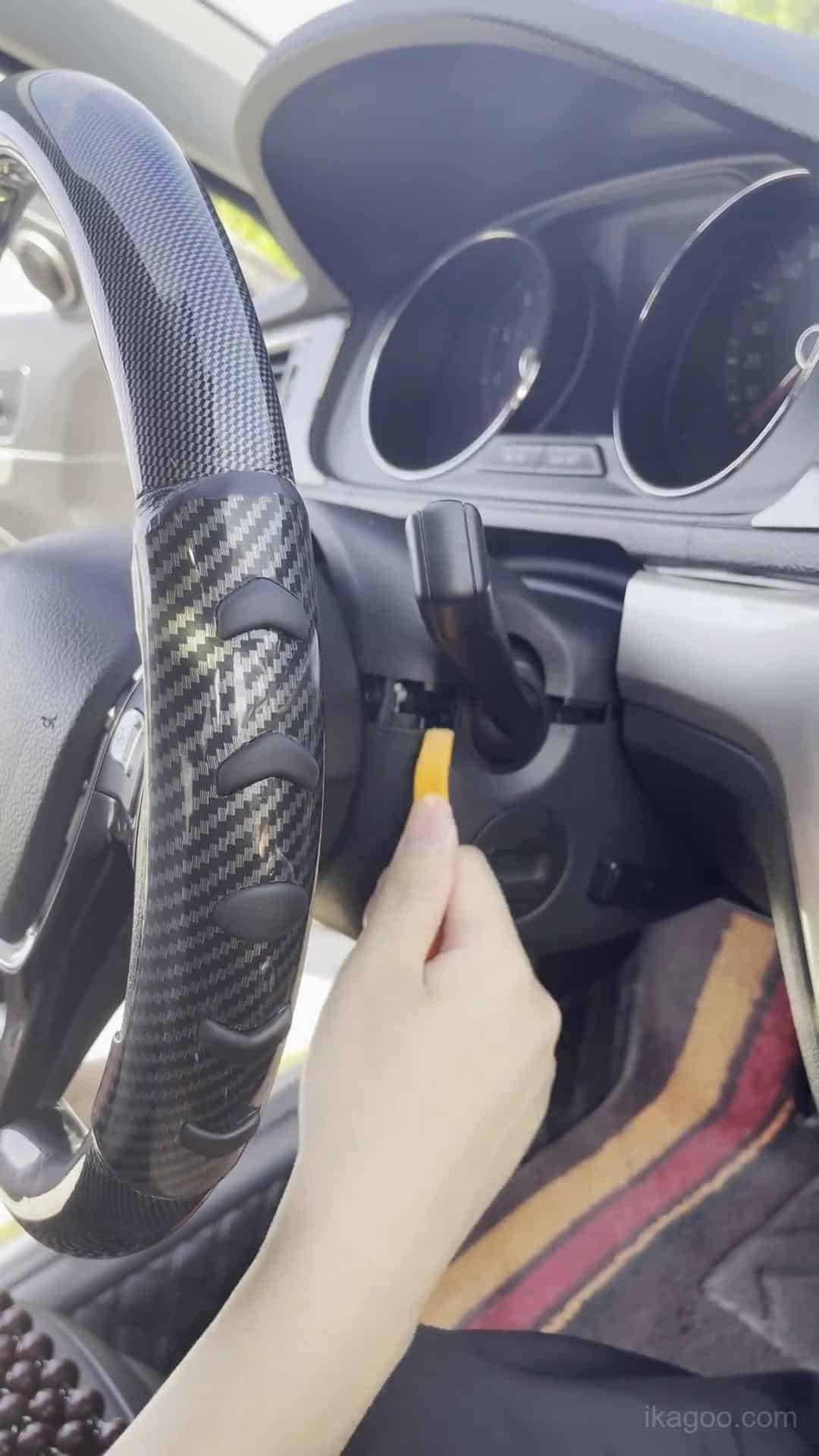
Steg 2. Börja lossa instrumentpanelens trim
Använd ett plastverktyg för trimlossning och lossa den omgivande panelen gradvis. Arbeta från panelens fogar och fästpunkter istället för att använda kraftig hävstång på synliga trimyta.
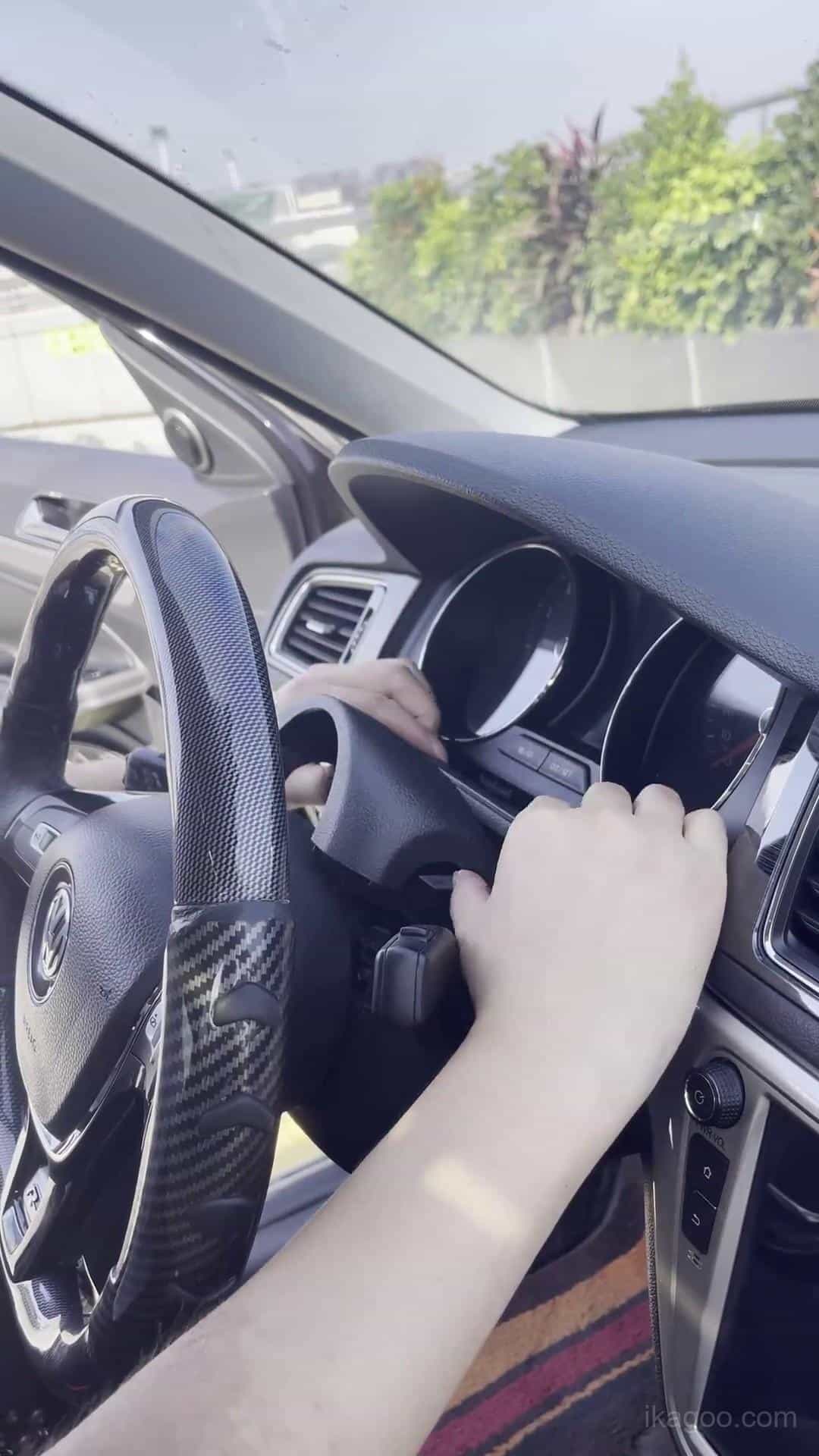
Steg 3. Fortsätt öppna instrumentklustrets omramning
Lossa den omgivande trimmen jämnt. Dra inte ena sidan utåt medan den motsatta sidan sitter fast.
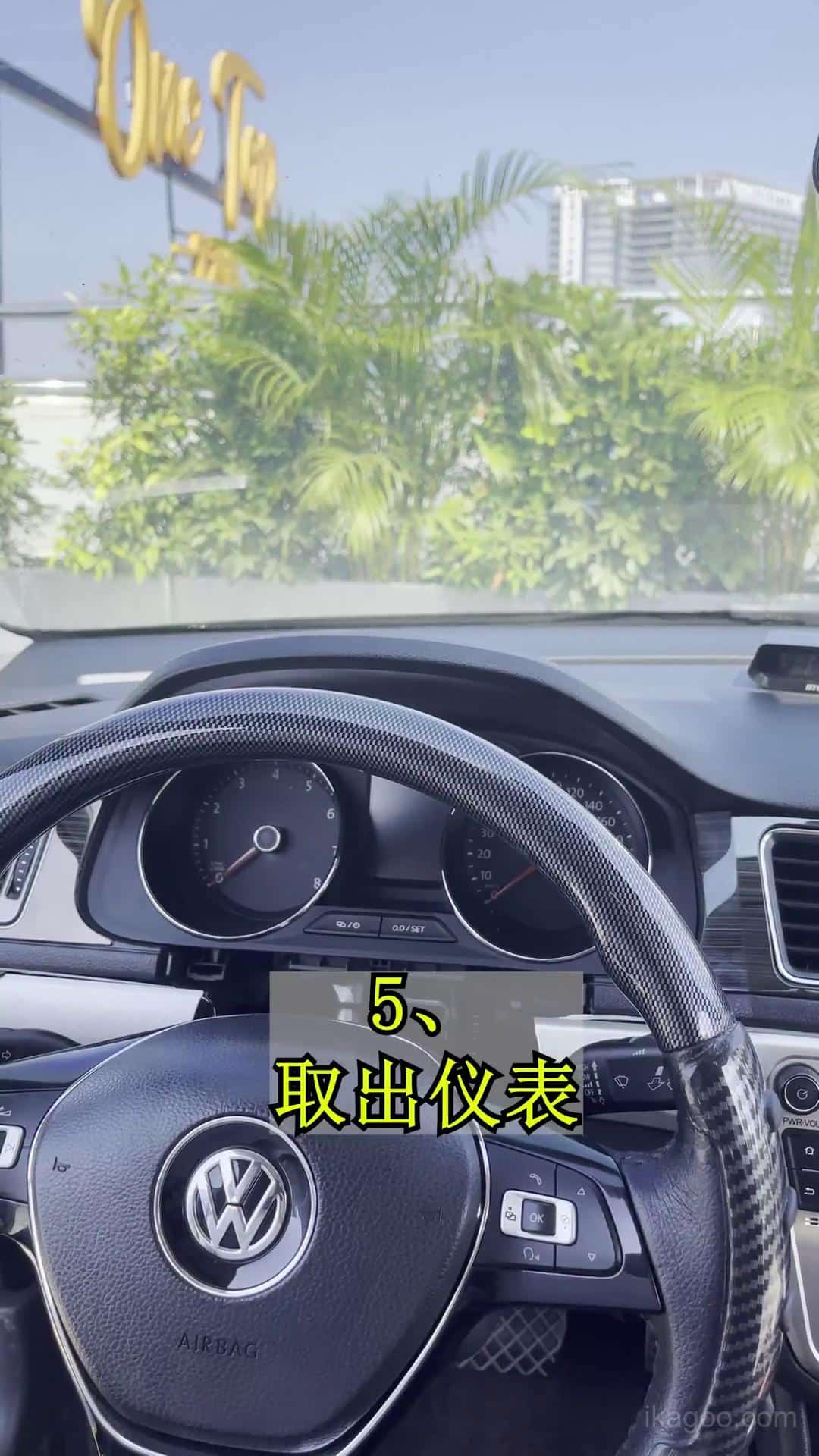
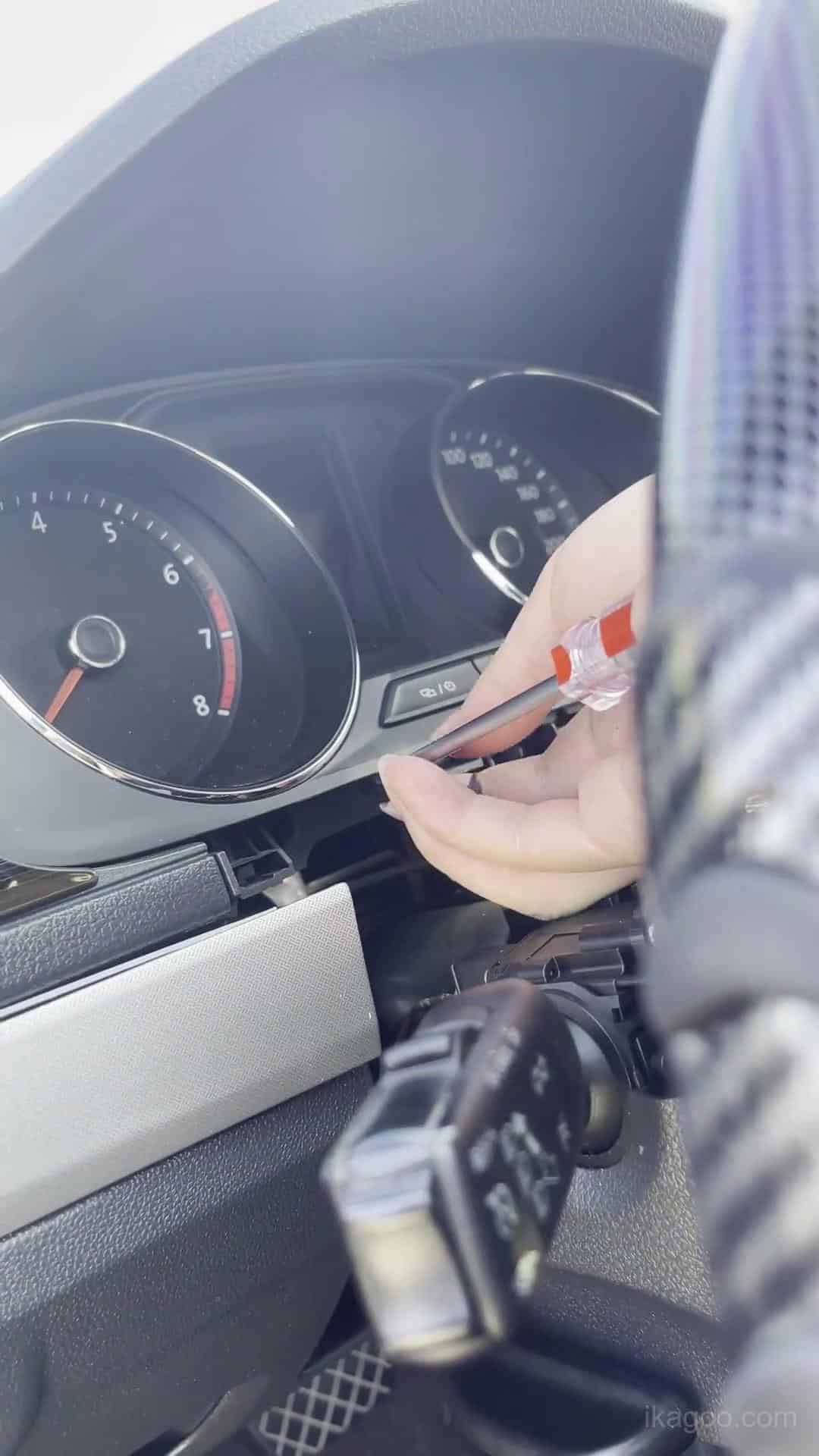
Steg 4. Exponera det ursprungliga klustret helt
Frigör tillräckligt mycket omgivande trim för att det ursprungliga instrumentklustret ska kunna röra sig framåt längs sin normala borttagningsväg utan att skrapa eller tvinga ramen.
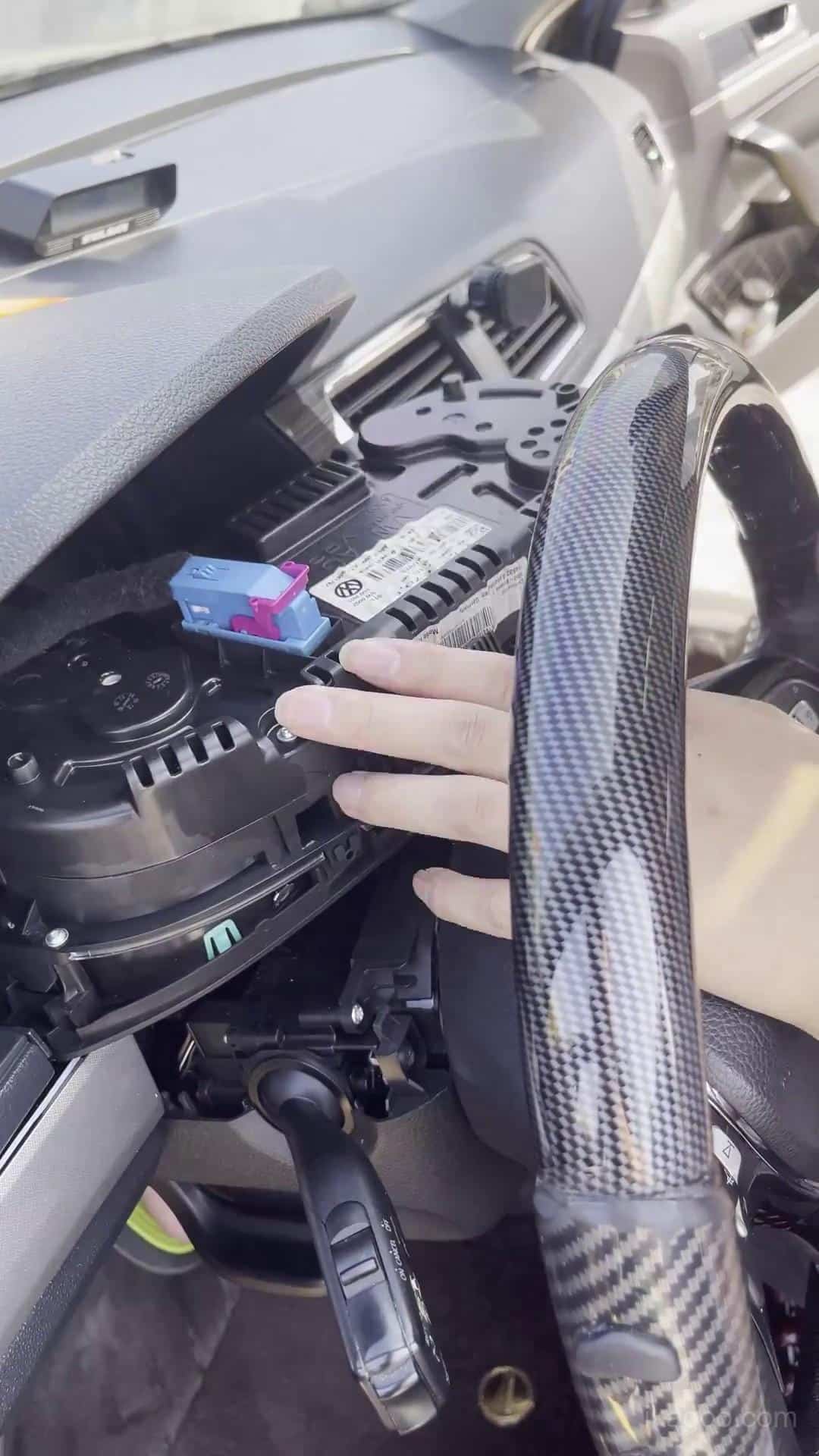
Steg 5. Ta bort det ursprungliga mekaniska klustret
För instrumentklustret framåt försiktigt och stöd dess vikt medan du kopplar bort den ursprungliga kontakten. Låt inte instrumentklustret hänga från kabelstammen.
Överföring av originalkort och bänkarbete
Detta är den mest känsliga delen av installationen av Volkswagen Lavida 2013-2017 digitala instrumentkluster eftersom nödvändig originalelektronik måste behållas och installeras korrekt.
Statisk skydd: ladda ur kroppsstatisk elektricitet innan du rör originalkretskortet och håll elektronikkort endast i kanterna.
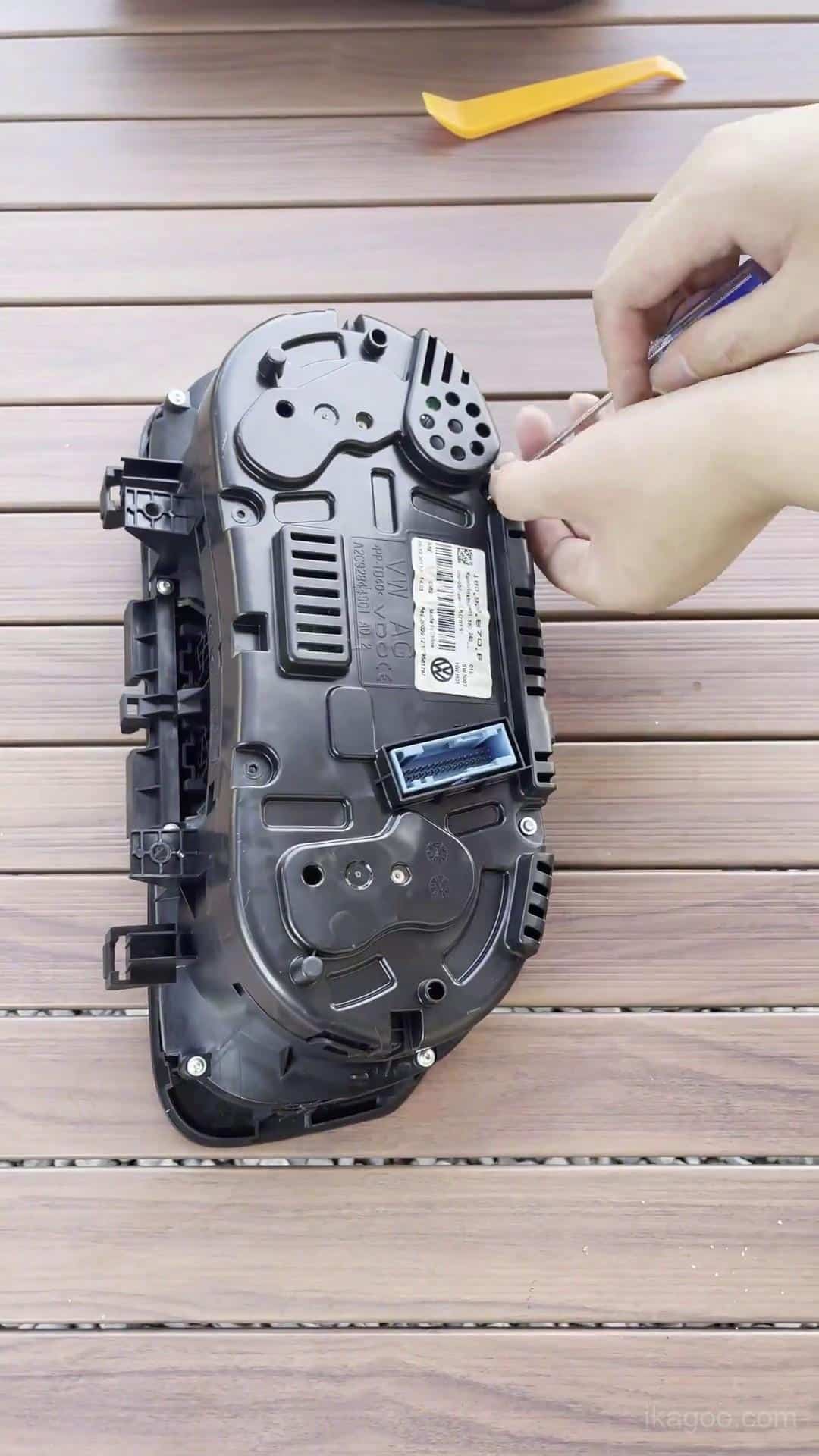
Steg 6. Flytta det ursprungliga instrumentklustret till en ren bänk
Utför det interna arbetet på en ren, vadderad yta. Organisera borttagna skruvar och komponenter innan höljet öppnas.
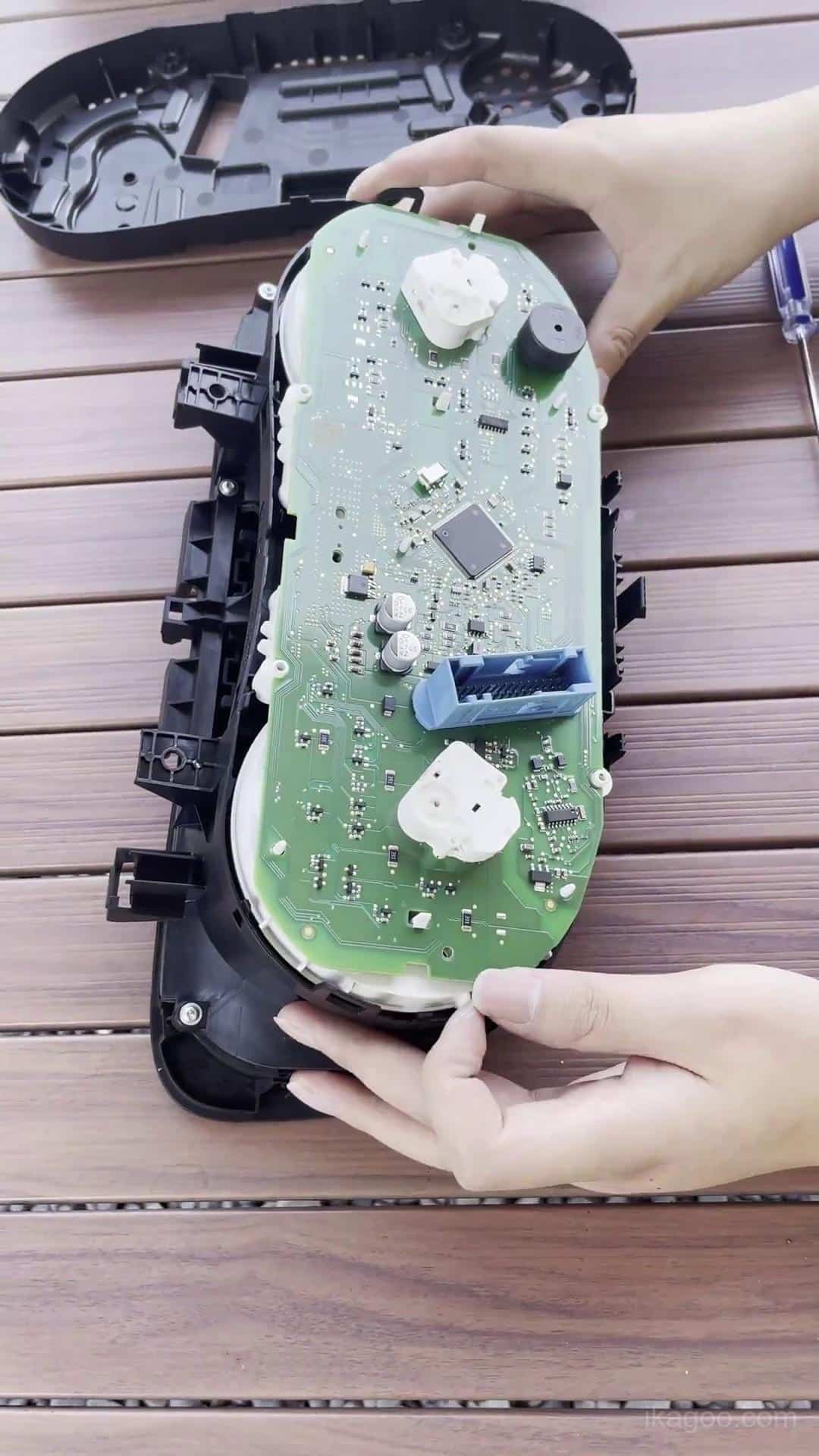
Steg 7. Öppna det ursprungliga instrumentklustrets hölje
Lossa höljets klämmor och fästen metodiskt. Om höljet inte separerar naturligt, lokalisera den återstående fästpunkten istället för att tvinga det.
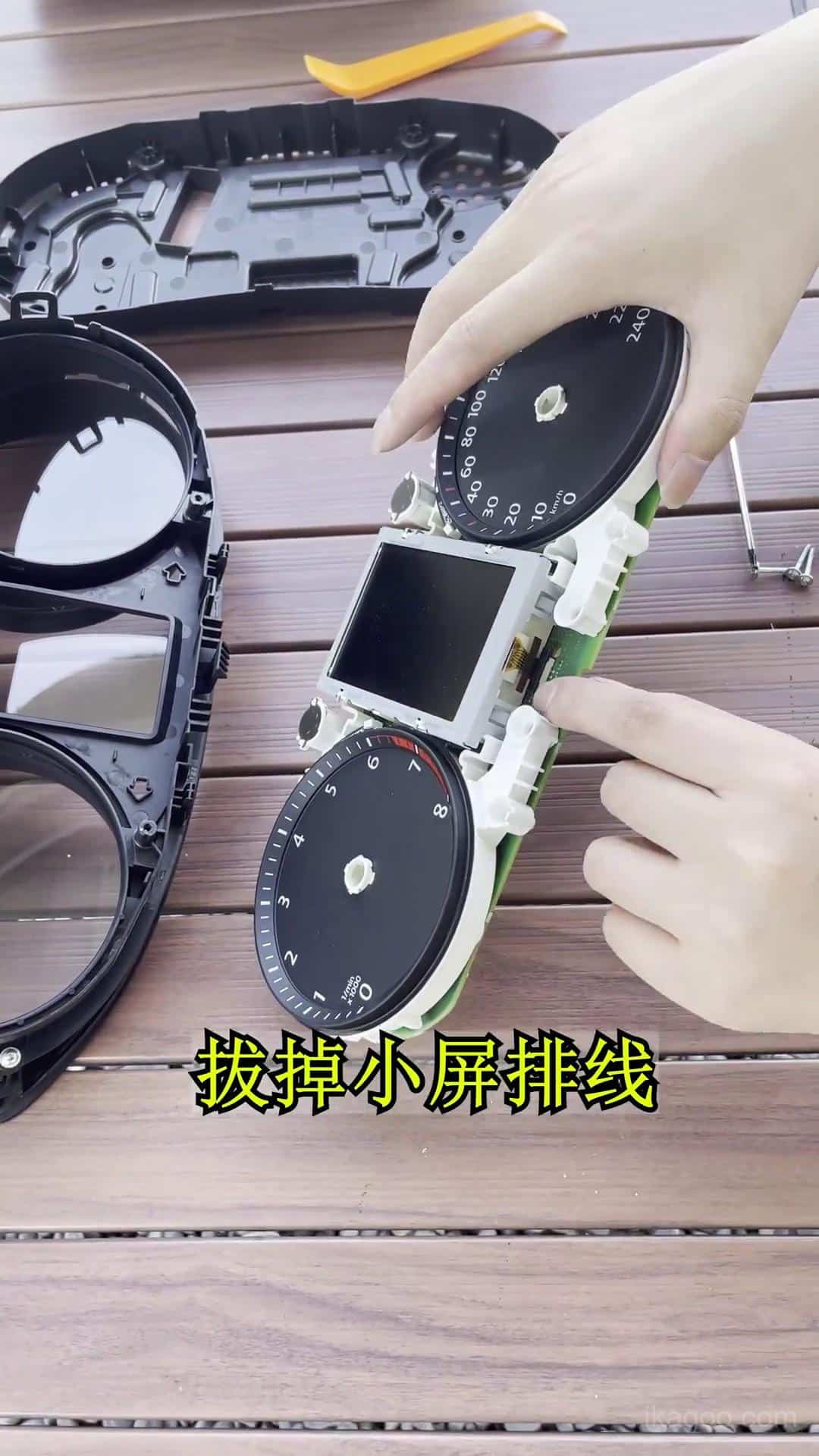
Steg 8. Få åtkomst till originalelektroniken
Identifiera den nödvändiga originalkortsvägen innan du kopplar bort komponenter. Undvik att röra PCB-komponenter eller blottade kontakter direkt.
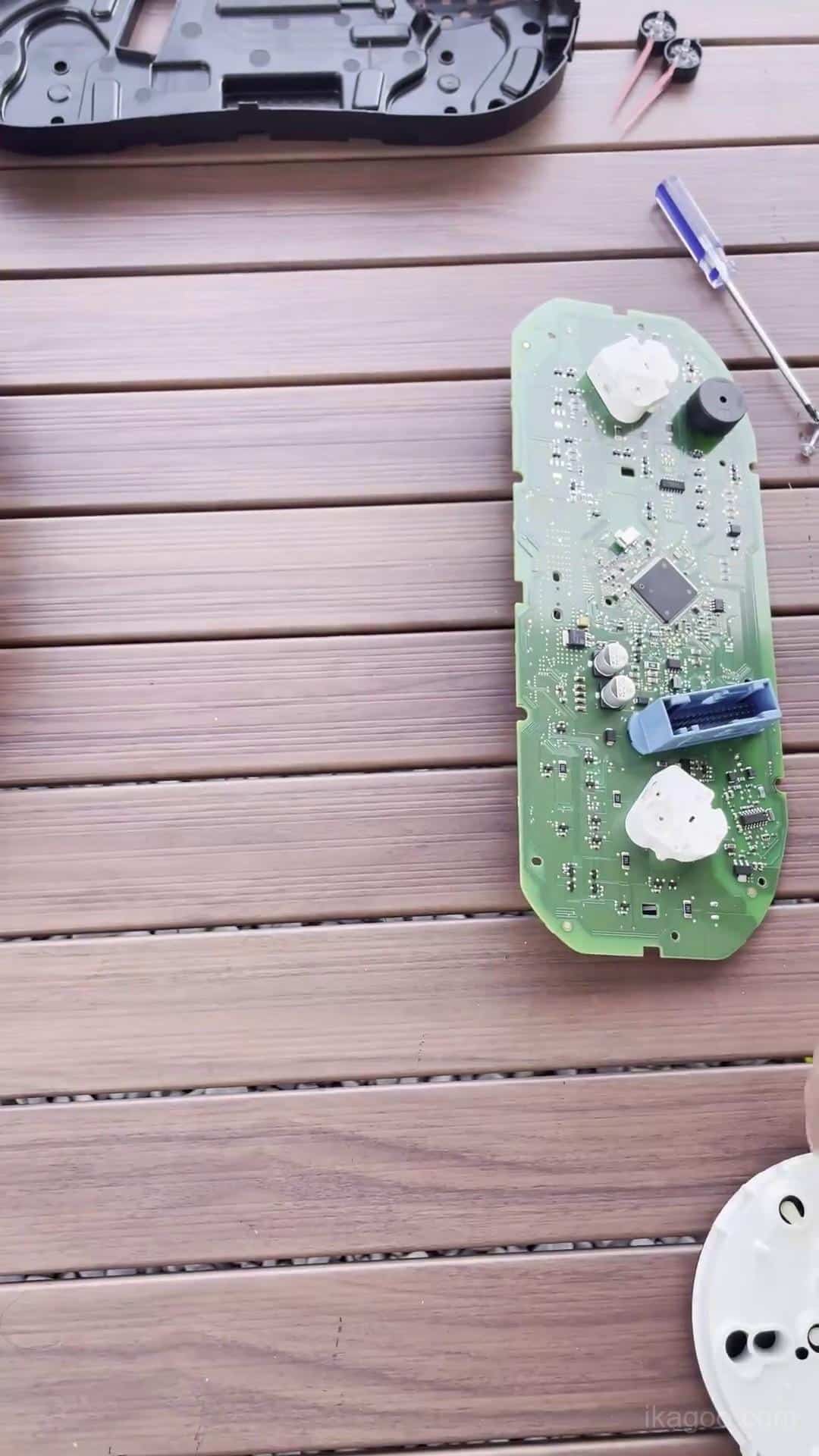
Steg 9. Överför den nödvändiga originalelektroniken
Flytta de nödvändiga bevarade elektroniska komponenterna till den uppgraderade digitala instrumentklusterenheten och placera dem naturligt på sina avsedda monteringsplatser.
Se till att alla kontakter sitter helt på plats och att ingen kabel är klämd under kortet.
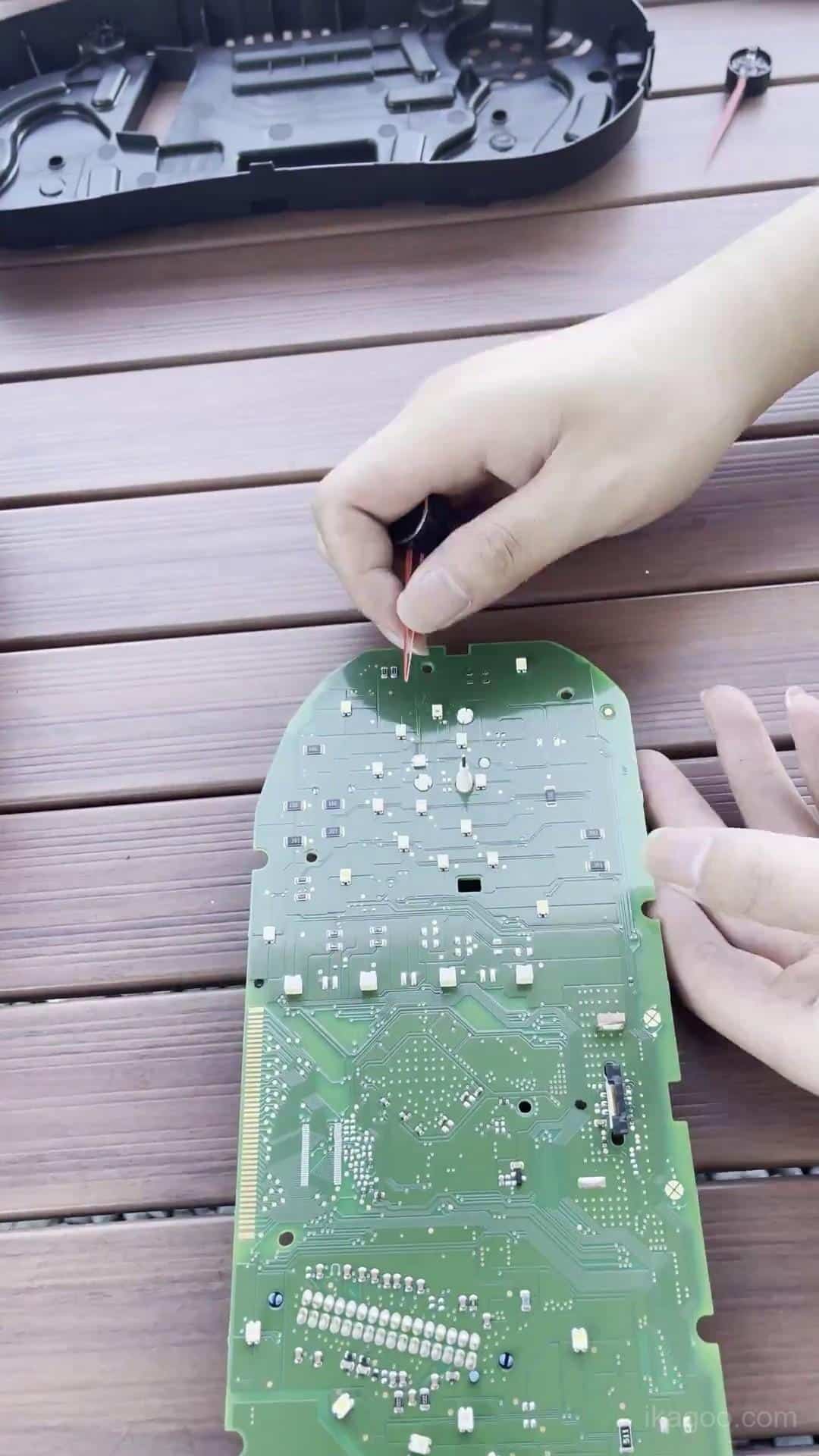
Steg 10. Verifiera den bevarade originalhårdvaran
Innan du stänger det nya höljet, inspektera det behållna kretskortet, kontakterna, kabelvägen och den ursprungliga instrumentbuzzern.
Detta är också rätt punkt för att identifiera huruvida den ursprungliga instrumentpanelen innehåller det lilla hjälpkortet som beskrivs nedan.
Kontrollera det lilla hjälpkortet
Vissa originalmekaniska instrumentpaneler med högre specifikation innehåller ett litet hjälpkort bakom originaldisplayen. Det finns inte på alla Lavida-instrumentpaneler.
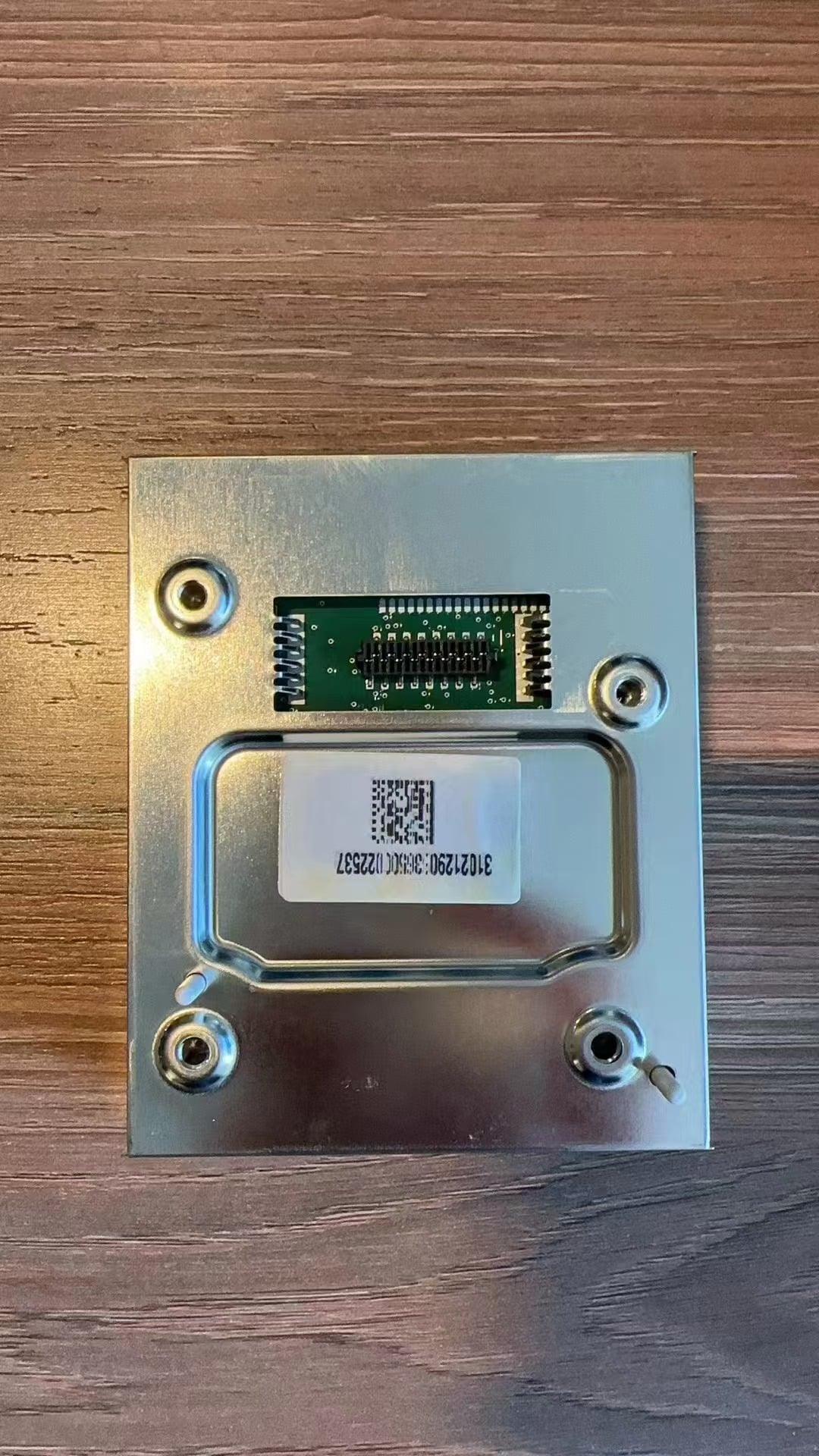
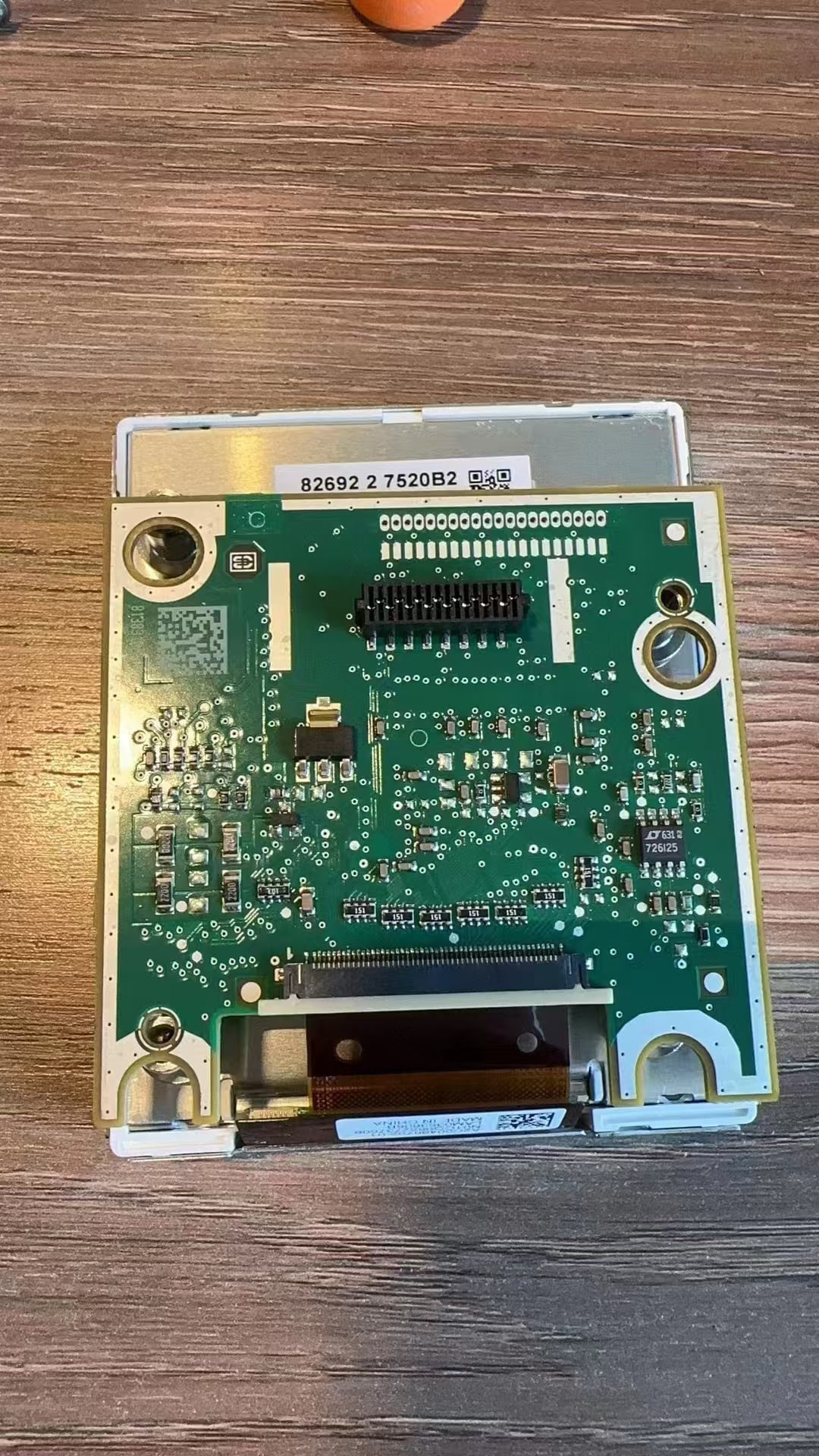
Om den ursprungliga instrumentpanelen innehåller detta kort, överför och säkra det korrekt. Om den ursprungliga instrumentpanelen inte innehåller kortet krävs ingen installation av hjälpkort.
Kritisk kontroll: när den ursprungliga instrumentpanelen innehåller detta kort kan utelämnande av det eller att lämna det löst bidra till bränslenivåfel eller instrumentfelvarningar.
Förklaring av hjälpkort
Installationsreferens för hjälpkort
Återmontering av digital instrumentpanel och USB-dragning
Efter att den behållna elektroniken har kontrollerats, återmontera den digitala instrumentpanelen och förbered den för installation tillbaka i instrumentbrädan.
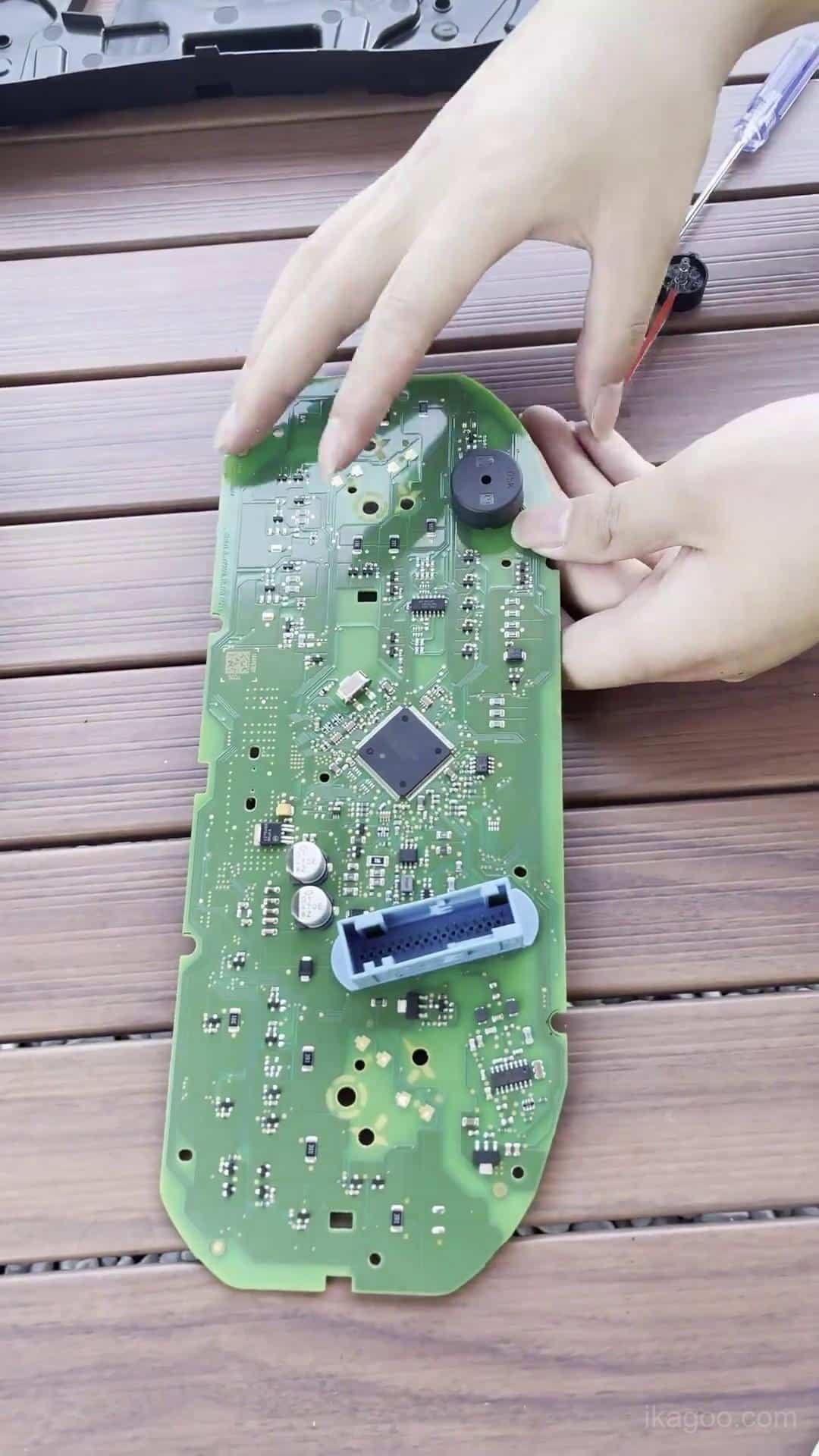
Steg 11. Återmontera den digitala instrumentpanelen
Stäng höljet jämnt runt omkretsen. Applicera tryck endast på höljets strukturella kanter och aldrig direkt på LCD-ytan.
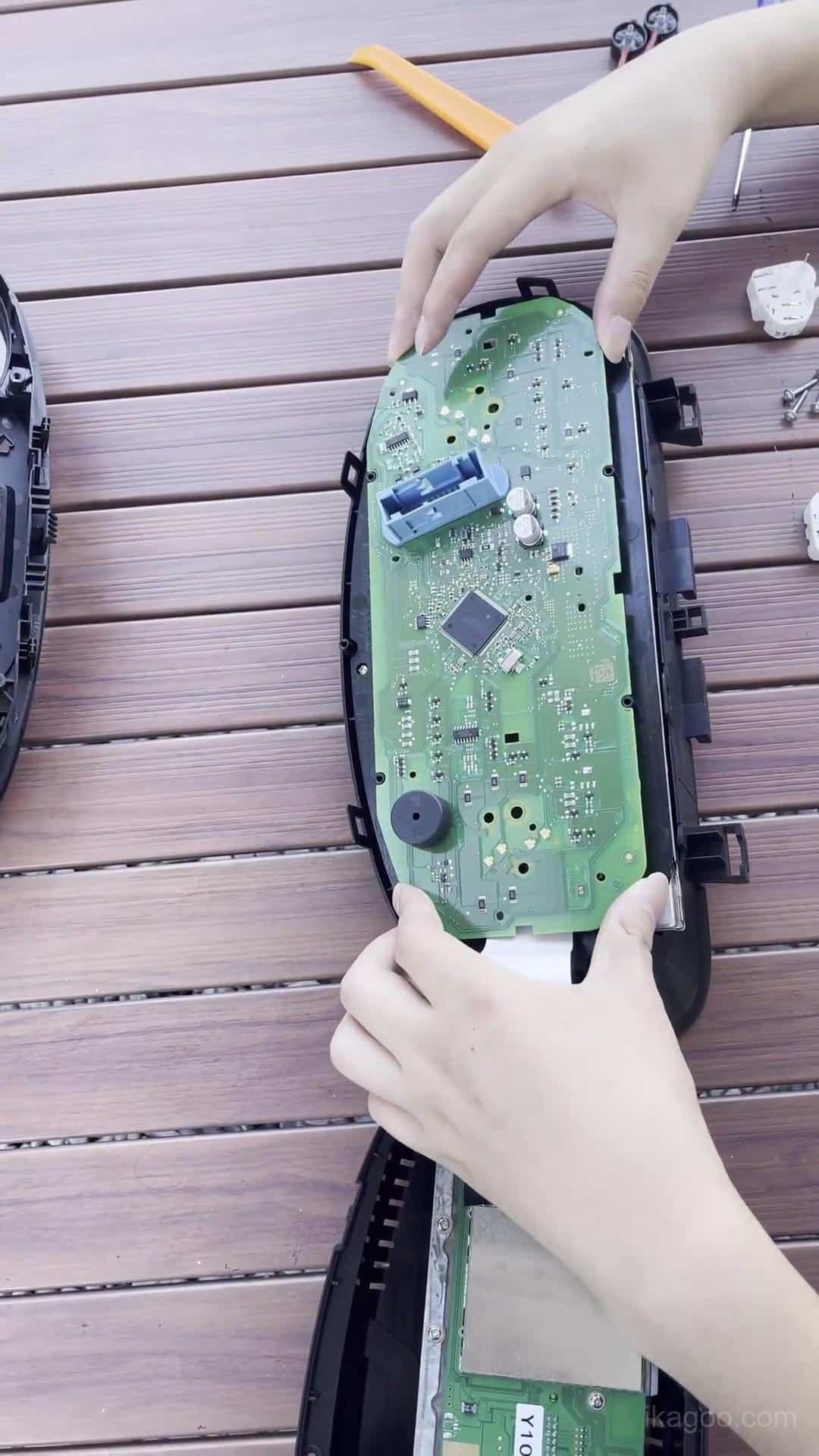
Steg 12. Inspektera det färdiga instrumentpanelshöljet
Kontrollera hela höljets fog och verifiera att den behållna elektroniken, buzzern, flatkablarna och kablarna förblir korrekt placerade.
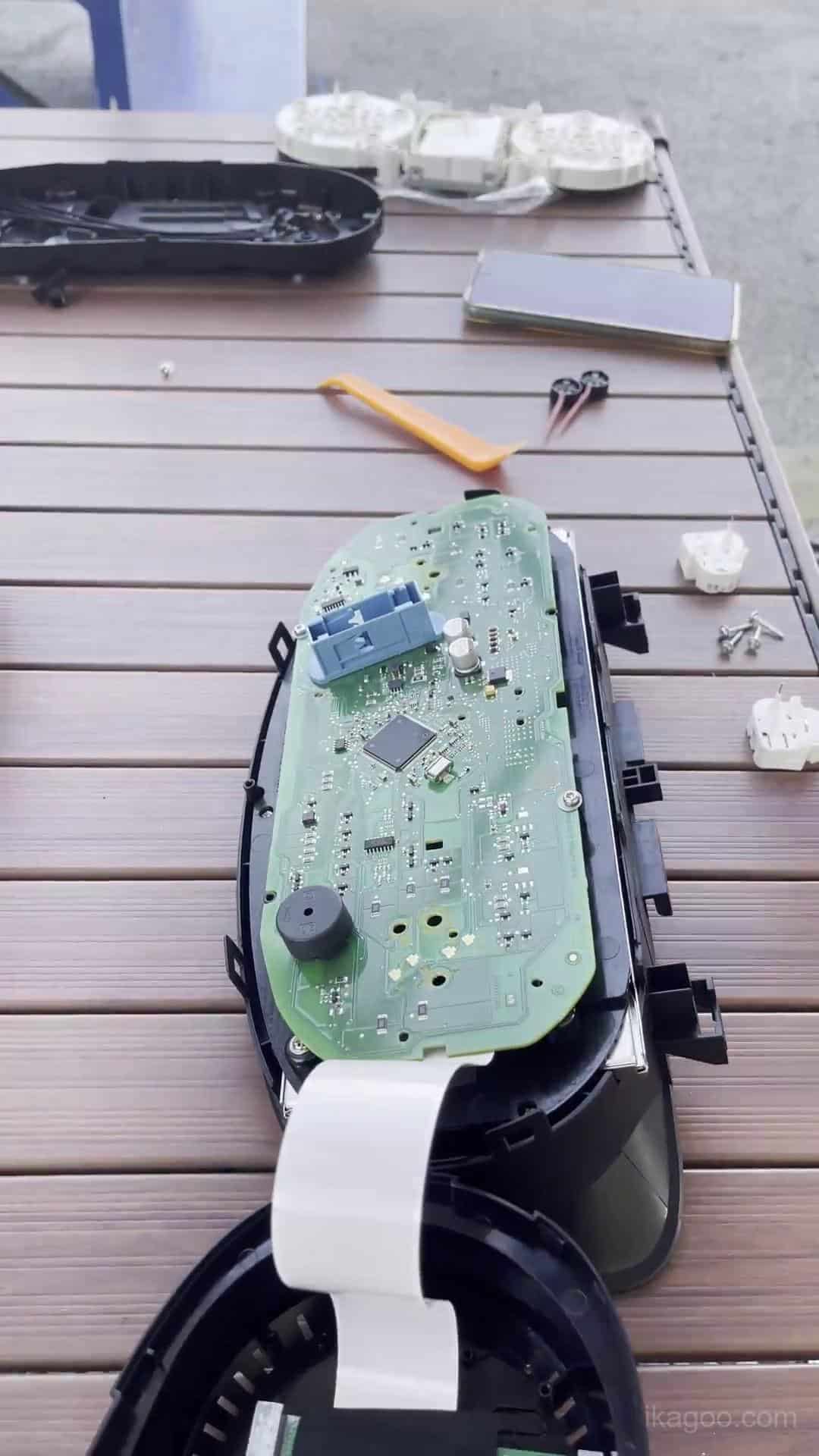
Steg 13. Återanslut den digitala instrumentpanelen
Återanslut det ursprungliga fordonskabelnätet helt och placera den uppgraderade instrumentpanelen i instrumentöppningen. Håll den omgivande listen öppen för första strömtests.
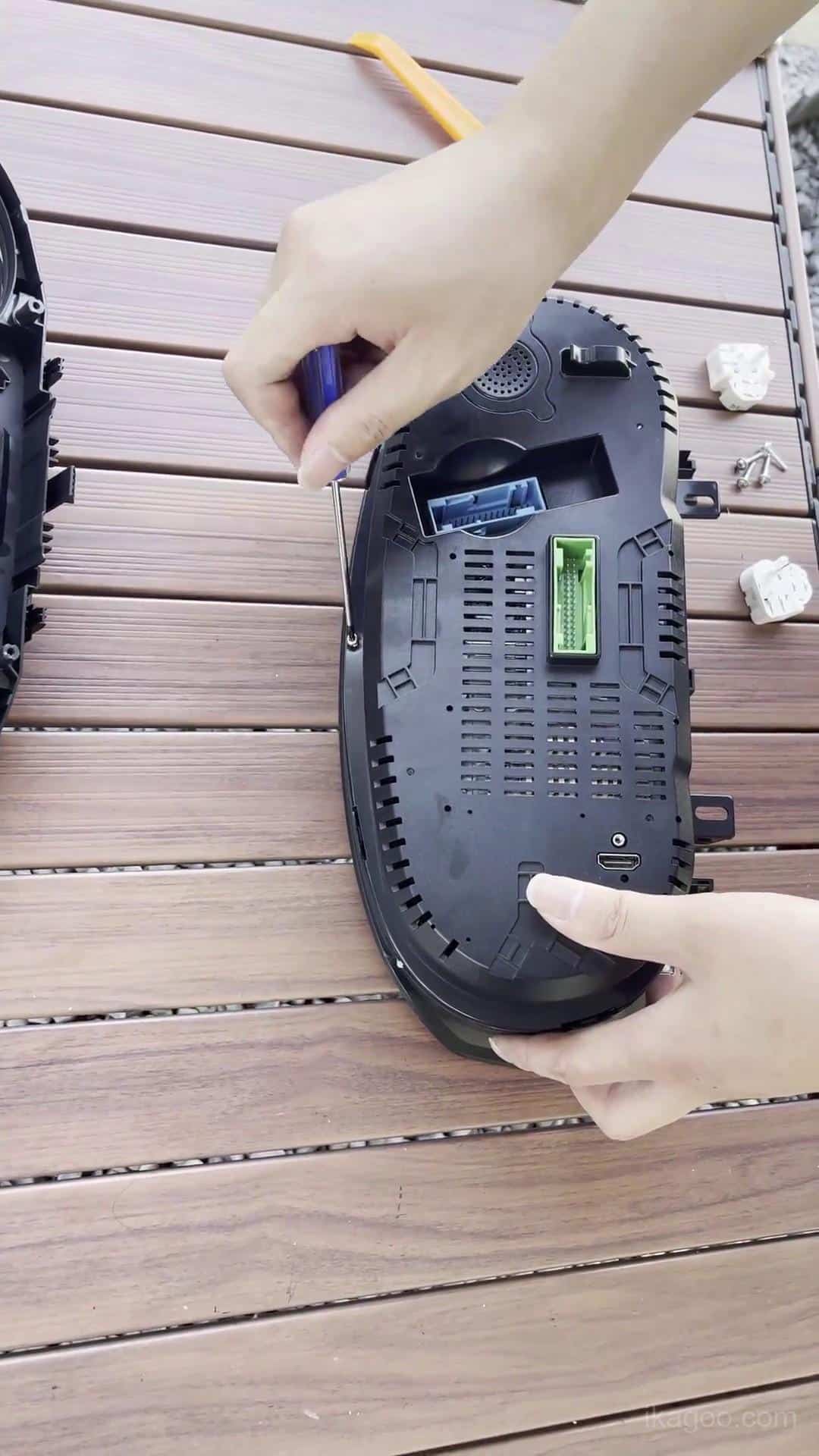
Steg 14. Dra båda USB-kablarna
Håll båda USB-kablarna åtkomliga nära det nedre vänstra förvaringsutrymmet under ratten.
En kabel behålls för trådbunden programvaruuppdateringsåtkomst. Den andra används för trådbunden projicering där det stöds av den medföljande instrumentpanelsversionen.
Första strömpåslagning och slutlig instrumentpanelsmontering
Återmontera inte all instrumentpanelslist förrän klustret har klarat sitt första strömtests.
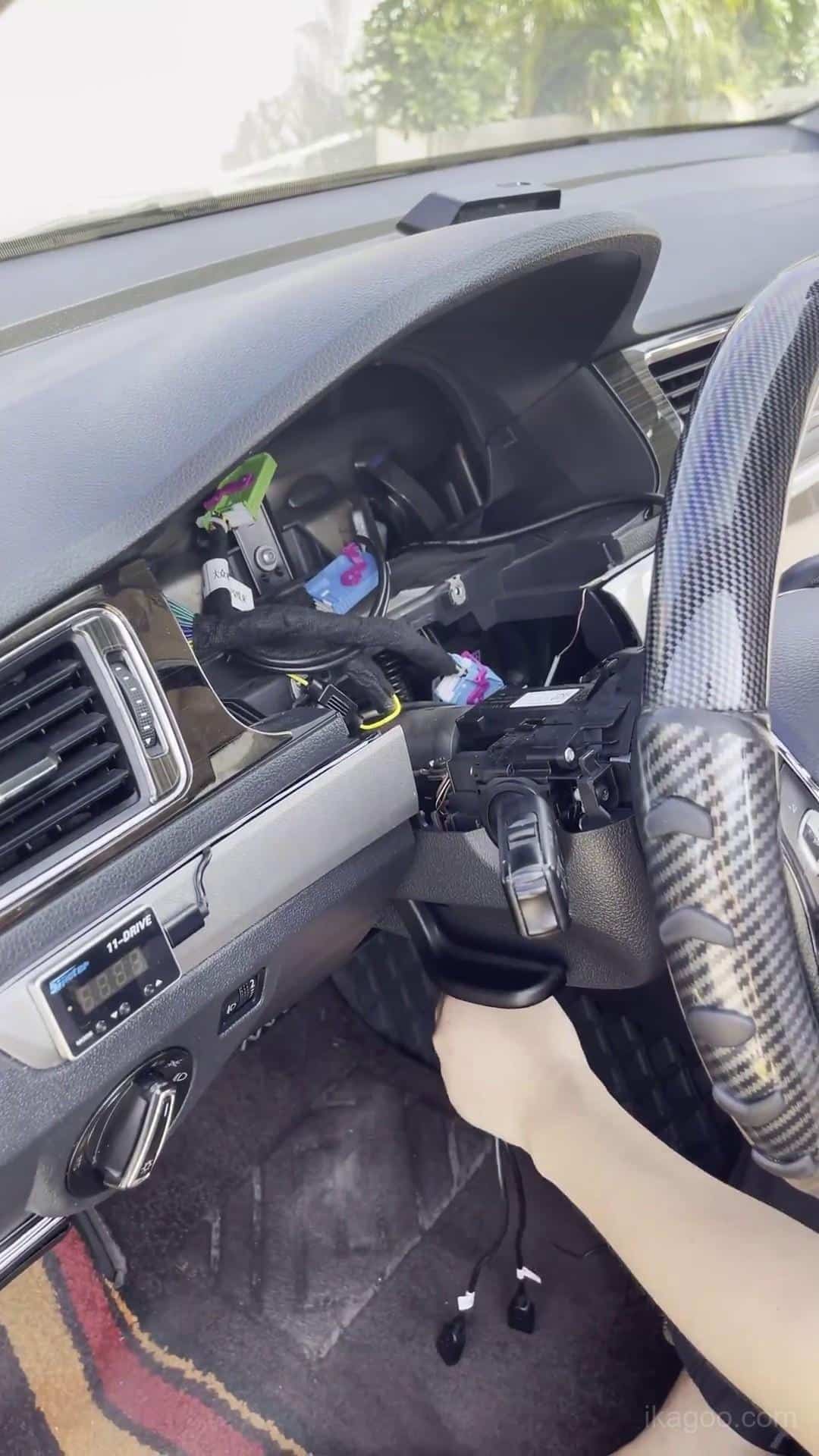
Steg 15. Slå på strömmen och testa det digitala klustret
Observera uppstart, varningsbeteende och huvudvisningen av fordonsdata. Inspektera LCD-skärmen för onormala linjer, mörka områden eller tryckmärken.
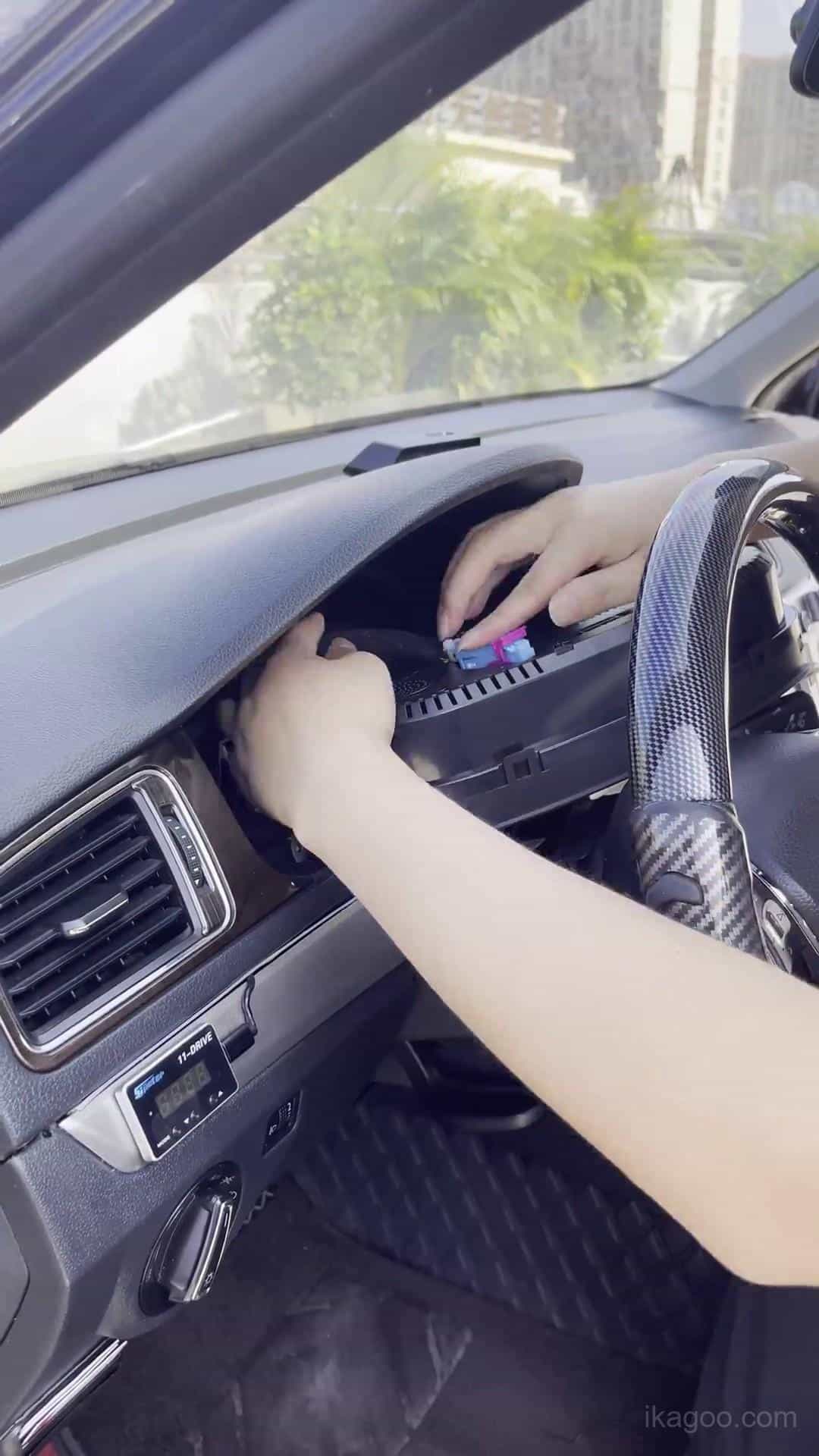
Steg 16. Återmontera den omgivande instrumentpanelslisten
När första strömtestet har godkänts, rikta in listen och återmontera den gradvis. Om ovanligt tryck krävs, kontrollera klustrets position och kabeldragningen först.
Steg 17. Verifiera den slutliga installationen
Kontrollera den färdiga instrumentpanelen från förarens position. Bekräfta ren passform, normal uppstart, varningsindikatorer, bränslevisning, körriktningsvisarvisning, menydrift och allmänt fordonsinformationsbeteende.
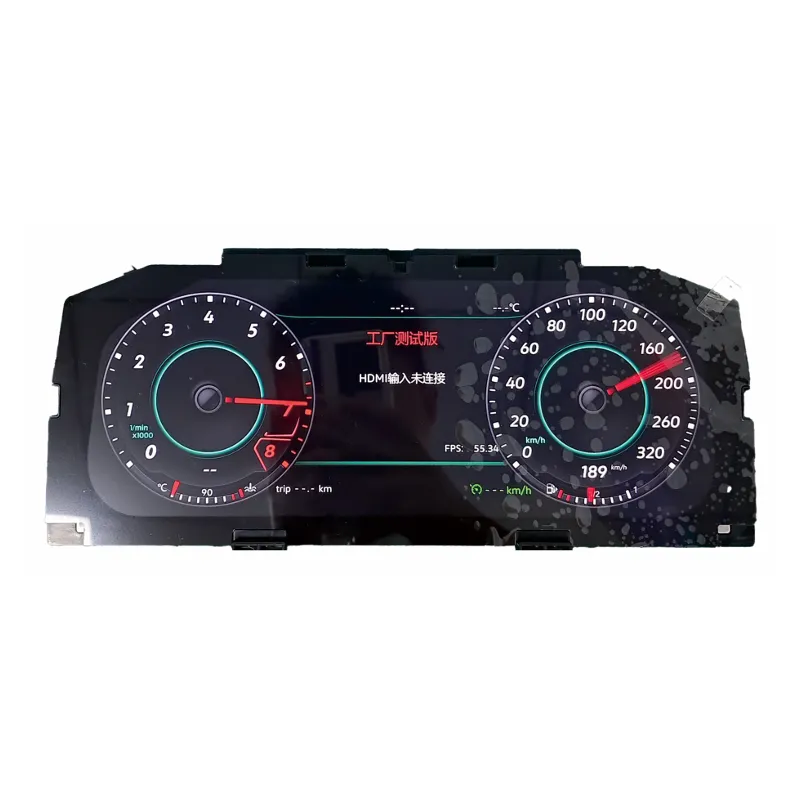
Digitalt kluster för Volkswagen Lavida 2013-2017
Detta är iKAGOO-produktvägen för digitalt kluster som är kopplad till installationsmetoden som visas ovan. Den är avsedd för kompatibla Volkswagen-applikationer som använder den stödda ursprungliga instrumentklusterarkitekturen.
Beställ inte enbart utifrån årsmodell. Före leverans bör den ursprungliga instrumentpanelen och instrumentklustret kontrolleras mot den stödda vägen.
Kalibrering och inställningar efter installation
Kalibrering av bränsletankens kapacitet
Om bränslemätaren inte visar fullt efter tankning: kontrollera kalibreringen innan du antar ett hårdvaruproblem.
- Fyll bränsletanken helt och hållet.
- Kör några hundra meter.
- Öppna Kördata → Påfyllningsbar mängd.
- Läs av det visade påfyllningsbara beloppet.
- Öppna Inställningar → Konfiguration Kalibrering → Bränsletankens kapacitet.
- Ange det visade påfyllningsbara värdet.
- Efter korrekt kalibrering bör det påfyllningsbara värdet återgå till 0.
Fysisk ljusinställning
På den relevanta Volkswagen Lavida PQ-vägen bör Physical Light förbli inaktiverat. Ett felaktigt aktiverat tillstånd kan påverka körriktningsvisarens visningsbeteende.
Val av fordonsmodell
Om fordonsgrafiken som visas i klustret inte matchar det verkliga fordonet, använd inställningen för val av fordonsmodell, välj rätt modell, stäng av fordonet och lås det i flera minuter innan du kontrollerar igen.
Felsökning för Volkswagen Lavida digitalt kluster
Bränslemätaren visar inte full
Första kontroll: slutför kalibreringen av bränsletankens kapacitet med värdet för påfyllningsbar mängd.
Blinkersvisningen är felaktig
Första kontroll: verifiera att Physical Light är inaktiverat på relevant PQ-rutt.
Varning för instrumentfel visas
Första kontroll: verifiera den bevarade originalsummern och tilläggskortet när originalinstrumentklustret innehöll ett.
Fel fordonsgrafik visas
Första kontroll: välj rätt fordonsmodell, stäng av bilen och lås den i flera minuter.
USB-kabeln kan inte nås senare
Första kontroll: båda USB-kablarna bör förbli åtkomliga nära förvaringsutrymmet nedre vänster.
Digitalt instrumentkluster startar inte
Första kontroll: inspektera originalfordonets kontakt och installationen av det bevarade kortet.
LCD har linjer eller tryckmärken
Första kontroll: inspektera höljet och LCD:n. Tryck aldrig direkt på displayen under återmontering.
Instrumentklustret sitter inte korrekt
Första kontroll: inspektera höljets position, USB-dragning och omgivande instrumentbrädans trim.
Slutlig installationschecklista
Hårdvara
- Originalkortet korrekt installerat
- Originalsummern bevarad
- Tilläggskort överfört om det fanns från början
- Inga klämda flatkablar eller kablar
- Inget tryck applicerat på LCD:n
Fordonsdrift
- Klustret startar normalt
- Varningsindikatorer kontrollerade
- Bränsledisplay kontrollerad
- Blinkers kontrollerade
- Menykontroller kontrollerade
Konfiguration
- Bränslekalibrering slutförd om nödvändigt
- Inställningen Physical Light kontrollerad
- Fordonsgrafik kontrollerad
Framtida support
- Båda USB-kablarna åtkomliga
- Skärmbild av programvara/version tagen
- Slutlig installerad instrumentpanel fotograferad
Rekommenderas: spara ett tydligt foto av skärmen för programvara/version efter installationen. Det hjälper till att identifiera den exakta installerade versionen om framtida uppdatering eller teknisk support behövs.
Relaterade iKAGOO-resurser
Volkswagen Digital Cluster Produkt
Granska produkten som är kopplad till denna installationsväg.
Visa Digitalt Instrumentkluster →VW & Audi Digital Cluster Användarmanual
Använd manualen för drift, inställningar och supportad vägledning efter installation.
Öppna Användarmanual →Installationsguidebibliotek
Bläddra bland ytterligare fordonsspecifika iKAGOO installationsguider.
Bläddra bland installationsguider →Behöver du Digital Cluster som används i denna Lavida-installation?
Skicka ditt Volkswagen Lavida 2013-2017 år plus tydliga foton av originalinstrumentpanelen och instrumentklustret så att konfigurationen kan kontrolleras före leverans.
Volkswagen Lavida 2013-2017 Digital Cluster Installations FAQ
Passar digital cluster alla Volkswagen Lavida 2013-2017?
Nej, det gör jag inte. Originalets mekaniska instrumentkluster och instrumentpanelens arkitektur måste matcha den supportade PQ-plattformens installationsväg.
Kräver Volkswagen Lavida 2013-2017 digital cluster installation kabelklippning?
Ingen kabelklippning eller kabelhärvasskarvning krävs på den supportade installationsvägen. Borttagning av instrumentpanel och överföring av original elektroniska komponenter krävs fortfarande.
Vad måste göras innan original Lavida-klustret tas bort?
Slutför förberedelsen av varningsmenyn medan originalets mekaniska kluster fortfarande är installerat, inklusive vinterdäck- och hastighetsgränsvarningsinställningarna som beskrivs ovan.
Behöver originalinstrumentbrädan överföras?
Ja. Erforderlig bevarad originalelektronik måste överföras och installeras korrekt inuti det uppgraderade digitala klustret.
Har varje Volkswagen Lavida det lilla hjälpkortet?
Nej, det gör jag inte. Vissa högre specifikationer av originalkluster innehåller det. Överför endast kortet när det finns i originalklustret.
Varför måste originalinstrumentets summerton vara installerad?
Den bevarade summertonen är en del av denna supportade installationsväg. Att ta bort den kan bidra till felbeteende i kombinationsinstrumentet.
Varför finns det två USB-kablar?
En ger trådbunden programvaruuppdateringsåtkomst. Den andra ger trådbunden projektion där den funktionen stöds av den medföljande digital-cluster-versionen.
Varför visar bränslemätaren inte fullt efter tankning?
Kontrollera först kalibreringen av bränsletankens kapacitet. Läs av värdet för påfyllningsbar mängd och använd det i kalibreringsinställningen som beskrivs ovan.
Ska Physical Light vara aktiverat?
Nej, inte på den relevanta PQ-vägen som dokumenteras i denna guide. Om den aktiveras felaktigt kan det påverka visningen av körriktningsvisaren.
Vad bör kontrolleras innan instrumentpanelen stängs?
Verifiera normal start, varningsindikatorer, visning av fordonsdata, skärmens skick, installation av det behållna kortet och kontakternas stabilitet innan den slutliga panelen monteras tillbaka.
Vilken produkt rekommenderas för denna installation?
Använd iKAGOO VW 12.3-tums digital klusteruppgradering rutt och bekräfta originalinstrumentpanelen och instrumentklustret före leverans.








Add comment