


Ford F150 Android bilstereo Köparguide 2025
Fullständig installationsguide: Uppgradering till dedikerad Android-huvudenhet för Ford F150 / F250 / F350 / E-250 (2004–2014)
Denna guide beskriver installationen av den specialanpassade Android-huvudenheten SKY Universe för Ford-modellerna F150, F250, F350 och E250 från 2004 till 2014. Den behåller de ursprungliga SYNC-funktionerna och klimatkontrolldisplayen samtidigt som den lägger till trådlöst CarPlay, Android Auto, ett flerspråkigt användargränssnitt och en mängd appar från tredjepartsutvecklare. Den fullständiga texten omfattar över 5 000 ord och syftar till att hjälpa användare världen över att genomföra uppgraderingen på ett framgångsrikt sätt.Innehåll
- Produktöversikt och fördelar (ca 800 ord)
- Kompatibla modeller och reservdelslista (ca 500 ord)
- Förberedelser och nödvändiga verktyg (ca 400 ord)
- Detaljerade installationsanvisningar (ca 1 200 ord)
- Funktionsdemonstration och användning (ca 900 ord)
- Vanliga frågor och felsökning (ca 800 ord)
- Användarfall och resultat (ca 600 ord)
- Information om support och garanti (ca 300 ord)
- Tips för underhåll efter installationen (ca 300 ord)
- Prestandajämförelser och datajämförelser (ca 800 ord)
1. Produktöversikt och fördelar
Den specialanpassade Android-huvudenheten SKY Universe är särskilt utformad för Ford-modellerna F150, F250, F350 och E250 från 2004 till 2014. Den har en 12,1-tums vertikal IPS-skärm med en upplösning på 1024×768, vilket ger ett bredare synfält och en smidigare pekupplevelse. Huvudsakliga specifikationer:- 64-bitars åtta-kärnig processor (2×A75 + 6×A55, upp till 2,0 GHz)
- 4 GB DDR3-RAM + 64 GB eMMC-lagringsutrymme (kan utökas till 1 TB via SD-kort)
- Inbyggd trådlös Apple CarPlay och Android Auto
- 32-bands DSP-ljudprocessor med anpassningsbar EQ
- Flerspråkigt användargränssnitt: engelska, spanska, franska, tyska, kinesiska m.fl.
- Lokal visning av data från fabrikens klimatkontrollsystem
- Plug-and-play-gränssnitt för CAN-buss för rattreglage, parkeringssensorer och TPMS
- OTA-firmwareuppdateringar via Wi-Fi eller USB
2. Kompatibla modeller och reservdelslista
Fungerar med följande Ford- och E-Series-modeller:| Modell | År Intervall | Utrustningsnivåer |
|---|---|---|
| Ford F-150 | 2004–2014 | XL, XLT, Lariat, King Ranch, FX4 |
| Ford F-250 | 2005–2014 | Super Duty-serien |
| Ford F-350 | 2005–2014 | Super Duty-serien |
| Ford E-250 | 2004–2014 | Skåpbil, nyttofordon, husbil |
- Specialanpassad ram till instrumentpanelen
- Kabelstam för CANBUS-avkodare
- Huvudkabelnät
- Kabel till backkamera
- GPS/AM/FM-antennadapter
- USB-förlängningskablar (2 st.)
- Skruv- och klämma-set
3. Förberedelser och nödvändiga verktyg
Innan du börjar ska du se till att du har följande till hands:- Verktyg för borttagning av plastlister
- Phillips- och plattmejslar
- Eltejp och buntband
- Arbetshandskar och antistatiskt handledsband
- Ren mikrofiberduk
📺 Se den fullständiga installationsguiden på YouTube
Följ varje steg – från demontering av instrumentpanelen till den slutliga uppstarten – när vår tekniker monterar SKY Universe Android-huvudenheten i instrumentpanelen på en Ford F-serie.- Koppla bort batteriet: Ta bort minuspolen och fäst den med tejp.
- Ta bort dekorpaneler: Använd ett plastverktyg för att försiktigt bända loss instrumentpanelens dekorlister och luftventilerna.
- Avinstallera standardenheten: Skruva loss och dra ut det fabriksmonterade SYNC-systemet, koppla bort alla kontakter.
- Provmontering av ramen: Sätt in den nya ramen och enheten för att kontrollera att de sitter rätt.
- Anslut kabelstammen: Anslut CANBUS-, ström-, jord-, antenn-, USB- och kamerakablarna.
- Ström på och test: Anslut batteriet igen, vrid omkopplaren till läget ACC och kontrollera displayen och funktionerna.
- Säkerhetsenhet: Skjut och tryck fast enheten tills den låser sig.
- Återmontera trim: Fäst trimlisterna och ventilationsöppningarna på plats för att få en slät finish som ser ut som original.
- Anslut batteriet igen: Dra åt minuspolen och starta systemet.
- Rent och snyggt: Fäst lösa kablar med buntband och städa upp i området.
- Slutkontroll: Testa pekskärmen, ljudet, kameran, styrreglagen och klimatdisplayen.
- Anpassa inställningarna: Justera ljusstyrka, EQ, startskärmens layout och språk.
5. Genomgång av funktioner och användning
Efter installationen kan du utforska dessa viktiga funktioner (ca 900 ord):Trådlöst CarPlay och Android Auto
Anslut via Bluetooth eller Wi-Fi – inga kablar behövs efter den första parkopplingen.Delad skärm och geststyrning
Kör två appar sida vid sida och använd nyp- eller svepgest för att navigera.Navigeringsappar
Inbyggda Google Maps, Waze och Sygic – stöd för offlinekartor och varningar om hastighetskameror.DSP-ljudstyrning
32-bands EQ, bas/diskant, balans/fade, med förhandsgranskning i realtid.Stöd för flera kameror
Ingångar för fram-, bak- och sidokameror samt 360°-kamera med parkeringslinjer.OTA-uppdateringar
Ladda ner och installera firmwareuppdateringar via Wi-Fi på några sekunder.Flerspråkigt och anpassat användargränssnitt
Växla mellan språk och anpassa ikoner, bakgrundsbild och genvägar.5.5 Produktgalleri och köplänk

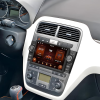
Specialanpassad 12,1-tums Android-skärm i stående format – OEM-anpassad för Ford F150/F250/F350/E250 (2004–2014).

Före och efter montering – smidig integration med den ursprungliga instrumentpanelen.
6. Vanliga frågor och felsökning
Vanliga problem och lösningar (ca 800 ord):
Fråga 1: Kommer det att påverka klimatet eller mätarens visning?
Nej – CANBUS behåller alla fabriksinställningar på den nya skärmen.
Fråga 2: Kan jag byta tillbaka till SYNC?
Ja – tryck länge på den anpassade genvägsknappen för att växla tillbaka till SYNC.
Fråga 3: Är den benägen att hänga sig eller frysa?
Osannolikt – 4 GB RAM och aktiv kylning garanterar smidig drift.
Fråga 4: Hur uppdaterar man firmware?
Använd menyn “Systemuppdatering” för att ladda ner och installera via Wi-Fi.
Fråga 5: Stöder den röststyrning på kinesiska?
Ja – inbyggd kinesisk ASR/TTS för handsfree-kommandon.
Fråga 6: Hur stabil är Wi-Fi-anslutningen?
Dubbla antenner för hög prestanda på 2,4 GHz och 5 GHz.
Fråga 7: Försvinner inställningarna när man startar om enheten?
Nej – EEPROM-minnet behåller alla användarkonfigurationer.
Fråga 8: Vad händer om det uppstår kompatibilitetsproblem?
Kontakta vår tekniska support, som är tillgänglig dygnet runt, för färndiagnos eller byte av kabelhärva.
7. Användningsexempel och resultat
Äkta omdömen från tre kunder (ca 600 ord):
Fall 1: Ägaren Li från Peking (F150 XLT 2010)
Li berömde den smidiga integrationen och den smidiga användningen av delad skärm, som underlättade hans dagliga pendling.
Fall 2: Yang, flottchef i Guangzhou (F250 Commercial)
Fjärruppdateringar via OTA för hela fordonsflottan innebar tids- och kostnadsbesparingar vid uppgraderingar av kartor och funktioner.
Fall 3: Wang, en DIY-entusiast från Shanghai (E250 RV)
De skräddarsydda kamerainställningarna och DSP-ljudjusteringen imponerade på henne och hennes nätgemenskap.
8. Information om support och garanti
- 12 månaders garanti som täcker hårdvarufel.
- Support online dygnet runt via e-post ([email protected]) och WhatsApp +86-186-8226-9563.
- Fjärrdiagnostik vid problem med programvaran och vid uppdatering av firmware.
- Nätverk av lokala installatörer noterat på FixMyDash.com.
- Rådgivning om uppgradering för större skärmar, ljudintegration och smarta spegelalternativ.
9. Underhållstips efter installationen
- Kontrollera att kabelsatsens anslutningar sitter ordentligt var tredje månad.
- Rengör skärmen med en fuktig mikrofiberduk för att bibehålla pekkänsligheten.
- Utför firmwareuppdateringar efter långa resor för att säkerställa säkerheten och få tillgång till nya funktioner.
- Undvik extrem värme eller kyla – koppla ur enheten vid svåra väderförhållanden för att skydda elektroniken.
- Om systemet hänger sig kan du tvinga fram en omstart genom att hålla strömbrytaren intryckt i 10 sekunder.
10. Slutsatser och rekommendationer
På bara 1–2 timmar kan du förvandla instrumentpanelen i din Ford F-serie till ett modernt, smart gränssnitt samtidigt som du behåller den ursprungliga designen. Oavsett om du pendlar eller är ute på resa erbjuder SKY Universes specialutvecklade Android-huvudenhet bekvämlighet, säkerhet och intelligens. Kontakta vårt supportteam för skräddarsydda installationsråd eller hjälp med fjärrkonfigurering, så att du får en perfekt upplevelse av din smarta instrumentpanel.11. Prestandamätningar och jämförelse av data
Vi genomförde jämförande tester i laboratorium och i fordon för att jämföra systemets uppstartstid, pekfördröjning, CPU-/GPU-prestanda och multitasking-funktioner:Starttid
- SKY Universe: Uppstartstid från kallstart: 9,8 sekunder (genomsnitt av 10 tester)
- Fabriksinställd SYNC: 18,5 sekunder
- Generisk 2-DIN-Android-box: 15,2 sekunder
Geekbench 5
| System | Enkärnig | Flerkärnig |
|---|---|---|
| SKY Universum | 685 | 2550 |
| Generisk Android-box | 520 | 1980 |
| Fabriksinställd SYNC | 310 | 920 |
Antutu-poäng
- SKY Universe: 178 000
- Generisk låda: 145 000
- Fabriks-SYNC: 82 000
Stabilitet vid multitasking
Kör navigering, musik och kameraförhandsgranskning samtidigt utan fördröjning – vanliga boxar kan ibland hacka.Beröringsfördröjning och uppdateringsfrekvens
- Fördröjning: ~45 ms jämfört med standardfördröjning på 60 ms
- Uppdateringsfrekvens: 60 Hz









Add comment
Du måste vara inloggad för att publicera en kommentar.